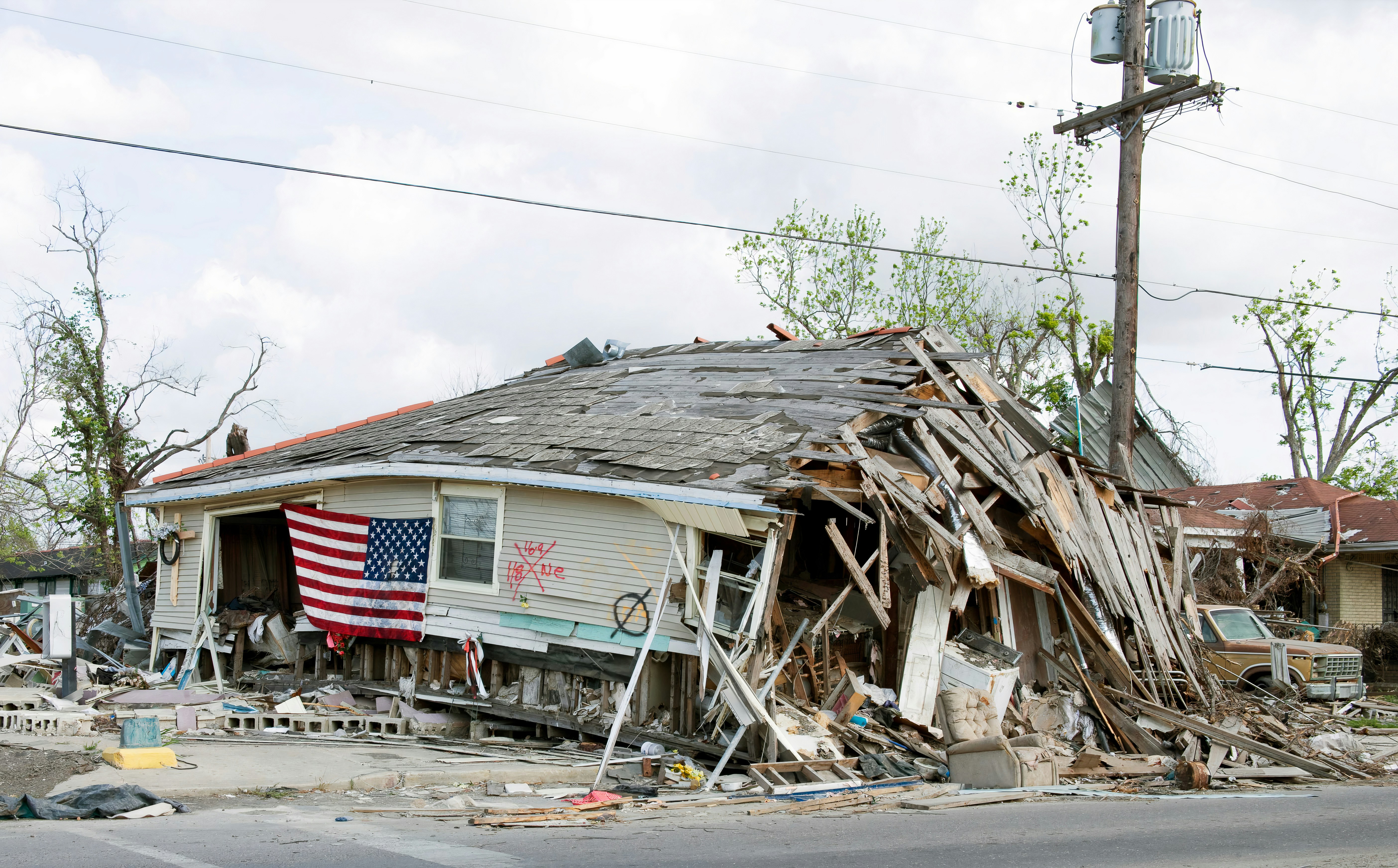
Storm Damage Leads After a Flood Warning: A Response Workflow for Roofing and Restoration Businesses
Heavy rain, flooding, tornado activity, and continuing flash-flood threats have affected parts of the Southwest, with conditions changing over time, according to reporting from The Associated Press and ABC News.
That does not prove roofing or restoration businesses are receiving more leads. But when severe weather is active, businesses should prepare for possible storm-damage inquiries, urgent inspection requests, missed calls, and homeowners who need a clear next step.
Before any business workflow: if an inquiry involves immediate danger, including downed power lines, a gas leak, carbon monoxide concerns, fire, medical equipment losing power, or another life-safety issue, direct the person to qualified emergency authorities and professionals. Do not use a lead-follow-up sequence as emergency triage, safety advice, or a substitute for human judgment.
For the rest of the inquiries, a simple response system can help your team acknowledge requests, collect useful details, check service area and capacity, and make sure no lead is forgotten while conditions are changing.
Table of contents
- What this workflow is—and is not
- The storm-damage inquiry workflow
- Intake questions for roofing and restoration leads
- A practical urgency and ownership queue
- SMS templates for storm-damage inquiries
- Set capacity expectations without overpromising
- How to follow up when you cannot reach the lead
- Where automation fits
- FAQ
What this workflow is—and is not
A storm-response lead workflow is not a claim that your business has a surge in demand. It is a preparation plan for handling inquiries if they rise.
It is also not:
- An emergency dispatch process
- A way to assess property damage remotely
- Insurance, structural, flood, or adjuster advice
- A promise that every inquiry can receive same-day service
- A replacement for a qualified person reviewing urgent messages
It is a way to create a consistent path from new inquiry to human review, service-area check, capacity decision, and next communication.
That distinction matters. A homeowner may use words such as “emergency,” “flooded,” or “roof damage” in ways that require a person—not an automated system—to understand the situation and decide what your business can appropriately do.
The storm-damage inquiry workflow
Use the following workflow for web forms, inbound texts, missed calls, paid leads, social messages, and referrals.
1. Acknowledge the inquiry without promising a crew
Your first message should do three things:
- Identify your business.
- Confirm that the inquiry was received.
- Set the expectation that a team member will review it.
Avoid language such as “We’re on the way,” “A crew is being dispatched,” or “We can inspect today” unless a human has confirmed that is true.
A good acknowledgment gives the homeowner a way to reply with essential information while protecting your team from accidental overcommitment.
2. Capture the facts your team needs to review
Storm inquiries can be incomplete: “Need help ASAP,” “Roof leaking,” or “Water came in.” A short set of questions helps your team determine whether the lead is in your service area, what service may be needed, and who should own the next response.
Keep the initial questions focused. Do not turn the first text into a long questionnaire.
3. Route for human review
Assign one person or role to watch the storm-damage queue during business hours and after-hours coverage periods. The owner may be a dispatcher, office manager, estimator, restoration coordinator, or business owner.
The key is clarity: each inquiry needs a visible next owner.
For example:
| Lead status | Meaning | Next owner action |
|---|---|---|
| New | Inquiry received, no review yet | Review contact details and the message |
| Need details | Service request is unclear | Send intake questions or call |
| Safety concern | Message suggests an immediate hazard | Refer the person to qualified emergency authorities and professionals; do not diagnose by text |
| Service-area review | Location is not confirmed | Check whether the property is in your coverage area |
| Capacity review | Work type may fit, availability is unconfirmed | Confirm realistic options with the team |
| Human contact attempted | Call or personal reply was made | Record the next follow-up action |
| Scheduled or declined | Outcome is known | Send the appropriate confirmation or closing response |
Do not let “urgent” become a substitute for ownership. Every lead needs a person responsible for the next action.
4. Confirm the next step only after review
Once a team member checks the location, job type, and current availability, send a specific update. The update may be:
- A request for a call-back window
- A request for photos, if your normal process uses them
- An inspection option, if available
- A clear statement that your schedule is still being reviewed
- A polite decline when the property is outside your area or the request does not fit your services
A precise “we are reviewing availability” is more useful than a vague promise your team cannot keep.
Intake questions for roofing and restoration leads
Use intake fields that reflect storm-related work rather than a generic quote form.
Core contact and location details
Collect:
- Name
- Mobile number
- Property address or ZIP code
- Best time to call
- Whether the property is residential or commercial, if relevant to your business
The address or ZIP code should be collected early. It lets your team identify service-area mismatches before spending time on a detailed conversation you cannot take on.
Service-request details
Ask only what helps your team understand the request:
- What type of help are you looking for: roofing, water damage, cleanup, drying, tarping, inspection, or another service?
- What did you notice at the property?
- When did you first notice the issue?
- Is water currently entering the building, or has the situation changed since you contacted us?
- Have you already contacted another contractor or professional?
Do not use these answers to make safety, structural, or insurance conclusions. They are intake notes for a qualified team member.
Capacity and access details
When appropriate for your process, capture:
- Is someone available at the property to speak with our team?
- Is there a preferred contact method?
- Are there access details the team should know before discussing a visit?
These questions are not a commitment to visit. They simply prevent avoidable back-and-forth if your team is able to offer a next step.
A practical urgency and ownership queue
During changing weather conditions, “first in” is not always the only factor. But neither should an inbox rely on memory alone.
Create operational categories that help your team review leads in a consistent order. These are business workflow labels, not safety assessments.
Category 1: Immediate safety concern
Examples may include messages mentioning a downed line, gas, carbon monoxide, fire, medical equipment without power, or danger to people.
Response: Do not attempt to assess the situation by text. Direct the person to qualified emergency authorities and professionals, and flag the conversation for a human.
Category 2: Active property issue needing prompt review
This may include a homeowner reporting active water entry, a roof opening, or a change in conditions.
Response: Alert the designated human owner promptly. The owner decides whether the business can respond, what information is needed, and what can be offered.
Category 3: Inspection or estimate request
This includes storm-damage inspection requests, suspected roof damage, cleanup questions, and estimate inquiries without an apparent immediate safety issue.
Response: Collect location and job details, verify service area, then offer the next available step only after capacity review.
Category 4: General or incomplete inquiry
This includes messages such as “Do you do flood damage?” or “Need a roofer.”
Response: Send a short acknowledgment and ask for the address or ZIP code plus a brief description of the request.
This approach prevents two common problems: treating every message as a confirmed emergency, and treating a potentially time-sensitive inquiry like an ordinary estimate request that can sit unanswered.
SMS templates for storm-damage inquiries
Use these only for contacts you are permitted to message. Keep your messages factual, brief, and tied to a real next action.
Initial storm-damage acknowledgment
Hi [First Name], this is [Business Name]. We received your request about the property issue. A team member will review the details and follow up. Please reply with the property ZIP code and a brief description of what you’re seeing. Reply STOP to opt out.
After-hours acknowledgment
Hi [First Name], this is [Business Name]. We received your message outside our normal hours and have recorded your request for review. If there is an immediate safety concern, please contact qualified emergency authorities or professionals. Otherwise, reply with the property address and the best number to reach you. Reply STOP to opt out.
Service-area check
Thanks, [First Name]. Before we discuss options, can you confirm the property address or ZIP code? We’re checking whether the location is within our current service area. Reply STOP to opt out.
Human review update
Hi [First Name], [Team Member] from [Business Name] is reviewing your request and current availability. We’ll contact you with the next available option if we can assist. Reply STOP to opt out.
Missed-call text-back
Hi [First Name], this is [Business Name]. Sorry we missed your call. We received your storm-damage inquiry. Please text the property ZIP code and a short description of the issue, and a team member will review it. Reply STOP to opt out.
For broader first-response options, see 15 auto reply messages contractors can use for new leads.
Set capacity expectations without overpromising
A severe-weather period can change quickly. Your available crews, inspection windows, service area, and supplier access may change as well.
That means your messages should separate:
- Acknowledgment: “We received your inquiry.”
- Review: “A team member is checking the details.”
- Availability: “We can offer this next step.”
- Confirmation: “Your appointment is scheduled for [time/date].”
Do not collapse those stages into one message.
Language to use
- “We’re reviewing your request and current availability.”
- “A team member will confirm whether we can offer an inspection option.”
- “We need to verify the property location before confirming next steps.”
- “We’ve noted your request and will contact you after review.”
Language to avoid
- “We guarantee same-day service.”
- “You’re on the schedule” before confirmation.
- “We can handle this emergency” before a qualified person reviews it.
- “Our team has been dispatched” unless that has actually happened.
A straightforward update may feel less aggressive than a sales-first reply, but it is more credible when conditions, road access, and team capacity are uncertain.
How to follow up when you cannot reach the lead
A homeowner may submit a form while managing a stressful situation, then miss your call. A missed connection does not necessarily mean the inquiry is no longer relevant.
Use a limited, useful sequence rather than repeatedly sending the same “just checking in” message.
Suggested follow-up sequence
Message 1: Shortly after the missed connection
Hi [First Name], this is [Business Name]. We tried to reach you about your property inquiry. If you still need to discuss roofing or restoration service, reply with a good time to call and the property ZIP code. Reply STOP to opt out.
Message 2: The next day
Hi [First Name], following up on your request to [Business Name]. We have not been able to connect yet. If you would like us to review whether we can help, reply with the property address and a brief description of the work needed. Reply STOP to opt out.
Message 3: Final check-in
Hi [First Name], this is our final follow-up about your property request. If you still need help, reply here and we’ll review the details. If your situation has changed, no action is needed. Reply STOP to opt out.
Stop the sequence when a person replies, opts out, is scheduled, is declined, or the team decides the lead should not receive additional outreach. Your process should also account for the fact that a human reply needs a visible owner; never assume a conversation is handled simply because the lead answered.
For a more general contractor estimate sequence, read estimate follow-up text templates for contractors.
Where automation fits
Automation can support the acknowledgment and follow-up portions of this workflow. It cannot determine whether a property is safe, decide who should receive emergency assistance, evaluate damage, or confirm crew availability.
SecureMyLead can automatically send an initial SMS when a new lead is captured and run personalized follow-up sequences so storm-related inquiries are less likely to sit unnoticed. Your team should still review every reply, decide when to pause or change outreach, and personally confirm any inspection or service commitment.
If you need a system for consistent new-lead acknowledgment and follow-up, Get started free.
Key takeaways
- Current Southwest flooding and flash-flood threats make storm-response preparation timely, but they do not prove that contractor lead volume has increased.
- Put immediate safety concerns ahead of sales or scheduling conversations.
- Use an operational queue to establish ownership and prevent storm inquiries from sitting unreviewed.
- Ask for location and a concise service description early, then check service area and capacity before making commitments.
- Separate acknowledgment from availability and appointment confirmation.
- Use short, clear SMS follow-ups for missed connections—but keep a human responsible for replies and commitments.
FAQ
Should a roofing or restoration business treat every storm inquiry as an emergency?
No. A message marked “urgent” does not automatically tell you what service is needed or whether your business can safely help. Use a human-reviewed workflow, and direct immediate safety concerns to qualified emergency authorities and professionals.
What should the first storm-damage text say?
Confirm receipt, identify your business, avoid promising service or dispatch, and ask for the property ZIP code or address plus a short description of the request. If the message mentions an immediate safety concern, lead with referral to qualified emergency authorities and professionals.
Should we promise same-day inspections after a flood warning?
Only if a qualified team member has verified that you can realistically provide one. During changing weather conditions, it is safer to acknowledge the request, review location and capacity, then confirm a specific next step.
Can automated SMS replace a dispatcher or restoration coordinator?
No. Automation can acknowledge an inquiry and continue a planned follow-up sequence. A person must review safety-related messages, determine whether the request fits your services, check capacity, and confirm appointments.
What if the homeowner does not answer our call?
Send a short follow-up text that identifies your business, references the inquiry, and gives one simple way to reply. A limited sequence can keep the request visible without repeatedly pressuring the homeowner.