King Tide Flooding: A Lead-Response Playbook for South Florida Home-Service Businesses
South Florida is preparing for another round of king tides, with local reporting warning of possible coastal flooding alongside strong winds and heavy downpours. For local plumbers, restoration companies, roofers, electricians, and other home-service businesses, that means it is sensible to prepare for weather-related inquiries—even though no available source proves that a lead surge will occur.
First, keep safety separate from sales and scheduling. Customers should follow guidance from local emergency-management authorities. Do not use an automated text to diagnose a dangerous situation, promise an immediate arrival, or replace human judgment.
This playbook helps your business prepare to acknowledge incoming inquiries, set realistic expectations, route messages to the right person, and continue appropriate follow-up if your team is busy.
Table of contents
- What South Florida businesses should prepare for
- Start with a safety-first response rule
- Build a simple king-tide inquiry workflow
- Create one current availability message
- Use practical SMS templates for flooding-related inquiries
- Keep follow-up running while crews are busy
- What automation can—and cannot—do
- Key takeaways
- FAQ
What South Florida businesses should prepare for
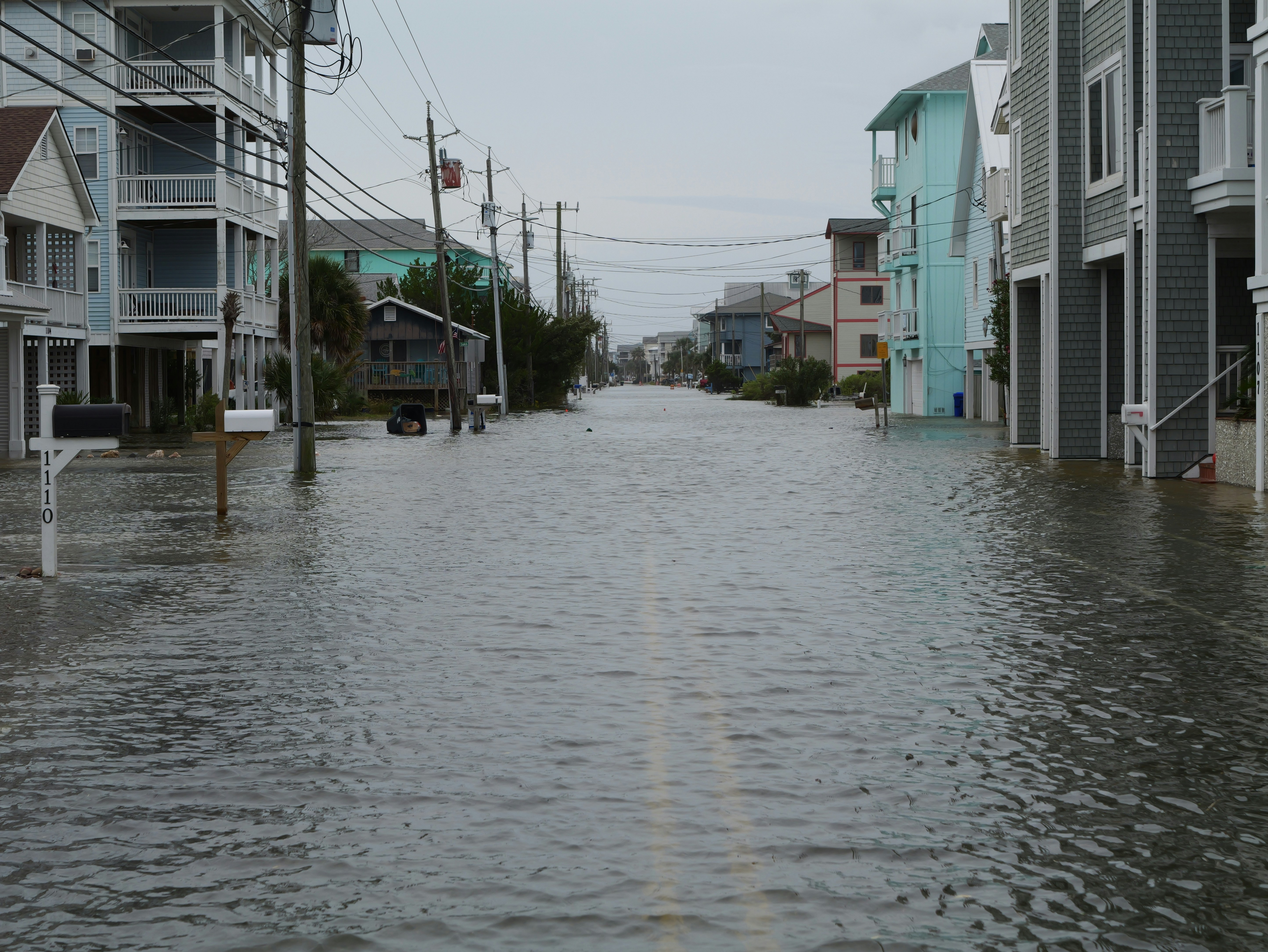
NBC Miami reported that South Florida residents are preparing for a new round of king tides and possible flooding. CBS News Miami also reported a weather alert involving king tides, strong winds, and heavy downpours. These conditions can disrupt travel, affect access to homes, and prompt homeowners to look for information or service help.
- NBC Miami: South Florida residents prepare for possible flooding during new round of king tides
- CBS News Miami: Weather alert for king tides, strong winds, and heavy downpours
The reporting does not establish that home-service businesses are receiving more calls, estimates, or bookings. Still, weather disruption can create a period when inquiries are less predictable and customers expect a clear answer quickly.
The practical preparation is not “assume demand will spike.” It is:
- Make sure every inquiry receives an acknowledgment.
- Make it clear which areas and service types you can currently handle.
- Give a real person ownership of messages that need review.
- Avoid promising a response time or appointment window your team cannot meet.
- Keep a record of who needs an update when conditions or crew availability change.
Start with a safety-first response rule
Before you write a flood-related auto-reply, decide which messages require a human to review immediately.
Your team should not try to conduct emergency triage by SMS. If a customer describes a potentially dangerous condition, do not diagnose it through an automated sequence. Direct them to follow local emergency-management guidance, then have an appropriately trained team member assess whether and how your business can respond.
A simple internal rule can be:
Safety concern or uncertain hazard: human review first. Routine service question, estimate request, or non-urgent availability question: acknowledge, collect basic details, and follow up.
This matters especially for businesses likely to receive weather-related messages:
| Business type | Common inquiry to prepare for | Appropriate response goal |
|---|---|---|
| Plumbers | Water intrusion, drainage concerns, backup reports | Acknowledge, collect location and basic details, set a realistic callback expectation |
| Restoration companies | Requests for assessment or cleanup information | Confirm the inquiry was received and route it to the correct person |
| Roofers | Leak concerns or inspection requests after wind and rain | Avoid promising immediate inspection; explain that availability will be confirmed |
| Electricians | Questions involving weather-related electrical concerns | Do not diagnose hazards by text; route for human review |
| General contractors or property-service teams | Access, drainage, cleanup, or repair questions | Clarify service area and next available response step |
The point is not to classify every situation perfectly with a form. It is to prevent a routine quote workflow from treating a possible safety concern like an ordinary estimate request.
Build a simple king-tide inquiry workflow
A useful weather-response workflow has four stages: acknowledge, identify, route, and update.
1. Acknowledge every new inquiry
When roads, weather, and crew schedules are changing, silence creates confusion. Send a short confirmation that the message arrived. Avoid claiming that someone is already on the way or that the business can take every request.
For web forms, missed calls, and social messages, your first response should do three things:
- Identify the business.
- Confirm receipt.
- Explain the immediate next step.
For broader first-response examples, see 15 auto reply messages contractors can use for new leads.
2. Collect only the details your team needs
Long intake forms can slow down a customer who wants to know whether you serve their area. Start with information that helps a human make the next decision:
- Name and best callback number
- Property address or neighborhood
- Type of service requested
- Whether the customer is seeking an estimate, an inspection, or a callback
- A brief description of the issue
- Photos, if your normal workflow accepts them
Do not ask automated messages to decide whether an issue is safe, urgent, or eligible for a particular repair. Those decisions belong to a qualified person on your team.
3. Route the inquiry to one owner
During a possible weather-related rush, “someone will call them” is not a process. Assign a person or role to each new inquiry:
- Office team member for availability and scheduling questions
- Estimator for inspection or quote requests
- Operations lead for service-area and capacity decisions
- Qualified specialist for messages needing careful human review
Use a simple label such as New—Needs Review, Awaiting Availability, or Estimate Follow-Up. The label matters less than ensuring no inquiry remains ownerless.
4. Update customers when the answer changes
Conditions can change. A route may become impractical, a crew may finish sooner than expected, or your available service area may narrow temporarily.
When that happens, send an update rather than leaving an earlier acknowledgment to imply a promise you can no longer keep. A short, honest message is better than vague reassurance.
Create one current availability message
Write one internal status message before inquiries become difficult to manage. Your office team can adapt it as conditions change.
Include:
- The areas you are currently reviewing or serving
- The types of requests you can consider
- Whether appointments are being confirmed individually
- The next update point, if you have one
- A reminder that availability may change with conditions
For example:
“We are currently reviewing service requests in [service area]. Please send your address and a brief description of what you need. A team member will confirm availability before any appointment is scheduled.”
This wording is useful because it acknowledges the customer without making an unsupported promise about arrival time, pricing, repairs, or crew dispatch.
Keep the message current
A message that was accurate this morning may be misleading by afternoon. Give one person responsibility for approving changes to:
- Service-area language
- Availability language
- Callback expectations
- Weather-related temporary pauses
If your team cannot currently serve a location, say so plainly. It is better to be clear than to keep someone waiting for an appointment you cannot confirm.
Use practical SMS templates for flooding-related inquiries
These templates are for acknowledgment and follow-up—not emergency assessment, safety diagnosis, or dispatch. Customize them with your business name, normal service boundaries, and actual staffing situation.
New inquiry acknowledgment
Hi [First Name], this is [Business Name]. We received your request. Please reply with the property address and a brief description of what you need, and our team will review availability. Conditions may affect scheduling, so we’ll confirm before booking anything.
Missed-call text back
Hi [First Name], this is [Business Name]. Sorry we missed your call. We’re reviewing current service availability in South Florida. Reply with your address and what you need help with, and a team member will follow up.
For a broader missed-call workflow, read after-hours lead response: how to win jobs while you sleep.
Request for an estimate or inspection
Thanks for reaching out to [Business Name]. We can review your request for [service]. Please send the property address and a short description of the issue. We’ll confirm whether we can schedule an assessment based on current conditions and crew availability.
Service-area clarification
Thanks for contacting [Business Name]. We’re currently reviewing requests by location due to weather and access conditions. Please reply with your address, and we’ll let you know our next available step.
Delayed update
Hi [First Name], this is [Business Name] with an update on your request. Our team is still reviewing availability and access conditions. We have not confirmed an appointment yet, but we will update you by [time/day] if anything changes.
Only use a specific update time if your team can realistically meet it.
Routine follow-up after no reply
Hi [First Name], following up from [Business Name]. We still need the property address and a brief description of the service requested before we can review availability. Reply here when you can.
When you cannot confirm service
Hi [First Name], thank you for contacting [Business Name]. We’re unable to confirm service for your location at this time. Please continue to follow local emergency-management guidance regarding current conditions.
Do not use this template as a substitute for responding to a potential hazard. Escalate messages requiring human attention under your internal safety process.
Keep follow-up running while crews are busy
A weather event can expose a basic operations problem: the people who can answer questions may also be driving, working on-site, or handling existing customers.
Use a modest follow-up plan rather than an aggressive sequence.
A practical cadence
For routine, non-emergency inquiries, consider:
- Immediately: Confirm receipt and request the minimum details needed.
- Later that day or next business window: Send a human-reviewed availability update if no one has responded personally.
- After conditions stabilize: Follow up with estimate or scheduling options for leads still awaiting a next step.
Do not continue automated follow-up after a customer has indicated they no longer need help, opted out, or requires a human review. Messages should match the customer’s situation—not just the passage of time.
If you already use follow-up sequences, review them before activating a weather-specific response:
- Remove claims of immediate availability if they are no longer true.
- Avoid automatic booking language.
- Make sure someone is monitoring replies.
- Keep the next step simple.
- Pause or adjust messages when a human conversation changes the context.
For more general guidance on sequence design, see how to build a lead follow-up system that runs automatically.
What automation can—and cannot—do
Automation can be useful as an acknowledgment and follow-up layer when your team is occupied. It can help send a first text after a form submission or missed call, request basic details, and keep routine inquiries from being forgotten.
It cannot assess danger, determine whether roads are passable, decide which job should be dispatched first, or replace a qualified employee’s judgment.
That distinction is especially important during king tides and weather disruptions.
A workable division of responsibilities
| Task | Automation may support | Human team member must own |
|---|---|---|
| Confirming receipt | Yes | Review exceptions or safety-related language |
| Gathering basic property details | Yes | Decide what information is sufficient |
| Setting expectations | Yes, with approved language | Update language as availability changes |
| Scheduling | Only after your team’s process allows it | Confirm capacity and appointment feasibility |
| Safety or urgency decisions | No | Review and use appropriate professional judgment |
| Service dispatch | No | Make the operational decision |
SecureMyLead can serve as a follow-up layer for new inbound inquiries by sending an automated first text and continuing an approved SMS sequence. It does not dispatch crews or perform emergency triage. If you use two-way messaging, make sure a team member monitors replies; ordinary replies remain visible in the dashboard but do not automatically pause scheduled sequence messages.
A 15-minute pre-tide readiness checklist
Before the next period of possible flooding or severe weather, complete this checklist:
- [ ] Review current local conditions and local emergency-management communications.
- [ ] Decide who monitors new web forms, calls, and SMS replies.
- [ ] Write or update your availability and service-area message.
- [ ] Define which messages must receive immediate human review.
- [ ] Check that your missed-call and form acknowledgments do not promise immediate service.
- [ ] Give each incoming inquiry a clear owner.
- [ ] Confirm how the team will update customers if availability changes.
- [ ] Review active automated sequences for outdated scheduling language.
- [ ] Ensure messaging is sent only to contacts you are permitted to contact and that opt-out requests are respected.
- [ ] Review unanswered inquiries after conditions stabilize.
Key takeaways
- Local reporting indicates that South Florida is facing another round of king tides, with possible flooding, strong winds, and heavy rain.
- That does not prove a home-service lead surge, but it gives local operators a reason to prepare their response workflow.
- Safety-related or uncertain messages need human judgment—not automated diagnosis.
- A short, accurate acknowledgment can reduce uncertainty while your team checks availability.
- Do not promise arrival times, coverage areas, or service capacity you have not confirmed.
- Keep automation focused on acknowledgment and routine follow-up, with a person responsible for replies and exceptions.
FAQ
Do king tides guarantee more leads for South Florida home-service businesses?
No. The available local reports establish possible flooding and weather impacts, not a measured increase in home-service calls, leads, estimates, or bookings. Businesses should prepare for the possibility of more inquiries without treating increased demand as a fact.
What should an automated response say during flooding-related weather?
Keep it short: identify your business, confirm receipt, ask for the address and a brief description, and explain that availability must be confirmed. Do not use automation to diagnose hazards, promise an immediate visit, or tell a customer their situation is safe.
Should we turn off all follow-up automation during king tides?
Not necessarily. Acknowledgments and routine follow-up can still be useful if they reflect current capacity and someone monitors replies. Review every active message for outdated promises, automatic scheduling language, or timing that would be inappropriate while conditions are changing.
Who should respond to urgent-looking messages?
A designated human team member should review them. Automated messaging should not decide whether a situation is dangerous or whether your business should dispatch a crew. Customers should follow local emergency-management guidance for current conditions.
How can SecureMyLead help during a possible weather-related inquiry increase?
SecureMyLead can send an approved first SMS when a lead arrives and help maintain follow-up for routine inquiries while your team is busy. It should be used as a communication layer, not as a replacement for human triage, service decisions, or dispatch.
Keep routine inquiries from sitting unanswered
When weather conditions make your team harder to reach, a clear first response and consistent follow-up can help customers understand what happens next. SecureMyLead can help you automate that acknowledgment layer while your team retains control of availability, safety decisions, and customer conversations.