Chicago Severe Weather Lead Response Checklist for Roofing & Home-Service Businesses
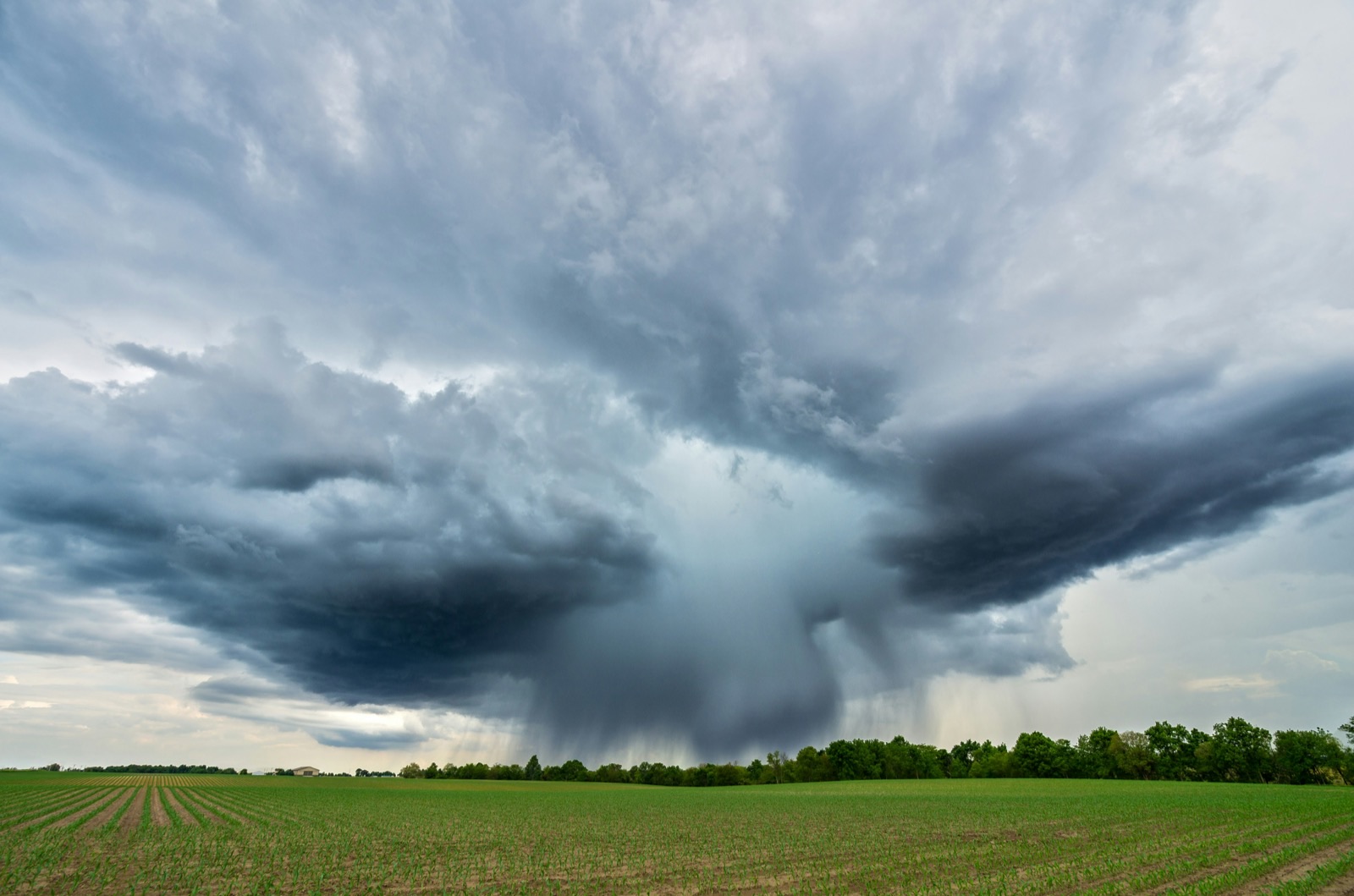
Severe storms and a potential tornado risk have been forecast for parts of the Chicago area, including the south suburbs and northwest Indiana. Local reporting has identified an expected timing window and urged residents to monitor conditions as they develop. ABC 7 Chicago and NBC Chicago have coverage of the forecast.
Safety comes before lead response
Do not treat incoming texts, calls, or form submissions as an emergency-dispatch system.
When severe weather is active, direct customers with immediate safety concerns to official emergency and weather authorities. Your team should not diagnose danger by text, promise immediate service unless you can provide it, or encourage anyone to inspect damage while hazardous conditions remain.
That matters for roofers, restoration companies, plumbers, HVAC contractors, electricians, and other Chicago-area home-service businesses. A customer may describe a leak, fallen limb, damaged roof, loss of heat or cooling, or another urgent problem—but the appropriate next step may require human judgment and official emergency guidance, not an automated reply.
Once your safety boundaries are clear, prepare for the possibility that storm conditions could generate more inspection, estimate, and repair inquiries than usual. The forecast does not prove that a lead increase will occur. It does make this a useful time to make sure requests do not sit unanswered if inquiries rise.
Table of contents
- What to prepare before severe weather arrives
- Storm-specific intake questions
- How to acknowledge leads without overpromising
- Set after-hours and human-escalation rules
- Control service area and available capacity
- Follow up with leads that do not book immediately
- Reusable Chicago severe-weather checklist
- FAQ
What to prepare before severe weather arrives
A storm-response workflow should be simple enough for a small team to use while phones are ringing and crews are working. The goal is not to predict demand. It is to create a reliable handoff from a new inquiry to the right person.
1. Check every lead source you use
List the places a customer can contact you during and after a storm:
- Website quote and contact forms
- Google Business Profile messages or calls
- Paid-ad landing pages
- Facebook or Instagram lead forms and messages
- Call tracking numbers
- Voicemail
- Direct texts
- Referral calls
- Existing customer requests
For each source, answer two questions:
- Who sees the lead first?
- What happens if that person is unavailable?
If the answer is “someone checks it when they can,” there is a risk that inquiries could wait too long during a busy period. A fast acknowledgment does not replace a real conversation, but it can confirm that the customer’s request was received while your team reviews it.
For a broader setup process, see How to Follow Up With Home Service Leads Automatically.
2. Assign a real human owner
Automation can send an acknowledgment and collect basic details. It cannot assess whether a property is safe, determine the severity of damage, dispatch a crew, or decide which customer should be handled first.
Before the weather window, assign:
| Workflow stage | Owner | What they are responsible for |
|---|---|---|
| New inquiry acknowledgment | Automated workflow or designated team member | Confirm receipt and set expectations |
| Safety-sensitive or urgent message review | Designated human | Review details and provide appropriate next steps |
| Inspection or estimate scheduling | Office manager, owner, or scheduler | Offer only real appointment availability |
| Service-area verification | Dispatcher, office, or owner | Confirm the address is within your coverage area |
| Follow-up on unbooked requests | Sales or office team | Continue the conversation without making unsupported promises |
Keep the owner’s phone number, backup contact, and working hours in one place your team can access quickly.
3. Review your public promises
Storms can tempt businesses to use vague claims such as “24/7 emergency response” or “same-day service for everyone.” Only publish or send commitments your business can actually meet.
Review:
- Website banners
- Google Business Profile updates
- Voicemail greetings
- Auto-reply messages
- Social posts
- Call scripts
- Paid-ad copy
If your team is accepting inspection requests but not performing active emergency work, say so clearly. If you have a limited response area, say that too.
A precise expectation is more useful than an aggressive promise you cannot keep.
Storm-specific intake questions
A normal “How can we help?” message may not collect enough information for weather-related requests. Use a short intake sequence that helps a human identify the service needed, location, and requested next step.
Do not ask customers to climb onto a roof, approach damaged utility equipment, enter unsafe areas, or perform any other potentially hazardous check.
Questions to collect for roofing and exterior work
For roofing, siding, gutters, windows, and restoration inquiries, ask:
- What is the property address or ZIP code?
- Is this a home, multifamily property, or commercial building?
- What would you like help with: inspection, estimate, temporary protection request, repair, or another concern?
- Is there an active interior leak or visible damage you want the team to know about?
- What is the best phone number and time for a team member to contact you?
- Do you have photos you can safely share from the ground or another safe location?
The purpose is not to diagnose damage remotely. It is to capture enough context for the appropriate person to review the request.
Questions to collect for HVAC, plumbing, electrical, and other services
Weather-related inquiries may vary significantly by trade:
- HVAC: no heat, no cooling, water around equipment, or a request for repair or replacement.
- Plumbing: active leak, sump-pump concern, drainage problem, or water damage question.
- Electrical: service interruption, damaged exterior equipment, or a request for a non-emergency evaluation.
- Restoration: water intrusion, visible interior damage, cleanup request, or inspection request.
- Tree, fencing, garage door, and exterior services: property address, type of damage reported, and whether the customer is requesting an inspection or estimate.
Use the questions to sort requests for human review—not to make automated decisions about safety or dispatch.
A simple qualification note format
Give your team a consistent format for recording each request:
Name: Address / ZIP: Service requested: Issue described: Preferred contact time: Photos available: Safety-sensitive details requiring human review: Next owner:
This avoids forcing staff to reread long message threads when conditions are busy.
How to acknowledge leads without overpromising
An immediate response should do three things:
- Confirm receipt.
- Set a realistic expectation for human follow-up.
- Ask for the few details needed to route the request.
It should not claim that a crew is on the way, promise that damage will be repaired immediately, or offer safety advice beyond what your business is qualified and able to provide.
Copy-and-paste first response for storm-related inquiries
Hi [First Name], this is [Business Name]. We received your request and a team member will review it as soon as possible. Please reply with the property address, the service you need, and a brief description of the issue. If there is an immediate safety concern, please follow guidance from official emergency and weather authorities.
Roofing inspection request reply
Hi [First Name], thanks for contacting [Business Name]. We can review your request for a roof inspection or estimate. Please send the property address, your ZIP code, and the best time to reach you. If you have photos taken safely from the ground, you may send those as well.
After-hours acknowledgment
Hi [First Name], we received your message outside our normal response hours. Please reply with your address, the service you’re requesting, and the best number for a callback. A team member will review your request when available. For immediate safety concerns, follow official emergency guidance.
If you are outside the customer’s service area
Thanks for reaching out to [Business Name]. We currently serve [service area]. Your address appears to be outside that area, so we may not be able to schedule service. We wanted to let you know promptly rather than leave your request unanswered.
Clear messages protect the customer experience and help your team avoid collecting requests it cannot reasonably fulfill.
For more general first-response options, use these auto reply messages for contractors.
Set after-hours and human-escalation rules
Storm-related inquiries can arrive outside office hours, while crews are unavailable, or while the team is already handling customer conversations. Decide in advance what gets an automatic acknowledgment and what requires a person to intervene.
Create escalation triggers
Define messages that should be flagged for human review. Examples may include:
- A customer says they feel unsafe.
- The message references a downed power line, gas smell, fire, carbon monoxide, or medical equipment losing power.
- A customer reports active water entry or substantial property damage.
- The customer asks whether they should enter, inspect, or remain in a hazardous area.
- The request is from a commercial property, property manager, or existing customer with a time-sensitive concern.
- A lead asks for service outside your normal territory or hours.
Your response workflow should notify the responsible person. It should not make the final decision by itself.
Keep the after-hours message honest
If nobody is available overnight, the acknowledgment should not imply live monitoring. If the owner is personally monitoring messages, define exactly when and how that happens.
An after-hours workflow is most useful when it accurately tells customers what happens next. For a wider after-hours framework, read After-Hours Lead Response: How to Win Jobs While You Sleep.
Control service area and available capacity
Severe weather may create a mix of high-intent requests, routine estimates, and people seeking information. If inquiries increase, the operational challenge is not merely responding fast—it is responding accurately without committing crews you do not have.
Verify geography before scheduling
Chicago-area coverage can vary by business. Your team may serve only certain city neighborhoods, suburbs, counties, or parts of northwest Indiana.
Before offering an appointment:
- Confirm the full address or ZIP code.
- Check whether the location is within your service area.
- Identify any geographic limits for after-hours or storm-related work.
- Use the same coverage rules across phone, web, text, and social channels.
- Tell out-of-area leads promptly when you cannot take the job.
Do not treat “Chicago area” as a single service territory. Your actual service map should control the conversation.
Separate request types before booking
Use simple labels rather than one undifferentiated “storm lead” bucket:
| Request type | Suggested next step |
|---|---|
| Inspection request | Verify address, collect basic details, offer available inspection times |
| Estimate request | Confirm scope and property type, then route to estimating |
| Existing-customer concern | Identify the account or address and send to the assigned team member |
| Active issue needing human review | Flag immediately for a person; do not make automated service promises |
| Out-of-area request | Respond promptly and set a clear boundary |
| General question with no booking intent yet | Provide a human follow-up path and schedule a later check-in |
This differs from a general lead-volume plan. The important work here is storm-specific intake, safe expectations, and proper routing before a date or time is promised.
Follow up with leads that do not book immediately
Some customers will ask for information, submit a form, or request an inspection and then go quiet. That does not necessarily mean the lead is unqualified. They may be comparing options, waiting for conditions to improve, speaking with family, or dealing with other property issues.
Build a follow-up path that stays helpful without creating pressure.
Follow-up message after no reply
Send this only where you have the appropriate permission to text the contact.
Hi [First Name], this is [Business Name] following up on your request for [service]. If you’d still like to schedule an inspection or discuss an estimate, reply here with a good time to talk.
Follow-up after an estimate or inspection conversation
Hi [First Name], checking in after our conversation about [service] at [address]. If you have questions or would like to discuss next steps, reply here and our team can help.
When to stop or hand off
Stop automated messaging when the customer opts out. Make sure a human takes ownership when the customer replies with a question that needs judgment, a scheduling decision, a safety-sensitive concern, or a specific service commitment.
SecureMyLead can support the communication layer by sending an immediate SMS acknowledgment for a new lead and continuing configured follow-up sequences. It is not a dispatch, emergency-triage, or scheduling system. Your team remains responsible for reviewing replies, determining availability, and making service decisions.
For estimate-stage messages, see Estimate Follow-Up Text Templates for Contractors.
Reusable Chicago severe-weather checklist
Use this before, during, and after any severe-weather period—not only this forecast.
Before the weather window
- [ ] Monitor official weather and emergency information for the areas you serve.
- [ ] Confirm which team member owns new inbound requests.
- [ ] Set a backup owner for calls, texts, and web forms.
- [ ] Review every lead source and make sure alerts are active.
- [ ] Verify business hours, service areas, and actual crew availability.
- [ ] Update auto-replies so they confirm receipt without promising immediate service.
- [ ] Prepare storm-specific intake questions for your trade.
- [ ] Define which message types require immediate human review.
- [ ] Make sure staff know not to provide emergency or safety assessments by text.
- [ ] Review your opt-out process and text only contacts with appropriate permission.
During severe weather
- [ ] Keep safety guidance ahead of business messaging.
- [ ] Acknowledge new inquiries without claiming a crew is en route.
- [ ] Capture address, requested service, issue description, and callback details.
- [ ] Flag safety-sensitive messages for a human.
- [ ] Confirm the customer is inside your service area before offering service.
- [ ] Offer only appointment windows you can actually support.
- [ ] Record a clear next owner and next action for every conversation.
- [ ] Avoid asking customers to inspect unsafe areas or send risky photos.
After the weather window
- [ ] Review missed calls, voicemail, forms, texts, social messages, and ad-platform leads.
- [ ] Contact unworked requests in order of your team’s real priorities and capacity.
- [ ] Follow up with leads that requested an estimate or inspection but did not book.
- [ ] Remove or revise temporary storm messaging once it no longer reflects operations.
- [ ] Note where leads were delayed, misrouted, or missing key details.
- [ ] Update the checklist before the next weather event.
Key takeaways
- Chicago-area severe-storm and possible tornado conditions are a reason to prepare—not proof that your business will receive more leads.
- Put safety first and direct immediate hazards to official emergency and weather authorities.
- Use short, storm-specific intake questions to collect location, service need, and the customer’s requested next step.
- Automate acknowledgment only within realistic boundaries; human judgment must handle escalation, availability, and service decisions.
- Verify service area and capacity before booking inspections, estimates, or repairs.
- Keep a follow-up path for leads that do not schedule immediately.
FAQ
Will severe weather create more roofing or home-service leads?
It may create more inquiries, but the cited Chicago-area forecast reports do not document a measured increase in leads or booked jobs. Businesses should prepare their response process in case requests rise.
What should an automated storm-response text say?
It should confirm receipt, ask for essential details such as address and service needed, set an honest expectation for human review, and avoid promising immediate dispatch or repair.
Can an SMS workflow determine whether a customer has an emergency?
No. Automation can acknowledge a message and collect information, but it cannot assess emergency severity, provide safety judgment, or replace a human decision-maker.
Should a roofing company promise same-day inspections after a storm?
Only if it has the people, geographic coverage, and actual availability to meet that promise. Otherwise, acknowledge the request, collect the location and details, and provide a realistic follow-up expectation.
How should a business handle after-hours storm inquiries?
Use an honest after-hours acknowledgment, collect basic information, identify safety-sensitive messages for human review, and clearly communicate when a team member can respond. Do not imply 24/7 live service unless that is genuinely available.
Related reading
- How to Follow Up With Home Service Leads Automatically
- After-Hours Lead Response: How to Win Jobs While You Sleep
- Best Lead Response Templates for Service Businesses
- Estimate Follow-Up Text Templates for Contractors
If you want a reliable way to acknowledge new leads and keep permitted follow-up from being forgotten, get started free with SecureMyLead.