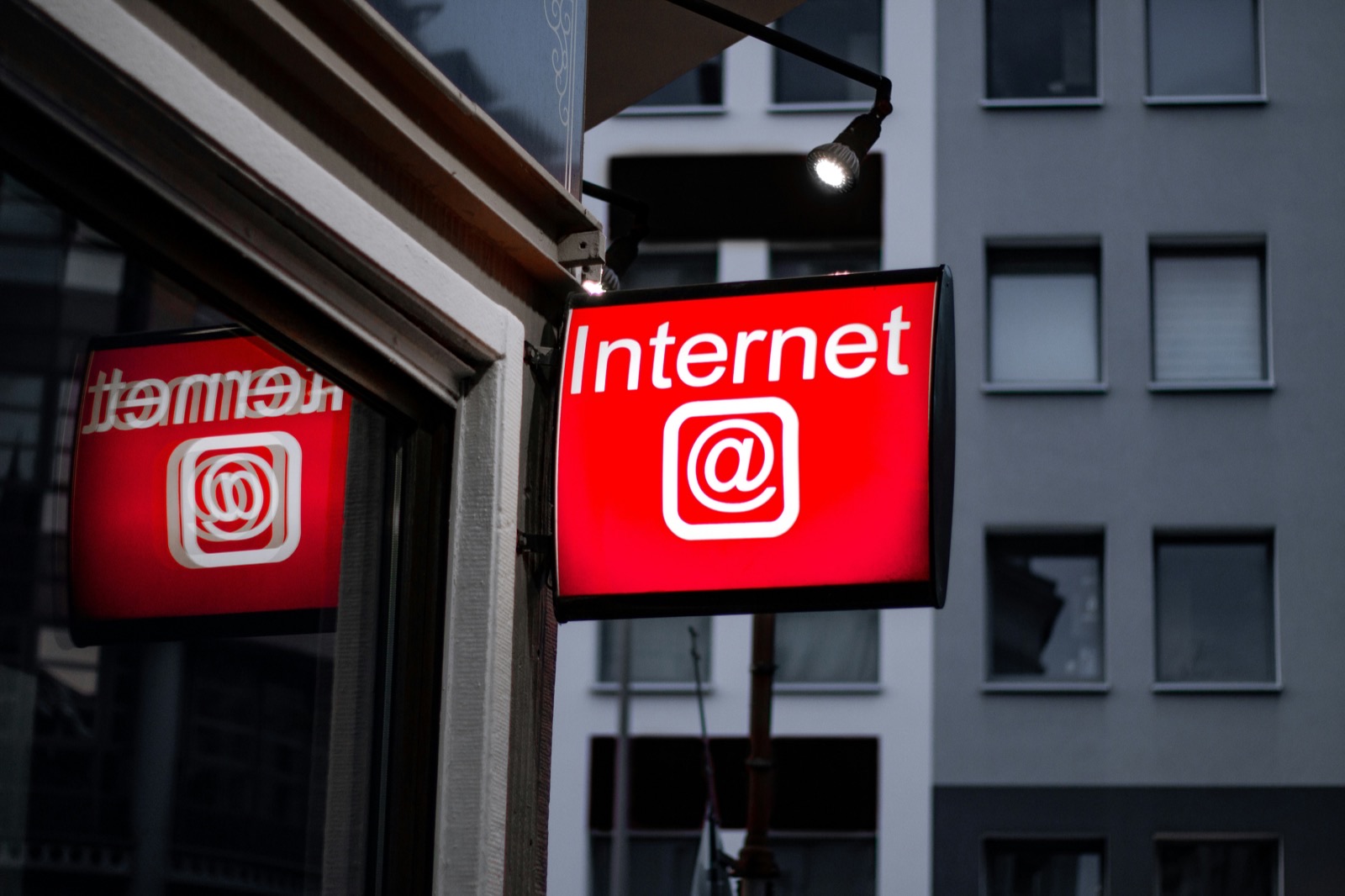
Internet Outage Lead Response Plan for Service Businesses
An internet outage does not automatically mean your service business will lose leads. But it can interrupt the systems that tell you a new inquiry arrived: web-form notifications, CRM updates, VoIP calls, shared inboxes, scheduling tools, and automated follow-up.
Recent California disruptions are a useful reminder to prepare. Local reporting documented a Spectrum outage affecting customers in San Benito County and a separate South Valley outage attributed to fiber-optic damage. Those reports do not measure the impact on service-business leads or bookings, but they show how quickly normal communications can become unreliable in a specific area. KSBW reported on the San Benito County outage, while the Gilroy Dispatch reported on the South Valley fiber damage outage.
For a contractor, insurance agent, or local service operator, the goal is simple: if normal lead systems are unavailable, know where inquiries may still arrive, who owns the next callback, and how to reconcile everything once service returns.
Table of contents
- What can break during an outage
- Your outage lead-response plan
- Create a manual lead log
- Set backup contact methods before you need them
- Use customer-facing notices carefully
- Recover delayed messages after service returns
- Where automation fits—and where people must take over
- Internet outage lead-response templates
- FAQ
What can break during an outage
Not every outage affects every communication channel. A business may lose office Wi‑Fi while mobile phones still work. Or its internet connection may be restored while a web-form integration, VoIP system, or CRM notification remains delayed.
That is why the first step is not “send a message to everyone.” It is identifying what is actually available.
| Lead source or system | What may be affected | Backup question to answer |
|---|---|---|
| Website form | Form submissions or notifications may be inaccessible or delayed | Can someone check the form inbox from a mobile connection later? |
| CRM | New-lead alerts, records, or task assignments may not load | Is there a backup export, mobile app, or manual log? |
| VoIP phone | Calls, call routing, voicemail, and missed-call alerts may fail | Is there a mobile number customers can use? |
| Shared inboxes and confirmation emails may be unavailable | Can key staff access email by cellular data? | |
| SMS follow-up | Automation may depend on lead-source delivery, webhooks, or system access | Did the lead reach the messaging workflow before the disruption? |
| Ad-platform leads | Notifications or integrations may be delayed | Can an owner check the platform directly when access returns? |
Do not assume a lead did not arrive simply because no alert appeared. During a communications disruption, an inquiry may be sitting in a form inbox, voicemail box, ad platform, or integration queue waiting to be reviewed.
Your outage lead-response plan
A workable plan should fit on one page and be usable by someone who is also answering customers, driving to jobs, or working in the field.
1. Confirm the scope before changing workflows
Start with a quick operational check:
- Is the office internet down, or are multiple services unavailable?
- Do staff phones have cellular service and data?
- Can your business receive ordinary calls?
- Can customers still access your website?
- Can anyone log into the CRM, lead platform, or shared inbox from another connection?
- Is the issue affecting one location, one provider, or the broader area?
Assign one person to make the call: normal workflow, limited workflow, or manual intake mode.
Avoid having every employee make separate guesses. One clear status update prevents duplicate callbacks and contradictory customer messages.
2. Check lead sources in a fixed order
When systems become unreliable, check sources based on urgency and likelihood of immediate customer contact.
For many service businesses, that order may be:
- Incoming calls and voicemail
- Existing appointments or jobs scheduled for today
- Emergency or time-sensitive service requests
- Website forms
- Paid lead platforms and social-media messages
- Quote follow-ups and older open opportunities
The exact order depends on your business. A garage-door company may put new calls first. An insurance agency may prioritize customers with active policy or claims questions. A remodeling contractor may need to confirm today’s estimates before reviewing new web forms.
Create a simple source list now, including:
- Website form destination
- Main office number and voicemail access
- After-hours number, if you use one
- CRM or lead-management system
- Google Business Profile messages, social inboxes, and ad platforms
- Referral partners or answering service contacts
- Team members authorized to call leads back
This is also a useful way to find lead-source blind spots before an outage happens.
3. Assign one owner for each open inquiry
During an outage, “someone should call them” is not an assignment.
Use a named owner, a due time, and a status. For example:
| Lead | Source | Contact method | Owner | Next action | Status |
|---|---|---|---|---|---|
| Jamie R. | Voicemail | Mobile call | Ana | Return call by 2:30 p.m. | Open |
| Morgan T. | Website form | Call when form access returns | Lee | Review and contact | Waiting on access |
| Pat S. | Existing estimate | SMS available | Owner | Confirm appointment | Complete |
For small teams, the owner may be the business owner. That is fine. The important part is making the responsibility visible rather than relying on memory.
If you already struggle with unclear follow-up ownership, review these lead follow-up mistakes that can quietly cost jobs. An outage tends to expose workflow problems that were already present.
Create a manual lead log
Your backup should not depend on the same internet connection that just failed.
A paper sheet, notes app, spreadsheet stored locally, or shared offline document can work. Choose one method, tell the team where it is, and use it consistently.
At minimum, log:
- Date and time received
- Lead name
- Phone number and email, if available
- Source
- Service requested
- Location or service area
- Urgency notes
- Assigned person
- Last contact attempt
- Next action
- Final status
Keep the log focused on action, not perfect data entry
If someone calls about a broken furnace, a receptionist or technician should not be spending five minutes reproducing every CRM field. Capture enough information to make the next response possible, then complete records later.
A useful rule:
If a teammate could not continue the conversation from the log, the intake is incomplete.
For urgent service categories, note the practical detail that changes the callback: “No cooling,” “water leak,” “locked out,” “estimate request,” or “appointment question.” Do not attempt to use a general lead log as emergency triage.
Set backup contact methods before you need them
A backup channel only helps if customers and staff know it exists.
Pick a realistic fallback
Possible options include:
- A business mobile phone with cellular service
- Call forwarding to an on-call employee
- An answering service, if your business already uses one
- A monitored email inbox accessible by mobile data
- A temporary voicemail greeting with expected callback timing
- A website notice, if the site remains reachable and you can publish updates
Verify these methods in advance. A mobile number is not a genuine backup if no one is assigned to monitor it. Likewise, a website banner is not useful if the person who can update it cannot access the site during the outage.
Decide who can communicate externally
Give specific people authority to:
- Update a voicemail greeting
- Post a brief website or social notice
- Tell customers when a callback is expected
- Pause or adjust nonessential outbound messaging
- Escalate inquiries that require a supervisor or licensed professional
This avoids well-meaning employees sharing inaccurate restoration times or making service promises that the business cannot keep.
Use customer-facing notices carefully
If customers can still reach your website, social profile, or voicemail, a short notice can set expectations without making promises you cannot verify.
Use a notice only when it helps. If phones and forms remain functional, a broad outage announcement may create unnecessary concern.
Website or social notice
We’re experiencing a temporary communications issue and may have limited access to our normal systems. If you’ve contacted us, please leave your name, number, and service request. Our team will respond as soon as we can.
Voicemail greeting
You’ve reached [Business Name]. We’re currently experiencing a temporary communications interruption. Please leave your name, number, address or service area, and the reason for your call. We’ll return your call as soon as possible.
Do not claim that a message was received, that a technician is dispatched, or that you will respond by a specific time unless someone can actually make that commitment.
Recover delayed messages after service returns
Restoring the internet is not the end of the process. The highest-risk period may be the first hour afterward, when queued notifications, missed calls, duplicate records, and manual notes all reappear.
Reconcile every source against the manual log
Use a structured recovery pass:
- Record the outage start and end time as best you can.
- Review voicemail and missed-call logs from that period.
- Review website-form submissions.
- Check CRM records, integration logs, and inboxes.
- Check ad platforms, social messages, and third-party lead portals.
- Compare every source with the manual lead log.
- Mark duplicates instead of contacting the same person repeatedly.
- Create or complete records for leads handled manually.
- Assign a next action for every unresolved inquiry.
Do not simply import everything and assume the list is clean. A prospect who called, submitted a form, and received a delayed automated message may appear in more than one place.
Use a simple priority order for late follow-up
When several inquiries become visible at once, prioritize:
- Customers who requested urgent or same-day help
- People with scheduled appointments today
- New inquiries with a clear service request and working phone number
- Leads who were contacted manually but need a documented next step
- Older forms, messages, and incomplete records
Keep your message honest. You do not need a lengthy explanation of your internet provider problem. Acknowledge the delayed reply, answer the customer’s immediate question, and offer the next practical step.
For broader first-response examples, see these lead response templates for service businesses.
Where automation fits—and where people must take over
Automation can support outage resilience, but it is not a replacement for a contingency plan.
If your lead source, integration, messaging service, and relevant network connections remain available, an automated SMS acknowledgment may still be able to reach a new lead. But if a web form cannot deliver a submission, a webhook does not fire, your internet-dependent phone system is offline, or the recipient cannot receive messages, no automation platform can guarantee delivery or response.
That is why your plan needs two paths:
- Automation path: The lead reaches the workflow normally, and the configured acknowledgment or follow-up sequence can continue where available.
- Human fallback path: Access to the lead source or workflow is interrupted, so a named person logs the inquiry, communicates through available backup methods, and owns the callback.
SecureMyLead can serve as the follow-up layer after leads reach its configured workflow, including automated SMS first responses and follow-up sequences. Before relying on it during an outage, test your actual lead-source connection, webhook behavior, SMS availability, staff access, and fallback process. It should support a prepared workflow—not be treated as an outage-recovery guarantee.
Get started free to build an automated follow-up process for the lead sources that remain available, then document the manual handoff for the ones that do not.
Internet outage lead-response templates
Delayed response after an outage
Hi [First Name], this is [Name] with [Business]. We’re sorry for the delayed reply—we had a temporary communications issue. I see you’re looking for help with [service]. Are you still looking to schedule or get an estimate?
Callback request when normal systems are limited
Hi [First Name], this is [Name] from [Business]. We have limited access to our usual systems at the moment, but I wanted to confirm we received your request. What’s the best number and time to call you about [service]?
Existing appointment confirmation
Hi [First Name], this is [Name] with [Business]. We’re confirming that your [appointment/estimate] scheduled for [time] is still on our list. Please reply here or call [number] if anything has changed.
Internal team handoff message
New inquiry received during communications outage: [Name], [phone], [service], [location]. Owner: [team member]. Next action: [call/text/check source] by [time]. Logged in: [backup log location].
Key takeaways
- California internet disruptions affecting Spectrum customers and fiber-connected areas illustrate why local businesses should prepare for communications interruptions. They do not prove a measurable lead or conversion impact.
- Identify the lead sources and communication tools your business could lose access to before an outage occurs.
- Use a manual lead log with a named owner and next action for every inquiry.
- Verify backup numbers, mobile access, voicemail, and external-update authority in advance.
- After service returns, reconcile forms, missed calls, CRM records, ad platforms, and manual notes before restarting normal follow-up.
- Automation may help when the lead source and messaging workflow remain available, but human ownership is essential when they do not.
Frequently asked questions
Can I still receive leads during an internet outage?
Possibly. It depends on where the lead originates and which services are affected. Website forms, CRM notifications, VoIP calls, email, and integrations may behave differently. Check each lead source rather than assuming all inquiries stopped.
Should we tell customers that our internet is down?
Only if it changes their ability to contact you or their expected response time. Keep notices short, avoid promising a restoration time, and provide one available contact path.
What should we do with leads that appear after service is restored?
Review each source for the outage period, compare results against your manual log, remove duplicates, and assign a next action. Prioritize time-sensitive requests and customers with appointments already scheduled.
Can automated text messages still work during an outage?
They may work if the lead reaches the configured messaging workflow and the necessary systems and networks remain available. Businesses should verify their own lead-source integrations, webhooks, dashboard access, and SMS availability rather than assuming automation will function through every type of disruption.
What is the most important part of an outage plan?
Clear human ownership. Even a basic paper log can prevent an inquiry from being forgotten if every lead has a named person responsible for the next contact attempt.