Hurricane Storm-Damage Lead Response Playbook for Roofing and Restoration Companies
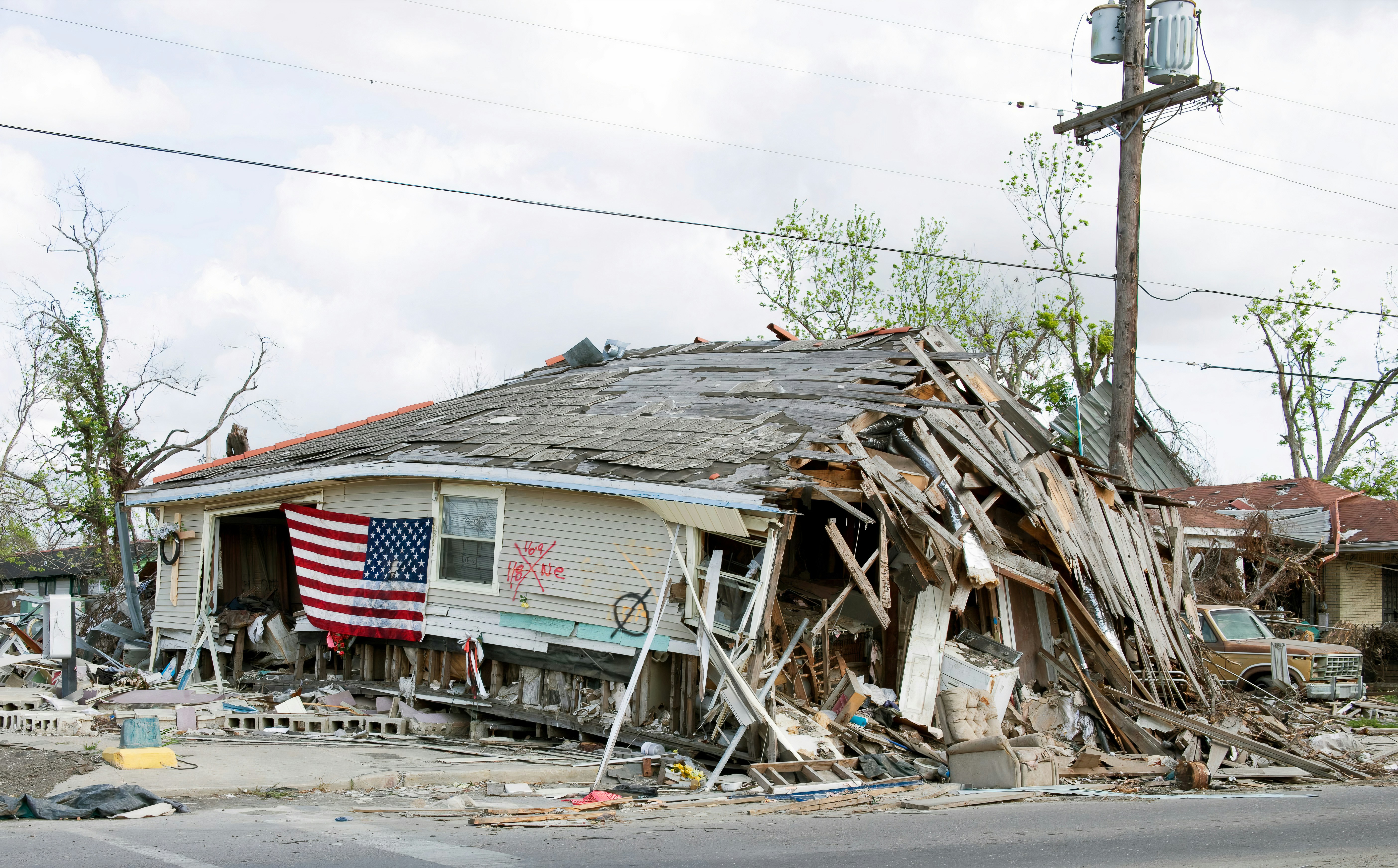
Hurricane Isaias has brought strong winds, heavy rain, and substantial power outages to parts of the Florida Panhandle and Southeast, according to local reporting. The disruption has also affected practical logistics beyond weather conditions. Telemundo reported more than 400,000 customers without power in Pensacola, while Local 10 described strong rain and winds extending across the Southeast. A sports event’s kickoff adjustment also shows the storm’s broader operational impact. Read the event-logistics report.
For roofing, restoration, HVAC, plumbing, and other home-service businesses, storms like this can create conditions where inquiries may rise. That outcome is not documented by the sources above, so businesses should prepare rather than assume a proven lead surge.
The goal is not to promise instant inspections, dispatch crews automatically, or decide whether a caller faces an emergency. The goal is simpler: acknowledge legitimate inquiries, collect the details a human needs, avoid overbooking, and make sure no request disappears while your team is handling active work.
Table of contents
- Start with safety and human escalation
- Build a storm-specific intake workflow
- Check service area and capacity before offering next steps
- Use realistic storm-damage response texts
- Request photos and documentation carefully
- Handle duplicates, missed calls, and changing conditions
- Follow up after an inspection or estimate
- Where automation fits — and where it does not
- Storm-response checklist
- FAQ
Start with safety and human escalation
Before building any storm lead workflow, define what your automated response must not attempt to handle.
If an inquiry mentions a downed power line, gas leak, fire, carbon monoxide concern, a medical device losing power, or another immediate hazard, the customer should contact local authorities or emergency services. Do not use an automated text to assess the danger, give technical safety instructions, or tell a customer it is safe to remain in a damaged structure.
For your team, create an escalation rule:
Any message mentioning an immediate safety concern, active danger, or urgent loss of essential utilities goes to a human immediately. The automated workflow should only acknowledge the inquiry and direct the customer to local authorities or qualified professionals where appropriate.
This boundary protects customers and keeps your business from treating a safety situation like a standard estimate request.
Build a storm-specific intake workflow
A normal contact form often asks only for a name, phone number, and service needed. That may not be enough after severe weather.
Your intake should gather details that help a human decide what to review first — without implying that the form, text sequence, or software is performing emergency triage.
Ask for the details that change the next step
For roofing and restoration requests, collect:
- Customer name and best callback number
- Property address or ZIP code
- Service needed
- Roofing inspection
- Roof repair
- Water intrusion or restoration
- Tarping inquiry
- HVAC, plumbing, or electrical concern
- Other
- A brief description of what they noticed
- Missing shingles
- Visible leak
- Ceiling stain
- Fallen branch damage
- Standing water
- No cooling, no power, or another issue
- When they first noticed the issue
- Whether the issue is ongoing
- Photos, if they can safely provide them
- Their preferred contact method and availability
Keep the wording neutral. You are gathering information for review, not diagnosing roof damage, determining structural safety, or confirming insurance coverage.
Add a visible expectation-setting message
Storm conditions can make teams harder to reach, roads harder to travel, and schedules less predictable. Your form confirmation and first text should say that a team member will review the request, not that someone is guaranteed to arrive at a specific time.
A useful confirmation could read:
Thanks for contacting [Business Name]. We received your storm-damage request and will review the details as soon as possible. If there is an immediate safety concern, please contact local emergency services or local authorities. We’ll follow up about service availability and next steps.
That does three important things:
- Confirms the request was received.
- Avoids promising an inspection window you may not be able to meet.
- Separates immediate safety issues from ordinary service inquiries.
For broader first-response examples, see 15 auto reply messages contractors can use for new leads.
Check service area and capacity before offering next steps
After a storm, “Can you come today?” may be the most common question. Do not let a fast acknowledgment become an accidental booking promise.
Your workflow should distinguish between:
| Check | Why it matters | Safe response approach |
|---|---|---|
| Service area | Storm damage may generate inquiries outside your normal territory. | Confirm the address or ZIP code before offering an appointment. |
| Current conditions | Travel and job-site conditions may affect what your team can safely do. | Say the request is under review; do not guarantee dispatch. |
| Crew capacity | Existing jobs, staffing, and supplier constraints can change quickly. | Offer availability only after a person checks the schedule. |
| Service fit | Not every inquiry belongs with roofing or restoration. | Route to the appropriate qualified professional or explain your scope. |
| Customer contactability | Power outages can affect calls, Wi-Fi, and email access. | Ask for the best number and use concise SMS updates where appropriate. |
Create three internal statuses
A small team does not need an enterprise dispatch system to stay organized. Use simple, consistent statuses:
- New — needs review: The lead arrived, but no one has checked location, details, or urgency.
- Reviewed — awaiting next step: A person has determined whether the request fits your service area and current capacity.
- Scheduled / referred / declined: The customer has a confirmed next action, or your business has clearly explained that it cannot take the request.
The critical point is ownership. Every new request should have a named person responsible for the next human decision.
Use realistic storm-damage response texts
These templates are written to acknowledge inquiries without implying a guaranteed inspection, crew dispatch, diagnosis, or insurance decision. Edit them to match your business, service area, and messaging-consent practices.
1. New storm-damage inquiry acknowledgment
Hi [First Name], this is [Business Name]. We received your request about possible storm damage at [Address/Area]. Our team is reviewing new requests and will follow up about availability and next steps. If there is an immediate safety concern, please contact local emergency services or local authorities.
2. Request for location and issue details
Thanks, [First Name]. To help our team review your request, please reply with the property address, what you noticed, and when you first saw it. If you have photos you can safely share, you can send those too.
3. Service-area confirmation before scheduling
Hi [First Name], thanks for sending the details. We’re confirming current availability for your area before offering an inspection time. We’ll update you once a team member has reviewed the request.
4. Capacity-aware delay message
Hi [First Name], we have your request and are working through storm-related inquiries. We can’t confirm a visit time yet, but a team member will contact you after reviewing our current schedule and service area.
5. Photo follow-up
Hi [First Name], if it is safe to do so, please send a few photos of the area you’re concerned about. They can help our team understand the request before we speak with you. Please do not take photos if doing so would put you at risk.
6. Human handoff message
Hi [First Name], [Team Member Name] is reviewing your request and will contact you about possible next steps. Please reply here if your best callback number or property address has changed.
7. Unable-to-serve message
Hi [First Name], thank you for contacting [Business Name]. After reviewing the location and current availability, we’re not able to take on this request at this time. For immediate safety concerns, please contact local authorities or a qualified local professional.
Do not send misleading “we’re on the way” messages unless a person has actually confirmed that dispatch decision.
If your team also receives missed calls during severe weather, adapt the approach in After-hours lead response: how to win jobs while you sleep to acknowledge the caller without promising a return call by a specific time.
Request photos and documentation carefully
Photos can make a later conversation more efficient, but they are not a substitute for professional inspection or a safety assessment.
Ask customers to send photos only when they can do so safely. Do not instruct someone to climb onto a roof, approach damaged electrical equipment, enter a questionable area, or take any action that could expose them to danger.
For the business, use photos as an intake aid:
- Attach them to the correct lead record.
- Label the property address and date received.
- Note what the customer says the photo shows.
- Avoid recording a definitive diagnosis based only on a texted image.
- Have a qualified team member decide what happens next.
If a customer asks whether damage will be covered, avoid making coverage promises. Explain that your team can discuss your service process, while insurance and coverage questions should be addressed with the customer’s insurer or another appropriate professional.
Handle duplicates, missed calls, and changing conditions
Storm-related inquiries may arrive more than once: a web form, a voicemail, a Facebook message, and a spouse texting from another number can all represent one household.
Without a duplicate process, teams can accidentally make conflicting promises or schedule the same property twice.
Use a simple duplicate-lead check
Before creating a new record, search for:
- Phone number
- Property address
- Email address
- Last name
- Recent notes mentioning the same address
If you find a match, merge the new information into the existing lead and assign one owner for the next response. Add a note such as:
Duplicate inquiry received by web form at 2:15 p.m.; photos added to existing request. [Team Member] owns follow-up.
Keep updates factual
During unstable conditions, availability may change. It is better to send a concise update than to leave a lead guessing:
Hi [First Name], we’re still reviewing current availability in your area. We have your request and will send an update when a team member can confirm the next step.
That is more credible than repeating a scheduling promise you cannot yet keep.
Follow up after an inspection or estimate
Storm inquiries do not end when an inspection occurs or an estimate is sent. Customers may be gathering documents, speaking with family, waiting on other decisions, or simply overwhelmed.
Use a short, respectful follow-up sequence that reflects the storm context.
After inspection
Hi [First Name], this is [Business Name]. Thanks for meeting with our team today. If you have questions about the inspection or proposed next steps, reply here and we’ll help connect you with the right person.
After estimate
Hi [First Name], following up on the estimate we sent for [Property Address]. Let us know if you have questions or would like to discuss next steps with our team.
Final check-in
Hi [First Name], we wanted to check whether you still need help with the storm-damage request at [Property Address]. If your plans have changed, just let us know.
Avoid aggressive countdowns, pressure language, or statements that imply insurance approval. For more estimate-specific templates, see Estimate follow-up text templates for contractors.
Where automation fits — and where it does not
Automation can be useful when a storm creates a possible increase in messages while your people are on job sites, handling calls, or working outside normal hours.
SecureMyLead can send an initial SMS response when a new lead arrives and support multi-step follow-up sequences. That can help confirm receipt, ask for basic intake details, and keep a request from sitting unanswered while a human reviews it.
It is not a dispatch system, emergency-triage tool, capacity planner, estimator, or insurance-coverage decision-maker.
For storm workflows, keep automation conservative:
- Send one clear acknowledgment.
- Ask for address, service need, and a short description.
- Route safety-related language and high-priority requests to a person.
- Require human approval before confirming appointments or availability.
- Review active sequences when a customer replies.
This last point matters: ordinary replies in SecureMyLead are visible in the dashboard but do not currently auto-pause scheduled sequence messages. Your team should monitor replies and adjust or stop follow-up when the conversation changes.
Only message contacts where you have the appropriate permission or consent, and remain responsible for using SMS lawfully.
Storm-response checklist
Before, during, or after a major weather event, use this checklist:
- [ ] Publish or activate a storm-specific intake form.
- [ ] Add a clear acknowledgment message that does not promise dispatch.
- [ ] Define which safety-related messages require immediate human escalation.
- [ ] Confirm service-area boundaries and current crew capacity.
- [ ] Assign one person to review and own new storm requests.
- [ ] Ask for address, contact details, service type, issue description, and safe-to-share photos.
- [ ] Check for duplicate records before creating another lead.
- [ ] Use “under review” language until availability is verified.
- [ ] Keep customer updates short, accurate, and realistic.
- [ ] Follow up after inspections and estimates without making coverage claims.
- [ ] Review automated sequences when customers reply.
- [ ] Document the final next step: scheduled, awaiting decision, referred, or declined.
Key takeaways
- Hurricane Isaias has caused documented weather disruption and power outages in parts of the Southeast, but the available sources do not document a measured surge in home-service leads.
- Roofing and restoration businesses can still prepare for a possible increase in inquiries with a storm-specific intake and follow-up workflow.
- Lead acknowledgment should confirm receipt, not promise arrival times, inspection results, capacity, or insurance outcomes.
- Safety-related concerns need human attention and direction to local authorities or qualified professionals — not automated diagnosis.
- Automation can support fast acknowledgment and organized follow-up, but people must make dispatch, scheduling, and safety decisions.
FAQ
Should a roofing company automate storm-damage texts?
A roofing company can automate an initial acknowledgment and basic intake questions for contacts who have provided appropriate messaging permission. Keep the messages conservative: confirm the request was received, collect essential details, and tell the customer that a team member will review availability. Do not automate emergency assessment, dispatch promises, or coverage decisions.
What should a storm-damage intake form ask?
Collect the customer’s contact information, property address, service needed, a brief description of the issue, when it was noticed, and safely obtained photos if available. These details help a person review the request without treating the form as a diagnostic tool.
How should restoration companies avoid overbooking after a storm?
Do not offer appointment times until a person has verified the address, service fit, crew capacity, and current operating conditions. Use clear internal statuses such as “needs review,” “awaiting next step,” and “scheduled” so that every request has an owner.
What should you say when you cannot confirm availability yet?
Tell the customer that you received the request, are reviewing current availability for their area, and will provide an update after a team member reviews the details. Avoid claiming that a crew is on the way or that same-day service is available unless that has been confirmed.
Can an automated text determine whether storm damage is an emergency?
No. Automation cannot determine emergency severity. Any mention of immediate hazards or safety concerns should be escalated to a human, with the customer directed to local authorities or emergency services where appropriate.
Related reading
- How to follow up with home service leads automatically
- Contractor web form auto response: what to send the second a new lead hits your site
- Automated lead follow-up systems for contractors
- Roofing lead follow-up systems and response workflows
If your business needs a more consistent way to acknowledge new storm-related inquiries and keep follow-up organized while your team handles the work, SecureMyLead can provide the SMS follow-up layer between your lead sources and human response.