Arizona Storm Lead Response Checklist for Roofers and Home-Service Businesses
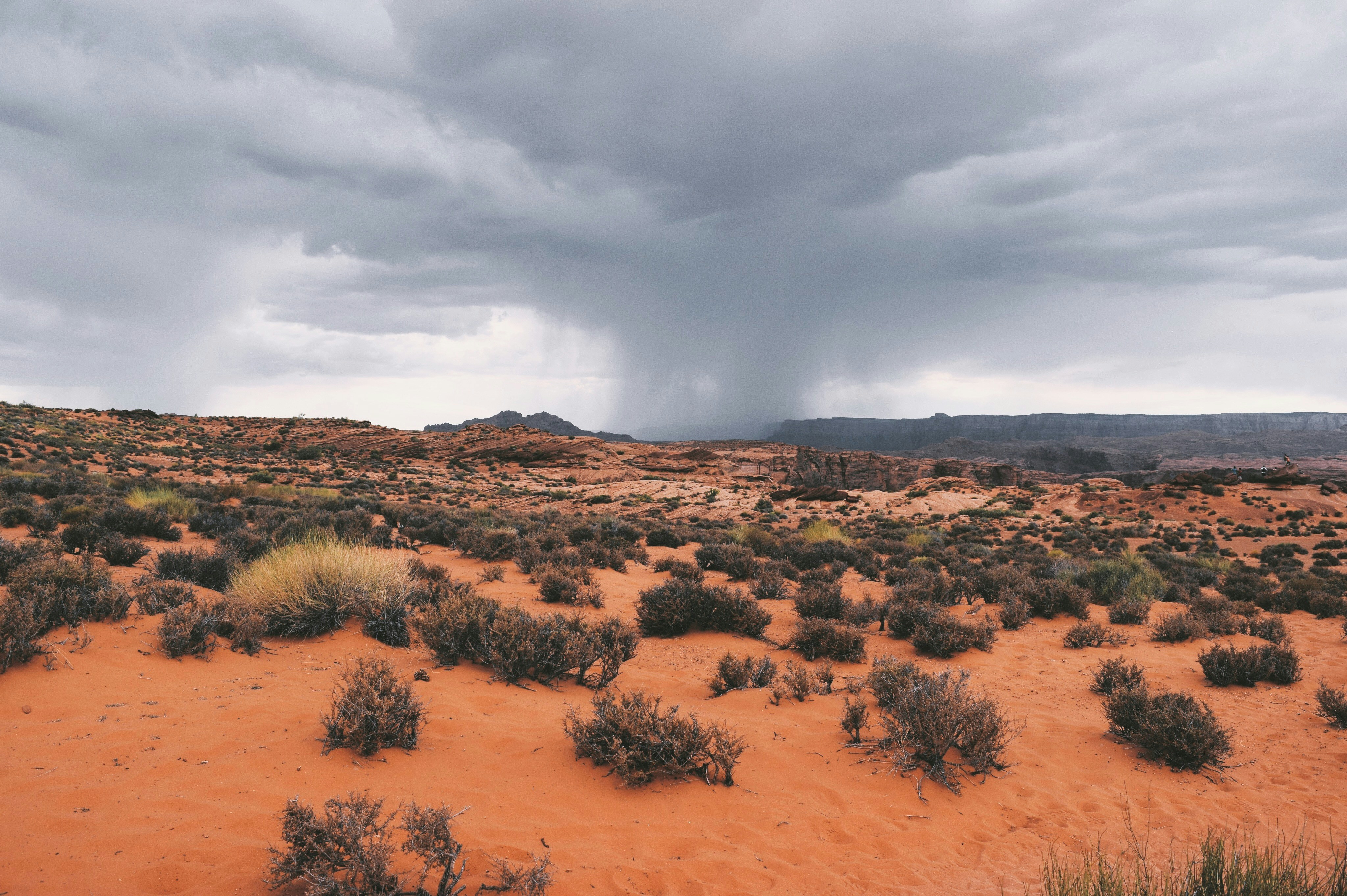
Storms, wind, cooler air, and Tropical Storm Rachel-related conditions have put parts of Arizona and nearby desert regions on alert, including Tucson and the Desert Region. That is a sensible time for roofers, HVAC companies, plumbers, electricians, and restoration businesses to review how they handle weather-related inquiries.
The weather reports do not establish that Arizona businesses are receiving more leads. But storms can create the possibility of inspection requests, repair calls, quote submissions, and customers looking for help after normal hours. A clear response process helps your team acknowledge those inquiries without promising work you cannot safely perform or schedule.
Safety comes before lead handling
If an inquiry involves an immediate safety concern—such as downed power lines, a gas leak, carbon monoxide, fire, medical equipment losing power, or a medical emergency—do not treat it as a standard estimate or booking request.
Direct the person to the appropriate emergency authorities and qualified professionals. Your team should not use an automated text to assess damage, determine emergency severity, give repair instructions, or dispatch a crew.
For all other inquiries, use a simple workflow: acknowledge the message, collect only the details your team needs, assign a qualified human owner, and set expectations based on real operating conditions and capacity.
Table of contents
- Why Arizona businesses should prepare now
- The storm lead response checklist
- Copy-and-paste acknowledgment messages
- A short follow-up sequence for no-response inquiries
- How automation fits without replacing human judgment
- Frequently asked questions
Why Arizona businesses should prepare now
Local publisher reports have covered First Alert Days, storms, wind, cooler air, and Tropical Storm Rachel’s approach or effects in Arizona and surrounding desert areas. Those conditions are enough reason to check whether your customer communication process is ready for a possible increase in weather-related questions.
For example, a roofer may receive a request for an inspection after high winds. A plumber may hear from a homeowner concerned about water intrusion. An electrician or HVAC company may receive a message that needs a qualified technician’s review before anyone discusses scheduling.
The operational problem is not simply “respond faster.” It is responding in a way that is:
- Safe for the customer and your team
- Accurate about the areas you serve
- Honest about current availability
- Clear about what happens next
- Organized enough that inquiries do not sit unanswered
For background on the weather conditions prompting this preparation, see reporting from Arizona’s Family, The Arizona Republic, The Sacramento Bee, and The Fresno Bee.
The storm lead response checklist
Use this checklist before and during severe weather conditions. It is designed for businesses preparing for a possible rise in inquiries—not for assuming a rise has already occurred.
1. Confirm your service area before messages go out
Review the ZIP codes, cities, and neighborhoods your business can realistically cover during changing weather conditions.
This matters because your normal service area may not match what is practical when roads, crew locations, weather conditions, or current job volume change. Before using a storm-specific auto-reply, decide:
- Which areas you are accepting new inquiries from
- Whether you are handling inspections, repairs, estimates, or only selected services
- Who can confirm whether a location is within your current coverage
- What your team should say when a request is outside your service area
- Whether you need a temporary pause on new appointment offers
Do not imply that you can serve every Arizona homeowner or offer immediate availability across a large region. A quick acknowledgment is useful; an inaccurate promise creates a harder customer-service problem later.
2. Separate emergency concerns from ordinary estimate requests
A storm-related inquiry can range from “Can I get a roof inspection?” to a report of a potentially dangerous situation. Your intake process should make that distinction clear without asking an automated system to diagnose the problem.
Train whoever handles replies to identify messages that need immediate escalation to the appropriate emergency authorities or qualified professionals. For ordinary business inquiries, collect basic information such as:
- Customer name and preferred callback number
- Property address or ZIP code
- Service requested
- Brief description of the concern
- Best time for a qualified team member to call back
- Whether the customer is seeking an inspection, repair discussion, or estimate
Keep questions short. A customer dealing with a leaking ceiling, damaged fence, or loss of heating and cooling may not complete a long intake form.
3. Set one realistic callback expectation
Avoid broad language such as “We’ll be there soon” or “A technician is on the way” unless a qualified person has confirmed that outcome.
Instead, choose an expectation your team can actually meet based on current capacity. For example:
- “A member of our team will review your request and contact you as soon as possible.”
- “We’ve received your request. We’re reviewing current availability and will follow up with next steps.”
- “Our office will contact you during business hours to discuss service options.”
If weather conditions or staffing make timelines uncertain, say so plainly. Customers generally need clarity more than a vague promise.
4. Give every new inquiry a human owner
One person should own the next step for every active request. That could be an office manager, estimator, dispatcher, owner, or on-call team member—but the responsibility should be visible.
A simple routing rule may look like this:
| Inquiry type | First human owner | Next step |
|---|---|---|
| Standard roof inspection request | Estimator or office team | Confirm service area and discuss availability |
| Repair or quote request | Appropriate trade specialist | Review details and determine whether an estimate is appropriate |
| After-hours non-emergency inquiry | On-call owner or next-business-day office owner | Acknowledge immediately, then follow up during operating hours |
| Safety-related concern | Appropriate emergency authorities or qualified professionals | Do not treat as a routine lead workflow |
The point is not to build an elaborate call center. It is to prevent the familiar small-business problem where everyone assumes someone else replied.
5. Use a weather-specific acknowledgment message
A generic “Thanks for contacting us” can feel disconnected when someone is reaching out during storm conditions. A short, calm message acknowledges the situation and gives the customer a next step.
Your first response should not:
- Diagnose damage
- Offer safety or structural instructions
- Guarantee a response time
- Guarantee availability
- Confirm a job, price, or dispatch
- Promise that an insurance claim will be covered
It should confirm receipt, identify your business, establish the right boundary, and tell the customer what information helps your team respond.
6. Keep your intake fields useful, not exhaustive
During a possible burst of inquiries, your team needs enough detail to route requests without creating a bottleneck.
A practical minimum intake record includes:
- Lead source: web form, missed call, ad, referral, social message, or other source
- Service type: inspection, repair, estimate, maintenance, or other request
- Location: city or ZIP code
- Contact method: phone call or text
- Current status: new, awaiting callback, scheduled discussion, not in service area, or closed
- Assigned owner: the person responsible for the next human action
This also gives you a clean way to review what happened after the weather passes. You may learn that certain locations, service types, or lead sources need a different workflow next time.
7. Review capacity before offering appointments
A storm can disrupt normal schedules even when inquiry volume stays the same. Before offering time slots, have a clear answer to these questions:
- How many new site visits can your team review today?
- Which jobs already have committed time windows?
- Who can approve exceptions?
- When should the team stop accepting same-day requests?
- What language should staff use when the schedule is full?
A full schedule is not a reason to ignore inquiries. It is a reason to acknowledge them accurately and follow up when you can discuss appropriate next steps.
8. Use an after-hours plan that does not overpromise
Weather-related messages do not always arrive during office hours. If you cannot provide live after-hours coverage, your acknowledgment should say that the request was received and that a team member will follow up during your stated operating period.
For a broader after-hours workflow, see After-Hours Lead Response: How to Win Jobs While You Sleep. The key distinction remains: an after-hours text can acknowledge a non-emergency inquiry, but it cannot replace emergency services, qualified assessment, or a real capacity decision.
Copy-and-paste acknowledgment messages
Adjust these templates to match your actual hours, service area, and operating capacity. Send marketing or follow-up texts only where you have the appropriate permission and handle customer messaging lawfully.
General storm-related inquiry
Hi [First Name], this is [Business Name]. We received your request regarding [service type]. Our team is reviewing inquiries and current availability. Please reply with your property ZIP code and a brief description of what you need, and a team member will follow up with next steps.
Roofing inspection request
Hi [First Name], this is [Business Name]. Thanks for reaching out about a roof inspection. We’ve received your request. Please reply with your property ZIP code and the best number to reach you, and our team will review availability for your area.
After-hours non-emergency request
Hi [First Name], this is [Business Name]. We received your message. Our team will review your request during business hours and follow up about next steps. If you believe there is an immediate safety emergency, contact the appropriate emergency authorities.
Outside your current service area
Hi [First Name], thanks for contacting [Business Name]. Based on the location provided, we may not currently serve your area. We’re sorry we can’t confirm service availability at this time.
Capacity is limited
Hi [First Name], this is [Business Name]. We received your request and are currently reviewing availability. We do not want to promise a time before confirming what our team can safely take on. We’ll follow up with the next available option if we can serve your area.
For more general first-response copy, use 15 Auto Reply Messages Contractors Can Use for New Leads.
A short follow-up sequence for no-response inquiries
Not every customer will reply to the first message. They may be comparing providers, handling a temporary issue, or simply distracted. A short sequence can keep the conversation open without repeatedly pressuring someone during a stressful situation.
Stop or adjust the sequence when a customer replies, asks not to be contacted, is outside your service area, or a qualified team member takes over the conversation. Do not continue scheduled messages blindly.
Follow-up 1: later the same day or next business period
Hi [First Name], following up on your request to [Business Name]. If you still need help with [service type], reply with your ZIP code and the best time for our team to contact you.
Follow-up 2: one to two days later
Hi [First Name], just checking whether you still need assistance with your [service type] request. If so, reply here and we’ll review the next available option for your area.
Follow-up 3: close the loop
Hi [First Name], we haven’t heard back, so we’ll close out this request for now. If you still need help, reply to this message and we’ll let you know whether we can assist.
The tone matters. The goal is not to manufacture urgency. It is to make it easy for a real prospect to re-engage while avoiding an open lead that no one owns.
For additional timing and message ideas, see How Long to Wait Before Following Up With a Lead? and Estimate Follow-Up Text Templates for Contractors.
How automation fits without replacing human judgment
Automation is useful at the acknowledgment and consistency stages of this workflow.
SecureMyLead can send an automated SMS when a new lead arrives and continue with a follow-up sequence, helping a weather-related inquiry receive an initial response even when your team is on a job, driving, or handling another customer conversation.
That does not mean automation can:
- Assess storm damage
- Determine whether a situation is an emergency
- Decide which job should receive priority
- Confirm technician availability
- Set a final appointment
- Prevent overbooking on its own
- Replace a qualified human conversation
Use automated messages to confirm receipt and collect basic reply information. Then make sure a qualified person handles safety concerns, diagnosis, scheduling, scope, pricing, and capacity decisions.
If you use any SMS platform, maintain appropriate customer consent practices and honor opt-out requests. SecureMyLead recognizes common opt-out keywords, but your business remains responsible for using messaging lawfully.
Key takeaways
- Arizona weather alerts and storm conditions are a timely reason to review your inquiry-response process, but they do not prove that home-service leads have increased.
- Safety-related situations should be directed to appropriate emergency authorities and qualified professionals—not handled as routine estimates.
- Confirm service area, staffing, and capacity before promising appointments or response times.
- A short weather-specific acknowledgment can reassure a non-emergency prospect that their request was received.
- Assign each inquiry to a real person for follow-up, even if automation sends the first text.
- Use a limited, respectful no-response sequence and stop it when the customer replies, opts out, or no longer fits your service area.
Frequently asked questions
Should Arizona roofers send an automatic text during storm conditions?
They can use an automatic text to acknowledge a new non-emergency inquiry and explain what information the team needs next. The message should not diagnose damage, guarantee scheduling, or promise a response time that has not been confirmed.
What should a storm-related auto-reply ask for?
Keep it simple: the customer’s ZIP code, requested service, a short description of the issue, and the best contact number or time to reach them. A qualified team member can then determine the appropriate next step.
Can automation triage storm emergencies?
No. Automated lead follow-up should not assess emergencies or give safety, structural, electrical, medical, or repair guidance. Direct immediate safety concerns to the appropriate emergency authorities and qualified professionals.
How many follow-up texts should a home-service business send?
The right number depends on your consent practices, service model, and the customer’s situation. For an unanswered non-emergency inquiry, a brief initial acknowledgment plus two or three respectful follow-ups is often enough to clarify whether the prospect still needs help. Stop when the person replies, opts out, or the request is no longer actionable.
Keep possible storm inquiries from sitting unanswered
A weather-ready response process does not require a large dispatch team. It requires clear ownership, honest expectations, and a way to acknowledge new inquiries while your team handles the work only people can do.
SecureMyLead can help your business automatically acknowledge new leads and keep follow-up consistent while your qualified team manages the conversation, availability, and next steps.