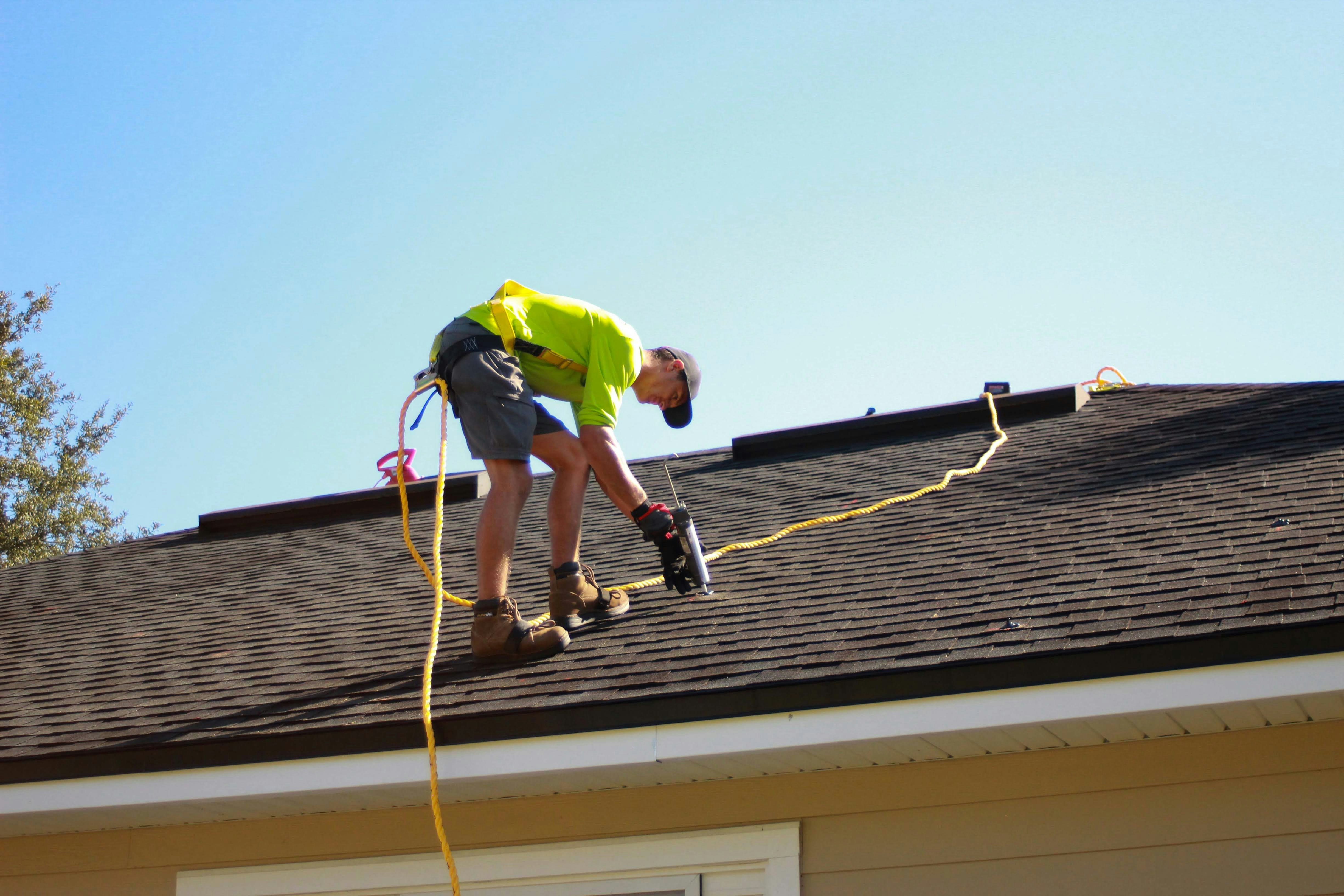
Hurricane Lead Response Checklist for Roofing and Restoration Businesses
Hurricane Isaias is strengthening near the Gulf Coast, where damaging winds, flooding, and evacuations have been reported or forecast for parts of the region. The Weather Channel and CNN report that the storm may affect Gulf Coast communities and that evacuations are underway.
For roofing, restoration, water-damage, and tree-service businesses, severe weather can create a period when inquiries arrive faster than the team can answer them. A surge is not guaranteed, but businesses in or near affected areas should prepare for possible missed calls, inspection requests, urgent questions, and customers seeking updates.
This checklist helps you acknowledge inquiries, keep safety situations separate from ordinary estimate requests, and avoid promising crews, appointments, or service areas you cannot support.
Safety comes first: If someone describes immediate danger, they should contact emergency services. Do not use an automated text, quote form, or contractor callback as emergency triage.
Table of contents
- 1. Confirm your operating status before inquiries arrive
- 2. Create a clear safety-and-availability message
- 3. Sort hurricane inquiries into workable categories
- 4. Collect only the details your team needs
- 5. Route each lead to an owner and a next action
- 6. Use realistic callback expectations
- 7. Build a short follow-up sequence for unanswered inquiries
- 8. Review the workflow as conditions change
- FAQ
1. Confirm your operating status before inquiries arrive
Do not wait until phones are busy to decide what your business can actually take on. Before the storm or as conditions develop, assign one person to confirm the operational facts your team will use in every reply.
Capacity checklist
- [ ] Confirm whether crews are operating, paused, or limited by weather conditions.
- [ ] Define the counties, cities, or ZIP codes you can currently serve.
- [ ] Identify services you can discuss now, such as inspections, temporary protection requests, water-damage assessments, cleanup, or estimates.
- [ ] Identify requests you cannot accept right now.
- [ ] Decide who may approve an exception for an out-of-area or unusual request.
- [ ] Set a callback window your team can reasonably meet.
- [ ] Name the person responsible for monitoring new inquiries and updating the team.
- [ ] Establish a backup owner for after-hours messages and missed calls.
The objective is not to build a perfect dispatch system during a storm. It is to prevent a well-meaning employee or automated response from implying that a crew is available when availability is uncertain.
A simple internal status note can work:
| Item | Current status |
|---|---|
| Service area | Counties and ZIP codes currently being considered |
| Crew availability | Available, limited, paused, or unknown |
| Priority work | Existing customers, inspections, water mitigation, etc. |
| Callback expectation | The window your team can actually support |
| Escalation owner | Name and phone number of the decision-maker |
| Update schedule | When the team will reassess conditions |
Update this note whenever weather, road access, crew safety, or workload changes.
2. Create a clear safety-and-availability message
Your first response should do three things:
- Confirm the inquiry was received.
- Set a realistic expectation for human follow-up.
- Avoid treating a text conversation as a safety assessment or a confirmed appointment.
It should not diagnose damage, approve insurance work, dispatch a crew, or promise a time slot.
Initial hurricane inquiry template
Hi [First Name], this is [Business Name]. We received your storm-damage inquiry. If there is immediate danger, please contact emergency services. Our team is reviewing requests based on current conditions and service area. Reply with your property ZIP code, the type of damage, and the best number to reach you.
This message is intentionally careful. It acknowledges the person without claiming that your company can visit, assess, or repair the property.
When operations are limited
Hi [First Name], this is [Business Name]. We received your request. Due to current storm conditions, our availability is limited and we cannot confirm an inspection time yet. If there is immediate danger, contact emergency services. Reply with your ZIP code and a brief description of the issue, and our team will review whether we can follow up.
When the inquiry is outside your service area
Thanks for contacting [Business Name]. At this time, we are only reviewing storm-related requests within [service area]. If there is immediate danger, please contact emergency services. We’re sorry we can’t confirm service for your location right now.
Use these messages only where your business has appropriate permission to text the contact. Customers remain responsible for obtaining the consent required for their messaging practices.
For more general first-response examples, see 15 auto reply messages contractors can use for new leads.
3. Sort hurricane inquiries into workable categories
A storm inquiry is not automatically an emergency job, and it is not automatically an estimate request. A usable workflow separates safety-critical messages from service requests your team can evaluate.
Category A: Immediate danger
Examples may include a customer saying they are in immediate danger or need emergency help.
Action: Direct them to contact emergency services. Do not attempt to determine the severity of the situation by text, and do not make your business the emergency contact point.
Category B: Active damage concern, but no immediate danger stated
Examples:
- Water entering a building
- Visible roof damage
- A fallen tree affecting a structure
- Wind damage reported after the storm
Action: Gather location and a concise description, then assign a human owner to review capacity and service fit. Do not promise arrival times before a person checks availability.
Category C: Inspection or estimate request
Examples:
- “Can someone inspect my roof?”
- “I think I have wind damage.”
- “Can I get an estimate after the storm?”
Action: Collect the minimum details needed to determine service area, property type, damage type, and contact information. These leads can be scheduled or followed up based on your real capacity.
Category D: Existing customer update
Examples:
- “When will my repair be completed?”
- “Are you still coming this week?”
- “Can I get an update on my existing job?”
Action: Route these messages to the owner of the existing job. Do not make a new-lead workflow responsible for customer-service updates.
This separation reduces a common storm-response failure: treating every incoming message as if it belongs in one generic “call back later” pile.
4. Collect only the details your team needs
Long intake forms can slow down a customer who is already stressed. Ask for the information that helps you decide whether and how to respond, then let a human handle the details.
Minimum intake fields
- Customer name
- Best callback number
- Property address or ZIP code
- Service requested
- Short description of the issue
- Whether the property is residential or commercial
- Preferred contact method
- Photos, if your team requests them and can review them
Damage-type options for routing
Keep categories broad enough to use quickly:
- Roof damage or missing shingles
- Possible leak or water intrusion
- Flood or water damage
- Fallen tree or debris damage
- Temporary protection request
- Inspection or estimate request
- Existing customer question
- Other
Avoid asking customers to make technical diagnoses. A homeowner may know they see water, missing shingles, or debris; they may not know the exact scope or cause. Your intake process should capture what they can observe, not force them to classify the repair.
5. Route each lead to an owner and a next action
A lead is not handled just because it received an automatic acknowledgment. Someone should own the next human decision.
Use a simple routing table that the whole team understands.
| Lead type | Route to | Next action |
|---|---|---|
| Immediate danger stated | Emergency-services instruction | Do not perform emergency triage by text |
| In-service-area damage concern | Designated storm-response owner | Review capacity and contact details |
| Inspection or estimate request | Estimator or intake coordinator | Confirm service fit and discuss next steps |
| Existing customer update | Job owner or office contact | Review job status before replying |
| Outside service area | Intake owner | Send availability boundary message |
| Unclear request | Intake owner | Ask for ZIP code and damage category |
Add a status label to every inquiry
Use plain-language statuses your team can scan quickly:
- New — needs review
- Waiting on customer details
- In service area — human follow-up needed
- Outside service area
- Existing customer
- Unable to confirm availability
- Closed
The point is not sophisticated CRM reporting. It is preventing storm-related inquiries from disappearing into an inbox because everyone assumes someone else called back.
If you need a broader contractor workflow beyond storm conditions, read automated lead follow-up systems for contractors.
6. Use realistic callback expectations
Storm conditions can change by the hour. Avoid saying “we’ll be there today,” “a crew is on the way,” or “you’re booked” unless an authorized team member has actually confirmed that outcome.
Use language based on what you know now.
Better expectation-setting language
- “Our team is reviewing requests based on current conditions.”
- “We’ll review your location and service request before confirming next steps.”
- “Availability is limited, and we cannot confirm an inspection time yet.”
- “Please send your ZIP code and a brief description so our team can review the request.”
- “A team member will follow up during [your stated window] if we can serve your area.”
Language to avoid
- “We can definitely get there today.”
- “You’re next on the list.”
- “We cover all storm damage.”
- “We’ll handle your emergency.”
- “Your insurance will cover this.”
- “A crew is on the way.”
These statements create avoidable risk when travel, weather, staffing, and job conditions are still uncertain.
7. Build a short follow-up sequence for unanswered inquiries
A customer may submit a request while dealing with evacuation plans, cleanup, family logistics, or unreliable communication. If they do not answer immediately, that does not necessarily mean the inquiry is no longer valid.
Use a short, respectful sequence that asks for the missing information your team needs. Stop or adjust the sequence when a person replies, requests no further messages, or the request is no longer appropriate to pursue.
Message 1: Immediate acknowledgment
Hi [First Name], this is [Business Name]. We received your storm-damage request. If there is immediate danger, please contact emergency services. To help our team review the request, reply with your ZIP code and a brief description of the issue.
Message 2: Follow-up for missing details
Hi [First Name], following up on your request to [Business Name]. If you still need help, reply with your property ZIP code and the type of damage you’re seeing. We’ll review whether we can assist based on current availability.
Message 3: Final check-in
Hi [First Name], this is [Business Name]. We’re closing out unanswered storm-related requests for now. If you still need an inspection or estimate and are within [service area], reply with your ZIP code and a short description of the work needed.
Do not use repeated messages to create artificial urgency. The purpose is to give an interested customer a clear way to continue the conversation when they are ready.
For additional sequence ideas, see how long to wait before following up with a lead.
8. Review the workflow as conditions change
Hurricane operations are temporary. A message that was accurate in the morning may be misleading by afternoon if crews cannot travel, a service area changes, or the volume of requests becomes unmanageable.
Set a short review rhythm during the event:
- Reconfirm crew safety and availability.
- Check whether service-area boundaries still make sense.
- Pause messages that imply availability you can no longer support.
- Update the person responsible for reviewing new inquiries.
- Review unanswered requests and existing-customer messages separately.
- Remove storm-specific language after conditions normalize.
Where SecureMyLead fits
SecureMyLead can send an immediate acknowledgment and continue a configured SMS follow-up sequence for new leads, helping businesses keep inquiries from sitting unanswered while the team handles real-world decisions.
It does not assess hazards, determine damage severity, dispatch crews, confirm service availability, or replace human judgment. During a hurricane response, use automation for acknowledgment and information collection—not emergency triage.
Get started free to build a more consistent lead follow-up workflow before the next high-demand period.
Key takeaways
- Hurricane Isaias may bring damaging winds and flooding to parts of the Gulf Coast, and evacuations are underway in affected areas, according to The Weather Channel and CNN.
- Storm-related lead volume is possible, but it is not guaranteed or measured in the available reporting.
- Immediate danger belongs with emergency services, not a contractor’s text workflow.
- Confirm service area, crew status, and callback expectations before replying to inquiries.
- Route damage concerns, inspections, existing customers, and out-of-area requests differently.
- Use automation to acknowledge and collect basic details, while people retain responsibility for safety, availability, and scheduling decisions.
Frequently asked questions
Should roofers automatically promise emergency service after a hurricane?
No. Only promise service, response windows, or appointments that your business can actually support. Conditions, crew safety, access, and capacity may change quickly during a storm.
What should an automated hurricane response text say?
It should acknowledge receipt, tell people in immediate danger to contact emergency services, request basic details such as ZIP code and damage type, and avoid promising an inspection or crew dispatch.
How should restoration companies prioritize storm inquiries?
Separate immediate-danger statements from ordinary service requests first. Then route leads by service area, type of damage, existing-customer status, and your current capacity to respond.
Can automated SMS follow-up replace a storm-response team?
No. Automation can acknowledge inquiries and prompt customers for details, but it cannot assess hazards, verify damage, determine crew availability, dispatch staff, or make judgment calls.
How long should a storm-damage follow-up sequence be?
Keep it short and practical. One acknowledgment plus one or two respectful follow-ups is often enough to collect missing details without repeatedly messaging people who may be managing storm-related disruptions.