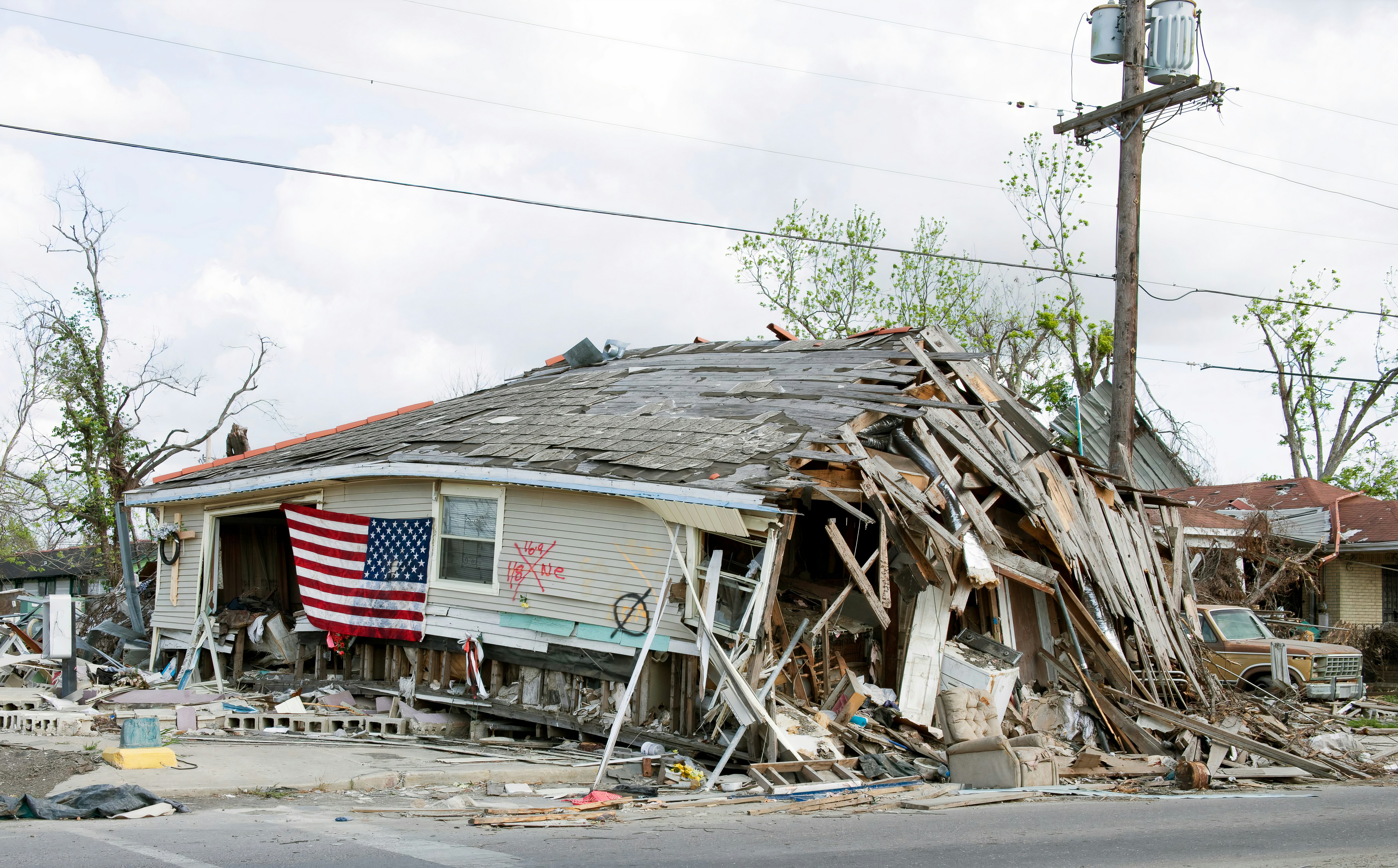
Storm-Damage Lead Response After a Hurricane: A Playbook for Roofers and Restoration Companies
When a hurricane threatens a service area, safety comes before sales, scheduling, or estimates.
If a caller reports a downed power line, gas leak, fire, carbon monoxide concern, a medical device affected by an outage, or an immediate threat to life, do not try to diagnose the situation by text. Direct the person to the appropriate local emergency, utility, or public-safety authority, and do not send a crew into an unsafe or closed area.
Hurricane Isaias is reported to pose a serious Gulf Coast landfall threat, with potential disruption to regional refining and energy infrastructure. That does not prove that local roofing, restoration, HVAC, or plumbing businesses have experienced a lead increase. But businesses in potentially affected areas should prepare for the possibility that storm damage, outages, flooding, and property assessments could create more calls, forms, and inspection requests than usual. Fox Weather and CNN provide the current event context.
The operational goal is simple: acknowledge legitimate inquiries quickly, identify requests that need immediate human review, avoid promising capacity you do not have, and keep inspection or estimate requests from disappearing while your team is busy.
Table of contents
- Build a storm-response workflow before inquiries arrive
- Triage safety issues before booking work
- Use a practical lead-priority system
- Set capacity and service-area rules
- Respond, inspect, estimate, and follow up
- Prevent duplicate storm-damage requests
- Storm-damage SMS templates
- Where automation fits—and where it does not
- Key takeaways
- FAQ
Build a storm-response workflow before inquiries arrive
A hurricane-response plan should not be a generic “reply faster” policy. Roofing and restoration inquiries after severe weather can vary widely:
- A homeowner may need a future roof inspection.
- A property manager may be collecting information for several units.
- A customer may be reporting active water intrusion.
- Someone may be outside your service area.
- A person may submit the same request through a form, a missed call, Facebook, and text.
- A lead may expect insurance guidance that your team is not qualified to provide.
Create a short internal workflow before demand potentially increases.
1. Decide who owns the inbox
Name one person—or a rotating on-call role—responsible for reviewing incoming storm-related leads.
That person should know:
- Which areas the company is currently serving
- Which services are temporarily available
- Whether crews can safely travel
- The current inspection capacity
- Which requests require an owner, manager, or dispatcher review
- What the team should say when capacity is full
Without a clear owner, a fast first reply can still turn into a forgotten inquiry.
2. Prepare a current capacity update
Before sending any storm-related messaging, write down the facts your team can actually honor:
| Operational question | Example internal answer |
|---|---|
| Are crews operating today? | Only after local travel conditions are reviewed |
| Are inspections available? | Limited appointments; request review required |
| Are emergency services offered? | Only state services the business truly provides |
| What areas are open? | List ZIP codes, counties, or service-radius rules |
| What is the next available inspection window? | Use a real range, not a guaranteed time |
| Who approves exceptions? | Owner, operations manager, or designated dispatcher |
Do not promise same-day response, emergency tarping, water extraction, or inspection availability unless your business has confirmed the crew, materials, access, and safety conditions to deliver it.
3. Separate acknowledgment from commitment
Your first response should confirm receipt and collect the information needed for a human decision. It should not accidentally become a promise.
For example:
Thanks for contacting [Business Name]. We received your storm-damage request and are reviewing availability in your area. Please reply with your property address, the type of damage you see, and whether there is active water entering the property. If there is an immediate safety threat, contact the appropriate local emergency or utility authority.
That is more responsible than saying, “We’re on the way,” before anyone has reviewed the property, travel conditions, crew availability, or safety risk.
Triage safety issues before booking work
Not every storm inquiry belongs in the same pipeline. Create a safety-first triage rule so the team knows when to stop treating a message as a standard sales lead.
Requests that need immediate human review
Flag messages that mention:
- Downed or damaged power lines
- Gas odors or suspected leaks
- Fire, smoke, or carbon monoxide concerns
- Injury or an immediate threat to life
- Medical equipment losing power
- A structure that may be unsafe to enter
- Authorities restricting access to the area
Automation can acknowledge a request, but it cannot assess danger, decide whether a structure is safe, or replace emergency services and utility guidance.
Requests that may fit a normal service workflow
Once obvious safety concerns are separated, many inquiries can move through a standard review process:
- Roof inspection requests
- Missing shingles or visible exterior damage
- Water staining or a possible leak
- Flood or water-damage assessment requests
- Drying, cleanup, or restoration inquiries
- HVAC, plumbing, or electrical service requests following an outage or storm
- Property-manager requests for multiple locations
The distinction matters because an inspection request can be organized around service area, property details, and appointment availability. A potential safety emergency requires human judgment first.
Use a practical lead-priority system
A simple priority label helps a small team work the right leads without pretending every inquiry is equally urgent.
Priority 1: Safety or access concern
Examples:
- The customer reports an immediate hazard.
- The property may be unsafe to enter.
- The location is in an area where access conditions are uncertain.
Action: Escalate to a trained human immediately. Do not book, dispatch, or provide improvised safety advice through an automated sequence.
Priority 2: Active property damage within your service area
Examples:
- Active water intrusion
- Recent roof damage with an occupied property
- A restoration request where the customer needs a prompt assessment
Action: Confirm receipt, collect essential details, verify location and capacity, then provide the next available human-reviewed step.
Priority 3: Inspection or estimate request
Examples:
- A homeowner wants a storm-damage inspection.
- A customer is gathering information after the storm.
- A property manager needs an estimate process.
Action: Capture contact details, address, damage type, preferred contact method, and availability. Route to inspection scheduling when capacity permits.
Priority 4: Out-of-area, unsupported, or incomplete request
Examples:
- The property is outside your travel area.
- The requested service is not one you offer.
- The message contains too little information to act on.
Action: Respond politely, clarify what is needed, or explain that you cannot confirm service availability for that location. Do not let these requests clog the inspection queue.
Set capacity and service-area rules
The worst time to discover your crew cannot serve a neighborhood is after your team has told several homeowners they are booked.
Create a short capacity checkpoint before an appointment is confirmed.
Confirm these four details
- Property location Ask for the full address or ZIP code before offering an inspection window.
- Type of need Roofing, restoration, water mitigation, HVAC, plumbing, and electrical work may require different crews and different availability.
- Current conditions Do not schedule around assumptions. Local closures, unsafe roads, outages, and weather can change what is feasible.
- Actual appointment capacity Use appointment windows your team can realistically honor. If capacity is uncertain, say the request is under review rather than assigning a time.
Use a waitlist instead of overbooking
If inquiries rise beyond current inspection capacity, a waitlist can be more honest and useful than a calendar full of appointments your team cannot keep.
Collect:
- Name
- Mobile number
- Property address
- Damage category
- Whether there is active water intrusion
- Preferred contact time
- Photos only if your business has a safe, established process for receiving them
Then send a clear expectation:
We’ve received your inspection request. Our team is reviewing storm-related availability by area. We’ll contact you with the next available option once we confirm scheduling conditions.
This keeps the conversation active without claiming a response time you cannot guarantee.
Respond, inspect, estimate, and follow up
A storm-damage lead should not end with “Thanks, we got it.” Build a sequence of human-owned next steps.
Step 1: Acknowledge receipt
Send a short confirmation after a form submission, missed call, or inbound text. The goal is to reassure the customer that their request did not disappear while you gather information.
For more general contractor first-response examples, see Contractor Web Form Auto Response: What to Send the Second a New Lead Hits Your Site.
Step 2: Qualify the request
Collect only what your team needs to route the lead:
- Property address
- Best callback number
- Type of damage or service needed
- Whether water is actively entering the property
- Whether the property is occupied
- Whether the customer is seeking an inspection, estimate, or another service
- Preferred contact time
Avoid giving insurance coverage opinions or promising claim outcomes. Those decisions depend on the customer’s policy and insurer, not the contractor’s lead workflow.
Step 3: Confirm the human next step
A qualified lead should receive one of these clear outcomes:
- A confirmed inspection window
- A callback commitment from a team member
- A waitlist status
- A service-area or capacity explanation
- A request for missing information
Do not leave the customer guessing whether they are booked.
Step 4: Follow up after the inspection or estimate
Storm-related estimates can require more time and consideration than a routine service call. A respectful follow-up can keep the conversation moving without pressure.
For contractor estimate follow-up examples, see Estimate Follow-Up Text Templates for Contractors.
A sensible workflow might include:
- A confirmation that the estimate was sent
- A check-in if the customer has questions
- A final message asking whether they want to discuss next steps
Keep the messages tied to the customer’s actual request. Do not automatically shift an emergency-assistance inquiry into promotional messaging without confirming an appropriate lawful messaging basis.
Prevent duplicate storm-damage requests
During a disruption, one household may call, submit a website form, message a social page, and have another family member contact the business. If these become separate records, your team can make conflicting promises or schedule the same property twice.
Use a simple duplicate-check process
Before booking an inspection, search by:
- Mobile number
- Property address
- Email address
- Last name
If you find a match, merge the context into one lead record or clearly mark one entry as the active conversation.
Add notes such as:
- “Form submitted after missed call”
- “Spouse also called from alternate number”
- “Property manager submitted request for same address”
- “Already awaiting capacity review”
This is especially important when multiple team members answer leads across phones, forms, and inboxes.
For a broader look at avoiding lost opportunities in the follow-up process, read 7 Lead Follow-Up Mistakes That Quietly Kill Conversion.
Storm-damage SMS templates
Use these as starting points. Replace brackets with accurate business details and only send messages when you have an appropriate basis to contact the person by text.
1. New storm-damage inquiry acknowledgment
Hi [First Name], this is [Name] with [Business]. We received your storm-damage request. Please reply with the property address, the damage you’re seeing, and whether there is active water entering the property. We’ll review service availability in your area.
2. Safety escalation message
Hi [First Name], thank you for contacting [Business]. Based on what you described, please contact the appropriate local emergency, utility, or public-safety authority for immediate guidance. We cannot assess immediate hazards by text. When it is safe, you can update us on the property-service request.
3. Inspection request qualification
Hi [First Name], thanks for reaching out to [Business] about a storm-damage inspection. To review scheduling, please send the property address and a brief description of the damage. Are you looking for roofing, water-damage restoration, or another service?
4. Capacity-review message
Hi [First Name], we received your request for [property address]. Our team is reviewing storm-related availability in your area before confirming appointments. We’ll follow up with the next available option once scheduling conditions are confirmed.
5. Inspection confirmation
Hi [First Name], your inspection with [Business] is scheduled for [day/time window] at [address]. If access conditions change or you need to update the request, reply here or call [phone number].
6. Estimate follow-up
Hi [First Name], this is [Name] from [Business]. I’m following up on the storm-damage estimate for [property address]. If you have questions about the scope or would like to discuss next steps, reply here and we’ll help.
7. No-response check-in
Hi [First Name], checking in on your request for [property address]. If you still need help with [inspection/estimate/service], reply with the best time to reach you. If your situation has changed, just let us know.
For additional first-response copy, see 15 Auto Reply Messages Contractors Can Use for New Leads.
Where automation fits—and where it does not
During a possible storm-driven inquiry increase, automated texting can help a business acknowledge a new lead and collect basic details while the owner or crew is on a job, traveling, or handling another customer.
SecureMyLead can send an automated SMS first response when a new lead arrives and can support follow-up sequences for leads that still need a human response. That can help reduce the chance that a website form or missed inquiry sits untouched during a busy period.
But automation is not a storm-response command center. It cannot:
- Assess whether a customer is in danger
- Verify that a property is safe to enter
- Confirm insurance coverage
- Determine whether roads or neighborhoods are accessible
- Dispatch crews
- Know your real-time capacity unless your team manages the workflow
- Prevent overbooking on its own
- Replace a human estimate, safety decision, or customer conversation
Use automation for acknowledgment and continuity. Keep safety triage, capacity approval, dispatch, and estimating under human control.
Get started free if you want a follow-up layer that can acknowledge new leads quickly while your team focuses on the operational decisions that require people.
Key takeaways
- Hurricane Isaias presents a serious Gulf Coast weather and infrastructure threat, but the supplied reporting does not document a measured increase in contractor leads.
- Roofing and restoration businesses should prepare for a possible rise in inquiries without promising service capacity they have not verified.
- Treat downed lines, gas concerns, fires, carbon monoxide issues, medical equipment outages, and unsafe structures as safety escalations—not ordinary leads.
- Separate acknowledgment from commitment: confirm receipt, gather details, and let a human approve the next step.
- Verify service area, road and access conditions, crew availability, and appointment capacity before confirming inspections.
- Use duplicate checks to avoid scheduling the same property more than once.
- Automation can support fast acknowledgment and consistent follow-up, but it cannot replace human safety judgment, dispatch, or estimating.
FAQ
Should a roofing company promise same-day storm inspections?
Only if it has confirmed that the area is accessible, conditions are safe, the required crew is available, and the company can honor the commitment. If any of those factors are uncertain, say the request is under review and provide the next confirmed step instead.
What information should a storm-damage lead form collect?
At minimum, collect the customer’s name, mobile number, property address, type of service needed, a brief damage description, and whether there is active water intrusion. Keep the form focused so customers can submit it quickly during a stressful situation.
Can automated texts handle hurricane emergency calls?
No. Automated texts may acknowledge an inquiry and request basic information, but they cannot evaluate danger, give emergency guidance tailored to the situation, dispatch crews, or determine whether a property is safe.
How should restoration companies handle insurance questions from leads?
A company can explain its own inspection or estimate process, but it should not promise coverage or claim approval. Insurance coverage and claim decisions belong to the customer’s insurer and policy terms.
Is it okay to send promotional texts after a storm?
Be careful. A person who requested emergency assistance has not necessarily agreed to promotional messaging. Businesses should use appropriate consent and opt-out practices and confirm they have a lawful basis before sending marketing texts.