Hurricane Isaias Storm-Damage Inquiry Response Playbook for Roofers and Restoration Businesses
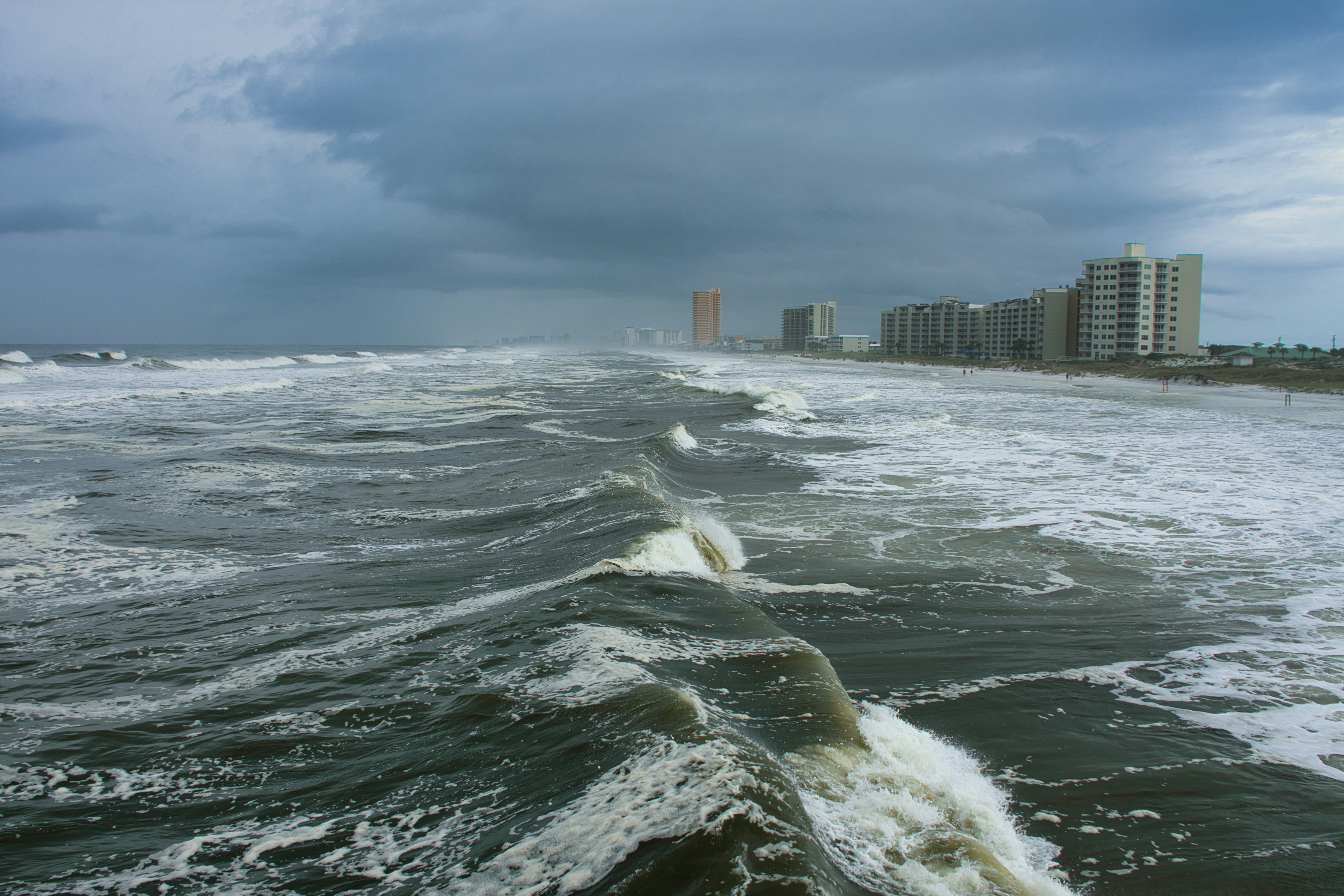
Hurricane Isaias has strengthened into the Atlantic season’s first hurricane, and reports warn of dangerous storm-surge risks and warnings affecting millions of people in the United States. AP News and The Guardian cover the storm’s development and associated hazards.
For affected roofing and restoration businesses, the immediate priority is safety—not lead capture. A report involving immediate danger, active hazards, flooding, electrical risks, or a person needing urgent help must be treated as an emergency rather than a standard service inquiry. Your acknowledgment process should never replace official warnings, emergency services, or human judgment.
If storm conditions affect your service area, your business may receive more inspection requests, damage questions, and quote inquiries. That outcome is possible, not guaranteed. The practical move is to prepare a clear intake and follow-up process now, so legitimate inquiries do not sit unanswered while your team protects capacity and avoids making promises it cannot keep.
Table of contents
- Separate emergency messages from service inquiries
- Set up a storm-damage intake workflow before inquiries rise
- Ask only the questions your team needs
- Use immediate acknowledgment without promising dispatch
- Request photos and addresses carefully
- Create a human scheduling handoff
- Follow up when a homeowner stops responding
- Handle duplicates, out-of-area leads, and limited capacity
- Use automation as an acknowledgment layer—not emergency dispatch
- Frequently asked questions
Separate emergency messages from service inquiries
A storm inbox can contain very different situations:
- A homeowner asking for a future roof inspection
- A property manager requesting an estimate after conditions improve
- A customer reporting water intrusion and asking for restoration help
- A person describing an immediate safety issue or active emergency
Do not treat all of these as equivalent.
Your form, voicemail script, auto-reply, and team training should make one point clear: a business inquiry is not an emergency-response channel. Avoid language that implies your team is monitoring every message in real time, can dispatch immediately, or can determine risk remotely.
A simple internal rule helps:
| Message type | What the workflow should do |
|---|---|
| Routine inspection or estimate request | Acknowledge receipt, collect essential details, route for human review |
| Damage report with unclear urgency | Flag for prompt human review; do not diagnose conditions through automation |
| Report of immediate danger or serious hazard | Treat as an emergency communication, not a sales or scheduling lead; direct the person to official warnings and emergency resources where appropriate |
| Existing customer asking about an active job | Route to the assigned customer-service or operations contact |
The goal is not to automate triage decisions. It is to keep routine inquiries organized while ensuring a human sees messages that require judgment.
Set up a storm-damage intake workflow before inquiries rise
A storm workflow should be simpler than your ordinary estimate process. Someone dealing with property damage may not have the time—or information—to complete a long form.
Start with a minimum viable flow:
- Capture the contact details. Name, phone number, email, and property address.
- Identify the service need. Roofing inspection, roof repair, water mitigation, restoration assessment, or another category your business actually provides.
- Collect a brief description. Let the person describe what they noticed in their own words.
- Flag the location. Check whether the property is within your active service area.
- Send an acknowledgment. Confirm that the request was received without promising an inspection time.
- Assign human review. One person should own the next decision: request more details, schedule, decline, or refer the inquiry elsewhere.
- Record the status. Use clear labels such as
new,needs review,awaiting photos,scheduled,out of area,duplicate, ornot a fit.
This is especially useful if messages arrive while the owner is on a roof, field crews are occupied, or office staff are juggling calls. It also prevents a common problem: multiple people responding separately to the same homeowner.
For a broader system that keeps new inquiries from being forgotten, see our guide to automated lead follow-up systems for contractors.
Build an internal storm board, even if it is basic
You do not need a complex dispatch platform to stay organized. A shared spreadsheet, inbox labels, CRM pipeline, or simple lead board can work if every inquiry has:
- One owner
- A status
- A timestamp for the last human contact
- The property address
- The requested service
- Any promised next step
- A capacity decision: ready to schedule, waitlist, decline, or refer
During a possible demand spike, the purpose of the board is visibility. It helps you see which leads need a reply without pretending that every inquiry can be served immediately.
Ask only the questions your team needs
A storm-damage intake form should help your team decide what to review next. It should not attempt to perform a structural, electrical, flood, or safety assessment through a text thread.
Useful intake questions include:
- What is the property address?
- What type of help are you looking for? Examples: roof inspection, roof repair, water damage assessment, restoration estimate.
- What damage or issue have you noticed?
- Is this a residential or commercial property?
- Is the property within our service area?
- What is the best phone number and email for follow-up?
- If available, can you share photos for our team to review?
Avoid collecting information you cannot use quickly. For example, a detailed insurance questionnaire can wait until a team member has confirmed the inquiry is within your service area and fits your current capacity.
Also avoid asking a customer to self-classify a dangerous condition. Your intake should surface information for human review, not make the homeowner responsible for a safety determination.
Use immediate acknowledgment without promising dispatch
A fast acknowledgment can tell a homeowner that their request did not disappear into a form or voicemail queue. It should not say that a crew is on the way, that an inspection is guaranteed, or that insurance will cover the work.
Here are copy-ready examples.
New storm-damage web form reply
Hi [First Name], this is [Business Name]. We received your request about the property at [Address]. Our team is reviewing incoming storm-related inquiries and will follow up about next steps. Please do not rely on this message for emergency assistance.
Roofing inspection inquiry reply
Thanks for contacting [Business Name], [First Name]. We received your roof inspection request for [Address]. A team member will review the details and contact you about availability and next steps.
Restoration inquiry reply
Hi [First Name], [Business Name] received your restoration inquiry for [Address]. Please reply with a brief description of the issue and the best time to reach you. Our team will review your request before confirming any service or schedule.
Photo request after initial acknowledgment
If you already have photos you can safely share, you may reply here with them or send them to [email/link]. Please include the property address so our team can match them to your request.
Use SMS only when your business has the appropriate consent and lawful basis to send messages. Keep opt-out handling in place, and do not use a storm as a reason to ignore normal messaging requirements.
For more general first-response copy, see 15 auto reply messages contractors can use for new leads.
Request photos and addresses carefully
Photos can help your team understand what a customer is describing, but they are not a substitute for a professional inspection or emergency assessment.
Make the request optional and specific:
- Ask for the property address first.
- Ask the customer to label what the photo shows if possible.
- Let them know photos help with initial review, not final diagnosis.
- Do not make photos a condition for an emergency response.
- Do not promise that photos will produce an immediate quote, inspection slot, or coverage decision.
A useful workflow is:
- Acknowledge the inquiry.
- Confirm the address and service area.
- Ask for photos if they are already available.
- Have a person review the submission.
- Decide whether to request more information, offer a scheduling conversation, place the lead on a waitlist, or decline because it is outside scope.
This keeps the customer moving forward without overstating what your team can determine remotely.
Create a human scheduling handoff
The most important distinction in a storm workflow is between acknowledgment and confirmed scheduling.
An acknowledgment says: “We received your request.”
A scheduling confirmation says: “A team member has reviewed this, and we have agreed on a next step.”
Do not let an auto-reply blur the two.
Give one person ownership of booking decisions
Before a storm affects your market, decide:
- Who reviews new storm-related leads?
- Who can offer inspection windows?
- Who can update customers when availability changes?
- Who decides whether work is within your service area and scope?
- Who handles requests your business cannot currently take?
If you have multiple crews, do not let every field employee set their own expectations by text. A central owner—even if that is simply the office manager or business owner—reduces conflicting messages and accidental overbooking.
Use capacity-based language
When you do not know your availability yet, say so plainly:
We’ve received your request and are reviewing our current inspection availability. A team member will contact you once we can confirm the next step.
When your schedule is limited:
Our current availability is limited due to storm-related demand. We can keep your request on our review list and contact you if an appointment window becomes available.
That language is more useful than silence and more honest than an “urgent” promise your team may not be able to fulfill.
Follow up when a homeowner stops responding
Storm inquiries can go quiet for ordinary reasons: the homeowner may be dealing with cleanup, communicating with family, waiting on a landlord, or comparing service providers.
A short, considerate follow-up is appropriate when it is sent under your normal consent and communication practices.
Follow-up after no reply to the first acknowledgment
Hi [First Name], this is [Business Name] following up on your storm-damage request for [Address]. If you still need help, reply with the best time to reach you and any details our team should review.
Follow-up when photos were requested
Hi [First Name], we’re checking back on your request for [Address]. If you have photos or additional details available, you can reply here and our team will add them to your request.
Follow-up when you have not confirmed availability
Hi [First Name], we have not yet confirmed an appointment for your request at [Address]. If you still need assistance, reply here and we’ll review the current next steps with you.
Keep the sequence restrained. Repeated automated texts can feel inappropriate during a storm, particularly after a real person has started a conversation.
For timing principles that apply beyond storm events, read how long to wait before following up with a lead.
Handle duplicates, out-of-area leads, and limited capacity
Storm-related inquiries can create operational noise as well as opportunity. A workable response playbook includes a decision for leads you cannot serve.
Duplicate inquiries
The same person may submit a web form, call, text, and message your social account. Match duplicates using the phone number, email, and property address before assigning the lead.
Reply once through the channel your team can reliably manage. Internally, mark the other entries as duplicates instead of treating them as separate jobs.
Out-of-area inquiries
Do not leave out-of-area homeowners waiting for an estimate that will never come.
Thanks for reaching out to [Business Name]. The property address is outside our current service area, so we’re unable to take this request. We wanted to let you know promptly rather than leave you waiting.
Do not recommend another company unless you have a relationship and are comfortable making that referral.
Work outside your scope
A roofer should not imply it can handle a restoration need it does not provide, and a restoration company should not promise roofing work it cannot perform. Be direct:
Thanks for the details. This request is outside the services we currently provide, so we’re unable to schedule it.
Capacity limits
Your team may have more requests than it can inspect promptly. A visible waitlist is better than an invisible backlog.
Set a status for:
- Ready for scheduling
- Awaiting customer details
- Under review
- Waitlist
- Not serviceable
- Closed
Then ensure each status has a defined owner and customer message. This protects your team from taking on work based on optimism rather than actual capacity.
Use automation as an acknowledgment layer—not emergency dispatch
Automation can help roofers and restoration businesses send an immediate, consistent acknowledgment when a new inquiry arrives. It can also help maintain a modest follow-up process for leads that have not yet reached a human conversation.
But it should remain the layer between lead capture and human review—not a replacement for dispatch, scheduling judgment, hazard assessment, or customer-service decisions.
SecureMyLead can automatically text a new lead shortly after capture and run personalized SMS follow-up sequences. For storm-related workflows, use that capability conservatively:
- Write the first message to confirm receipt, not promise response time or service.
- Route urgent or unclear messages to a person for review.
- Keep storm follow-ups short and limited.
- Review active conversations before sending additional scheduled messages.
This last point matters: SecureMyLead supports two-way dashboard messaging, but ordinary replies do not currently auto-pause scheduled sequence messages. Your team should actively monitor replies and manage the sequence so a customer does not receive irrelevant automated follow-ups after a human conversation begins.
Get started free to build a dependable acknowledgment and follow-up layer for the inquiries your team is able to review.
A reusable severe-weather response checklist
Use this checklist for Hurricane Isaias and future storms:
- [ ] Review official storm warnings affecting your service area.
- [ ] Confirm who owns incoming storm-related inquiries.
- [ ] Update your website form with address, service type, and brief damage-description fields.
- [ ] Prepare a no-promise acknowledgment message.
- [ ] Create a human-review path for messages involving possible danger or unclear urgency.
- [ ] Define your current service area and services you can actually provide.
- [ ] Set a realistic inspection-capacity limit.
- [ ] Create lead statuses for new, under review, scheduled, waitlisted, duplicate, and out of area.
- [ ] Prepare optional photo-request language.
- [ ] Review SMS consent, opt-out handling, and communication practices.
- [ ] Check every active conversation before further automated follow-up is sent.
- [ ] Update customers promptly when availability changes.
Key takeaways
- Hurricane Isaias has prompted warnings about dangerous storm-surge risks; safety and official guidance come before any business workflow.
- The available reporting does not prove that roofing or restoration businesses will experience a lead surge, but affected businesses can prepare for possible storm-damage inquiries.
- Separate acknowledgment from scheduling. An auto-reply should never promise immediate inspection, emergency availability, repair timing, or insurance outcomes.
- Keep intake short: contact details, address, service need, brief description, and optional photos.
- Use human review for unclear, urgent, out-of-area, duplicate, and capacity-constrained inquiries.
- Automation can support fast acknowledgment and organized follow-up, but it cannot replace emergency response or professional judgment.
Frequently asked questions
Should a roofing company promise same-day storm inspections?
No. Only offer an appointment after a person has reviewed the request and confirmed actual availability. Acknowledgment messages should confirm receipt without promising inspection timing.
What should a storm-damage intake form ask for?
At minimum: name, contact information, property address, requested service, a brief description of the issue, and optional photos. Avoid turning the form into a remote safety or structural assessment.
Can we text every storm-related inquiry?
Only text people when your business has the appropriate consent and lawful basis to do so. Keep opt-out handling active and follow the messaging rules that apply to your business.
How many times should we follow up on a storm-damage inquiry?
There is no universal number. Use a limited, respectful sequence that stops or changes once a human conversation starts, the customer opts out, the request is closed, or the job is outside your service area.
Can automation determine which inquiries are emergencies?
No. Automation can capture information and flag messages for human review, but it should not replace human assessment of dangerous conditions, flooding, electrical risks, structural hazards, or other emergencies.