Hurricane and Flood Lead Response Playbook for Home-Service Businesses
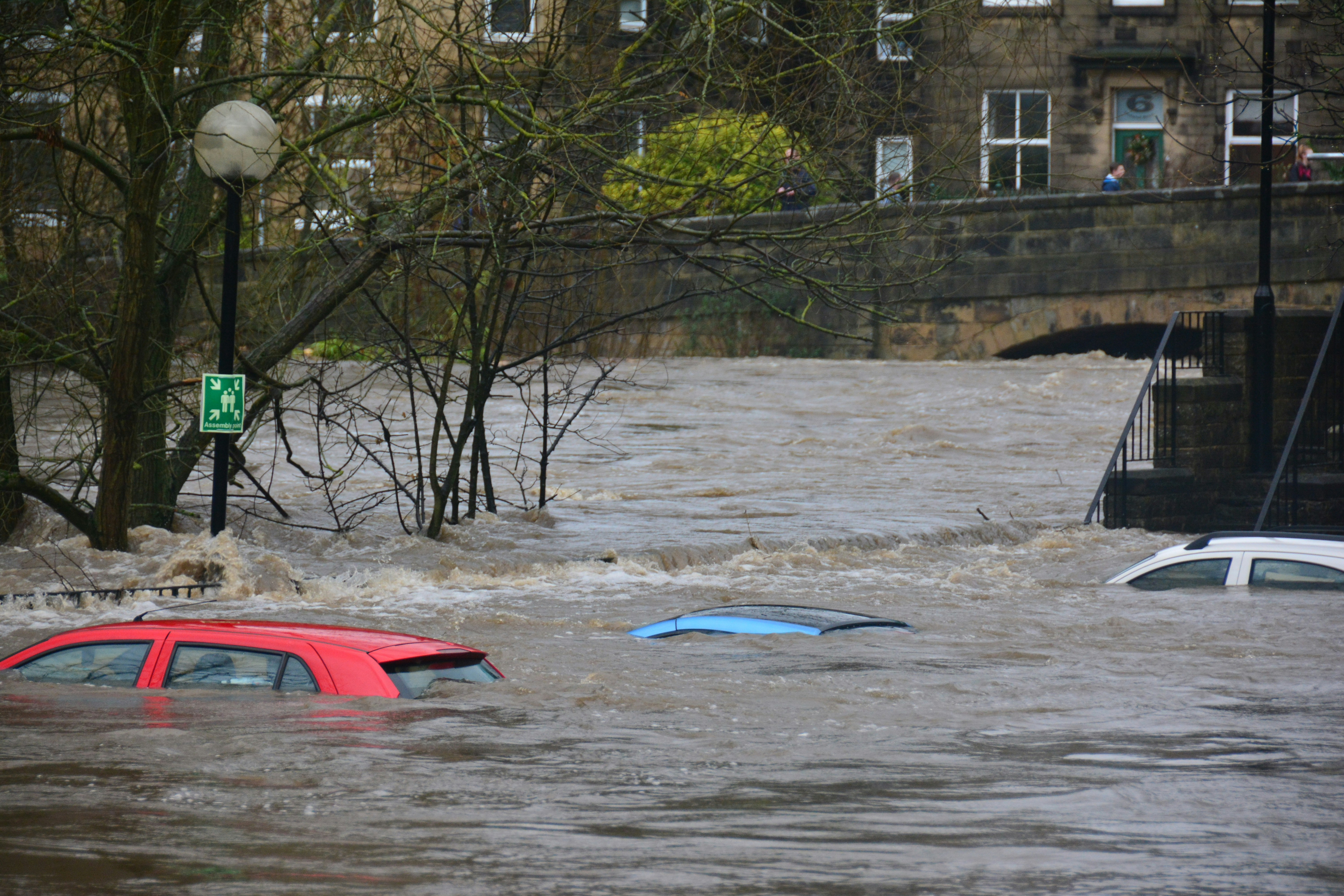
Coastal flooding, dangerous surf, high waves, street flooding, and hurricane or tropical-storm conditions can create difficult operating days for home-service businesses. Recent reporting has covered hazardous coastal conditions and flooding in California and hurricane-related conditions in Florida and the Gulf region. San Francisco Chronicle, Lookout Santa Cruz, and Telemundo 51 have reported on these kinds of conditions.
Those events do not prove that any particular roofing, restoration, plumbing, HVAC, or electrical business is receiving more leads. But businesses serving affected properties should prepare for the possibility that inquiries become more urgent, less complete, and harder to manage while crews are already handling active work.
Safety comes first. If an inquiry involves an immediate safety risk, emergency conditions, or a situation beyond your team’s ability to assess safely, direct the customer to the appropriate authorities or a qualified professional. Do not use an automated text to diagnose severity, promise emergency dispatch, or tell a customer it is safe to enter a damaged property.
This playbook helps you acknowledge weather-related inquiries, collect the right details, set honest expectations, route serious issues to a human, and keep non-emergency leads from being forgotten.
Table of contents
- Start with a safety-first acknowledgment
- Separate urgent reports from routine estimate requests
- Collect details that help a human prioritize
- Set availability expectations without overpromising
- Build a weather-event response workflow
- Use message templates for hurricane and flood inquiries
- Continue follow-up after the immediate weather event
- How SecureMyLead fits into the workflow
- FAQ
Start with a safety-first acknowledgment
The first reply has a narrow job: confirm the inquiry was received, avoid making promises, and give the customer a clear next step.
During weather events, a lead may describe water intrusion, roof damage, electrical concerns, loss of heating or cooling, a broken pipe, or a property that is inaccessible. A short acknowledgment can keep the person informed while your team reviews the situation, but it cannot replace human judgment.
Your first message should:
- Identify your business.
- Confirm receipt of the request.
- State that a team member will review it.
- Avoid guaranteeing arrival times, service, or insurance outcomes.
- Direct immediate safety concerns to appropriate authorities or qualified professionals.
Example: safety-first acknowledgment
Hi [First Name], this is [Business Name]. We received your weather-related service request and are reviewing it. If there is an immediate safety concern or emergency, please contact the appropriate local authorities or a qualified emergency professional. A member of our team will follow up about your request as soon as we can.
This message does not imply that you have a crew available. It also does not ask the customer to make a safety decision based on an automated reply.
Separate urgent reports from routine estimate requests
A weather event can blur the line between “I need an estimate” and “something may be unsafe.” Your intake process should make that distinction visible to a human without claiming that your system can perform emergency triage.
Use simple categories that your team can understand quickly:
| Inquiry type | Example request | Recommended handling |
|---|---|---|
| Potential safety concern | Water near electrical equipment, structural damage concern, active gas smell, medical equipment affected by power loss | Route to a human immediately; direct the customer to appropriate authorities or qualified professionals for immediate danger |
| Active property damage | Active leak, flooding, storm-created opening, sewer backup | Human review as soon as your business can safely assess availability |
| Time-sensitive service need | No cooling, no heat, plumbing failure, damaged roof covering | Collect details and provide a realistic callback or review expectation |
| Routine inspection or estimate | “Can someone inspect my roof after the storm?” | Add to the inspection queue and follow up with next steps |
| Information request | Insurance question, service area question, general availability | Answer what you can without giving coverage, damage, or scheduling guarantees |
The point is not to create a perfect severity score. It is to ensure that a routine inspection request does not get treated exactly like an active water-intrusion report—and that a serious concern reaches a person rather than disappearing into an ordinary estimate sequence.
Collect details that help a human prioritize
A vague message such as “Storm damage—please call” gives your team little to work with. Ask only for details that help determine the right next conversation.
For weather-related home-service inquiries, useful details can include:
- Property address or ZIP code
- Best callback number
- Service needed: roofing, restoration, plumbing, HVAC, electrical, or another service
- Whether damage is active or has stopped
- A short description of what the customer can safely observe
- Whether the property is occupied
- Whether access is currently limited by flooding, road conditions, or evacuation restrictions
- Photos, only if your intake process supports them and the customer can provide them safely
- Preferred time for a callback
Avoid asking customers to inspect unsafe areas, climb on a roof, enter standing water, or take any action that could put them at risk.
A useful intake question sequence
Keep the first follow-up short:
Thanks, [First Name]. To help our team review your request, please reply with:
- Your property ZIP code
- The service you need
- A brief description of what you can safely see
- The best number and time for a callback
For a roofer, the relevant detail may be the location of a visible leak or missing material. For a plumber, it may be whether water is actively flowing. For an HVAC company, it may be whether the system stopped working after the storm. For an electrician, safety-related reports require especially careful human review rather than automated troubleshooting.
Set availability expectations without overpromising
Weather delays can affect road access, crew safety, material availability, and job schedules. The fastest way to create a frustrated customer is to imply that someone is “on the way” when your team has not confirmed that.
Use language that communicates process instead of certainty:
- “We are reviewing weather-related requests in the order our team can safely assess them.”
- “A team member will contact you about availability.”
- “We cannot confirm an arrival time until we review your location and service need.”
- “Weather and access conditions may affect scheduling.”
- “We will update you if our expected response window changes.”
Avoid messages such as:
- “We’ll be there today.”
- “We can dispatch immediately.”
- “Your damage is covered.”
- “This is definitely an emergency.”
- “You do not need to worry.”
Those statements can create operational, legal, and customer-service problems if they are not verified.
Delay update template
When your response time changes, silence is usually worse than a brief, honest update.
Hi [First Name], this is [Business Name]. We are still reviewing your request. Current weather and crew conditions may affect timing, and we do not want to promise an appointment before we can confirm it. We will update you as soon as we have the next available step.
This is particularly useful when roads, coastal conditions, or active weather make normal scheduling uncertain. Reports of flooding and coastal hazards in areas including Santa Cruz and Long Beach illustrate why local access and conditions can change quickly. Lookout Santa Cruz and Long Beach Post provide examples of those conditions.
Build a weather-event response workflow
A repeatable workflow reduces the temptation to improvise every time severe weather creates operational pressure.
1. Designate a human owner
Someone should own the review queue, even if that person is not a dispatcher. It may be the owner, office manager, operations lead, or an on-call team member.
The owner’s job is to:
- Review new weather-related inquiries.
- Identify requests needing immediate human attention.
- Confirm whether your business can safely serve the location.
- Decide whether to schedule, defer, refer, or close the request.
- Update the customer when conditions change.
2. Use clear lead labels
Create simple labels in your lead system, such as:
- Weather inquiry
- Potential safety concern
- Active damage reported
- Inspection request
- Awaiting callback
- Delayed by conditions
- Scheduled
- Not in service area
Labels give your team a usable queue after the immediate weather event passes. They also prevent a customer who asked for a later inspection from being mixed into a general estimate list and forgotten.
3. Pause generic messages when human context matters
A standard estimate follow-up sequence may not fit someone reporting storm damage. Before sending routine reminders, make sure the message still matches the customer’s situation.
For example, “Just checking in on your quote” may feel tone-deaf if the customer has said their home is flooded or inaccessible. Replace generic automation with a status update, a request for safe-to-share details, or a human callback.
4. Keep a written capacity rule
Decide in advance what your team will say when capacity is limited. A good rule might include:
- No promised arrival time until a person confirms it.
- No scheduling confirmation until location and access are reviewed.
- A required update if the expected review window changes.
- A process for requests outside your service area or current capacity.
This is more useful than trying to make every automated reply sound urgent.
For broader guidance on building reliable follow-up ownership, see how to follow up with home-service leads automatically.
Use message templates for hurricane and flood inquiries
These templates are starting points, not emergency scripts. Review them for your service area, actual availability, and messaging-consent process before use.
New weather-related inquiry
Hi [First Name], this is [Business Name]. We received your request regarding possible weather-related property damage. A team member will review the details and follow up about next steps and availability. If there is an immediate safety concern, please contact the appropriate authorities or a qualified professional.
Request for more details
Thanks for contacting [Business Name]. When it is safe to do so, please reply with your ZIP code, the type of service you need, and a brief description of what you can safely observe. This will help our team review your request.
Inspection request with no confirmed appointment
Hi [First Name], we have your request for a post-storm inspection. We are reviewing location, access, and crew availability before confirming an appointment. We’ll follow up when we can provide the next available option.
Crew delay update
Hi [First Name], this is [Business Name]. We’re still working through weather-related requests, and current conditions may affect timing. We have not forgotten your request and will update you as soon as we can confirm the next step.
Follow-up after no reply
Hi [First Name], this is [Business Name] following up on your weather-related service request. If you still need help, reply with your ZIP code and a brief description of the issue, and our team can review it.
For more general first-response options, use these contractor auto-reply message templates. Keep weather-event versions more cautious: they should not promise a same-day visit or imply that your company has determined the seriousness of the damage.
Continue follow-up after the immediate weather event
Some customers will be unable to respond right away. They may be dealing with access issues, family needs, power loss, travel, or uncertainty about what service they need. That does not mean every inquiry should receive repeated messages indefinitely.
Use a practical sequence:
- Initial acknowledgment: Confirm receipt and give safety-conscious direction.
- Details request: Ask for the minimum information needed for human review.
- Status update: Send an honest update if weather or capacity delays your response.
- Human contact or scheduling message: Once availability is confirmed, provide the real next step.
- One later check-in: If the customer stops responding, ask whether service is still needed.
- Close or move to a future follow-up list: Do not leave unresolved weather leads in an unowned queue.
If you have already provided an estimate or inspection result, your next message should reflect that stage. Use a purpose-specific approach rather than restarting the new-lead sequence. See how to follow up on quotes without losing the customer for post-estimate follow-up guidance.
How SecureMyLead fits into the workflow
SecureMyLead can serve as the follow-up layer for this process: sending an acknowledgment when a new lead arrives, requesting basic details, and helping your team remember status updates or later check-ins.
It should not be treated as an emergency dispatcher, a damage assessor, or a replacement for human review. During a hurricane, flood, or severe-weather event, your team still needs to decide what it can safely handle, who owns each request, and what availability it can honestly offer.
If you text customers, make sure your messaging practices follow applicable consent and opt-out requirements. SecureMyLead recognizes common opt-out keywords, but your business remains responsible for using SMS lawfully and obtaining appropriate consent.
Key takeaways
- Hurricane and flood conditions may create more complicated home-service inquiries, but they do not automatically prove a lead surge for your business.
- Lead with safety: route immediate dangers to appropriate authorities or qualified professionals.
- Use automation to acknowledge and organize requests, not to diagnose emergencies or promise dispatch.
- Ask for details that help a human review the request without asking customers to take unsafe actions.
- Set expectations based on confirmed capacity, not hoped-for availability.
- Send proactive delay updates when weather, road access, or crew conditions affect timing.
- Keep routine estimate follow-up separate from active weather-related requests.
FAQ
Should a home-service business advertise emergency response during a hurricane or flood?
Only if the business can actually provide that service safely and has a clear operating process for doing so. Do not use an automated message to imply emergency availability that has not been confirmed.
Can an automated text determine whether a customer has an emergency?
No. Automated messages can acknowledge a request and gather basic information, but they cannot replace human judgment or qualified emergency guidance.
What should a roofer ask after a storm-damage inquiry?
Ask for the property location, a brief description of what the customer can safely observe, whether the issue is active, and the best callback number. Avoid asking someone to climb onto a roof or enter an unsafe area for more information.
How often should you update a weather-related lead?
Update the customer whenever a promised review window changes or you have a meaningful next step. A short, honest delay message is better than leaving an inquiry unanswered while crews are unavailable.
Can SecureMyLead manage storm or flood dispatch?
No. SecureMyLead is a lead-follow-up automation tool. It can help with acknowledgments and follow-up messages, but human staff must handle safety decisions, dispatch, availability, and service judgment.
Related reading
- How to follow up with home-service leads automatically
- After-hours lead response: how to win jobs while you sleep
- Best lead response templates for service businesses
- How electricians can respond to leads faster and book more jobs
A weather-event workflow is easier to run when acknowledgments and follow-up reminders are already in place. Get started free with SecureMyLead to build a more consistent lead-follow-up process while your team handles the human decisions.