How to Handle Flood and Storm-Damage Leads When Demand May Spike
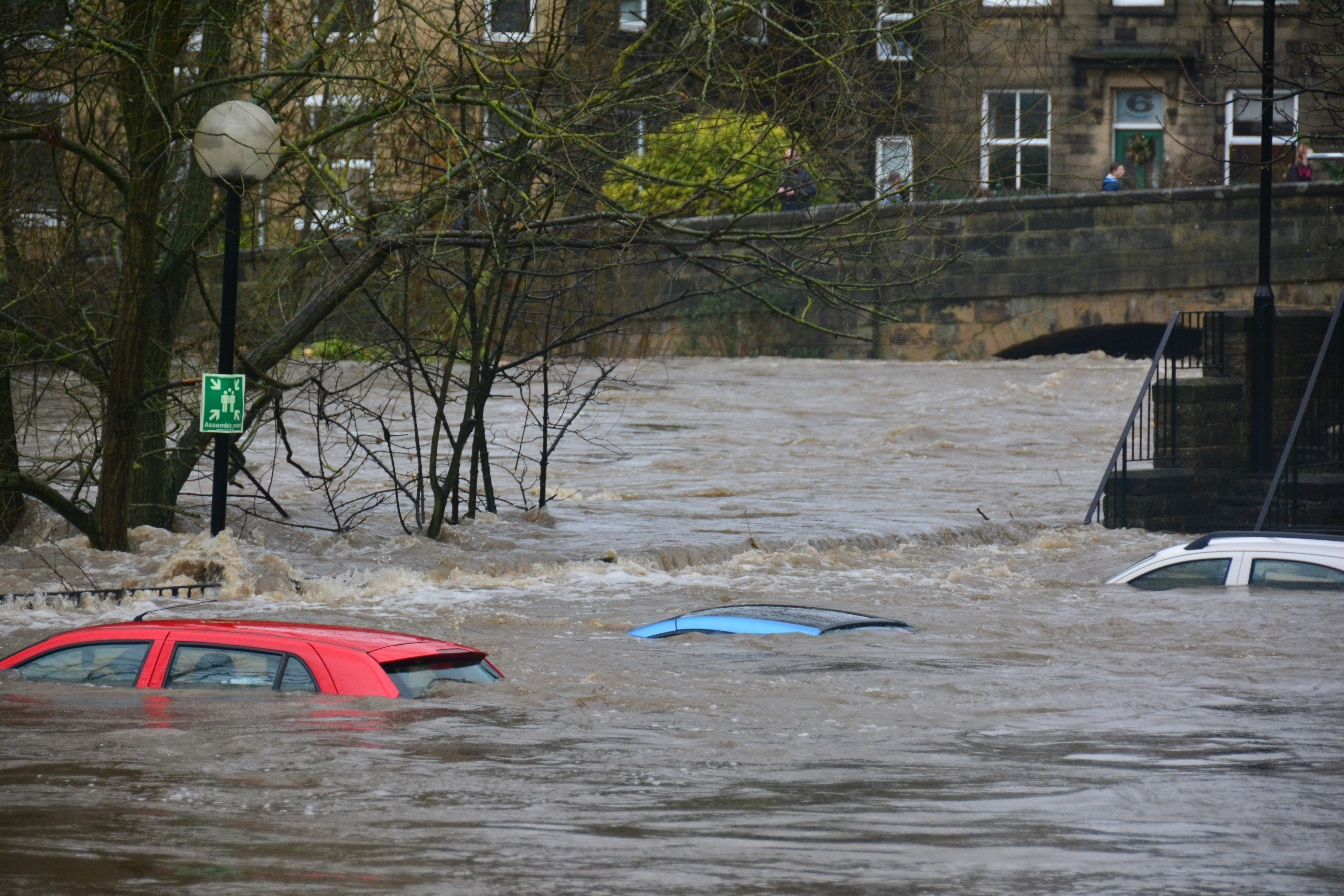
Tropical Storm Rachel has brought concerns about possible coastal flooding, dangerous surf, and large waves in parts of California, according to reporting from Lookout Santa Cruz and the San Francisco Chronicle.
Weather events like these may lead homeowners to seek help with leaks, roof damage, water intrusion, electrical concerns, plumbing issues, or cleanup. The sources do not document a verified increase in home-service inquiries, but relevant businesses should still prepare for a possible short-notice increase in calls, forms, and texts.
Safety comes first. A lead-response workflow is not emergency dispatch or a substitute for human judgment. If a person reports an immediate safety threat—such as a downed power line, a gas leak, fire, carbon monoxide concern, or medical equipment losing power—direct them to the appropriate emergency services immediately. Do not try to diagnose the severity by text or promise a crew response.
For non-emergency inquiries, a clear workflow can help your team acknowledge the customer, collect useful information, set realistic expectations, and avoid accepting more work than you can safely handle.
Table of contents
- Start with a safety-first triage rule
- Use a storm-damage response workflow
- What to ask in the first conversation
- Set expectations without overpromising
- SMS templates for ordinary storm-damage inquiries
- Protect capacity when inquiries increase
- Follow up after the initial inquiry
- How SecureMyLead fits into the workflow
- FAQ
Start with a safety-first triage rule
During storm conditions, not every inquiry belongs in the same queue. Your team needs a simple rule that separates immediate safety concerns from service requests.
Route immediate threats to emergency services
Treat these reports as urgent safety situations, not standard leads:
- Downed or damaged power lines
- A suspected gas leak
- Fire or smoke
- Carbon monoxide concerns
- Medical equipment losing power
- A caller who says someone is in immediate danger
Your response should be brief and direct: ask the person to contact the appropriate emergency services. Do not use an automated sequence to ask follow-up questions before that happens.
Send ordinary service requests to a human owner
Other inquiries may still be time-sensitive, but they need service triage rather than emergency dispatch. Examples include:
- A roof leak after heavy rain
- Water entering a basement, garage, or crawlspace
- A damaged fence, gutter, window, or siding
- A plumbing backup or leak without an immediate safety threat
- A request for a roof inspection after wind or debris
- A request for cleanup, drying, or restoration information
Assign these leads to a real person who can determine whether the job fits your service area, skill set, availability, and safety requirements.
Use a storm-damage response workflow
A storm workflow works best when it is short enough for a busy team to follow while phones are ringing.
1. Acknowledge the inquiry promptly
A fast acknowledgment does not mean promising immediate service. It tells the customer their message arrived and gives your team a chance to gather the right details.
For example:
Thanks for contacting [Business Name]. We received your storm-damage request and a team member will review it as soon as possible. If anyone is in immediate danger, please contact the appropriate emergency services.
This message is appropriate only for ordinary service inquiries. It should not be used as a substitute for emergency guidance when the customer has already reported an immediate danger.
2. Confirm the location and service area
Storm conditions can produce inquiries from outside your normal coverage area. Before spending time on a detailed quote conversation, collect:
- Property address or ZIP code
- Best callback number
- Type of property: home, rental, commercial building, or other
- Whether the property is occupied
- Whether the customer can safely access the affected area
If the address is outside your service area, say so clearly rather than leaving the lead unanswered. If you cannot serve the customer, avoid suggesting that you can arrange emergency help unless that is genuinely part of your business.
3. Identify the service category
Use a simple category system that matches your business:
| Lead type | Useful first details |
|---|---|
| Roof or exterior damage | Leak location, visible damage, photos, active water entry |
| Water damage or restoration | Where water entered, affected rooms, whether water is still entering |
| Plumbing concern | Fixture or pipe involved, visible leak, whether water can be shut off |
| Electrical concern | What is affected, visible damage, whether there is an immediate safety issue |
| General storm cleanup | Type of debris or damage, access conditions, photos |
The goal is not to assess the full scope by text. It is to collect enough information for a human team member to decide the next step.
4. Assign an owner and a next action
Every inquiry should have one clear status:
- Emergency safety referral: customer directed to appropriate emergency services
- Needs human review: details collected and awaiting a staff decision
- Inspection requested: ready for scheduling if capacity allows
- Estimate follow-up: inspection or site review completed; quote needed
- Outside service area or scope: respectfully declined or referred according to your actual policy
- Unable to reach: follow-up required
Without ownership, storm-related leads can become a chain of “someone else was supposed to call them.”
What to ask in the first conversation
The first conversation should reduce back-and-forth without overwhelming a stressed homeowner. Ask only for information your team can use.
Core questions for non-emergency storm inquiries
- What is the property address?
- What type of damage or issue are you seeing?
- Is water still entering the property?
- When did you first notice the issue?
- Can you send a few photos if it is safe to do so?
- Is there safe access to the affected area?
- What is the best phone number for a team member to reach you?
- Are you looking for an inspection, a repair estimate, cleanup, or another service?
Photos can help your team prepare for the conversation, but do not ask customers to put themselves at risk to get them. “Only if it is safe” should be part of your request.
Questions that should stay with a trained human
Avoid trying to automate detailed judgments about:
- Whether a property is safe to enter
- The severity of electrical or structural damage
- Whether a customer needs emergency intervention
- Whether a crew can safely travel or work in current conditions
- Final job pricing, timing, or insurance-related commitments
These are operational decisions for your team—not for an auto-reply.
Set expectations without overpromising
During storm conditions, vague promises create problems. “We’ll be there soon” may be interpreted as a commitment even when weather, access, staffing, and existing jobs make timing uncertain.
Use language that is honest about the next step.
Better expectation-setting language
- “We’re reviewing requests based on location, service needs, and current availability.”
- “A team member will contact you after reviewing the information you sent.”
- “We can’t confirm an inspection time until we review the address and current schedule.”
- “Please do not enter unsafe areas or attempt repairs that could put you at risk.”
- “If conditions change or there is an immediate safety concern, contact the appropriate emergency services.”
Avoid these promises
- “A crew is on the way.”
- “We will be there today.”
- “We can handle this.”
- “This is safe to wait on.”
- “Your insurance will cover it.”
- “We can prevent further damage.”
Unless a qualified person has reviewed the situation and your company can genuinely commit, these statements can mislead customers and create a difficult handoff.
SMS templates for ordinary storm-damage inquiries
Send SMS only where you have appropriate consent to text the customer. The customer remains responsible for obtaining and managing that consent lawfully.
These templates are for ordinary service follow-up—not emergency dispatch.
New storm-damage web form response
Hi [First Name], this is [Business Name]. We received your request about storm-related damage at [Address]. A team member will review it shortly. If anyone is in immediate danger, please contact the appropriate emergency services.
Request for photos and details
Hi [First Name], to help us review your request, please reply with a brief description of the issue and a few photos if it is safe to take them. Please include the property address and the best number to reach you.
Inspection-request acknowledgment
Thanks, [First Name]. We have your inspection request for [Address]. We’re reviewing current availability and will follow up with the next available option if we can serve your area.
Capacity-limited response
Hi [First Name], we received your request. We are currently reviewing a high volume of storm-related inquiries and cannot confirm a visit until a team member reviews your location and needs. We’ll update you as soon as we can.
No-response follow-up
Hi [First Name], this is [Business Name] following up on your storm-damage request. If you still need help, reply with the property address, a short description of the issue, and photos if safe to share.
For more general first-response copy, see our guide to lead response templates for service businesses.
Protect capacity when inquiries increase
The goal is not to book every request immediately. It is to keep ordinary inquiries organized while your team protects safety, service quality, and existing commitments.
Create a realistic service-area boundary
Storm demand can draw inquiries from farther away than usual. Confirm the ZIP codes, neighborhoods, or counties your team can actually serve before staff begin replying.
If you have a temporary weather-related boundary, make it visible to the person handling messages.
Separate inspections from repair commitments
An inspection request is not the same as a confirmed repair job. Keep these stages distinct:
- Request received
- Information reviewed
- Inspection considered or scheduled
- Scope and estimate prepared
- Customer accepts the work
- Job scheduled
This prevents an early text exchange from turning into an accidental promise.
Use a capacity checkpoint before booking
Before offering an appointment, confirm:
- The property is within your service area
- The requested work is within your scope
- A staff member has reviewed any relevant photos or details
- Travel and site conditions are acceptable for your team
- You have an actual appointment window to offer
If you cannot take a job, close the loop respectfully. A clear answer is better than a lead sitting unanswered.
Follow up after the initial inquiry
Storm-related requests may not move in a straight line. A homeowner may be waiting for rain to stop, gathering photos, speaking with family, or trying to understand the damage.
A useful follow-up sequence depends on what happened next.
If you need information
Follow up once with the exact missing item:
Hi [First Name], we’re following up on your request. To review the next step, please send the property address and a short description of where you are seeing the issue.
If an inspection was discussed
Send a confirmation only after a real appointment has been approved:
Hi [First Name], this is [Business Name]. Your inspection is scheduled for [Date] during [Time Window] at [Address]. If anything changes, please reply here or call [Phone Number].
If an estimate is pending
Keep the message specific and avoid pressure:
Hi [First Name], we’re checking in about the estimate for [Address]. Let us know if you have questions or would like to discuss the next step.
For a broader estimate workflow, read our contractor estimate follow-up text templates.
How SecureMyLead fits into the workflow
A weather event may create a short-term increase in ordinary service inquiries, and those leads can be easy to miss while your team is in the field. SecureMyLead can automatically acknowledge new opted-in leads and continue appropriate follow-up for non-emergency requests.
It is a follow-up layer—not a dispatch system, safety assessor, or replacement for a person reviewing storm-related situations. Your team should own triage, scheduling, capacity decisions, and every safety-sensitive handoff.
If you want a more consistent way to acknowledge leads and keep non-emergency follow-up from being forgotten, get started free.
Key takeaways
- Tropical Storm Rachel has brought documented concerns about possible coastal flooding, dangerous surf, and large waves in parts of California.
- The event does not prove that any home-service category has experienced a lead surge, but affected businesses can prepare for possible additional inquiries.
- Immediate safety threats should be directed to appropriate emergency services—not handled as ordinary service leads.
- Use a short workflow: acknowledge, confirm location, gather safe-to-share details, assign human ownership, and set the next step.
- Do not promise arrival times, repair availability, pricing, safety outcomes, or insurance coverage before a qualified person reviews the request.
- Use automation for acknowledgment and ordinary follow-up, not emergency triage or crew dispatch.
FAQ
Should a roofing or restoration business use an auto-reply during a storm?
An auto-reply can acknowledge an ordinary inquiry and collect basic details, provided the business has appropriate SMS consent. It should clearly direct immediate safety situations to appropriate emergency services and should not promise a crew, timing, or outcome.
What information should I request from a storm-damage lead?
Start with the property address, contact number, type of issue, when it began, whether water is still entering, and photos only if they can be taken safely. Then have a human team member review the request.
Can I promise same-day storm-damage service by text?
Only if a qualified person has confirmed the job, location, crew availability, and safe conditions. Otherwise, say that the request is being reviewed and that you will follow up with available options.
How should I handle storm-damage leads outside my service area?
Respond clearly, confirm that the location is outside your coverage area, and avoid implying that you can dispatch or arrange help unless that is a service you actually provide.
Can automated SMS replace a person during an emergency?
No. Automation can acknowledge ordinary service inquiries and support follow-up. It cannot assess danger, make emergency decisions, or replace human judgment.