Flood Damage Lead Response Playbook for Roofing and Restoration Companies
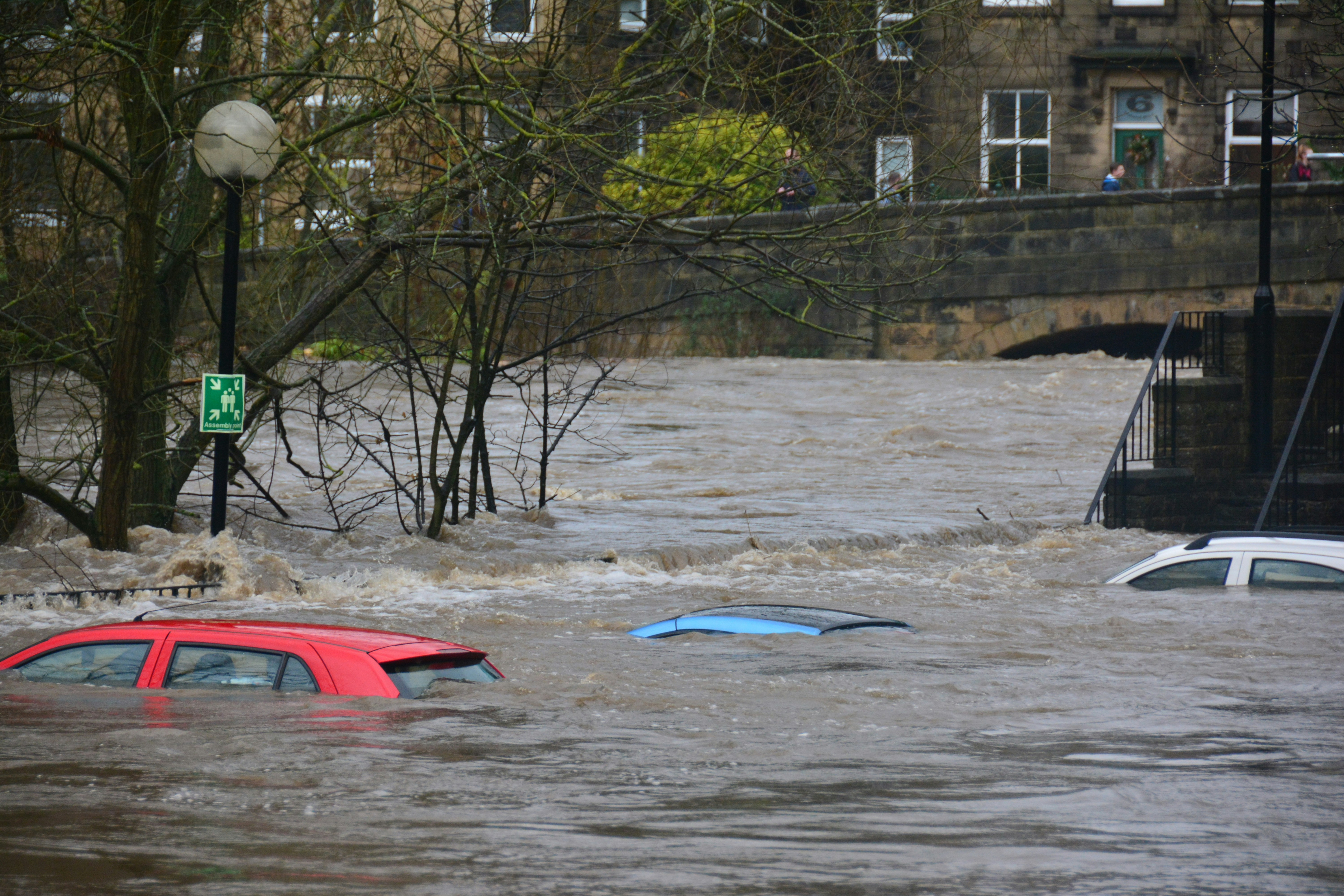
Severe flooding, rooftop rescues, evacuation orders, and rising river levels have recently been reported in parts of the western United States, including southwestern Colorado and New Mexico. The Guardian and KRQE describe conditions that give affected home-service businesses a reason to review how they handle incoming inquiries.
That does not prove that every roofer, restoration company, plumber, or contractor will receive more leads. But if inquiries do rise, a clear response process can help your team acknowledge people promptly without making promises about dispatch times, damage severity, availability, or insurance outcomes.
Most importantly: a flood-related inquiry can involve a safety situation, not just a sales opportunity. Emergency conditions, evacuation orders, rescues, downed lines, gas concerns, fire, medical equipment without power, or other immediate dangers should be directed to local authorities and emergency services—not handled through a business text sequence.
This playbook is for the ordinary business inquiries that may follow a flood event: inspection requests, roof leaks, water intrusion reports, cleanup requests, repair questions, and requests for an available appointment.
Table of contents
- Start with safety, not lead qualification
- Build a flood-specific intake process
- Use human triage before making commitments
- Set up an after-hours acknowledgment
- Check service area and real capacity
- Request photos and details without diagnosing damage
- Assign every inquiry to an owner
- Follow up after an inspection or estimate
- Use a no-reply sequence carefully
- Flood response checklist
- How SecureMyLead fits into the workflow
- FAQ
Start with safety, not lead qualification
Flooding changes the order of operations.
Under ordinary conditions, a new roofing or restoration inquiry may be a straightforward request for an estimate. During a flood event, some contacts may mention active danger, evacuation conditions, people trapped, electrical hazards, gas odors, or urgent medical needs. Those situations are not leads for your team to triage by text.
Your first-response process should make this boundary clear:
- Separate immediate danger from ordinary service requests.
- Do not promise a crew will arrive immediately.
- Do not diagnose structural, electrical, gas, mold, or safety conditions through a text conversation.
- Refer emergency situations to local authorities and emergency services.
- Let a trained human decide whether your company can safely and appropriately take the next step.
The recent reports of rescues and evacuation orders are a reminder that a business inbox is not an emergency dispatch center. Your intake system should support customers and your staff without delaying emergency action.
Build a flood-specific intake process
A generic “How can we help?” form may not give your team enough information during a possible flood-related rush. Add fields that help a human quickly understand what the customer is requesting and whether the job is within your operating area.
Keep the form short enough to complete on a phone.
Recommended intake fields
| Intake field | Why it matters |
|---|---|
| Name | Identifies the contact and keeps follow-up personal |
| Best callback number | Gives the team a direct way to continue the conversation |
| Property address or ZIP code | Supports service-area review |
| Type of help requested | Separates roof inspection, water cleanup, repair, plumbing, and other requests |
| Is the property occupied? | Gives useful context for a human reviewer without making a safety judgment |
| Brief description of the issue | Helps the team understand the reported problem |
| When did the customer first notice it? | Helps organize the sequence of events for the business conversation |
| Photos or video, if safe to provide | Gives the team context before deciding next steps |
| Preferred contact time | Helps when the team cannot call immediately |
For roofing teams, useful request categories may include:
- Roof leak or visible roof damage
- Interior water intrusion
- Missing or displaced materials
- Inspection request
- Temporary weather protection inquiry
- Estimate request
For restoration companies, categories may include:
- Water cleanup request
- Water intrusion report
- Drying or cleanup inquiry
- Contents or interior damage question
- Inspection request
- Estimate request
Do not use the form to ask customers to make technical determinations about safety, contamination, structural stability, or insurance coverage. Your team should collect enough information to route the inquiry—not make a diagnosis before a qualified person reviews it.
Use human triage before making commitments
Flood-related inquiries need a simple, visible triage system. The goal is not to automate judgment. The goal is to make sure a person sees the right inquiry, knows who owns it, and understands what must happen next.
A practical set of statuses might look like this:
| Status | Meaning | Human next step |
|---|---|---|
| Emergency concern | The message suggests immediate danger or an evacuation-related issue | Direct the person to local authorities or emergency services; do not treat as a normal booking |
| Needs review | The request is within a possible service category but details are incomplete | Call or text to gather missing information |
| Service-area check | The address needs confirmation before accepting the job | Confirm the property is within your actual operating area |
| Capacity review | The job may fit, but crew availability is unclear | A manager or dispatcher confirms available next steps |
| Inspection candidate | The request appears appropriate for an inspection | Offer only an available inspection window |
| Estimate follow-up | An inspection or estimate has already occurred | Assign a clear owner and next-contact date |
| Not a fit | Outside service area, service type, or current capacity | Close out politely without making unsupported referrals |
This status system matters most when multiple people are answering calls, form submissions, Facebook messages, and texts. Without it, several team members may assume someone else followed up—or worse, someone may tell a customer a crew is on the way when no one has confirmed that.
For a broader framework on building repeatable follow-up workflows, read How to Follow Up With Home Service Leads Automatically.
Set up an after-hours acknowledgment
Flood-related requests may arrive outside normal business hours. An automatic acknowledgment can confirm that the customer’s message was received, set expectations, and ask for the information a human needs to review the request.
It should not promise immediate dispatch, claim your team has assessed the damage, or imply that text messaging is appropriate for an emergency.
After-hours flood inquiry acknowledgment
Hi [First Name], this is [Business Name]. We received your request regarding the property at [Address]. If anyone is in immediate danger or local officials have issued emergency instructions, please contact local authorities or emergency services. For a service request, reply with the property address, a brief description, and photos if it is safe to send them. A team member will review your request and confirm whether we can help.
This message does four useful things:
- Confirms receipt.
- Keeps emergency matters out of the sales workflow.
- Requests the minimum information needed for review.
- Avoids a promise about timing or availability.
If your business offers multiple services, identify the type of request in your first human follow-up:
Thanks for sending that over. Are you looking for a roof inspection, temporary weather protection, water cleanup, or another service? Once we review the location and details, we’ll let you know what next steps are available.
For more general first-response examples, see Auto Reply Messages for Contractors.
Check service area and real capacity
A flood event can create pressure to say yes to every request. That can backfire if the property is outside your service area, your crews are already committed, or the requested service is not something you can safely provide.
Before offering an appointment, a human should confirm:
- The address is inside the service area.
- The requested work matches your actual services.
- A qualified team member is available.
- The proposed appointment window is real.
- The team has the information needed for the next conversation.
- The customer understands that an inspection or visit is not a guaranteed repair commitment.
A useful internal rule is simple: do not let the acknowledgment message become a scheduling promise.
Instead of:
We’ll have someone there today.
Use:
We’re reviewing the location and request now. A team member will confirm available next steps as soon as possible.
Instead of:
We can fix this immediately.
Use:
We’ll review the details and let you know whether we have an available inspection or service option.
That language is more honest during uncertain conditions and keeps staff from having to unwind commitments later.
Request photos and details without diagnosing damage
Photos can help a roofing or restoration team decide what information is missing before a conversation. But they are not a substitute for an on-site assessment, and your messages should not make them sound like one.
Photo request template
Thanks, [First Name]. If it is safe to do so, please send a few photos of the affected area and the exterior or interior location where you noticed the issue. Please don’t put yourself at risk to take photos. Once our team reviews the details and confirms the service area, we’ll follow up about available next steps.
Detail request template
To help our team review the request, can you share:
- The property address
- When you first noticed the issue
- Whether the concern is roof-related, interior water intrusion, cleanup, or another service need
- The best time to reach you by phone
Avoid messages such as:
- “That looks like a simple repair.”
- “Your insurance should cover this.”
- “There’s no structural risk.”
- “We can tell you exactly what it needs from these photos.”
Those statements go beyond ordinary lead handling and may create expectations your business cannot support.
Assign every inquiry to an owner
During a possible increase in inquiries, “the office” cannot be the owner of a lead. Every request should have one named person responsible for the next action.
That owner may be:
- An office manager who confirms service area
- A dispatcher who checks availability
- An estimator who handles inspection requests
- A project manager who follows up after a visit
- The business owner in a small team
For each inquiry, record:
- Lead source
- Date and time received
- Contact details
- Property location
- Request type
- Current status
- Assigned owner
- Next action
- Next follow-up date
- Notes from the human conversation
This prevents the common failure mode where the customer receives an initial acknowledgment but no one takes responsibility for the second response.
If you need a simpler process for getting leads into one system, see How to Add a Lead in SecureMyLead.
Follow up after an inspection or estimate
Flood-related requests can move slowly after the first call or inspection. A customer may be dealing with cleanup, family logistics, access issues, or several competing decisions. That does not mean the conversation should disappear from your team’s queue.
Use follow-up that is clear, low-pressure, and tied to a real next step.
Inspection follow-up template
Hi [First Name], this is [Name] from [Business Name]. I’m following up on your flood-related inspection request for [Address]. Do you still need help with this property? If so, reply here and we’ll confirm the next available step.
Estimate follow-up template
Hi [First Name], checking in on the estimate for [Address]. If you have questions about the scope or would like to discuss next steps, reply here or call us at [Phone Number].
Capacity-limited follow-up template
Hi [First Name], we’re reviewing requests based on location, service type, and available crew capacity. If you still need assistance at [Address], reply with the best time to reach you and we’ll confirm whether we have an available option.
These messages avoid false urgency and do not imply that a customer has a guaranteed place on your schedule.
For additional quote follow-up examples, read Estimate Follow-Up Text Templates for Contractors.
Use a no-reply sequence carefully
When a customer does not reply, follow-up can keep a legitimate service request from being forgotten. But flood-related messaging should remain measured. Repeated texts can feel insensitive if the person is dealing with disruption or displacement.
A simple three-touch sequence may be enough:
- Initial acknowledgment: Confirm receipt and request key details.
- Next-day check-in: Ask whether help is still needed and whether the customer can share missing information.
- Final close-the-loop message: Let the person know they can reply if they still need assistance.
No-reply check-in
Hi [First Name], following up on your request for [Address]. If you still need an inspection, cleanup, repair, or estimate conversation, reply with the best number and time to reach you.
Final close-the-loop message
Hi [First Name], we haven’t heard back, so we’ll close this request for now. If you still need help with [Address], reply to this text and our team can review the request again.
Only send business messages to contacts you are permitted to text, and make sure your team follows its own consent and messaging policies. Automation can support consistency, but a human should monitor replies and update the lead status when circumstances change.
Flood response checklist
Use this checklist before and during a possible flood-related inquiry increase.
Before inquiries rise
- [ ] Review who answers new calls, forms, texts, and social messages.
- [ ] Create a visible emergency-concern escalation rule.
- [ ] Confirm your service area and the services you can currently offer.
- [ ] Review actual crew, inspection, and callback capacity.
- [ ] Add flood-relevant intake fields to forms and call scripts.
- [ ] Prepare an after-hours acknowledgment that does not promise dispatch.
- [ ] Assign backup lead owners for busy periods.
- [ ] Create a clear status list for new requests.
For each new inquiry
- [ ] Check for immediate safety or evacuation-related concerns.
- [ ] Confirm name, number, address, and service type.
- [ ] Assign one human owner.
- [ ] Verify service area before offering an appointment.
- [ ] Verify capacity before promising a time.
- [ ] Request photos only if it is safe for the customer to provide them.
- [ ] Record the next action and follow-up date.
- [ ] Close out or re-engage requests that go quiet.
At the end of each day
- [ ] Review all inquiries without an assigned owner.
- [ ] Review all leads with no next action.
- [ ] Identify requests waiting on capacity confirmation.
- [ ] Check for customer replies that need a human response.
- [ ] Update templates if customers are repeatedly asking the same question.
How SecureMyLead fits into the workflow
SecureMyLead can support the acknowledgment and follow-up parts of this process by automatically texting new leads and running SMS follow-up sequences. It is best used as the layer between lead capture and the human sales or service conversation.
For flood-related inquiries, keep its role narrow:
- Acknowledge an incoming request quickly.
- Ask for the information your team needs to review.
- Send a measured follow-up when a customer does not reply.
- Keep routine business inquiries from sitting unanswered after hours.
It should not be treated as emergency dispatch, a damage-assessment tool, a capacity planner, or a replacement for human triage. Your team still needs to review safety concerns, service-area fit, available capacity, and customer replies.
If you want a more consistent system for first responses and follow-up, get started free.
FAQ
Should roofers and restoration companies use automated texts during a flood event?
They can use automated texts for acknowledgment and routine follow-up, provided the messages do not promise emergency service, assess damage, or replace human judgment. A human should review every request that may involve safety concerns, availability questions, or unusual circumstances.
What should a flood-related auto-reply say?
It should confirm that the request was received, direct immediate dangers to local authorities and emergency services, request basic details for a service review, and avoid promising arrival times or available crews.
Should we ask customers for damage photos?
You can request photos if it is safe for the customer to provide them. Frame the request as information for your team’s review, not as a remote assessment or diagnosis.
How quickly should we follow up if a customer does not reply?
Use a reasonable, respectful cadence. For example, send an acknowledgment, a next-day check-in, and a final close-the-loop message. Adjust the timing based on your staffing, service capacity, and the nature of the request.
What if we cannot take more work right now?
Be direct. Confirm that you received the inquiry, avoid making a scheduling promise, and let the customer know you are reviewing available options. Do not accept work your team cannot safely or realistically handle.