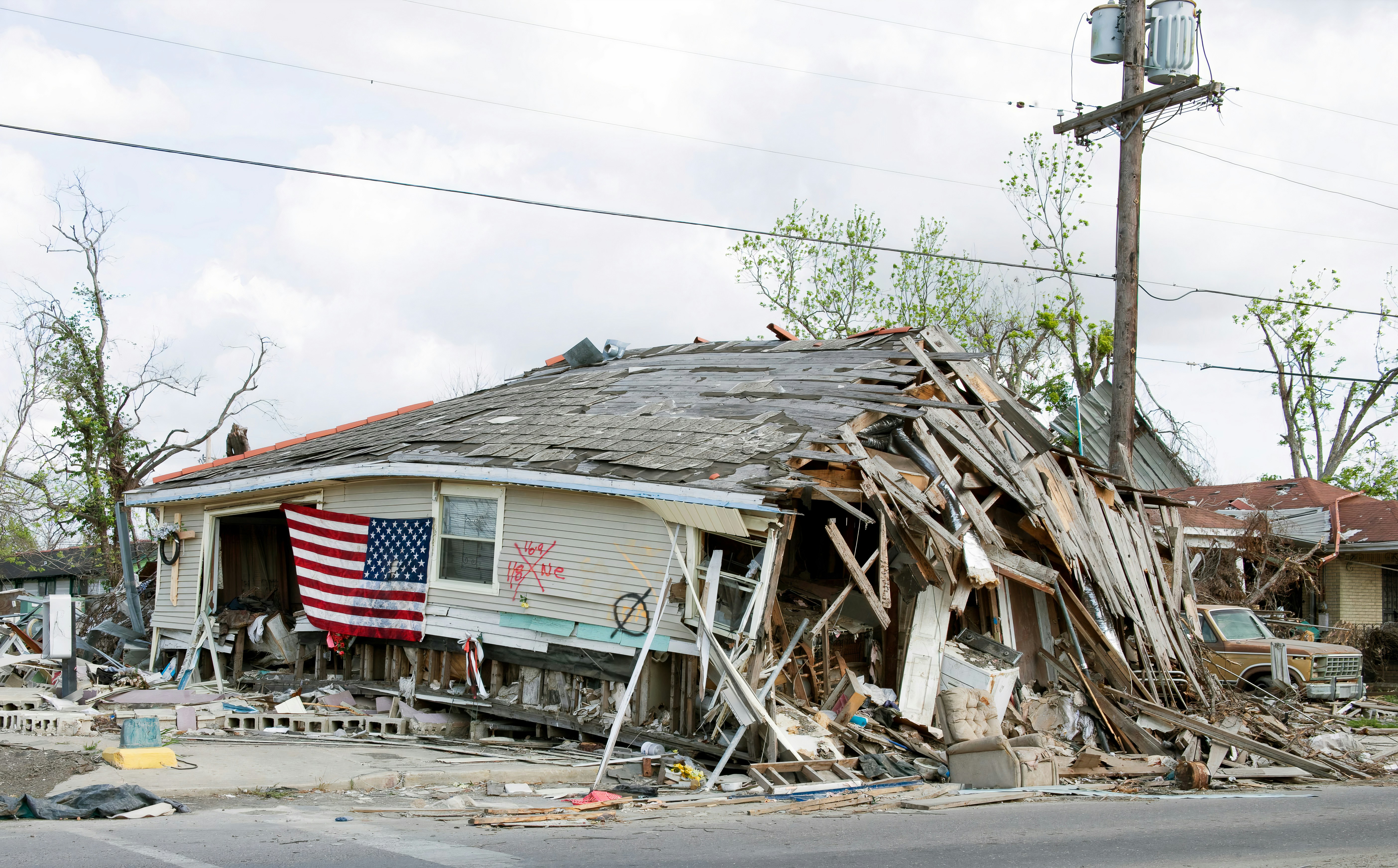
Hurricane Vance Home-Service Lead Response Checklist for Roofing and HVAC Businesses
Hurricane Vance is expected to rapidly intensify into a major hurricane, according to current reporting and storm tracking coverage from FOX Weather and PBS NewsHour.
For home-service businesses in areas that may be affected, this is a reason to prepare—not a reason to assume a documented lead surge has already happened. Roofing, HVAC, plumbing, restoration, and electrical companies may receive more storm-related inquiries if conditions affect their service areas. A clear response workflow can help your team acknowledge requests, identify which ones need human review, and avoid promising work you cannot safely or realistically take on.
Safety comes before lead handling
This checklist is for handling business inquiries, not for assessing emergencies remotely.
Follow current instructions from local emergency management agencies, utilities, and other authorities in your service area. Do not use an automated text conversation to determine whether a customer is safe, whether a property is safe to enter, or whether an issue requires emergency assistance. Requests involving immediate hazards, including downed power lines, gas concerns, fire, carbon monoxide, or medical equipment affected by an outage, require human judgment and appropriate direction from the relevant authorities.
Before publishing storm-related messages or changing your availability, verify Hurricane Vance’s current track, affected locations, and local conditions using current official and local sources.
Table of contents
- What to prepare before storm-related inquiries arrive
- Storm-response checklist for new leads
- Questions to ask without overpromising
- Service-specific considerations
- After-hours acknowledgment templates
- Capacity-aware follow-up and waitlists
- How SecureMyLead can support the follow-up layer
- FAQ
What to prepare before storm-related inquiries arrive
Storm conditions can change quickly. The goal is not to automate every decision. It is to make sure each new inquiry has a clear next step while your owner, office staff, or crews may be busy.
1. Confirm where you will and will not work
Define your service area before messages begin arriving. Keep the answer simple:
- Areas you currently serve
- Areas you may serve only after a human review
- Areas you cannot take on right now
- Any areas where travel or site access may be unsafe
Avoid vague “we serve the whole region” language if your actual capacity, crew location, or storm conditions make that uncertain.
A first response can ask for the customer’s ZIP code, city, or address area. That lets a person review whether the request is feasible before anyone promises an inspection window.
2. Define who owns the inbox
A storm-response workflow fails when every employee assumes somebody else is monitoring replies.
Assign:
- One primary person to review incoming storm-related replies
- One backup person for after-hours or high-volume periods
- A clear handoff process for leads that need an estimate, inspection, or callback
- A rule for updating the customer after an initial acknowledgment
If you are a small operation, the owner may be the only reviewer. That is still workable if the initial message acknowledges the inquiry and sets an honest expectation that the request is being reviewed.
3. Decide what you can offer right now
List the services you can realistically discuss or schedule. For example:
| Service type | Possible inquiry | What to confirm before offering next steps |
|---|---|---|
| Roofing | Leak, missing shingles, inspection request | Service area, visible issue, site safety, crew availability |
| HVAC | Storm-related system issue or outage concern | Service area, system type, current conditions, available appointment windows |
| Plumbing | Leak, backup, water damage concern | Service area, whether the issue is ongoing, available capacity |
| Restoration | Water intrusion or storm damage | Service area, property status, safe access, current workload |
| Electrical | Weather-related electrical concern | Service area, safety status, whether utility involvement may be needed |
Do not promise same-day service, emergency response, insurance assistance, or exact arrival times unless your team has confirmed that you can provide them.
4. Update your website, form, and voicemail
Customers should not have to guess whether you are monitoring inquiries.
A short website notice or voicemail update can explain:
- That your team is reviewing storm-related requests
- What details customers should include
- That availability depends on location, conditions, and capacity
- That customers should follow local authorities’ guidance for immediate safety concerns
This can reduce incomplete submissions and help set expectations before a lead enters your workflow.
Storm-response checklist for new leads
Use this checklist from the moment an inquiry arrives.
Step 1: Acknowledge the inquiry promptly
The first message does not need to solve the customer’s problem. Its job is to confirm the request arrived and tell the customer what information will help your team review it.
A good acknowledgment should:
- Identify your business
- Confirm receipt of the request
- Avoid promising an arrival time
- Ask for one or two useful details
- Tell the customer that a team member will review the request
For more everyday contractor response examples, see 15 auto reply messages contractors can use for new leads.
Step 2: Collect only the information needed for review
Avoid turning the first text into a long intake form. During possible storm-driven demand, ask questions that help a human decide what happens next.
Useful first questions include:
- What city or ZIP code is the property in?
- What type of issue are you seeing?
- Is this a residential or commercial property?
- Is the property currently accessible and safe to inspect?
- What is the best number and time for a team member to contact you?
For roofing, asking for a short description of the visible issue can help. For HVAC, ask whether the concern is loss of heating or cooling, a damaged outdoor unit, or a request for a future inspection. For plumbing or restoration, ask what area of the property is affected without attempting to diagnose the issue by text.
Step 3: Flag requests for human review
Not every inquiry should go into the same booking path.
Create a simple internal label or note for requests such as:
- Outside service area
- Existing customer
- Estimate or inspection request
- Potentially urgent service issue
- Needs a callback
- Waitlist candidate
- Cannot serve at this time
The label is not a diagnosis. It is a way to make sure the right person sees the request and that the next customer message matches your actual capacity.
Step 4: Give a truthful next step
Once a person reviews the request, use one of three paths:
- Available: Offer the next available inspection, service, or callback option.
- Limited capacity: Explain that you are reviewing availability and offer a waitlist or later appointment option.
- Unable to serve: Be direct and polite rather than leaving the inquiry unanswered.
A clear “we cannot confirm an appointment yet” is better than an automated promise your team cannot keep.
Step 5: Document the conversation
Record the lead source, service requested, location, status, and next action. Even a lightweight process helps when messages arrive from web forms, calls, ads, social media, or referrals at the same time.
Documentation matters especially when:
- Multiple people handle replies
- A customer follows up later
- You need to work a waitlist
- You want to distinguish active requests from inquiries you could not serve
Questions to ask without overpromising
Storm-related leads may be stressed, frustrated, or trying several providers. Keep the conversation calm and specific.
Questions that help with routing
- “What city or ZIP code is the property located in?”
- “What type of service are you looking for: inspection, repair, estimate, or something else?”
- “Can you briefly describe what you are seeing?”
- “Is the property currently accessible for a future visit?”
- “What is the best number and time for our team to reach you?”
Phrases to avoid
Avoid messages such as:
- “We’ll be there today.”
- “You’re next in line.”
- “We can handle this emergency.”
- “Your insurance will cover it.”
- “We have crews available now.”
Those statements can create expectations your business may not be able to meet, particularly while weather conditions and crew capacity are changing.
Service-specific considerations
Roofing businesses
Roofing companies may receive requests for inspections, leaks, missing materials, visible storm damage, or temporary protection work. Your intake process should distinguish between a future inspection request and a request that needs immediate human review.
Ask for location, a short description, and whether access can be safely assessed later. Do not make safety or damage determinations from photos or text alone.
For additional roofing-focused follow-up guidance, visit the SecureMyLead roofers page.
HVAC businesses
HVAC inquiries may involve systems affected by weather, outages, water exposure, or post-storm comfort concerns. Ask what type of system issue the customer is reporting and confirm the property location before discussing availability.
Avoid treating every “no cooling” or “no heat” message as the same type of request. A human should review the circumstances and decide what your team can safely schedule.
See how to follow up with HVAC leads for a broader HVAC lead workflow.
Plumbing businesses
Plumbing businesses may receive messages about leaks, drainage, backups, water intrusion, or damaged equipment. Ask where the property is located and what area is affected, then have a person determine the next step.
During a weather event, it is especially important not to promise immediate arrival if travel conditions, crew availability, or access are uncertain.
Restoration businesses
Restoration requests may involve water intrusion or visible property damage. Keep intake focused on location, property type, a brief description of the issue, and a callback number. Human review is essential because the scope, access, and safety of a job cannot be reliably determined through an automated text exchange.
Electrical businesses
Electrical inquiries need extra caution. If an inquiry references downed lines, active hazards, utility equipment, fire, or other immediate safety concerns, do not attempt to triage the danger through automated messaging. Follow local authority and utility guidance, and ensure a qualified person handles the business-side response.
For general electrical lead-response ideas, read how electricians can respond to leads faster and book more jobs.
After-hours acknowledgment templates
These templates are designed to acknowledge an inquiry while avoiding promises about dispatch, safety, or arrival times. Use messaging only where you have the appropriate consent and include required opt-out handling for your communication program.
General storm-related inquiry
Hi [First Name], this is [Business Name]. We received your request and are reviewing storm-related inquiries. Please reply with the property ZIP code and a brief description of the service you need. A team member will review the details and follow up based on availability.
Roofing inspection request
Hi [First Name], thanks for contacting [Business Name]. We received your roofing inquiry. Please send the property ZIP code and a short description of what you are seeing. Our team will review the request and let you know the next available step.
HVAC request
Hi [First Name], this is [Business Name]. We received your HVAC request. Please reply with the property ZIP code and whether you are looking for repair, an inspection, or an estimate. A team member will review availability and follow up.
Limited-capacity response
Hi [First Name], thanks for reaching out to [Business Name]. We are currently reviewing a high number of requests. We have your information and will contact you if an appointment or waitlist option is available. Please reply with your ZIP code if you have not already shared it.
Unable-to-serve response
Hi [First Name], thank you for contacting [Business Name]. Based on the location and our current availability, we are not able to take on this request at this time. We wanted to let you know promptly rather than leave your inquiry unanswered.
Capacity-aware follow-up and waitlists
A possible spike in inquiries does not mean you should keep every lead in the same automated sequence.
Use a workflow that reflects real operational status:
- New inquiry received: Send an acknowledgment and collect basic location/service details.
- Human review needed: Assign a person to verify service area, capacity, and the appropriate next step.
- Available: Offer a callback, inspection window, or estimate process your team can actually support.
- Waitlist: Tell the customer they are on a waitlist only if you have a real process to review it.
- No response: Send a limited number of relevant follow-ups, then stop rather than repeatedly texting an unresponsive lead.
- Closed or unavailable: Mark the outcome so the inquiry does not continue receiving messages that no longer apply.
A useful no-response follow-up might read:
Hi [First Name], this is [Business Name] following up on your request. If you still need help, reply with the property ZIP code and the service you need, and our team will review the next available option.
Do not use a no-response sequence as a substitute for staffing, scheduling, or human judgment. Its role is to make sure an inquiry does not disappear simply because the customer did not answer the first message.
For a broader look at building these workflows, read how to follow up with home service leads automatically.
How SecureMyLead can support the follow-up layer
During a possible weather-related inquiry increase, SecureMyLead can automatically send an initial SMS when a new lead is captured and continue a configured follow-up sequence while your team is working, driving, or handling active jobs.
It is not a dispatch system, emergency-triage tool, estimator, or replacement for a person reviewing safety, service area, capacity, and scheduling. In particular, ordinary customer replies remain visible for your team in the dashboard but do not currently pause scheduled sequence messages automatically, so your team should review conversations and update the lead’s follow-up path when needed.
Use automation for the repeatable part: acknowledgment, basic information requests, and consistent follow-up. Keep humans responsible for decisions that affect customer safety, job acceptance, and promises about availability.
Get started free to build a more reliable lead-response workflow before inquiries become difficult to manage.
Key takeaways
- Hurricane Vance’s reported development is a reason for affected businesses to prepare, not proof that any service category has experienced a lead surge.
- Put safety and local authority guidance ahead of business messaging.
- Send a quick acknowledgment, but do not promise arrival times, dispatch, or availability before human review.
- Ask for location, service type, and a short description before deciding the next step.
- Separate available leads, waitlist candidates, out-of-area inquiries, and requests requiring human attention.
- Use automated SMS to support acknowledgment and follow-up—not to assess emergencies or make operational decisions.
FAQ
Has Hurricane Vance caused a lead surge for roofers or HVAC companies?
The cited reporting covers Hurricane Vance’s expected intensification and path tracking, not measured lead volume for roofing, HVAC, or other home-service businesses. Businesses in potentially affected areas should prepare for the possibility of increased inquiries without assuming demand has already risen.
Should a home-service business promise same-day service after a storm?
Only if the business has confirmed it can safely and realistically provide that service. Storm conditions, crew availability, travel, service area, and site access can all affect what you can offer.
Can automated texts assess whether a storm-related request is an emergency?
No. Automation can acknowledge an inquiry and collect basic details, but a person must use judgment for safety-sensitive requests. Follow applicable local authority and utility guidance for immediate hazards.
What should an after-hours storm-response message include?
Identify your business, confirm the request was received, ask for the property location and basic service need, and explain that a team member will review the inquiry. Do not promise an arrival time or availability that has not been confirmed.
How often should we follow up if a storm-related lead does not respond?
Use a limited, respectful follow-up process. The right timing depends on your capacity and the type of service requested. Stop or change the sequence once the lead replies, is unavailable, is out of area, or no longer fits your current workload.