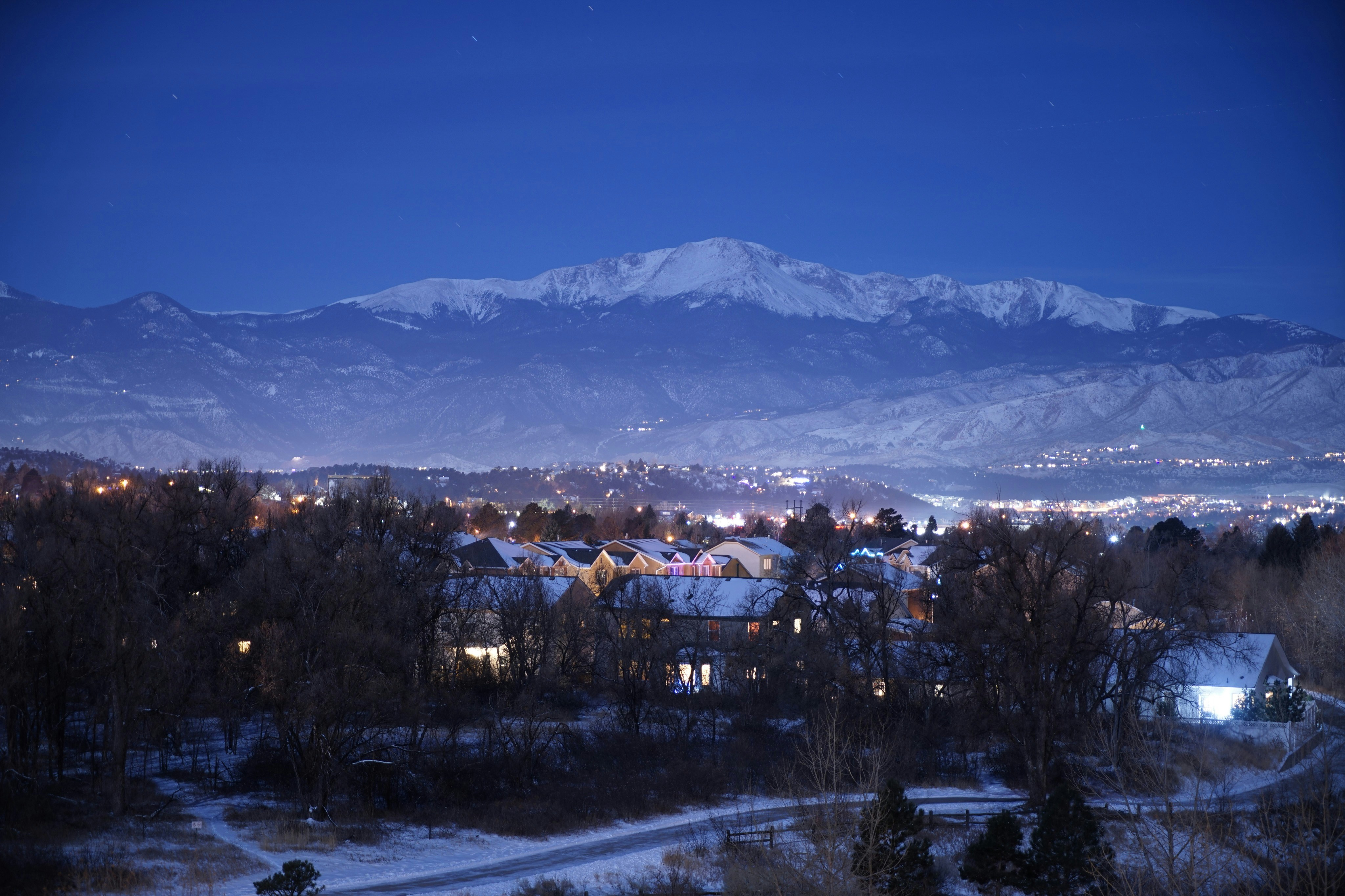
How Colorado Home-Service Businesses Can Prepare for a Snowier Winter
Parts of Colorado could see above-normal snowfall this winter, according to outlook coverage from the Denver Gazette and the Post Independent. That does not mean every community will receive more snow, and it does not prove that service businesses will experience more calls or booked jobs.
Still, a snowier season can create more time-sensitive questions for roofers, HVAC companies, plumbers, restoration teams, snow-removal providers, and other home-service businesses. Customers may ask about ice dams, roof leaks, frozen pipes, heating problems, snow removal, water intrusion, or property damage.
The practical question is not “Will a lead surge definitely happen?” It is: If weather-related inquiries rise, is your team ready to respond clearly without overpromising capacity?
This guide provides a pre-season operating checklist for Colorado service businesses that want to prepare their service area, intake process, after-hours response, follow-up, and customer communication.
Table of contents
- What Colorado’s snow outlook means for service businesses
- Put emergency safety before lead handling
- Colorado winter preparation checklist
- Build a human-led triage process
- Prepare after-hours acknowledgment messages
- Set capacity rules before demand rises
- Keep inspections, estimates, and waitlists moving
- Use automation for acknowledgment, not emergency decisions
- Frequently asked questions
What Colorado’s snow outlook means for service businesses
The weather outlook is a planning signal—not a guarantee.
The Post Independent reported that meteorologists expect Colorado’s winter to be snowier but not colder. Separately, the Denver Gazette reported that an OpenSnow outlook indicated a large portion of Colorado could receive above-normal snowfall.
Those reports do not establish that:
- all of Colorado will receive above-normal snow;
- a specific storm will affect your service area;
- your company will receive more leads;
- snowfall will produce a specific number of jobs or revenue.
But if snow-related issues create additional inquiries, businesses that decide their operating rules before the weather arrives may be better positioned to respond consistently.
For example, different service businesses may receive different types of inquiries:
| Business type | Possible winter inquiry types |
|---|---|
| Roofing | Roof leaks, ice dams, snow-load concerns, inspections, temporary weather protection |
| HVAC | No-heat calls, furnace repair requests, replacement questions, maintenance requests |
| Plumbing | Frozen-pipe concerns, leaks, pipe repairs, water damage questions |
| Restoration | Water intrusion, burst-pipe damage, drying and cleanup inquiries |
| Snow removal | Driveway, parking-area, sidewalk, route, and recurring-service questions |
| Electricians | Weather-related power concerns that require qualified professional assessment |
| General contractors | Water damage, exterior repairs, emergency stabilization questions, inspection requests |
The operational need is not identical across these businesses. A roofing inspection request is different from a no-heat inquiry. A snow-removal request may require route and property details. A restoration inquiry may require fast human assessment of the situation and current availability.
That is why winter preparation should start with service boundaries and intake decisions—not just faster messaging.
Put emergency safety before lead handling
A weather-related inquiry can involve a real safety issue. Your automated response, website form, voicemail, and human intake process should make that distinction clear.
If a customer reports a downed power line, gas leak, carbon monoxide concern, fire, or medical equipment losing power, they should contact the appropriate emergency services or qualified professionals as necessary. Do not treat these situations as ordinary quote requests or allow an automated message to imply that your team has accepted emergency responsibility.
For your business, that means:
- Train anyone answering leads to recognize when the conversation needs immediate human attention.
- Do not let an automated reply diagnose the issue.
- Do not promise dispatch, arrival, availability, or response times unless a human has confirmed them.
- Keep your emergency language short, visible, and consistent across web forms, voicemail, and text acknowledgments.
- Route potentially urgent messages to a designated owner, manager, or on-call team member for human review.
Automation can confirm that an inquiry was received. It should not decide whether a situation is safe, urgent, serviceable, or within your capacity.
Colorado winter preparation checklist
Use this checklist before the season becomes busy.
1. Define your winter service area
Winter travel time can change quickly. Decide in advance which cities, neighborhoods, mountain routes, or outlying areas your team can reasonably serve during snowy conditions.
Document:
- Your standard service area
- Areas that require additional travel time
- Areas you may temporarily pause during severe conditions
- Property types you do and do not serve
- Whether commercial, residential, or HOA work has different requirements
- Any job types that require a site assessment before scheduling
This prevents a team member from casually saying “Yes, we can get there” before confirming road conditions, crew location, or available equipment.
2. Separate urgent requests from routine requests
Create a simple intake label system. You do not need a complicated CRM workflow to begin.
A practical set of labels might include:
- Safety concern—human review needed
- Same-day assessment requested
- Inspection or estimate request
- Existing customer service request
- Routine maintenance
- Snow-removal availability request
- Outside service area
- Waitlist candidate
- Follow-up needed
The goal is not to automate judgment. The goal is to ensure the person reviewing messages can quickly see what kind of response is needed.
For a more general framework, see how to follow up with home-service leads automatically.
3. Identify every lead source you need to monitor
Snow-related inquiries may not arrive through one channel. Review where new opportunities currently enter your business:
- Website forms
- Phone calls and missed calls
- Google Business Profile messages or calls
- Google Ads and Local Services Ads
- Facebook or Instagram lead forms
- Referral partners
- Existing customer texts
- Property managers or commercial contacts
- Email inquiries
Assign ownership for each source. A lead source that nobody checks after 5 p.m. is not truly covered by an after-hours process.
Keep a short weekly review during winter: Which sources are producing inquiries? Which ones are being answered late? Which ones are generating requests your team cannot currently take?
4. Prepare an after-hours ownership plan
Many small Colorado service businesses do not have a 24/7 dispatcher. That is normal. But customers should still receive an honest acknowledgment rather than silence.
Choose:
- Who reviews after-hours inquiries
- What hours are actively monitored
- What happens on weekends and holidays
- Which messages trigger a call to the owner or on-call person
- When the team will send a human availability update
- What happens when no crew is available
A clear plan is better than pretending every request can receive immediate service.
For more ideas on structuring the non-emergency side of this workflow, read after-hours lead response: how to win jobs while you sleep.
5. Write capacity language before you need it
When the schedule fills, staff can unintentionally make promises they cannot keep. Prepare approved language for common scenarios:
- “We’re reviewing availability now.”
- “Our team is currently working through weather-related requests.”
- “The next available inspection window is…”
- “We can add you to our waitlist and update you if an earlier appointment opens.”
- “We don’t currently serve that area, but we can confirm whether coverage changes.”
Avoid phrases such as:
- “We’ll be there soon.”
- “A technician is on the way.”
- “We can definitely get to you today.”
- “You’re booked.”
- “This is an emergency and we’ll handle it.”
Those statements create expectations that should only be made after a qualified person confirms the facts.
Build a human-led triage process
A simple triage system can help your team respond more consistently when messages come in quickly.
Step 1: Acknowledge receipt
Send a prompt message confirming that the inquiry arrived. This gives the customer a clear next step while your team reviews the request.
Step 2: Collect only the details you need
Ask questions that help a human determine the correct next action. The questions will vary by service.
For example:
Roofing or restoration
- What is the property address?
- Is there visible water entering the property?
- When did the issue begin?
- Can you share photos if it is safe to do so?
HVAC
- What is the address and best callback number?
- Is the system currently producing heat?
- Is this an existing customer or a new service request?
Snow removal
- What type of property needs service?
- What is the address?
- Is this a one-time request or recurring service?
- What areas need to be cleared?
Do not turn text automation into a long questionnaire. The first goal is to gather enough information for a human to assess availability and next steps.
Step 3: Have a human assess urgency and capacity
The owner, dispatcher, office manager, or qualified team member should decide:
- Whether the company can serve the request
- Whether a site visit or inspection is appropriate
- Whether the issue needs a different type of professional
- Whether the customer should be offered a later appointment or waitlist
- Whether the team needs more information
Step 4: Confirm the actual next step
Only after review should a team member confirm:
- A callback window
- An inspection appointment
- A service window
- A waitlist position or update process
- That the request is outside your current service area or capacity
This keeps customer communication accurate even when demand is uncertain.
Prepare after-hours acknowledgment messages
An automated acknowledgment can be useful when your crew is on a job, driving, sleeping, or handling another customer. It should set expectations without claiming that someone is already dispatched.
Here are examples you can adapt.
General winter inquiry acknowledgment
Thanks for contacting [Business Name]. We received your request and will review the details as soon as our team is available. If there is an immediate safety concern, please contact the appropriate emergency services or qualified professional. Reply with your address and a brief description of the issue.
Roofing or water-intrusion inquiry
Hi, this is [Business Name]. We received your roofing or water-intrusion request. Please reply with the property address, a short description of what you’re seeing, and photos if it is safe to take them. Our team will review availability before confirming next steps.
No-heat inquiry acknowledgment
Thanks for reaching out to [Business Name]. We received your heating request. Please reply with your address, callback number, and whether the system is currently producing heat. A team member will review the request and available service options.
Snow-removal availability request
Thanks for contacting [Business Name]. We received your snow-removal request. Please send the property address, property type, and whether you need one-time or recurring service. We’ll review route availability and follow up with the next available option.
Waitlist message
Hi, this is [Business Name]. Our current schedule is limited due to weather-related demand. We can add your request to our waitlist and contact you if an opening becomes available. Would you like us to do that?
These messages acknowledge the lead and gather useful information. They do not promise service, arrival times, or emergency handling.
For more copy-and-paste starting points, see auto reply messages contractors can use for new leads.
Set capacity rules before demand rises
A winter response plan can fail when the office keeps accepting work without checking the actual schedule.
Before the season, agree on answers to these questions:
What is the daily limit?
Set realistic limits for:
- Inspections
- Emergency-assessment requests
- Service calls
- Estimate appointments
- Snow-removal stops or route additions
- Travel-intensive areas
- Jobs requiring specialized equipment or crews
The right limit depends on your team, geography, travel conditions, and job type. Do not use a generic number just because another business does.
What happens when you reach the limit?
Decide whether you will:
- Offer the next available appointment
- Create a waitlist
- Refer the customer elsewhere where appropriate
- Pause paid lead sources temporarily
- Narrow the active service area
- Focus only on existing customers for a period
- Continue collecting inspection requests for later review
The important part is that your staff knows the policy before the fifth person asks for same-day service.
Who can override the limit?
Assign a specific person who can approve exceptions. Without this step, well-meaning employees may overbook the schedule or promise a faster visit than the crew can deliver.
Keep inspections, estimates, and waitlists moving
Not every winter lead needs immediate field work. Some may need an inspection, a quote, a callback, or a follow-up after conditions improve.
Build separate follow-up paths for each stage.
Inspection requests
If an inspection cannot be scheduled immediately, send a human-reviewed update that explains the next step clearly:
Thanks for the details. We’re reviewing our inspection schedule for your area. We’ll follow up once we can confirm the next available option.
Estimates awaiting a decision
Weather can interrupt a customer’s decision process. A short follow-up can reopen the conversation without pressure:
Hi [Name], this is [Business Name] checking in on the estimate we sent for [service]. If you have questions or would like to discuss scheduling, reply here and we’ll help.
Use the service and prior conversation context so the message does not feel like a generic blast. See estimate follow-up text templates for contractors for additional examples.
Waitlist follow-up
A waitlist is only useful if you actively maintain it. Track:
- Customer name and phone number
- Address and service area
- Service requested
- Date submitted
- Any stated urgency
- Whether the customer wants an earlier opening
- The last communication sent
If capacity changes, contact waitlisted customers in a consistent order. If it does not change, send a brief update rather than leaving people wondering whether you received their request.
Use automation for acknowledgment, not emergency decisions
A snowier winter may create periods when an owner cannot answer every form submission or missed call immediately. That is where follow-up automation can support the workflow.
SecureMyLead can automatically text a new lead when it is captured and continue with SMS follow-up sequences. For a winter workflow, the useful role is limited but important:
- Confirm receipt of a web form or new inquiry
- Ask for basic details that help human review
- Send a non-promissory after-hours acknowledgment
- Follow up on inspection or estimate requests that have not received a reply
- Keep a waitlist or pending request from being forgotten
It is not a dispatch system, emergency-triage tool, capacity planner, or substitute for a qualified person deciding what your team can safely take on.
If your team wants to set up a consistent acknowledgment and follow-up layer before winter demand potentially increases, get started free.
Key takeaways
- Colorado weather outlooks suggest that parts of the state could receive above-normal snowfall, but that does not guarantee more business inquiries.
- A snowier season may create more weather-related requests for some home-service businesses, making pre-season planning worthwhile.
- Put emergency safety guidance before lead handling. Do not use automated texts to diagnose emergencies or promise dispatch.
- Define service areas, staffing ownership, capacity limits, waitlist rules, and after-hours processes before weather-related demand becomes stressful.
- Use automated SMS acknowledgments to confirm receipt and maintain follow-up while a human determines availability and the appropriate next step.
- Keep estimate, inspection, and waitlist follow-up organized so potential customers are not left without an update.
Frequently asked questions
Will a snowier Colorado winter guarantee more leads for my business?
No. The cited outlooks indicate that parts of Colorado could see above-normal snowfall, but they do not document an increase in leads, booked jobs, or revenue for home-service businesses. Your business should prepare for the possibility of weather-related inquiries rather than assume they will occur.
Should my automated text offer same-day service?
Not unless a human has already confirmed that availability. An automated message should acknowledge the inquiry, collect basic details, and explain that the team will review the request. It should not promise an arrival time, dispatch, or booking.
How should a business handle weather-related after-hours leads?
Set an honest acknowledgment message, identify who reviews potentially urgent requests, and establish clear rules for next-day follow-up, on-call escalation, service-area limits, and capacity. The process should distinguish between emergency safety concerns and routine requests.
What should I do when my schedule is full?
Use clear language that explains the next available option. You may offer a future appointment, add the customer to a waitlist, pause certain lead sources, or narrow your service area. Avoid accepting work that your crew cannot reasonably complete.
Can SMS automation handle emergency triage?
No. Automation can acknowledge receipt and collect basic information, but a human should assess urgency, safety, qualifications, and business capacity. Customers reporting a downed power line, gas leak, carbon monoxide concern, fire, or medical equipment losing power should contact appropriate emergency services or qualified professionals as necessary.
Sources and related reading
- Post Independent: Colorado winter expected to be snowier, not colder
- Denver Gazette: OpenSnow outlook indicates above-normal snowfall for a large portion of Colorado
- How to follow up with home-service leads automatically
- After-hours lead response: how to win jobs while you sleep
- Best lead response templates for service businesses