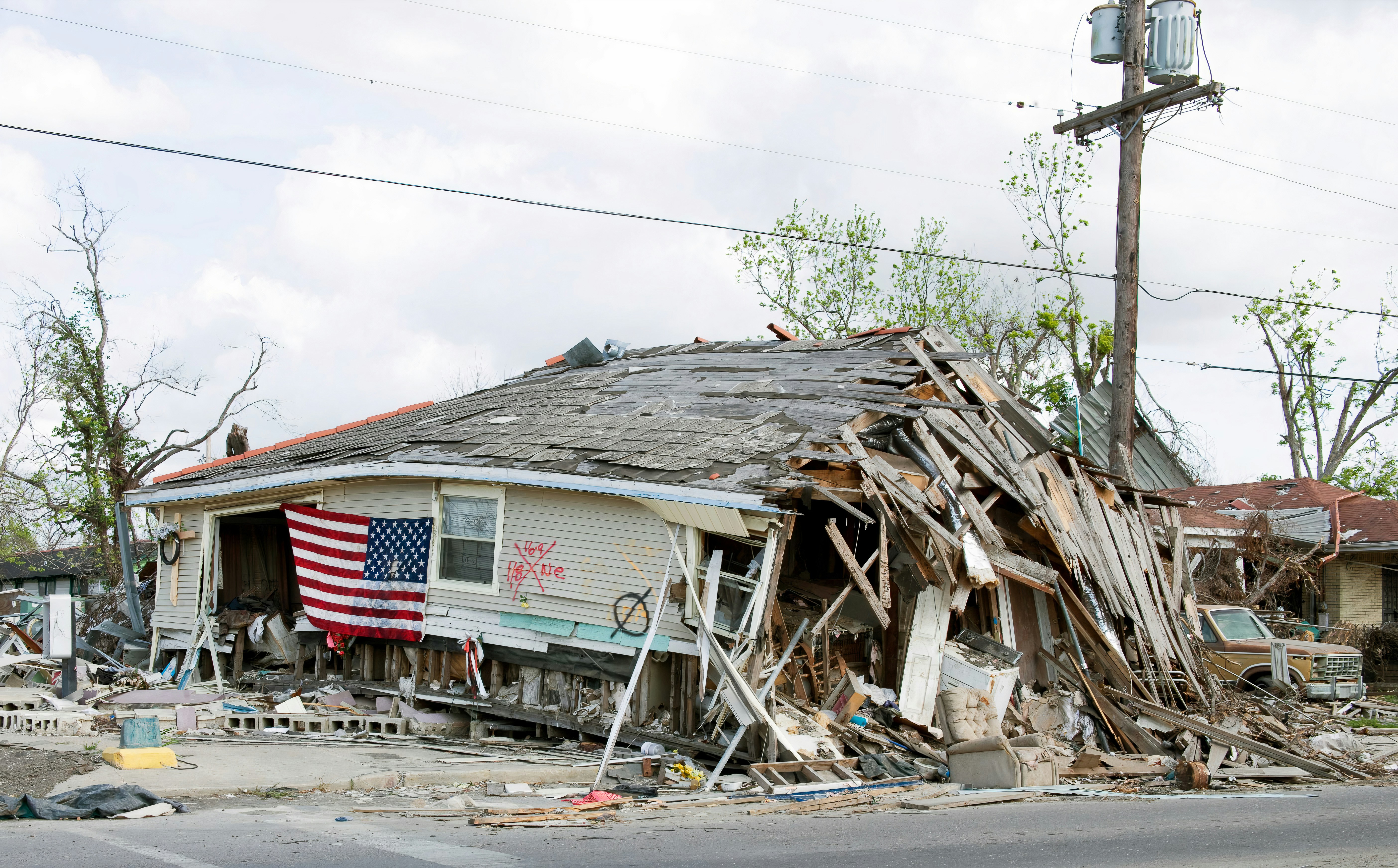
Tropical Storm Damage Lead Response Playbook for Roofing and Restoration Businesses
Tropical Storm Lala brought heavy rain and strong winds to Hawaii, caused widespread power outages, and damaged at least 100 homes, according to reports from CNN Español and LMTonline.
Those conditions can create property-repair concerns. Roofing, restoration, and home-service businesses in affected areas should prepare for a possible increase in calls, forms, and text inquiries—but the reporting does not document a measured contractor lead surge.
The goal is not to promise emergency service before you know what happened. It is to make sure legitimate inquiries receive a quick acknowledgment, safety-sensitive situations are handed to the proper authorities, and ordinary inspection or repair requests reach a qualified human without getting lost.
Safety comes before lead handling
A storm-damage inquiry is not automatically a repair lead.
If someone reports a downed power line, gas leak, carbon monoxide concern, fire, immediate medical danger, or a person relying on powered medical equipment, do not attempt to diagnose the situation, estimate the risk, or make a dispatch decision through an automated text conversation.
Direct the person to follow instructions from local emergency authorities and their utility provider. Your team should avoid telling a customer that a property is safe, that a line is de-energized, that insurance will cover damage, or that a technician is on the way unless those facts have been verified by the appropriate person.
Automation can acknowledge an inquiry and collect basic details. A trained team member should handle assessment, scheduling, capacity decisions, and any service commitment.
Table of contents
- Set up a storm-response workflow before inquiries rise
- Use a short intake form that separates safety from scheduling
- Check service area and real capacity before offering an appointment
- Send an after-hours acknowledgment without overpromising
- Handle duplicate and repeat storm-damage inquiries
- Follow up with people who are not ready to schedule
- Use automation for acknowledgment—not emergency judgment
- FAQ
Set up a storm-response workflow before inquiries rise
A weather event can change the shape of incoming requests. Instead of a usual mix of routine estimates, you may receive reports of leaks, missing shingles, fallen branches, wet ceilings, damaged siding, or requests for an inspection.
Before volume becomes difficult to manage, define five things internally.
1. Assign one owner for every new inquiry
Every incoming lead needs a clear next owner:
- Office staff member
- Estimator
- Restoration coordinator
- On-call manager
- Owner, for smaller teams
The person who sends the first acknowledgment does not have to be the person who performs the inspection. But someone should own the next human response and update the lead’s status.
A simple status list is enough:
| Status | What it means | Next action |
|---|---|---|
| New | Inquiry arrived and has not been reviewed | Confirm receipt and screen for immediate danger |
| Needs review | Details are incomplete or safety-sensitive | Human reviews before making promises |
| Service-area check | Address needs confirmation | Confirm whether the property is within coverage |
| Scheduling candidate | Service and timing may fit | Offer only verified appointment options |
| Not ready | Customer wants to wait, gather information, or speak with an insurer | Follow up at an appropriate interval |
| Closed or referred | Outside area, unsupported service, duplicate, or no fit | Record the reason clearly |
This prevents storm inquiries from becoming a long list of unread texts and browser tabs.
2. Define your operating boundaries
Before messaging customers, make an internal list of what your business can and cannot currently handle.
For example:
- Geographic service areas
- Roofing services offered
- Water-mitigation or restoration services offered
- Whether you accept inspection requests only
- Whether you have availability for temporary protection work
- Hours for phone calls and estimate scheduling
- Who can approve an exception to normal coverage areas
Do not let a generic auto-reply imply that you offer 24/7 emergency response, same-day inspections, tarp installation, or insurance assistance if those are not reliable parts of your operation.
3. Create a dedicated storm tag or source label
Use a label such as:
Storm damage inquiryTropical weather inspectionRoof leak after stormWater intrusion after storm
The label should describe what the prospect reported—not what your team has concluded. A person who says they have a roof leak has not yet been diagnosed with a roof replacement need.
Tags make it easier to see whether weather-related inquiries may be increasing, assign the right reviewer, and avoid mixing them with routine estimate requests.
4. Prepare a capacity update process
Capacity changes quickly after severe weather. An estimator may have an opening in the morning and none by lunch.
Set a short internal rhythm for updates:
- Who updates available inspection windows?
- How often are service areas reviewed?
- Who pauses appointment offers if the schedule fills?
- What should the team say when the next available time is not yet confirmed?
A safe customer-facing answer is: “We’re reviewing availability and will confirm the next available option.” It is better than offering a time that the team cannot keep.
5. Decide what requires human review immediately
Create a short escalation list. Examples may include:
- Reports of immediate danger
- Active water entering living spaces
- A customer who cannot safely remain at the property
- Complex commercial properties
- Requests outside normal service areas
- Calls involving an insurer, adjuster, or disputed scope
- Requests that need a service commitment your team cannot verify by text
The point is not to automate these decisions. It is to make sure your team sees them quickly.
Use a short intake form that separates safety from scheduling
During a possible weather-driven inquiry increase, long questionnaires can slow down the first response. Ask only what helps your team determine the next safe step.
A useful first-pass intake includes:
- Property address: “What is the service address?”
- Best callback number: “Is this the best number for a team member to reach you?”
- Damage type: “What are you noticing: roof leak, missing material, water intrusion, exterior damage, or something else?”
- When it started: “Did this begin during or after the storm?”
- Current conditions: “Is water actively entering the property now?”
- Safety screen: “Are there any immediate safety concerns, such as a downed line, fire, gas smell, medical issue, or someone in danger?”
- Access details: “Is the property occupied, and is there safe access for an inspection when scheduled?”
- Preferred next step: “Would you like a callback or to request an inspection?”
Keep the intake factual. Avoid questions that ask a homeowner to judge structural safety, determine the cause of damage, or predict whether insurance will cover the work.
A practical intake decision path
Use this order:
- Safety concern reported: Stop routine qualification. Direct the customer to the appropriate emergency or utility authority and flag the inquiry for human review.
- No immediate safety concern: Confirm address and service category.
- Outside service area or unsupported work: Reply clearly and respectfully. Do not leave the inquiry open indefinitely.
- Within service area and potentially serviceable: Assign the lead to a human for availability review.
- Customer is not ready to schedule: Move to a consent-based follow-up path.
This is more useful than treating every form submission as “book now.”
Check service area and real capacity before offering an appointment
Storm inquiries may arrive from locations your business does not normally serve. Some prospects may contact several contractors at once. Others may want an immediate answer when your crew is already committed elsewhere.
Your response workflow should confirm three things before offering a specific inspection window:
Service area
Verify the address against your actual coverage map. If you can serve the area only under certain conditions, the person reviewing the lead should make that call.
Service type
A roofer may be able to inspect exterior storm damage but not provide water mitigation. A restoration company may handle moisture-related concerns but not every roofing repair. Clear routing protects both the customer and your schedule.
Available team capacity
Do not treat a calendar slot as confirmed until the person responsible for scheduling has verified it. If your availability is changing, acknowledge the request first and follow up with confirmed options.
Here is a useful message when the team needs to review availability:
Hi [First Name], this is [Business Name]. We received your storm-damage inquiry for [Property Address]. A team member is reviewing the details and current availability. We’ll follow up with the next available option once confirmed. Reply STOP to opt out.
That message confirms receipt without promising an inspection, response time, or repair outcome.
Send an after-hours acknowledgment without overpromising
After-hours inquiries can be especially important after storms, when homeowners may only notice a leak or damage after returning home.
A good after-hours response has four jobs:
- Identify the business
- Confirm the inquiry was received
- Include a brief safety boundary
- Set a realistic expectation for human follow-up
After-hours storm inquiry template
Hi [First Name], this is [Business Name]. We received your message about [Property Address]. If there is immediate danger, a downed power line, fire, gas concern, medical emergency, or another urgent safety issue, please follow local emergency and utility guidance. Otherwise, our team will review your request and follow up during business hours. Reply STOP to opt out.
Do not say “We’ll be there soon” unless a qualified team member has confirmed that commitment.
For more general first-response options, see 15 auto reply messages contractors can use for new leads and this guide to contractor web form auto-responses.
Handle duplicate and repeat storm-damage inquiries
During a stressful event, one homeowner may call, submit a web form, send a Facebook message, and ask a family member to contact your office. Without a duplicate process, several employees can give conflicting answers.
Match likely duplicates before assigning work
Before creating a separate job opportunity, compare:
- Phone number
- Email address
- Property address
- Name spelling
- Time of submission
- Description of the issue
If records appear to match, merge the information into one lead record and keep a single human owner.
Do not send multiple automated threads
A customer should not receive one text for a missed call, another for a web form, and a third from a separate campaign. The more urgent the situation feels, the more confusing duplicate messages become.
If you are unsure whether two inquiries are the same property, ask a human reviewer to confirm before sending additional follow-up.
Record the latest useful detail
A follow-up message may contain an updated condition, such as a leak becoming active or an address correction. Preserve the newest factual information and flag it for review rather than assuming the older message is still complete.
Follow up with people who are not ready to schedule
Not every storm-damage prospect can schedule immediately. They may be waiting for weather to clear, checking the property, speaking with an insurer, coordinating with a landlord, or comparing options.
That does not mean the lead should be forgotten. It means the follow-up should be calm, specific, and based on permission.
Before sending automated SMS follow-up, make sure you have the appropriate consent to text the person and that your messaging practices comply with applicable requirements. Make opt-out instructions clear, and honor recognized opt-out requests. SecureMyLead supports recognized keywords including STOP, STOPALL, UNSUBSCRIBE, CANCEL, END, and QUIT, but the business remains responsible for obtaining and managing consent appropriately.
Follow-up sequence for an unbooked inspection request
Use only after the lead has passed your safety screen and you have permission to text.
Message 1: After the initial acknowledgment
Hi [First Name], this is [Business Name]. We’re following up on your storm-damage inquiry for [Property Address]. If you’d like a team member to review inspection options, reply with the best time to reach you. Reply STOP to opt out.
Message 2: One day later
Hi [First Name], checking back on your request. If you still need help arranging an inspection for [Property Address], reply YES and we’ll review the next available options. Reply STOP to opt out.
Message 3: A few days later
Hi [First Name], we wanted to make sure your request did not get missed. If you still want to discuss an inspection, reply here with a preferred callback time. If you no longer need help, no reply is needed. Reply STOP to opt out.
These messages do not claim that damage is covered, that repairs are necessary, or that availability exists. They simply reopen the conversation.
For additional estimate-stage examples, see estimate follow-up text templates for contractors.
Use automation for acknowledgment—not emergency judgment
Automation is useful when your team is on roofs, meeting customers, driving between jobs, or away from the office after hours. It can send a fast acknowledgment, collect the basics, and continue permission-based follow-up so ordinary inquiries do not sit unanswered.
It should not:
- Determine whether a property is safe
- Diagnose roof, structural, electrical, or water damage
- Decide whether a customer needs emergency services
- Promise a crew, inspection time, price, or scope
- Interpret insurance coverage
- Replace an estimator, dispatcher, adjuster, or emergency responder
SecureMyLead can automatically text new leads, run multi-step SMS follow-up sequences, and keep two-way conversations visible for your team. For storm workflows, use it as the follow-up layer: acknowledge the inquiry, gather basic details, and route a human into the conversation.
One operational note: ordinary replies do not currently auto-pause scheduled sequence messages. Your team should review replies and manually adjust or stop future messages when a conversation changes direction, an appointment is confirmed, or continued outreach no longer makes sense.
Get started free to create a basic lead-response workflow before the next weather event tests your team’s capacity.
Storm-damage lead response checklist
Before a tropical storm or severe-weather event:
- [ ] Confirm service areas and supported services
- [ ] Assign an owner for new storm-related inquiries
- [ ] Create a storm-damage label or tag
- [ ] Write an after-hours acknowledgment with safety boundaries
- [ ] Define which issues require immediate human review
- [ ] Verify who updates scheduling availability
- [ ] Prepare a duplicate-lead process
- [ ] Review SMS consent, opt-out, and message-handling practices
- [ ] Create follow-up messages for people not ready to schedule
- [ ] Train the team not to promise inspection timing, emergency service, insurance outcomes, or repairs before review
FAQ
Did Tropical Storm Lala create a verified roofing or restoration lead surge?
No verified lead surge is documented in the cited reporting. The reports confirm that Lala affected Hawaii, caused widespread outages, brought heavy rain and strong winds, and damaged at least 100 homes. Those conditions may create property-related inquiries, so affected businesses should prepare their response workflow.
What should a roofing company ask after a storm-damage inquiry?
Start with the property address, reported issue, when it began, whether water is actively entering, the preferred contact method, and whether there is any immediate safety concern. Keep the questions factual and leave diagnosis, safety decisions, and scope decisions to qualified human review.
Should an automated text offer a same-day roof inspection?
Only if your business has verified availability and is prepared to honor the offer. In most cases, it is safer to confirm receipt, say that the team is reviewing current availability, and provide a specific option only after a human confirms it.
How often should a restoration company follow up after a storm inquiry?
Follow-up timing depends on the customer’s stated need, your available capacity, and consent to receive messages. A short sequence spaced across several days can keep a non-urgent, unbooked request from being forgotten without pressuring the customer or making unsupported promises.
Can SMS automation handle emergency storm-damage requests?
It can acknowledge the message and collect basic details, but it should not make emergency, safety, dispatch, structural, or insurance decisions. Those situations require human review and, when appropriate, direction from emergency authorities or utility providers.