Winter Storm Lead Response Checklist for HVAC, Plumbing, Roofing, and Restoration Businesses
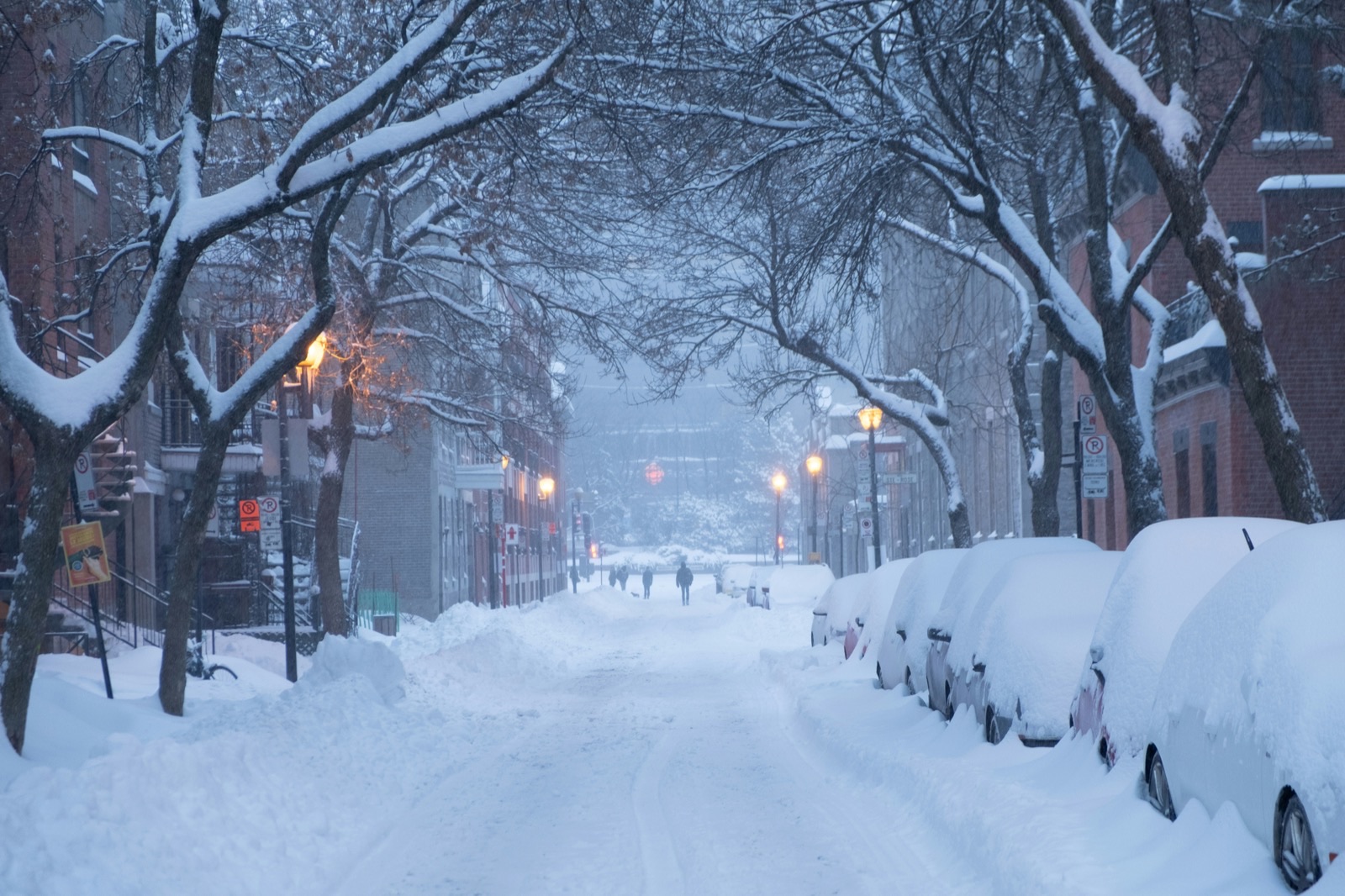
Winter weather warnings involving snow and strong winds can make homeowners seek information, inspections, repairs, or help with property problems. Recent reports described forecasts of up to 6 inches of snow alongside wind gusts or sustained winds of roughly 50–70 mph in multiple areas. Autoblog and Men’s Journal reported on these disruptive winter conditions.
That does not prove a measured increase in calls or quote requests for every HVAC, plumbing, roofing, or restoration business. But businesses in affected or nearby service areas can prepare for weather-related inquiries before their normal lead-response process gets overloaded.
Safety comes before lead handling
A new inquiry is not automatically a routine service request. When a customer mentions a downed power line, gas leak, carbon monoxide concern, active fire, medical equipment losing power, or an immediate threat to people, a human should handle the situation—not an automated workflow.
In those situations:
- Tell the customer to follow current official emergency guidance for their location.
- Do not use an automated text to diagnose severity, promise arrival, or suggest the business is dispatching help.
- Pause the sales or booking conversation until a qualified person has reviewed the inquiry.
- Check current official weather alerts before communicating storm conditions or availability.
Automation can acknowledge an inquiry and collect basic details, but it is not emergency triage, dispatch, or a substitute for human judgment.
Table of contents
- What to prepare before winter weather arrives
- The winter storm lead-response checklist
- How each service type can route inquiries
- SMS templates for winter-weather inquiries
- What to do after the storm
- Use automation as a follow-up layer—not a dispatch system
- FAQ
What to prepare before winter weather arrives
The best time to decide how your team will handle storm-related requests is before several calls, web forms, and missed calls arrive at once.
1. Confirm the current weather picture
Do not rely on an old forecast, a social post, or a customer’s description of conditions. Verify official alerts for the communities you serve before you publish availability messages, adjust hours, or tell customers what to expect.
The reports cited above show why this matters: winter warnings can involve both snow and high winds, and affected locations can change as forecasts develop.
2. Put one person in charge of triage
Choose a named person or small rotation responsible for reviewing new storm-related inquiries. Their role is to:
- identify safety-sensitive messages;
- separate urgent service needs from routine estimate requests;
- check whether the address is in your service area;
- confirm the team’s actual capacity and travel conditions;
- set customer expectations without making promises the business cannot keep.
This avoids a common failure point: a fast acknowledgment gets sent, but nobody owns the next human response.
3. Create simple lead categories
Use categories your team can apply quickly. You do not need a complicated CRM setup to make the first decision clearer.
| Category | Example inquiry | Human action needed |
|---|---|---|
| Safety-sensitive | “There’s a gas smell,” “A line is down,” “We have no power for medical equipment” | Follow current official emergency guidance; do not treat as a standard lead |
| Urgent service review | No heat, active plumbing leak, exposed roof after wind, water intrusion | Review promptly; confirm scope, area, safe access, and capacity |
| Near-term inspection or estimate | “Can someone inspect roof damage?” | Collect address, photos if appropriate, and preferred timing |
| Routine request | Maintenance, replacement quote, non-urgent repair | Route to the normal follow-up and booking process |
| Outside service area or unavailable | Address beyond coverage or no safe capacity | Respond honestly; do not imply a booking is confirmed |
4. Check the real operating constraints
Before your first storm-related message goes out, confirm:
- service-area boundaries;
- crews available today and the next day;
- whether travel is currently safe and permitted by your business;
- the types of work you can realistically assess;
- who can answer incoming calls and texts;
- your latest appointment window language;
- which requests need photos, model numbers, or a property address before review.
A clear “we’ll review your request and availability” is better than a quick but unreliable promise.
The winter storm lead-response checklist
Use this as a practical workflow when snow and high winds may create weather-related inquiries.
Step 1: Monitor every inbound source
Storm-related requests may come through more than the main phone line. Watch:
- website contact forms;
- Google Business Profile messages or calls;
- paid lead sources;
- Facebook or social messages;
- voicemail;
- email;
- referral texts;
- existing customers replying to an old conversation.
If leads arrive in several systems, decide where the human owner will see them first. A business can respond quickly in one channel while missing a high-intent inquiry in another.
For broader guidance on handling home-service inquiries across channels, see How to Follow Up With Home Service Leads Automatically.
Step 2: Send a prompt acknowledgment—without overpromising
An immediate acknowledgment can let someone know their request arrived. It should not say a technician is on the way, that their issue has been diagnosed, or that an appointment is confirmed.
A useful first response does four things:
- identifies your business;
- confirms receipt;
- says a team member will review the request;
- asks for one or two details needed for triage.
For example:
Thanks for contacting [Business Name]. We received your request and a team member will review it as soon as possible. Please reply with your address, a brief description of the issue, and any photos you can safely share. If there is an immediate safety concern, follow current local emergency guidance.
The message acknowledges the lead while preserving room for a human to assess location, conditions, and capacity.
Step 3: Have a human triage urgency
Do not try to make an automated sequence decide whether an HVAC, plumbing, roofing, or restoration request is an emergency.
A human reviewer should look for:
- immediate safety language;
- active water intrusion or a major leak;
- loss of heat or other essential service;
- roof exposure after high winds;
- the presence of vulnerable occupants;
- whether the customer is asking for information, inspection, repair, or a quote;
- whether the property is within the service area.
The result does not have to be complicated. The reviewer can assign one of three next steps:
- Safety escalation: The customer needs to follow official emergency instructions before business follow-up continues.
- Priority review: A team member needs to assess the request and realistic availability promptly.
- Standard follow-up: The inquiry can enter the normal estimate, inspection, or booking workflow.
Step 4: Verify address, access, and capacity before offering times
Winter weather changes the meaning of “available today.” Before offering an appointment window, verify:
- the address and service area;
- whether the customer can safely provide access;
- whether travel conditions allow your crew to operate;
- whether the job requires an inspection before repair;
- whether your available crew has the right equipment and scope.
For roofing and restoration, a customer may be able to describe visible damage but not safely inspect it themselves. Do not encourage unsafe inspection. Ask only for information or images the customer can provide safely.
Step 5: Set expectations in plain language
Customers often need a direct answer more than a long explanation. Use language based on what you know right now.
Good expectation-setting language:
- “We’re reviewing requests by location, urgency, and safe access.”
- “A team member will confirm whether we can offer an inspection window.”
- “We received your photos and address. We’ll review them and follow up with next steps.”
- “Current conditions may affect travel and scheduling. We’ll confirm availability before booking.”
Avoid:
- “We’ll be there shortly” when you have not confirmed it.
- “You’re booked” before capacity and access are verified.
- “This is an emergency” based only on an automated keyword match.
- “We can handle it” when the request is outside your service scope.
Step 6: Keep unanswered leads in a short, relevant follow-up queue
A homeowner may submit a request while dealing with a storm, moving belongings, checking a property, or waiting for a family member. Silence does not always mean lack of interest.
Create a short follow-up process for people who provided a valid inquiry but did not answer your first message:
- first acknowledgment;
- a human review when needed;
- one clear follow-up asking for the missing detail;
- a final close-the-loop message if there is no response.
Keep the request specific. “Are you still interested?” is weaker than “Do you still need an inspection at [address or neighborhood]? Reply with the best time to reach you.”
For more no-response guidance, read How Long to Wait Before Following Up With a Lead?.
Step 7: Maintain a visible handoff record
For each priority request, record:
- customer name and best contact method;
- address;
- service type;
- issue summary;
- source of lead;
- time received;
- human owner;
- last customer update;
- next action;
- status: safety-sensitive, review, scheduled, pending details, unavailable, or closed.
This is especially important when the owner is on a job site and another employee is answering incoming messages.
How each service type can route inquiries
The same storm can produce different kinds of inquiries. Your response workflow should reflect the actual work your business performs.
HVAC businesses
Potential inquiries may include loss of heat, a furnace or heat pump problem, unusual system behavior, or a request for a repair estimate.
Prioritize a human review for no-heat reports and clarify:
- address;
- whether the system is completely off or intermittently operating;
- whether the customer is seeking repair, diagnosis, or replacement information;
- whether access and travel conditions are safe.
Keep automated wording neutral. It should confirm the inquiry, not diagnose the system or promise emergency service.
For HVAC-specific follow-up ideas, see How to Follow Up With HVAC Leads.
Plumbing businesses
Potential inquiries may include frozen-pipe concerns, active leaks, water damage, or requests to inspect a suspected problem.
Separate the customer’s reported issue from the service decision. A human should review active leaks and water-related concerns before the inquiry moves into a routine estimate queue.
Ask for only the details that help your team decide the next step, such as the address, a brief issue description, and whether water is currently visible. Do not use a text sequence to provide technical diagnosis.
Roofing businesses
High winds and snow can lead homeowners to ask about loose materials, visible roof damage, leaks, or inspection requests.
Your workflow should distinguish between:
- a request for a future inspection;
- a reported leak or exposure that needs prompt review;
- a request outside your service area;
- a customer who is unable to safely assess the roof.
Never imply that the customer should climb onto a roof or inspect unsafe areas to qualify for help. Gather safe, available information and let a human determine the next step.
For a general contractor first-response framework, see Contractor Web Form Auto Response: What to Send the Second a New Lead Hits Your Site.
Restoration businesses
Restoration inquiries may involve water intrusion, wind-related property damage, or a request for assessment. These leads often need especially careful human ownership because the business may need to understand the source, affected area, and current property conditions before offering a next step.
Acknowledge the request, collect the address and a short description, and route it to a trained human reviewer. Avoid claiming that mitigation, inspection, or a crew response has been arranged until your business confirms it.
SMS templates for winter-weather inquiries
Only text people who have provided the appropriate consent for your communication. Include a clear opt-out option where appropriate, honor opt-out requests, and make sure your process follows the rules that apply to your business.
1. New weather-related inquiry acknowledgment
Hi [First Name], this is [Business Name]. We received your request and a team member will review it as soon as possible. Please reply with your address and a brief description of the issue. If there is an immediate safety concern, please follow current local emergency guidance. Reply STOP to opt out.
2. Request for details before review
Hi [First Name], thanks for reaching out to [Business Name]. To review your request, please send your property address and tell us whether you’re looking for repair, inspection, or an estimate. We’ll confirm next steps after review. Reply STOP to opt out.
3. Capacity-aware update
Hi [First Name], we have your request. Current winter conditions may affect travel and scheduling, so we’re reviewing availability by location and safe access. A team member will update you after review. Reply STOP to opt out.
4. Follow-up after no reply
Hi [First Name], this is [Business Name] following up on your request. Do you still need help with [issue type] at [address/neighborhood]? Reply with the best time to reach you, and we’ll review next steps. Reply STOP to opt out.
5. Inspection or estimate request
Hi [First Name], we received your request for a [roof/HVAC/plumbing/restoration] review. Please share your address and any photos you can safely provide. We’ll review the details and confirm whether we can offer a next step. Reply STOP to opt out.
For more general copy-and-paste options, use these lead response templates for service businesses.
What to do after the storm
The operational work does not end when the weather alert passes. Some homeowners may not respond until conditions improve, they return to a property, or they have time to assess an issue.
Review the lead list by status
Within a day or two of normal operations resuming, review leads marked:
- pending details;
- no response;
- unavailable during the storm;
- inspection requested;
- quote requested;
- outside service area;
- follow-up later.
Do not send the same message to everyone. Match the follow-up to what you already know.
Reactivate legitimate pending inquiries
A simple post-storm follow-up can reopen conversations without pretending the customer still has an urgent problem.
Hi [First Name], this is [Business Name]. We’re following up on your [service type] request from the recent winter weather. If you still need an inspection, repair, or estimate, reply with a good time to connect. Reply STOP to opt out.
This approach is useful because it gives the homeowner a low-friction way to re-engage while avoiding an unsupported assumption that damage occurred.
Audit what slowed the team down
Ask a few practical questions after the demand period:
- Which lead sources were hardest to monitor?
- Did every priority inquiry have a clear owner?
- Did the team use accurate availability language?
- Were routine requests separated from safety-sensitive ones?
- Did missed calls receive a timely acknowledgment?
- Which customer details should the first form or text collect next time?
Turn the answers into a reusable winter-weather operating checklist rather than rebuilding the process at the next storm.
Use automation as a follow-up layer—not a dispatch system
A tool such as SecureMyLead can help businesses send an automated first SMS when a new lead arrives and continue appropriate follow-up for inquiries that need a response. That may reduce the risk of a web form or missed inquiry sitting unanswered while your team is handling storm operations.
But keep the boundary clear:
- a human must assess safety-sensitive messages;
- a human must decide whether the business can serve the location;
- a human must verify capacity, access, and scheduling;
- automation should not promise dispatch or confirm a booking on its own.
SecureMyLead supports automated SMS first responses, follow-up sequences, two-way dashboard messaging, and lead reactivation. If you use a sequence during a weather event, monitor replies actively: ordinary replies remain visible in the dashboard but do not currently auto-pause scheduled sequence messages.
Get started free to build a more consistent acknowledgment and follow-up workflow around the lead sources you already use.
Key takeaways
- Snow and strong winds can make weather-related service inquiries possible, but current reports do not prove a universal lead surge.
- Confirm current official alerts and put safety-sensitive inquiries ahead of standard lead handling.
- Use a human to triage urgency, service area, safe access, and actual capacity.
- Send quick acknowledgments without promising arrival, booking, diagnosis, or emergency response.
- Separate HVAC, plumbing, roofing, and restoration requests by the information and review each one needs.
- Follow up after the storm with pending leads using accurate, low-pressure language.
- Use SMS automation to support acknowledgment and consistent follow-up—not to replace emergency judgment or dispatch.
FAQ
Should a winter storm change our normal lead-response process?
It can. Your core process may stay the same, but businesses should add a clear human-triage step, more careful availability language, and a check for safe travel and access before offering appointments.
Should we promise same-day service in an automated text?
No. Only promise what your team has verified. A better message confirms receipt, requests the details needed for review, and says that a team member will confirm next steps.
Can automated texts triage emergency requests?
No. Automated texts should not diagnose urgency or replace human judgment. Safety-sensitive messages involving issues such as downed lines, gas concerns, carbon monoxide, fire, or medical equipment losing power should be handled according to current official emergency guidance.
What information should we collect from a storm-related lead?
Start with the customer’s name, address, service needed, a short issue description, and their preferred contact method. Ask for photos only when they can be provided safely. Avoid requesting information that would encourage an unsafe inspection.
Should we text people who do not reply during the storm?
A short, relevant follow-up can be appropriate when you have the necessary consent to text them. Keep it focused on the original request, include an opt-out option where appropriate, and do not imply that you have reserved an appointment.
Related reading
- How to Follow Up With Home Service Leads Automatically
- How to Follow Up With HVAC Leads
- Automated Lead Follow-Up for Plumbers
- Best Lead Response Templates for Service Businesses
- After-Hours Lead Response: How to Win Jobs While You Sleep