Wildfire Restoration Lead Response: A Safety-First Intake Workflow for Contractors
If a caller or text message indicates immediate danger, do not treat it as a sales lead. Direct the person to qualified emergency authorities and professionals before discussing an estimate, inspection, availability, or next steps.
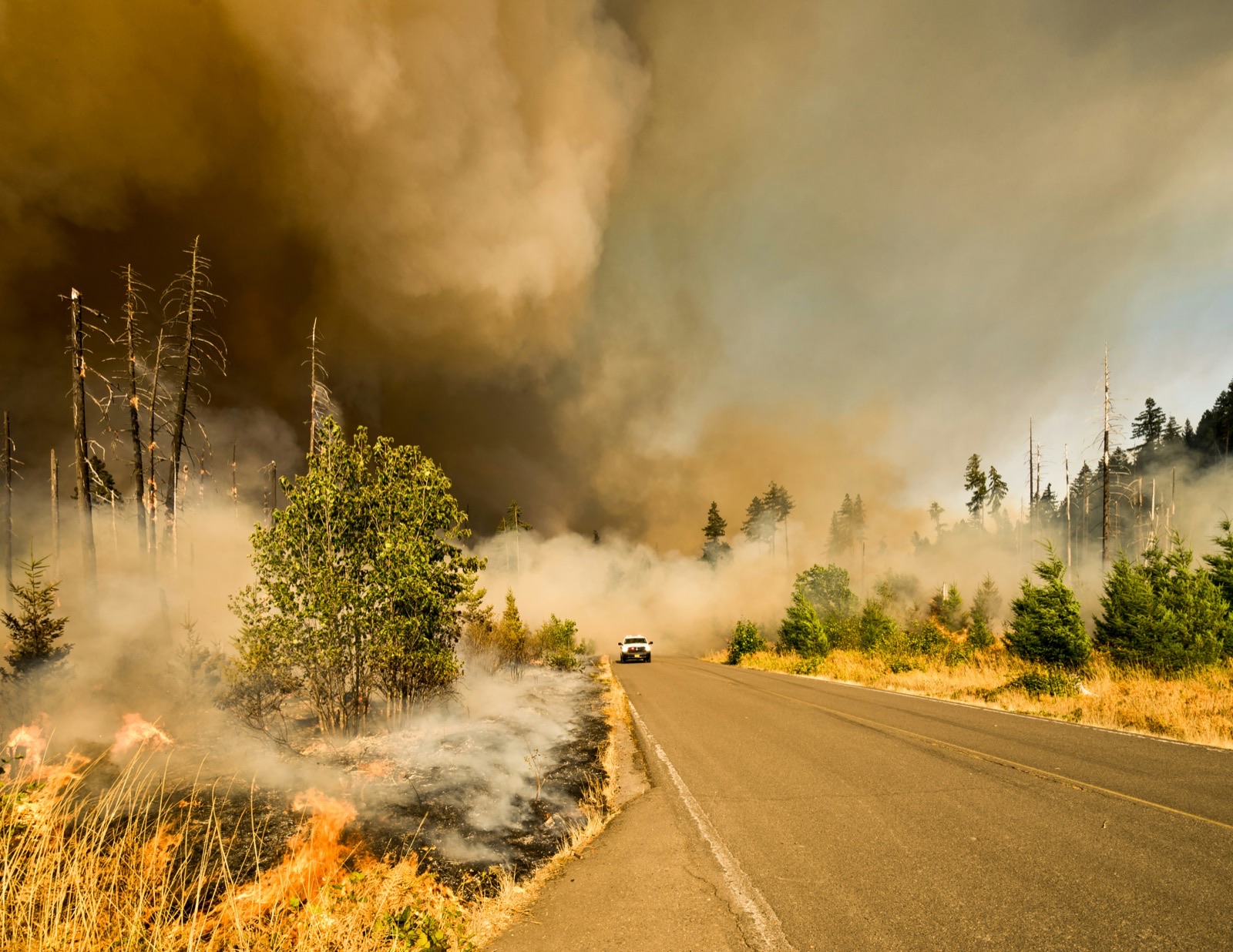
That distinction matters during an active wildfire situation. Local reporting on the Hawk Fire near Reno says dozens of homes were destroyed, thousands of people were displaced, and evacuation orders continued to affect the area. Those conditions may lead property owners to seek roofing, restoration, remediation, and related services—but the reporting does not document a measured rise in contractor inquiries. Businesses should still prepare for a possible increase in calls, forms, and texts without assuming every request can be scheduled immediately.
A wildfire-related inquiry is different from an ordinary estimate request. The property may be inaccessible, the customer may be displaced, conditions may be changing, and a rushed automated message can accidentally imply that your company has inspected the damage or committed to emergency work.
This guide provides a safety-first intake workflow for contractors and restoration businesses: acknowledge the inquiry, identify whether a human needs to step in, collect only useful information, screen for service area and capacity, and follow up appropriately when a customer cannot safely proceed.
Table of contents
- Start with safety and human escalation
- Use a five-stage wildfire inquiry workflow
- Questions to collect without overstepping
- Wildfire intake message templates
- Set expectations without overbooking
- How automation should support the workflow
- A practical wildfire intake checklist
- FAQ
Start with safety and human escalation
During a wildfire, a contractor’s first responsibility is not to qualify a job. It is to avoid creating confusion around an urgent situation.
Move the inquiry out of an ordinary sales sequence and to a person when someone mentions:
- An immediate safety concern
- A current evacuation order or inability to access the property
- A possible fire, gas issue, downed power line, carbon monoxide concern, or medical equipment affected by power loss
- A request that sounds like emergency response rather than an estimate or future restoration work
- A distressed customer who cannot provide basic property details or is unsure whether they can return
Your team should not diagnose hazards by text, confirm a property is safe, or tell someone to enter a damaged home. Instead, direct the person to qualified authorities and professionals for immediate safety concerns.
A simple internal rule helps:
If the message concerns immediate danger or safe access, pause the sales workflow and assign human review.
This protects the customer and keeps your team from making promises based on incomplete information.
Use a five-stage wildfire inquiry workflow
A strong wildfire intake process separates acknowledgment, safety screening, information gathering, capacity review, and follow-up. That keeps a difficult inquiry from being handled like a routine web form.
1. Acknowledge the inquiry without promising service
People dealing with evacuation, displacement, or visible property damage may contact several businesses. A prompt, calm acknowledgment lets them know their message was received.
Keep the first message narrow. Confirm receipt, identify your business, and make clear that availability and site conditions must be reviewed before scheduling.
Example:
Hi [First Name], this is [Business Name]. We received your request regarding the property at [Address]. If there is an immediate safety concern, please contact qualified emergency authorities or professionals first. When it is safe and permitted to discuss access, reply with the type of help you need and the property address. A team member will review your request.
This does not say:
- “We can be there today.”
- “We have you on the schedule.”
- “Your home is safe to enter.”
- “We confirmed your damage.”
- “We handle your emergency.”
Those statements can be inaccurate before a person has reviewed the situation.
2. Check evacuation and access status
Before asking for detailed damage information, find out whether the property can be discussed and accessed safely.
Ask a simple operational question:
- Is the property currently accessible, or are there still evacuation or access restrictions?
You are not asking the customer to interpret official conditions. You are determining whether your team should proceed with intake, wait, or place the request in a follow-up queue.
Use three practical statuses:
| Intake status | What it means | Next action |
|---|---|---|
| Immediate human review | The person reports a potential safety issue or urgent situation | Escalate to a trained team member; direct the customer to qualified authorities or professionals for immediate danger |
| Access not yet possible | The customer is displaced, under an evacuation order, or unable to enter the area | Record the request and set a permission-based follow-up reminder |
| Intake can continue | The customer can provide property details and is seeking future assessment or restoration work | Collect the minimum details needed for a capacity review |
This one question can prevent wasted back-and-forth and avoid sending crews toward an area they may not be able to access.
3. Identify the type of work requested
Once the inquiry is appropriate for normal intake, identify the service category. Wildfire-related requests can vary substantially, even within the same company.
For example, a restoration or contractor business may receive requests related to:
- Smoke or soot cleanup
- Water damage connected to suppression efforts
- Roof damage
- Exterior damage
- Debris-related concerns
- Odor concerns
- A request for a future inspection or estimate
- Questions about whether your business serves the location
Do not diagnose damage from a text description or photo. Your intake goal is simply to categorize the request so the right person can review it.
A useful question is:
Which best describes what you need help with: smoke or soot cleanup, water-related damage, roofing or exterior damage, a future inspection, or something else?
For businesses offering multiple services, this is more useful than a vague “How can we help?” It gives the office enough context to prioritize the response without creating an implied assessment.
4. Collect documentation only when it is appropriate
Photos, addresses, and insurance claim details may eventually help a contractor understand the scope of a request. But during a wildfire event, the order matters.
Do not ask a customer to return to a restricted or unsafe property to take photos. Ask for documentation only if they already have it and can share it safely.
You can request:
- Property address
- Best callback number
- Preferred contact method
- Type of service requested
- Whether they have photos or documentation already available
- Whether they are seeking an inspection, estimate, cleanup, or another type of help
- Their preferred time for a call
Avoid making insurance coverage determinations or implying that documentation guarantees approval. If the customer asks detailed insurance questions, route those questions to the appropriate professional rather than improvising an answer.
5. Screen service area and actual capacity
The final intake stage is operational: can your business potentially serve this request, and when can a human realistically review it?
During a possible rise in demand, do not let the first automated response create a promise your schedule cannot support. Review:
- Whether the property is inside your normal service area
- Whether the requested work matches your services
- Whether travel or access conditions affect the job
- Who is available to review the request
- Whether your current queue supports an inspection window, callback window, or waitlist
Your response should describe the next review step—not a guaranteed arrival time.
For example:
We’re reviewing wildfire-related requests in the order our team can safely assess them. We’ll confirm whether we can assist and share the next available review or inspection option after checking the property details and current capacity.
That language is honest, specific, and less likely to create a scheduling problem.
Questions to collect without overstepping
A short intake form or call script can help your office gather consistent information while keeping the conversation appropriate.
Minimum information for the first review
Use these questions after safety and access have been addressed:
- What is the property address?
- What type of assistance are you seeking?
- Is the property currently accessible, or are there access restrictions?
- What is the best phone number and preferred way to reach you?
- Do you have any photos or documentation you can safely share?
- Are you looking for an inspection, an estimate, cleanup, or another service?
- Is there anything the team should know before contacting you?
Information that needs a human conversation
Some questions should move beyond automation quickly:
- Detailed descriptions of possible hazards
- Requests for immediate emergency service
- Questions about whether it is safe to enter a property
- Complex scope questions
- Insurance coverage or claim approval questions
- Requests for guaranteed arrival times
- Requests outside your usual service area
The goal is not to make the customer complete a long questionnaire while they are displaced. It is to collect enough information for a responsible next step.
Wildfire intake message templates
Use these only where the customer has provided permission to receive text messages and where messaging is appropriate for your business. Keep every message accurate to your team’s actual capacity.
Initial acknowledgment
Hi [First Name], this is [Business Name]. We received your request about [Address]. If there is an immediate safety concern, please contact qualified emergency authorities or professionals first. When it is safe and permitted to discuss access, reply with the type of help you need and a team member will review your request.
Access-status check
Thanks, [First Name]. Is the property currently accessible, or are there still evacuation or access restrictions? We want to make sure we understand the situation before discussing next steps.
Service-category question
When you’re able, please reply with the type of help you’re seeking: smoke or soot cleanup, water-related damage, roofing or exterior damage, a future inspection, or something else.
Capacity-conscious reply
Thanks for the details. Our team is reviewing current capacity and service area for wildfire-related requests. We’ll follow up after a team member reviews the property information. We can’t confirm an inspection or service time until that review is complete.
Follow-up when access is not yet available
Hi [First Name], this is [Business Name] checking back on your request for [Address]. If access is now permitted and you’d like us to review your request, reply here with the best time for a call. If conditions have not changed, no action is needed.
This follow-up gives the customer control. It does not pressure them to respond while they are still handling evacuation or housing needs.
Set expectations without overbooking
During a wildfire-related influx, the most damaging operational mistake is often not a slow reply. It is an inaccurate one.
A business may be tempted to say “We can help” before confirming:
- Whether the address is in range
- Whether the job fits its services
- Whether crews can reach the area
- Whether the company has enough capacity
- Whether conditions allow an inspection
Instead, define three response commitments your team can reliably meet:
1. Receipt commitment
“We received your request.”
This can be automated when appropriate.
2. Review commitment
“A person will review your information.”
This should have clear ownership. Someone must be responsible for the review queue.
3. Scheduling commitment
“We will confirm available next steps after review.”
Only make this commitment after considering actual staffing, service area, and access conditions.
Do not treat those commitments as interchangeable. A quick acknowledgment is valuable, but it is not an inspection, dispatch, or accepted job.
For broader capacity planning, see our guide to automated lead follow-up systems for contractors. The wildfire-specific difference is that safety and access checks come before routine qualification.
How automation should support the workflow
Automation can help ensure a new inquiry does not sit unanswered, especially when your team is on job sites or handling a high volume of requests. But it should support human judgment—not replace it.
For wildfire-related inquiries, automation is most useful for:
- Confirming that a request was received
- Providing neutral, safety-conscious language
- Asking for access status and the requested service category
- Capturing a reply for human review
- Sending a respectful check-in later if the customer could not proceed
Automation should not:
- Determine whether a property is safe
- Diagnose damage
- Confirm that a crew is available
- Promise emergency service
- Confirm an appointment before a team member reviews it
- Continue sending irrelevant messages after a customer’s situation changes
If you use a tool such as SecureMyLead for first responses and follow-up sequences, write the initial message as an acknowledgment rather than a booking confirmation. Keep wildfire-related conversations visible to the person who owns the next decision.
SecureMyLead supports automated SMS first responses, follow-up sequences, and two-way messaging. Because ordinary replies do not automatically pause scheduled sequence messages, your team should review replies and make sure any active follow-up remains appropriate for the customer’s situation.
For a broader set of first-response examples, see 15 auto reply messages contractors can use for new leads.
A practical wildfire intake checklist
Use this checklist before turning on or revising a wildfire-related response workflow.
Safety and escalation
- [ ] Identify the person responsible for reviewing urgent or safety-related messages.
- [ ] Remove language that implies your business can assess danger by phone or text.
- [ ] Add a clear instruction to contact qualified authorities and professionals for immediate safety concerns.
- [ ] Establish a process for messages involving evacuation or restricted access.
Intake questions
- [ ] Ask whether the property is accessible.
- [ ] Ask for the property address and requested service category.
- [ ] Ask for a preferred callback time and contact method.
- [ ] Request photos only when the customer already has them and can share them safely.
- [ ] Keep the first exchange short enough for a displaced customer to complete.
Capacity and handoff
- [ ] Confirm your current service area.
- [ ] Identify which team member reviews new wildfire-related requests.
- [ ] Use review-language rather than guaranteed scheduling language.
- [ ] Track requests that need follow-up when access becomes possible.
- [ ] Review active automated messages after a customer replies.
Customer communication
- [ ] Identify your business in the message.
- [ ] Confirm receipt without implying acceptance of the job.
- [ ] Avoid promising inspection times before capacity review.
- [ ] Use calm, direct language.
- [ ] Give the customer a clear next action.
Why this workflow matters now
The Hawk Fire near Reno has left people displaced and homes destroyed, according to local reporting from KOLO 8 News Now and Yahoo News. Those circumstances may create property-service inquiries for contractors in the area and can be a reminder for similar businesses elsewhere to prepare their intake process before the next wildfire event.
The best response workflow is not the one that sends the most messages. It is the one that acknowledges people respectfully, identifies when human judgment is needed, avoids unsafe assumptions, and gives your team a realistic way to manage requests if inquiries rise.
FAQ
Should contractors automate wildfire-related text responses?
They can automate a brief acknowledgment and basic intake questions where text messaging is appropriate and permitted. Automation should not assess safety, diagnose damage, promise availability, or replace human review.
What should a contractor ask first after a wildfire inquiry?
After addressing any immediate safety concern through appropriate human escalation, ask whether the property is accessible or subject to evacuation or access restrictions. Then collect the address, requested service type, and preferred callback details.
Should we ask customers to send wildfire damage photos?
Only ask whether they already have photos or documentation they can safely share. Do not encourage a customer to enter or return to a property to create documentation.
How should we handle inquiries when our crews are full?
Acknowledge the request, explain that a team member is reviewing service area and current capacity, and avoid confirming a date until you can realistically offer one. If access is not yet possible, ask permission to check back later.
Can a wildfire restoration lead be treated like a normal estimate request?
Not at first. Wildfire-related inquiries may involve access restrictions, displacement, possible safety concerns, and changing conditions. Add safety screening and a human review point before normal estimate scheduling.
Related reading
- Best lead response templates for service businesses
- Contractor web form auto response: what to send the second a new lead hits your site
- How to build a lead follow-up system that runs automatically
- 7 lead follow-up mistakes that quietly kill conversion
If your business needs a more consistent way to acknowledge incoming inquiries while keeping human ownership of sensitive conversations, get started free with SecureMyLead.