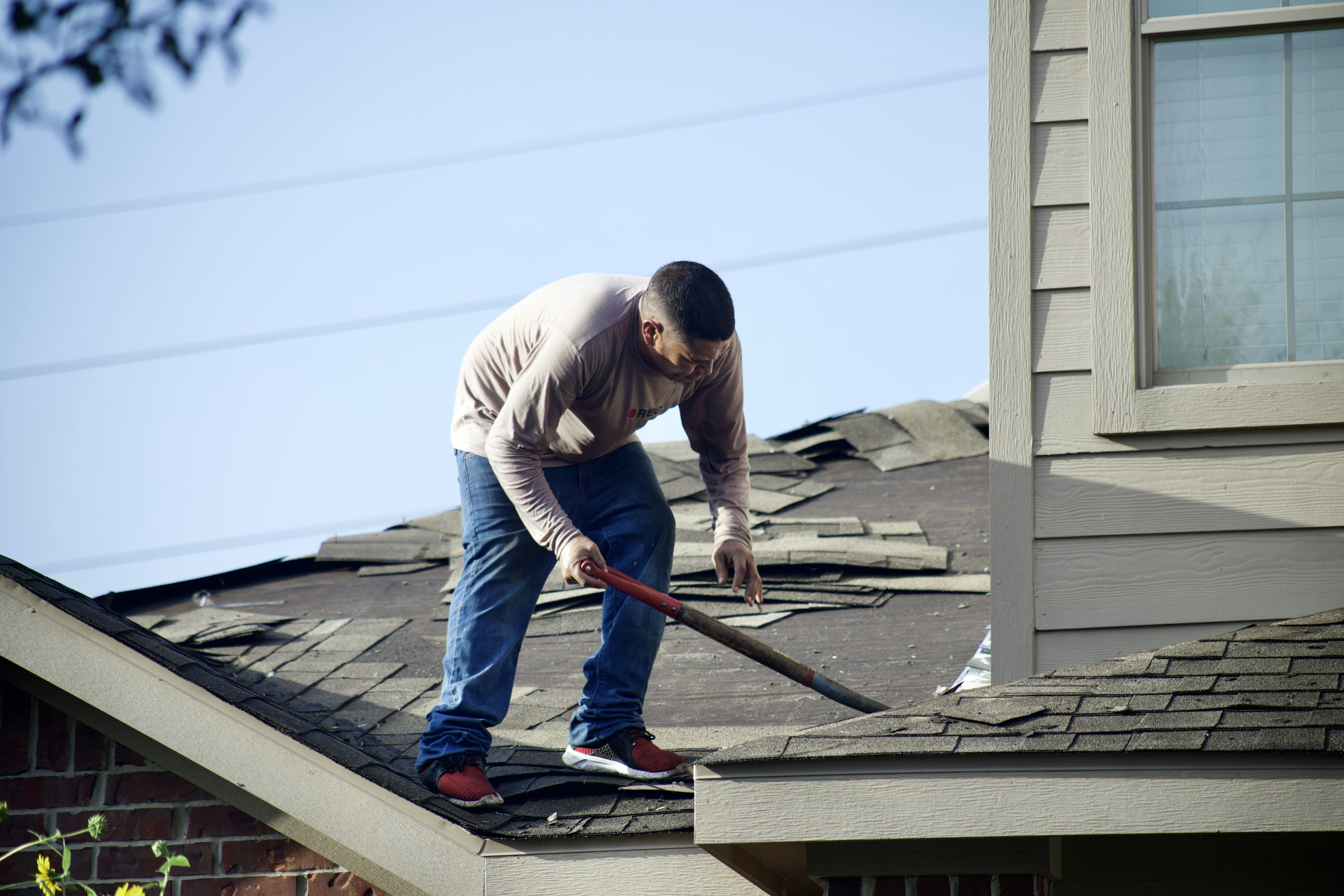
Storm Damage Lead Response: How Roofing and Restoration Businesses Can Prepare for a Possible Surge
Hurricane Isaias came ashore, caused deaths, created widespread power outages, and affected communities across the Tennessee Valley, according to USA Today and Local 3 News.
The supplied reporting does not establish that roofing, restoration, or insurance-related inquiries increased. But when severe weather affects an area, businesses that handle roof damage, water intrusion, tarping, cleanup, and restoration should prepare for the possibility that more people may reach out at once.
The goal is not to promise an inspection you cannot perform or to let automation make emergency decisions. It is to make sure every inquiry gets acknowledged, safety hazards are routed appropriately, urgent human follow-up is visible, and legitimate prospects do not disappear in a messy inbox.
Table of contents
- Safety comes before lead handling
- What makes storm-damage leads different
- A storm-damage lead response workflow
- Storm-damage SMS templates
- How to manage capacity without overpromising
- Common mistakes during a possible storm-driven rush
- Using automation without removing human judgment
- Frequently asked questions
Safety comes before lead handling
A storm-damage inquiry may involve more than a damaged roof or wet ceiling. If someone reports an active emergency or a hazard such as a downed power line, gas leak, carbon monoxide concern, fire, or medical equipment losing power, do not try to diagnose the situation by text.
Tell the person to contact the appropriate emergency services immediately. Your team can follow up about service work only after the immediate safety issue is addressed.
Your intake workflow should make this distinction clear:
- Safety hazard or active emergency: Route to appropriate emergency services first.
- Active property damage without an immediate life-safety hazard: Escalate promptly to a trained human on your team.
- Inspection, estimate, or non-urgent repair request: Acknowledge the request, collect basic details, and offer only available next steps.
An acknowledgment is not a confirmed appointment. Keep that boundary clear in every message.
What makes storm-damage leads different
Storm inquiries are not ordinary quote requests. A homeowner may be dealing with rain entering the house, a missing roof section, fallen debris, loss of electricity, an insurer’s questions, or uncertainty about what to do next.
That changes the response workflow in a few important ways.
Several lead sources can become active at once
During a weather event, inquiries may arrive from:
- Website forms
- Missed phone calls and voicemails
- Google Business Profile messages
- Facebook or social messages
- Referral calls
- Existing customers
- Property managers
- Insurance-related referrals
If each source is handled separately, the same customer can be entered multiple times, replied to twice, or missed entirely. A single intake view—or at minimum one shared process for logging each inquiry—reduces confusion.
Urgency varies widely
Not every person mentioning “storm damage” needs the same response. A homeowner asking about an inspection next week should not be placed in the same queue as someone reporting water entering an occupied home.
Your process needs simple categories, not a complicated scoring system:
- Emergency or safety concern: Escalate outside the sales workflow.
- Urgent active damage: Human review as soon as possible.
- Inspection needed: Collect location, damage type, and availability.
- Estimate or insurance question: Set expectations and assign follow-up.
- Not ready yet: Keep a clear permission-based follow-up path.
Capacity can change fast
A roofing or restoration company can only inspect, tarp, estimate, and repair so many properties at one time. The worst message to send is one that implies same-day service when the team cannot provide it.
A better workflow confirms receipt, explains that the team is reviewing requests, and offers the next available option only after someone verifies capacity.
A storm-damage lead response workflow
Use this workflow when a severe-weather event may create a higher-than-normal volume of inquiries.
1. Monitor every intake channel
Before your team gets busy, list where storm-damage leads can appear and who owns each channel.
| Lead source | What to check | Owner | Backup |
|---|---|---|---|
| Website form | New submissions and duplicate entries | Office/admin | Owner or estimator |
| Phone | Missed calls and voicemails | Office/admin | On-call team member |
| Google Business Profile | Messages and calls | Assigned responder | Owner |
| Facebook/social | Direct messages and comments needing a response | Assigned responder | Office/admin |
| Referrals | Calls, texts, and partner messages | Sales/owner | Estimator |
Keep this simple. The purpose is to prevent the “I thought someone else had it” problem.
If missed calls are a meaningful source of work for your company, see After-Hours Lead Response: How to Win Jobs While You Sleep for a broader missed-call and after-hours process.
2. Send a prompt acknowledgment—but do not promise service
A quick first response lets the homeowner know their message arrived. It should identify your business, acknowledge the storm-related request, and set an honest expectation.
It should not:
- Confirm an appointment before your calendar is checked
- Promise emergency dispatch
- Tell the customer their damage is covered by insurance
- Assess the severity of the damage by text
- Replace a human conversation when a hazard is reported
A good first message gives the person a next step: reply with their address, describe the issue, share photos if your process allows it, or wait for a team member to call.
3. Ask only the triage questions that change the next action
Do not send a long questionnaire to someone who may be dealing with active damage. Start with the information your team actually needs to prioritize and route the request.
For roofing and restoration, that usually includes:
- Property address or ZIP code: Is it in your service area?
- Type of issue: Roof damage, leak, fallen tree/debris, water intrusion, siding, or another concern.
- Is damage active right now? For example, is water currently entering the property?
- Any immediate safety hazard? If yes, direct them to appropriate emergency services.
- Best callback number and availability: Who can speak with your team?
- Photos, if appropriate: Useful for context, but not a substitute for professional assessment.
Keep the distinction clear: these questions support intake. They do not determine whether a structure is safe or whether a job can be scheduled.
4. Create clear status labels
A basic status system helps a small team see what must happen next. Use labels your team can understand at a glance:
- New storm inquiry
- Safety escalation
- Needs urgent human review
- Awaiting property details
- Inspection requested
- Inspection pending capacity review
- Inspection confirmed
- Estimate sent
- Following up
- Duplicate
- Outside service area
- Closed
The important rule: every open inquiry must have one owner and one next action.
A lead without a status can easily become a lead nobody follows up with.
5. Check for duplicates before assigning work
Storms create duplicate inquiries because homeowners often try more than one way to reach a company. A customer may submit a form, leave a voicemail, and message your Facebook page within fifteen minutes.
Before creating a new inspection request, compare:
- Name
- Phone number
- Property address
- Email address
- Timestamp
- Damage description
If it is the same person, merge the details into one record and choose one communication owner. Then send one calm, clear reply rather than three disconnected messages.
6. Separate “request received” from “inspection confirmed”
This is the operational line that protects both your team and the homeowner.
Use language like:
- “We received your request and are reviewing availability.”
- “A team member will contact you to discuss next steps.”
- “We’ll confirm an inspection time once availability is verified.”
Avoid language like:
- “You’re on the schedule” unless the appointment is actually booked.
- “We’ll be there today” unless a person has confirmed that commitment.
- “We can handle this immediately” when you have not assessed the situation or verified crew availability.
For a deeper look at turning estimate interest into scheduled work, read How to Turn More Leads Into Booked Appointments.
7. Follow up with people who are not ready to book
Not every storm-damage lead will be ready for an inspection immediately. Some may be waiting for a spouse, gathering information, speaking with an insurer, or trying to understand the condition of the property.
That does not mean the lead should be forgotten.
Use a follow-up plan that is helpful rather than pushy:
- First follow-up: Confirm that the team can still help and ask whether they want to discuss an inspection.
- Second follow-up: Offer a simple next action, such as replying with preferred availability.
- Final follow-up: Let them know how to reconnect when they are ready.
Do not continue messaging people who opt out, and make sure your business has appropriate consent to send SMS messages. Built-in opt-out handling can support the workflow, but the business remains responsible for lawful messaging practices and consent.
For more general follow-up timing and persistence, see How Long to Wait Before Following Up With a Lead?.
Storm-damage SMS templates
These examples are starting points. Replace the bracketed fields, make sure the recipient has provided appropriate consent for text messaging, and use only promises your team can keep.
New inquiry acknowledgment
Hi [First Name], this is [Name] with [Business]. We received your storm-damage request for [Property Address]. If there’s an immediate safety hazard, please contact appropriate emergency services first. Otherwise, reply with a brief description of the damage and the best time to reach you. We’ll review the request and follow up about next steps.
Active-damage escalation to a human
Hi [First Name], thanks for the details. We’re flagging this for prompt review by our team. Please reply with the property address and a callback number if different from this one. We’ll contact you after reviewing availability.
Inspection request without a scheduling promise
Hi [First Name], this is [Business]. We received your request for a storm-damage inspection. We’re reviewing current availability and will contact you with the next available options. Is [Property Address] the correct location?
Duplicate lead confirmation
Hi [First Name], this is [Business]. We received your messages regarding [Property Address] and combined them so nothing gets missed. A team member will follow up with you about next steps.
Follow-up when the homeowner has not booked
Hi [First Name], this is [Name] from [Business] following up on your storm-damage inquiry for [Property Address]. If you still want to discuss an inspection or estimate, reply here with a good time to reach you.
For additional first-response copy, use these contractor auto-reply messages and service-business lead response templates.
How to manage capacity without overpromising
When inquiries may be elevated, capacity management becomes part of customer communication.
Set an internal daily review rhythm
At least once each day during a weather-response period, review:
- Number of new inquiries
- Number awaiting human contact
- Number awaiting scheduling
- Available inspection slots
- Crew availability
- Geographic areas you can realistically serve
- Requests that require a manager or owner decision
This gives your team a current answer when a customer asks, “When can someone come out?”
Use a waitlist honestly
If your inspection calendar is full, do not conceal it. Offer a waitlist only if someone will actually review it.
A practical message might say:
We’ve received your request and our current inspection times are limited. We can add you to our callback list and contact you if an earlier opening becomes available. Would you like us to do that?
This is more trustworthy than offering an appointment window you may not be able to honor.
Prioritize through human review
Your business may have legitimate reasons to prioritize certain requests, such as active water intrusion, existing customers, occupied properties, or service-area proximity. Those decisions require people who understand crew capacity and local conditions.
Automation can collect details and make sure the request is visible. It should not independently decide whose property damage is most severe.
Common mistakes during a possible storm-driven rush
Treating every message as a standard estimate request
Storm-damage inquiries may need different questions, different owners, and faster human review. A generic “Thanks, we’ll get back to you” message is not always enough.
Letting multiple people reply without ownership
Two estimators texting the same homeowner creates confusion. One owner per lead prevents mixed messages and missed handoffs.
Promising appointment times before checking availability
This creates frustration for the homeowner and stress for the team. Acknowledgment is immediate; scheduling confirmation comes after capacity review.
Using automation as emergency triage
Automated messaging cannot inspect a roof, determine structural safety, identify a gas leak, or decide whether emergency response is needed. Route reported hazards to appropriate emergency services and keep a human involved in urgent property-damage conversations.
Forgetting the leads that did not respond immediately
A person may submit a request while dealing with a stressful situation and may not be ready to schedule on the first call. Use respectful follow-up instead of assuming silence means no interest.
For broader operational pitfalls, see 7 Lead Follow-Up Mistakes That Quietly Kill Conversion.
Using automation without removing human judgment
A storm-response workflow is exactly where a clear division of labor helps.
Automation can support your team by:
- Sending a prompt acknowledgment when a new lead arrives
- Asking for basic intake details
- Keeping a follow-up task from being forgotten
- Continuing appropriate follow-up for leads that have not booked
- Keeping messages consistent across busy periods
Your people still need to:
- Recognize safety concerns
- Review urgent requests
- Verify service area and capacity
- Confirm appointments
- Make decisions about prioritization
- Answer property-specific questions
- Manage the customer relationship
SecureMyLead can serve as the follow-up layer between a new inquiry and your team’s human conversation. It can automatically acknowledge new leads and support consistent SMS follow-up, while your staff retains control over urgency, scheduling, and service decisions.
Get started free to build a response process before the next weather event tests your inbox.
Key takeaways
- Hurricane Isaias caused deaths, power outages, and impacts across the Tennessee Valley, but the supplied sources do not document a measurable surge in contractor leads.
- Roofing and restoration businesses should prepare for the possibility of increased storm-damage inquiries with a specific intake workflow.
- Route reported safety hazards and active emergencies to appropriate emergency services before discussing service work.
- Send quick acknowledgments, but do not confuse acknowledgment with confirmed scheduling.
- Use simple triage questions, a single owner for each lead, duplicate checks, and honest capacity communication.
- Automation can help keep new inquiries and follow-up from being forgotten, but it cannot replace human judgment or emergency decision-making.
Frequently asked questions
Should a roofing company automatically book every storm-damage inquiry?
No. A prompt acknowledgment is useful, but an inspection should be confirmed only after your team verifies the service area, the nature of the request, and actual availability.
What should we do if a homeowner reports a downed power line or another immediate hazard?
Do not attempt to assess the emergency by text. Tell the homeowner to contact the appropriate emergency services immediately, then handle any later service request through your normal human-led workflow.
What details should we collect from a storm-damage lead?
Start with the property address, type of damage, whether damage is active, whether there is an immediate hazard, the best callback number, and availability. Keep the initial intake focused on information that changes the next action.
How often should we follow up on a storm-damage estimate request?
Follow up based on the customer’s situation and your team’s capacity. Use helpful messages that offer a clear next step, and stop messaging if the person opts out. Do not use repeated automated messages as a substitute for a human response to an urgent issue.
Can SecureMyLead schedule roofing inspections?
SecureMyLead is a lead-follow-up automation layer, not a replacement for scheduling, dispatch, emergency triage, or human capacity decisions. It can help acknowledge leads and keep follow-up consistent while your team confirms appointments.