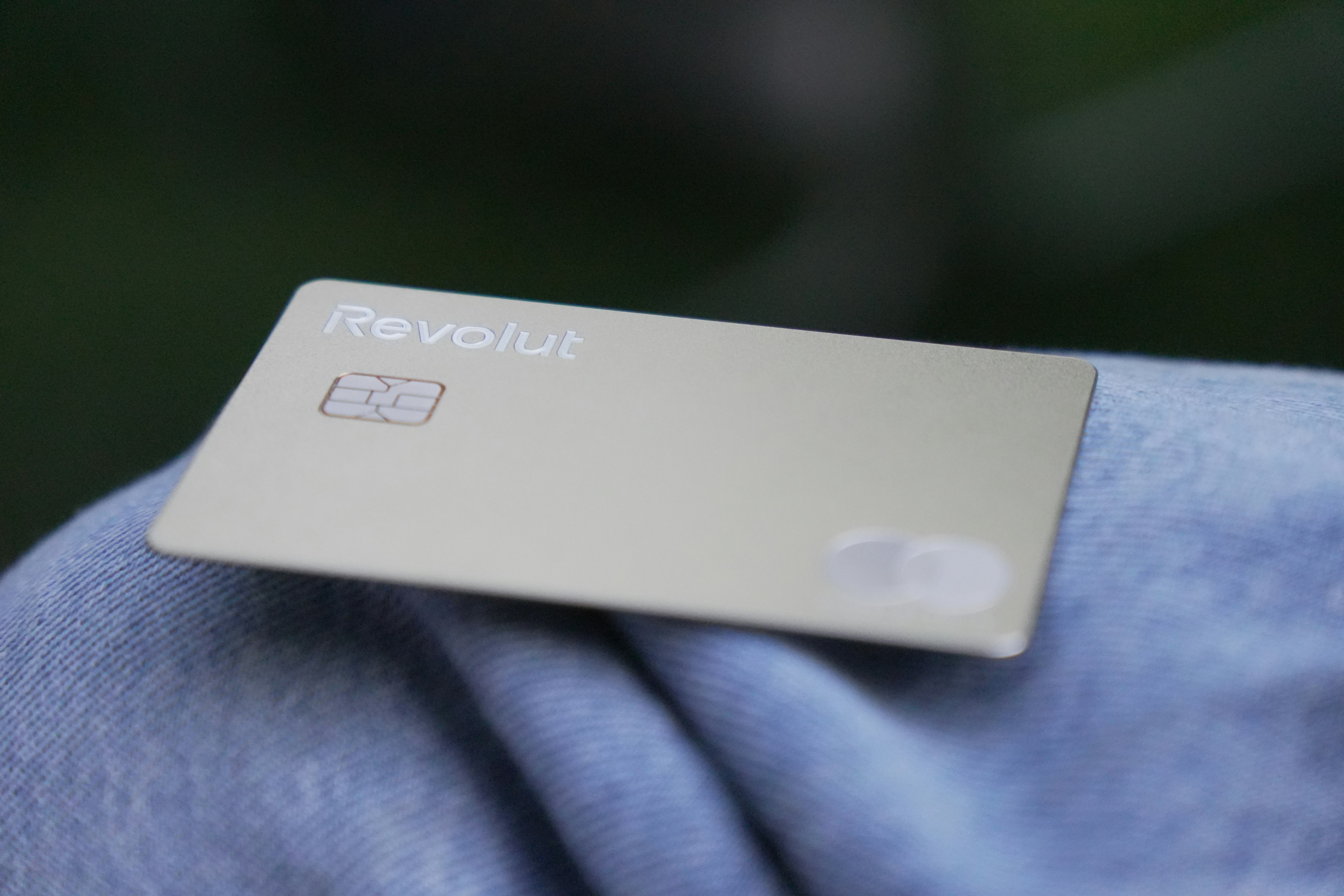
Protect Lead Data: Lessons From the Revolut Fake Government Request Breach
A fast lead-response process should never become a fast path to disclosing customer information.
Reuters reported that Revolut confirmed a sensitive customer-data breach after employees acted on fake government requests. Reporting identified passport and Bitcoin records among the information sent to a fraudulent government email. Reuters
The incident did not involve lead-management software or SMS automation. But it offers a useful operational lesson for service businesses: an official-looking request is not necessarily an authorized request.
A contractor, insurance agency, real-estate team, or local service business may hold names, phone numbers, addresses, project details, appointment notes, estimates, and other information a customer reasonably expects to be handled carefully. The goal is not to turn a small team into a cybersecurity department. It is to create a simple, repeatable process that prevents rushed employees from sending lead or customer data to the wrong person.
Table of contents
- What the Revolut incident teaches small businesses
- A practical lead-data security checklist
- How to respond quickly without exposing sensitive information
- A simple workflow for unusual information requests
- Where SecureMyLead fits—and where it does not
- FAQ
What the Revolut incident teaches small businesses
The key lesson is not that every business will receive a fake government request. It is that authority cues can be manipulated.
A request may look urgent because it uses:
- An official-sounding title or agency name
- A formal email signature
- Legal or regulatory language
- A demand for immediate action
- A claim that disclosure is confidential
- A request to bypass normal approval steps
Those signals may make someone feel they need to act immediately. That is exactly when a business should slow down before disclosing records.
For a service business, lead data can be spread across inboxes, phones, spreadsheets, a CRM, scheduling tools, and messaging platforms. If nobody owns the approval process, a request can be handled inconsistently—or by someone who only has part of the context.
The practical response is to separate two ideas:
- Respond to legitimate new inquiries promptly.
- Treat requests for existing lead or customer records as a verification task.
Those are different workflows and should not be handled with the same urgency.
A practical lead-data security checklist
Use this checklist when your business receives an unexpected request for lead records, customer details, documents, account information, appointment history, or other personal information.
1. Do not rely on the contact details in the request
If someone claims to represent a government agency, insurer, attorney, property manager, bank, vendor, or customer, do not verify them by replying to the same email address or calling the phone number they supplied.
Instead, use an independent channel:
- Find the organization’s official website yourself.
- Use a publicly listed main phone number.
- Contact an established account representative through a known number or email address.
- Ask a manager or designated owner to verify the request before records are shared.
The point is simple: the requester should not control the method you use to verify them.
2. Make one person responsible for disclosure decisions
Small businesses do not need a complicated approval committee. They do need clarity.
Decide who can approve the release of customer or lead information. Depending on the business, that might be the owner, office manager, operations lead, or a designated privacy contact.
Employees should know that they can acknowledge a request without fulfilling it immediately:
“We received your request. Our team will review and respond through the appropriate channel.”
That response buys time for verification without escalating the situation or promising disclosure.
3. Give team members access only when they need it
Not every employee needs access to every lead record.
For example:
- A field technician may need job address and appointment details.
- A sales rep may need contact details, inquiry notes, and estimate status.
- An office manager may need broader customer history.
- Only a limited group may need access to sensitive documents or financial information.
Review where lead records live and who can view, export, download, or forward them. Remove access when a team member changes roles or leaves the business.
This is not about distrusting employees. It reduces the number of places where a mistaken disclosure can happen.
4. Keep sensitive documents out of ordinary SMS
SMS can be useful for simple lead communication, such as confirming that an inquiry was received, asking a prospect to choose a callback time, or notifying them that a team member will follow up.
It is not the right place to request or transmit highly sensitive information.
Do not ask leads or customers to send items such as:
- Passport or driver’s-license images
- Financial account details
- Payment-card information
- Tax records
- Login credentials or verification codes
- Sensitive identity documents
- Emergency or medical information
A quick acknowledgment text is different from a secure document exchange. If confidential documentation is genuinely needed, use a process designed and approved by your business for that purpose rather than ordinary SMS.
5. Treat urgency as a reason to verify—not a reason to skip verification
“Send this now” is not proof that a request is legitimate.
A real request may have a deadline. But a deadline does not remove your responsibility to confirm who is asking, what they are authorized to receive, and whether the request has been approved internally.
Build a rule your team can remember:
Unexpected request + personal information = pause, verify, document, approve.
6. Document unusual requests
Keep a simple internal record when someone asks for lead or customer data outside normal operations.
Include:
- Date and time
- Requester name and claimed organization
- Email address and phone number used
- What information they requested
- How the business independently verified the request
- Who approved or declined the disclosure
- What, if anything, was shared
This does not need to be a complex system. A restricted internal log can help the owner or manager see patterns, answer questions later, and improve the process after a close call.
7. Use a minimum-information approach
Before sharing any information, ask: What is the minimum necessary information for this specific, verified purpose?
Avoid sending an entire customer file because a requester asked for “all records.” A broad request deserves extra scrutiny and an internal review.
This approach also helps teams avoid unnecessary copying, exporting, and forwarding of lead data during everyday work.
How to respond quickly without exposing sensitive information
Fast acknowledgment remains valuable for new leads. A prospect who submits a form, calls after hours, or requests an estimate should not have to wonder whether anyone received their inquiry.
But the first response should be narrow and safe.
A safe first-response example
Hi [First Name], thanks for contacting [Business Name]. We received your request and will follow up shortly. Please don’t send payment details, identity documents, or other sensitive information by text.
This message does three useful things:
- Confirms receipt of the inquiry.
- Sets a clear expectation for a follow-up.
- Tells the customer not to send confidential information through SMS.
For more general first-response examples, see lead response templates for service businesses.
Keep qualification questions proportionate
A plumber may need the service address and a short description of the problem. A roofer may need the property location, damage type, and preferred inspection time. An insurance agent may need basic policy-interest information before scheduling a conversation.
That is different from asking a lead to text documents or financial data before a legitimate need has been established.
Build your early qualification process around information that is necessary to:
- Understand the request
- Determine whether you serve the area or job type
- Route the lead to the right person
- Schedule a call, consultation, inspection, or estimate
If more sensitive information becomes necessary later, move it into an approved process with appropriate human oversight.
Do not let automation make decisions about sensitive requests
Automation can acknowledge a new inquiry and keep ordinary follow-up from being forgotten. It should not be treated as a substitute for human judgment when a message includes a sensitive document, a suspicious request, or a demand for records.
Create an escalation rule for your team: if a lead sends sensitive information or asks for information they should not have, pause the normal conversation and route it to the designated person.
For a broader look at building reliable follow-up workflows, read how to build a lead follow-up system that runs automatically.
A simple workflow for unusual information requests
A one-page process is usually more useful than a policy nobody reads. Here is a practical workflow a small service business can adapt.
Step 1: Receive the request without disclosing anything
Do not send records, attachments, exports, screenshots, or account notes on the first interaction.
If a reply is needed, acknowledge that the request is under review.
Step 2: Preserve the request
Save the email, message, voicemail details, or written notes. Do not delete it just because it seems suspicious.
Step 3: Verify through an independent channel
Use official contact information found separately from the original request. Do not click links or use phone numbers provided by the requester as your sole verification method.
Step 4: Escalate to the designated approver
The person receiving the request should not have to make a pressured decision alone. Send the documented request and verification details to the owner or designated approver.
Step 5: Decide what, if anything, should be shared
Confirm the identity, authority, purpose, and scope of the request. Then share only the information approved for that purpose—or decline the request if verification is incomplete.
Step 6: Record the outcome
Document the decision, what was disclosed if anything, and the method used to transmit it.
Common mistakes to avoid
Sending a full lead export “just in case”
A spreadsheet export can contain far more information than a requester needs. It can also be easy to forward, download, or misdirect. Review the exact fields before sharing anything.
Treating a professional email signature as verification
Logos, job titles, legal wording, and formal signatures can be copied. Verify the person independently.
Assuming a familiar name means the request is safe
A request may impersonate a known vendor, customer, employee, or organization. Confirm changes in contact details, payment instructions, or disclosure requests through a previously known channel.
Asking customers to text confidential documents
A text conversation may be convenient, but convenience is not a reason to collect sensitive documents there. Keep early SMS conversations focused on acknowledgment, scheduling, and basic next steps.
Leaving every team member to improvise
A team that has no rule will make decisions under pressure. A short escalation process makes it easier for employees to pause and ask for help.
Where SecureMyLead fits—and where it does not
SecureMyLead can help service businesses acknowledge new leads quickly and continue ordinary SMS follow-up without relying on someone to remember every message. That can be useful when owners are on job sites, teams are busy, or inquiries arrive after hours.
But SecureMyLead is not a phishing-prevention tool and does not prevent impersonation or data breaches. Businesses should keep automated messages limited to appropriate lead follow-up, avoid requesting sensitive documents by ordinary SMS, and ensure a person reviews unusual requests for customer information.
A safer lead workflow is not slower. It is clearer:
- Automate the acknowledgment of ordinary new inquiries.
- Keep sensitive-information requests out of routine text workflows.
- Route unusual disclosure requests to a verified, human approval process.
Get started free to build more consistent lead follow-up while keeping human judgment where it matters.
Key takeaways
- Reuters reported that Revolut confirmed a sensitive data breach involving fake government requests, including passport and Bitcoin records sent to a fraudulent government email.
- An official-looking request is not proof that a requester is authorized.
- Verify unusual requests through contact details you find independently.
- Limit access to lead records based on each team member’s role.
- Do not request or transmit sensitive identity, financial, or emergency information through ordinary SMS.
- Separate fast lead acknowledgment from the secure handling of confidential information.
- Document unusual requests, verification steps, approvals, and disclosures.
FAQ
What is lead data?
Lead data is information collected from a potential customer before they become a client. It may include their name, phone number, email address, address, service request, appointment preference, form responses, and notes from conversations.
Should a service business send customer documents by text?
Ordinary SMS is best kept for straightforward communication such as acknowledgments, scheduling, and basic follow-up. Businesses should avoid requesting or sending sensitive identity, financial, or emergency information through text messages.
How should my team handle a request for customer records?
Pause before sharing anything. Save the request, verify the requester through an independent official channel, escalate it to the designated approver, and document the decision.
Can automated lead follow-up replace human review?
No. Automation can support fast acknowledgment and consistent routine follow-up. Human review should remain part of the process for sensitive information, unusual requests, exceptions, and decisions about disclosing customer records.
What should a first lead-response text include?
A safe first message should identify your business, confirm that the inquiry was received, explain the next step, and avoid requesting sensitive information. See these auto-reply messages for leads for additional examples.