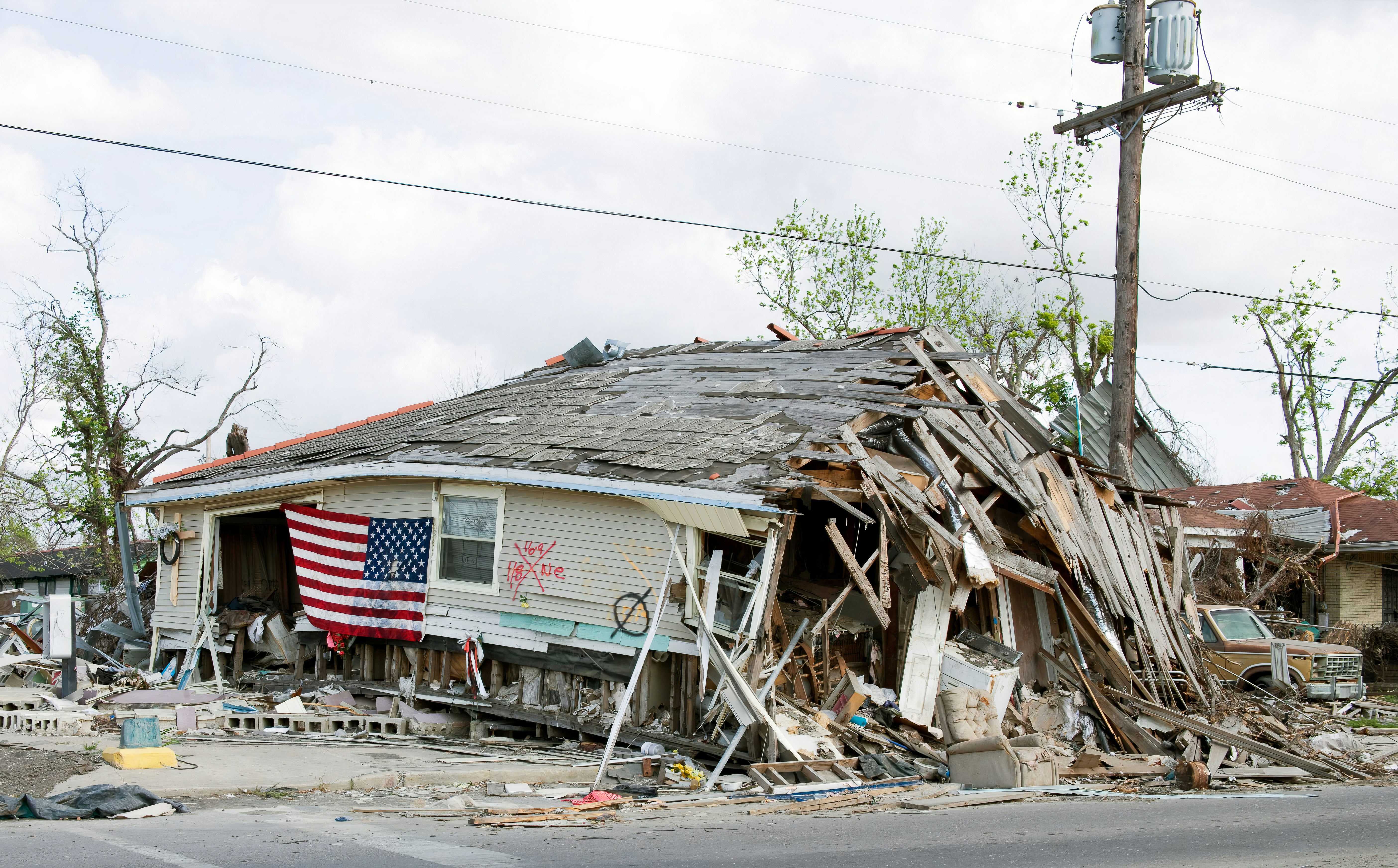
Hurricane Damage Lead Response Playbook for Roofing and Restoration Contractors
If a property has imminent danger, people should contact emergency services or local authorities—not wait for a contractor’s text response. Your intake process should never assess hazards, promise emergency dispatch, or suggest that a property is safe.
Hurricane Lowell has caused documented damage and disruption in Hawaii, including isolation and urgent resource concerns on Kauai. Hawaii News Now reported on conditions affecting Kauai, while The New York Times covered Hurricane Lowell’s effects in Hawaii.
Those reports do not document a measured increase in roofing or restoration leads. But after damaging storms, roofing and restoration companies in affected or nearby areas should prepare for the possibility that inspection requests, repair inquiries, cleanup calls, and water-damage questions may arrive faster than the team can manually manage them.
The goal is not to promise every caller immediate service. It is to acknowledge each inquiry, collect the right details, separate routine scheduling from issues requiring an immediate human review, and maintain honest follow-up when capacity is limited.
Table of contents
- What changes after hurricane damage
- Start with a storm-specific intake form
- Build a safe triage and ownership process
- Use immediate acknowledgment messages without overpromising
- Request photos and documentation carefully
- Hand off qualified leads to inspection scheduling
- Follow up when you cannot serve everyone immediately
- Set up a reusable hurricane-response workflow
- How SecureMyLead fits into the process
- FAQ
What changes after hurricane damage
A standard roofing lead might be simple: “I need an estimate for a roof replacement.”
A hurricane-related inquiry can be less clear. A homeowner may have visible roof damage, a leak, water entering the property, debris around the building, an insurance-related question, or no idea what service they need. Meanwhile, your crews may be booked, roads may be difficult to access, and your office may be handling inquiries after hours.
That changes the operational job of lead follow-up.
A storm-response workflow needs to answer five questions quickly:
- Who is contacting you, and how can your team reach them?
- What service are they seeking—inspection, repair, mitigation, cleanup, or something else?
- Where is the property, and is it in your current service area?
- What details does a human team member need before deciding the next step?
- What can you realistically promise about review, availability, and scheduling?
The customer does not need an automated system to diagnose damage. They need confirmation that their message was received, clarity about what information to provide, and a realistic next step.
Start with a storm-specific intake form
When storm activity may create more inquiries, do not rely on a generic “Name, phone, message” form alone. Add fields that help a person review and route requests without repeatedly asking the homeowner for the basics.
Recommended intake fields for roofing and restoration leads
| Intake field | Why it matters |
|---|---|
| Name | Identifies the property contact |
| Mobile number | Enables a quick callback or consent-based text follow-up |
| Email address | Provides a second contact channel if needed |
| Property address | Confirms location, route, and service area |
| Property type | Helps distinguish residential, commercial, rental, or other properties |
| Requested service | Separates inspection, roof repair, water mitigation, debris cleanup, and other requests |
| Damage description | Gives the reviewer customer-provided context before responding |
| When the damage was noticed | Helps establish a basic timeline without making a coverage or safety determination |
| Best time to contact | Reduces missed callbacks |
| Photos available | Lets the customer indicate whether documentation exists |
| Insurance carrier or claim status, if relevant | May help your team prepare for the conversation; do not imply you can determine coverage |
| Consent to text, where required | Supports your business’s own messaging-consent process |
Keep the form short enough for someone using a phone in stressful circumstances. The most important fields are contact information, address, service requested, damage description, and a way to determine whether a team member needs to review the inquiry promptly.
Use service categories that match your actual capacity
Avoid a long, vague list of services. Use categories your team can genuinely handle, such as:
- Roof inspection
- Roof repair inquiry
- Temporary weather protection inquiry
- Water-damage or mitigation inquiry
- Debris-removal inquiry
- Interior restoration inquiry
- Insurance documentation question
- Other storm-related property damage
If you do not provide a service, do not present it as an option just to capture the lead. A clear “We do not currently provide this service” is better than creating an expectation your business cannot meet.
Build a safe triage and ownership process
Storm-related lead triage is an internal workflow—not emergency response. Your team should decide who reviews incoming requests, what information they need, and when they can offer an appointment.
Create three internal lead-status buckets
A simple status system helps prevent every inquiry from becoming an unstructured callback list.
1. Needs human review
Use this status when the person’s message suggests a time-sensitive property concern, the request is unclear, or the lead needs a capacity decision before any scheduling language is sent.
The automated message should acknowledge receipt and tell the customer that the team will review the request. It should not classify the situation as safe, unsafe, urgent, or non-urgent.
2. Ready to schedule
Use this status when the property is in your service area, the requested service is one you offer, and your team has enough information to offer the next available inspection or consultation window.
This does not mean the job is booked. It means a staff member can move the conversation toward a confirmed appointment.
3. Follow up when capacity opens
Use this status for viable inquiries you cannot promptly serve because of crew capacity, travel constraints, material delays, or an overloaded inspection calendar.
These leads still deserve a response. The worst operational outcome is silence followed by a forgotten inquiry.
Assign a real person to own the next step
Automation can acknowledge a new inquiry and gather details. It cannot decide whether your crew can reach a property, whether the work is appropriate for your license and insurance, or whether an appointment should be offered.
Assign ownership by role:
- Office or intake team: Reviews new submissions and confirms missing details.
- Estimator or project manager: Determines whether the inquiry is ready for inspection scheduling.
- Operations lead: Sets realistic capacity rules and pauses unavailable service areas when necessary.
- Owner or designated manager: Handles exceptions, complaints, and high-risk decisions.
A lead should always have an identifiable next action: request details, call back, offer an inspection window, place in a capacity follow-up list, or close out because it falls outside your service area.
Use immediate acknowledgment messages without overpromising
After a hurricane, a fast first response can reassure a homeowner that their message did not disappear. But the wording matters.
Do not use automation to say “A crew is on the way,” “We will be there today,” or “Your home is safe.” Those are operational or safety promises your system cannot verify.
Use language that confirms receipt, requests useful information, and sets expectations honestly.
Template: new storm-damage inquiry
Hi [First Name], this is [Business Name]. We received your storm-damage request for [Property Address]. Our team is reviewing new inquiries and will follow up about next steps and availability. If there is imminent danger, please contact emergency services or local authorities. Reply with a brief description of the damage and any photos you can safely share.
Template: inspection request
Hi [First Name], thanks for contacting [Business Name] about a roof inspection at [Property Address]. We have your request and will review our inspection availability. To help our team prepare, please reply with the type of damage you noticed and when you first noticed it.
Template: capacity delay
Hi [First Name], we received your request for [Service]. We are currently reviewing storm-related inquiries and cannot confirm an appointment yet. We will update you by [specific day or time] about availability. If circumstances change before then, reply here and our team will review your message.
Only include a specific update time if your team can actually meet it.
Template: outside service area
Hi [First Name], thank you for contacting [Business Name]. The property address you provided is currently outside our service area, so we cannot confirm service for this request. We’re sorry we can’t help with this project.
This may not feel like a conversion tactic, but it protects your team’s time and gives the homeowner a clear answer.
For more general first-response examples, see 15 auto reply messages contractors can use for new leads.
Request photos and documentation carefully
Photos can help a roofer or restoration team understand what the customer is describing before a conversation. But do not ask someone to put themselves at risk to get them.
Your request should make clear that photos are optional and should only be shared if they can be taken safely.
Template: safe photo request
If you already have photos that were taken safely, you can reply with them here or send them to [email address]. Please do not climb onto the roof or enter an unsafe area to take additional photos. Our team will review the information you provide.
Use photos as an intake aid, not as a final assessment. A photo may be incomplete, outdated, unclear, or insufficient to determine scope. Avoid automated statements such as “That damage looks minor” or “You need a full replacement.”
Keep the documentation request organized
For each inquiry, capture:
- Property address
- Customer description of the issue
- Available photos or files
- Date and time of the first inquiry
- Requested service
- Insurance or claim information only if the customer volunteers it and your team needs it
- Name of the staff member assigned to follow up
- Next promised contact date
This record is useful when a homeowner follows up days later and asks whether anyone received their request.
Hand off qualified leads to inspection scheduling
The handoff from intake to scheduling is where many storm-related leads get lost. The office has gathered information, but no one confirms a time, sends the next message, or records that capacity is unavailable.
Use a short handoff checklist before offering an inspection:
- Is the property inside the current service area?
- Does the requested service match what your business provides?
- Do you have a contact name and working callback number?
- Has a team member reviewed the customer’s description?
- Is an inspection window actually available?
- Who will confirm the appointment?
- What happens if weather, travel, or crew availability changes?
Template: offer an inspection window
Hi [First Name], this is [Business Name] following up on your request for [Property Address]. We can offer an inspection window on [Date] between [Time Range]. Reply YES to request that window, and our team will confirm the appointment details.
Do not treat a “YES” as a confirmed appointment unless your workflow actually confirms it. If the slot is first-come, first-served, say so plainly. If a staff member must call to finalize details, state that instead.
Template: appointment confirmation
Hi [First Name], your inspection request for [Property Address] is confirmed for [Date] during [Time Range]. If you need to update your contact information or access details, reply here or call [Phone Number].
This message should come only after a human or reliable scheduling process has confirmed the appointment.
Follow up when you cannot serve everyone immediately
A full calendar does not remove the need for a lead workflow. It makes one more important.
If your business cannot offer an immediate appointment, separate leads into clear groups:
- Scheduled: Appointment confirmed.
- Awaiting information: Customer needs to provide an address, photos already available, service type, or another key detail.
- Capacity waitlist: A viable job, but no current inspection availability.
- Out of area or out of scope: Not a fit for your business.
- No response: You requested information but have not heard back.
For no-response leads, follow up around the missing action rather than sending generic “Just checking in” messages.
Template: missing information follow-up
Hi [First Name], this is [Business Name] following up on your storm-damage request. We still need the property address and a brief description of the service you need before our team can review availability. Reply here when you can.
Template: waitlist check-in
Hi [First Name], we’re checking in on your request for [Service] at [Property Address]. We do not have an appointment to confirm yet, but your inquiry remains in our review list. Please reply if you have already made other arrangements so we can update our records.
The purpose is clarity, not pressure. A customer dealing with property damage may be speaking with multiple contractors, insurers, family members, or property managers.
For a broader contractor workflow after an estimate or service conversation, read estimate follow-up text templates for contractors.
Set up a reusable hurricane-response workflow
The strongest storm process is prepared before the next event—not improvised after messages start piling up.
1. Create a storm-response lead source or tag
Label leads by source, such as:
- Hurricane inquiry
- Storm inspection request
- Water-damage inquiry
- Roof repair request
- Cleanup request
This helps your team see what is arriving and avoid mixing storm-related work with ordinary leads.
2. Prepare two first-response paths
Create one response for standard storm-related requests and another that routes unclear or potentially time-sensitive messages to human review.
Neither path should attempt to diagnose the property or guarantee an arrival time.
3. Decide capacity language in advance
Before publishing ads, updating your website, or turning on automated messages, decide:
- Which areas you can serve
- Which services are temporarily available
- Whether you are accepting inspection requests
- What update timeframe you can honestly provide
- Who can approve exceptions
- When to pause new requests
Your marketing, intake, and crew capacity need to match.
4. Build a daily review rhythm
During a period of elevated inquiries, assign specific review times for new leads, waiting leads, scheduled inspections, and unresolved messages.
A simple daily review list might include:
- New inquiries not yet assigned
- Leads needing a human response
- Leads awaiting customer details
- Inspections requiring confirmation
- Capacity waitlist leads due for an update
- No-response leads due for follow-up
5. Audit the workflow after the event
Once demand normalizes, review where the process broke:
- Did leads arrive without enough information?
- Did the first response make promises your team could not keep?
- Were inspection requests assigned quickly enough?
- Did waitlisted leads receive updates?
- Did a staff member own every next step?
- Which message templates generated confusion?
Use the answers to revise your next-storm playbook.
How SecureMyLead fits into the process
SecureMyLead can support the follow-up layer of this workflow by automatically sending a first SMS when a new lead is captured and continuing with personalized follow-up sequences.
For a roofing or restoration business, that can help ensure a web form or imported storm inquiry receives an acknowledgment while the team is handling calls, inspections, and job-site work. A human team member still needs to review the details, decide whether the business has capacity, and confirm any inspection or service appointment.
If you use text messaging, independently confirm your consent process and messaging obligations. SecureMyLead includes recognized opt-out keyword handling, but your business remains responsible for lawful messaging and appropriate customer consent.
Get started free to build a more consistent storm-inquiry follow-up process.
Key takeaways
- Hurricane Lowell’s damage and disruption in Hawaii are documented, but a roofing or restoration lead increase has not been measured in the cited reporting.
- Storm damage can create a reason for contractors to prepare for more inspection, repair, restoration, and cleanup inquiries.
- Lead acknowledgment should confirm receipt and set expectations—not diagnose hazards or promise immediate dispatch.
- Use storm-specific intake fields to collect the address, requested service, damage description, and available documentation.
- Separate human review, ready-to-schedule requests, and capacity-limited follow-up so no lead disappears in an unassigned inbox.
- Ask only for photos that a customer already has or can safely provide.
- Automation can support acknowledgment and follow-up, but people must own capacity, safety, scheduling, and service decisions.
FAQ
Did Hurricane Lowell cause a verified surge in roofing or restoration leads?
No. The cited news reports document Hurricane Lowell’s damage and disruption in Hawaii, including impacts affecting Kauai. They do not document a measured increase in leads, bookings, or revenue for roofing, restoration, or cleanup businesses.
What should a hurricane-damage auto-reply say?
It should confirm that the request was received, identify your business, request basic details if needed, and explain that your team will review availability. It should not promise immediate service, assess safety, or claim that a crew is being dispatched.
Should roofers ask customers for storm-damage photos?
They can ask for photos a customer already has or can safely take. Do not encourage customers to climb on a roof, enter unsafe areas, or take risks to gather documentation.
How often should a contractor follow up on an unbooked storm inquiry?
Follow up based on a real next action: missing details, an availability update, a proposed inspection window, or a capacity review date. Avoid repeated generic messages, especially when the business cannot yet offer service.
Can automation triage emergency roofing or restoration situations?
No. Automation can acknowledge a message and collect intake details, but it should not determine the severity of hazards, provide emergency instructions beyond approved guidance, dispatch crews, or guarantee a booking.