King Tides and Flooding: A Lead-Response Checklist for Florida Home-Service Businesses
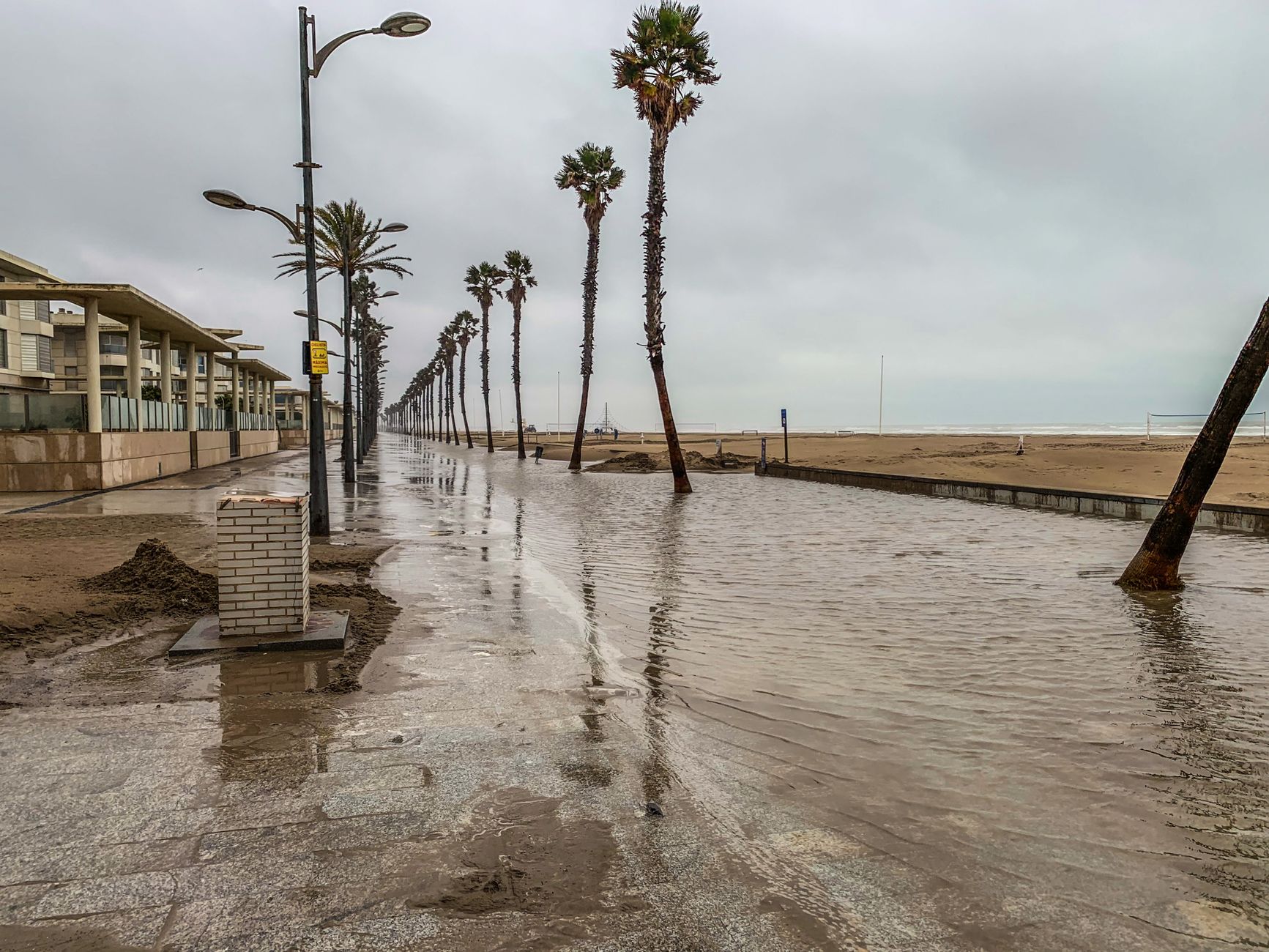
King tides, tropical moisture, and heavy rain are creating a multiday coastal-flooding threat across South Florida and parts of the Southeast coast, according to FOX Weather.
That does not prove local roofing, plumbing, restoration, HVAC, or drainage businesses are receiving more leads. But it is a sensible time to prepare for the possibility that flood-, leak-, water-damage-, and storm-related inquiries could increase.
The goal is not to use automation as emergency triage or to promise immediate service. The goal is to make sure legitimate inquiries are acknowledged, categorized, owned by a person, and followed up without creating unsafe expectations.
Safety first: If an inquiry describes an immediate safety concern, do not try to diagnose it by text or rely on an automated workflow. Direct the customer to follow local authorities and emergency services as appropriate, then follow your company’s safety and escalation procedures.
Table of contents
- What to prepare before inquiries increase
- A flood-weather lead-response checklist
- Separate urgent reports from estimate requests
- Messages you can use during coastal flooding
- How to follow up without overpromising
- Use automation for acknowledgment—not emergency decisions
- FAQ
- Related reading
What to prepare before inquiries increase
During a coastal weather event, the operational risk is not only a missed call. It is sending the wrong response to the wrong type of request.
A homeowner reporting water entering a house, a customer asking for a roof inspection next week, and a prospect looking for a drainage quote should not receive the same message or enter the same follow-up path.
Before demand possibly rises, review these five areas:
- Your intake channels Check website forms, missed-call texts, Facebook or Google lead notifications, voicemail, email inboxes, and any third-party lead sources. Make sure someone can see new inquiries.
- Your business-hours language Remove any message that implies 24/7 availability, immediate dispatch, or same-day service unless your business can actually provide it under current conditions.
- Your human escalation owner Decide who reviews weather-related inquiries, when they review them, and what happens if that person is unavailable.
- Your service-area and capacity boundaries Confirm the counties, neighborhoods, and services you can realistically handle. Coastal conditions, road closures, staffing, and active jobs can all affect availability.
- Your follow-up categories Create clear labels such as:
- Immediate human review
- Water-damage or leak assessment request
- Roof or exterior inspection request
- Drainage or plumbing inquiry
- Future estimate request
- Outside service area
- Unable to accept new work currently
A simple system is better than an elaborate one that no one uses during a busy day.
A flood-weather lead-response checklist
Use this as a reusable operating checklist whenever king tides, heavy rain, tropical moisture, or other coastal flooding conditions may affect your market.
Before the weather window
- [ ] Review local conditions and official updates for the areas you serve.
- [ ] Confirm who owns incoming calls, texts, forms, and direct messages.
- [ ] Verify your public business hours and emergency-language settings.
- [ ] Check that missed-call and web-form acknowledgments are active.
- [ ] Update your message templates to avoid promises you cannot keep.
- [ ] Identify which requests require prompt human review.
- [ ] Confirm your active service area and current job capacity.
- [ ] Create a short internal list of services you are and are not taking.
- [ ] Tell the team how to tag or assign weather-related inquiries.
- [ ] Test the customer experience by submitting a sample web form or calling your main line.
During the weather window
- [ ] Acknowledge each new inquiry promptly.
- [ ] Collect only the information needed to route the request.
- [ ] Avoid diagnosing damage, danger, or repair needs by automated text.
- [ ] Do not guarantee an arrival time, inspection date, price, or job acceptance before a team member confirms it.
- [ ] Route immediate-safety concerns to a trained human and direct customers to local authorities or emergency services when appropriate.
- [ ] Give realistic next-step expectations: “A team member will review this,” not “We are on the way.”
- [ ] Log the inquiry source, location, requested service, and preferred contact method.
- [ ] Pause or adjust promotional campaigns if your team cannot respond responsibly.
After conditions improve
- [ ] Review uncontacted forms, missed calls, emails, and direct messages.
- [ ] Follow up with estimate and inspection requests that did not receive a human response.
- [ ] Contact leads who asked to reconnect after the weather clears.
- [ ] Mark completed, declined, out-of-area, and unavailable requests accurately.
- [ ] Review where the workflow broke down: slow handoffs, unclear messaging, duplicate inquiries, or capacity confusion.
- [ ] Save improved templates for the next heavy-rain or king-tide event.
Separate urgent reports from estimate requests
Weather-related demand can bring several kinds of conversations into one inbox. Treating all of them as ordinary sales leads can create confusion for customers and staff.
A practical approach is to separate requests by next action, not by your guess about how severe the problem is.
| Inquiry type | Appropriate workflow | What not to do |
|---|---|---|
| Immediate safety concern | Route to a human promptly; direct the customer to local authorities or emergency services as appropriate | Do not diagnose, instruct, or promise a crew response by automation |
| Active water, leak, or damage report | Acknowledge receipt; gather location and contact details; send for human review | Do not promise availability before confirming capacity |
| Inspection request | Collect property location, service needed, and preferred timing | Do not treat it as an emergency solely because it arrived during bad weather |
| Future repair or estimate request | Confirm the request and set expectations for follow-up | Do not leave it unanswered because more urgent conversations are active |
| Out-of-area or unsupported request | Respond clearly and courteously if possible | Do not let it sit indefinitely or imply service is available |
This distinction protects your team’s time and helps customers understand what will happen next.
Keep the qualification questions short
A long intake form may discourage someone who is already dealing with water or weather disruption. Ask only what a human needs to review the inquiry:
- Name
- Best callback number
- Property address or ZIP code
- Type of service requested
- Brief description of the issue
- Whether they are seeking immediate contact, an inspection, or an estimate
- Preferred contact time
Do not make an automated form or SMS sequence responsible for determining the severity of a hazard. That decision requires human judgment and, where relevant, qualified professionals or emergency authorities.
Messages you can use during coastal flooding
These messages are designed to acknowledge an inquiry and set a realistic next step. Customize them to your business, actual service area, and staffing situation.
1. General weather-related inquiry acknowledgment
Hi [First Name], this is [Business Name]. We received your request regarding [service]. Weather conditions may affect scheduling, but a team member will review your details and follow up as soon as possible. Please reply with the property address and the best number to reach you.
2. After-hours acknowledgment
Hi [First Name], thanks for contacting [Business Name]. We received your message outside our normal hours and will review it when our team is available. If you are facing an immediate safety concern, please follow guidance from local authorities and emergency services.
This message does not promise a response time you may not be able to meet. For additional after-hours workflow ideas, see After-Hours Lead Response: How to Win Jobs While You Sleep.
3. Inspection request
Hi [First Name], thanks for reaching out to [Business Name] about an inspection. Please reply with the property address, the type of issue you noticed, and a few times that may work for you. We’ll review availability and follow up with next steps.
4. Capacity-limited response
Hi [First Name], we received your request. Our team is currently reviewing weather-related inquiries and availability may be limited. Please send your address and a brief description of the service you need, and we’ll let you know what next steps we can offer.
5. Follow-up after no response
Hi [First Name], this is [Business Name] following up on your request for [service]. Are you still looking for help with the property at [address or area]? Reply here with the best time to reach you.
6. Unable-to-serve message
Hi [First Name], thank you for contacting [Business Name]. We’re unable to confirm service availability for this request at the moment. Please continue to follow local official guidance regarding current weather and flooding conditions.
Avoid adding a referral unless you have verified that the referred provider is available and appropriate for the customer’s request.
How to follow up without overpromising
A weather event can make some leads more time-sensitive, but urgency should not become pressure or false certainty.
For inspection, repair, cleanup, drainage, roofing, plumbing, and HVAC inquiries, use a follow-up process that reflects what you actually know.
1. Confirm the request was received
The first message should answer one basic question: “Did anyone get my request?”
It can acknowledge the inquiry, identify your business, and ask for the minimum missing details. It should not state that a technician is assigned, that a crew is en route, or that the issue is covered by insurance.
2. Give ownership to a real person
Someone should own the next human action. That might mean reviewing the lead, calling back, checking service area, or confirming whether an inspection can be scheduled.
If multiple people share an inbox, use a simple assignment method. An unassigned inquiry is especially easy to lose when the team is moving between active jobs.
3. State only confirmed availability
If you have an opening, offer it. If you need to review schedules first, say that. If conditions prevent travel or new bookings, communicate that directly.
Clear boundaries are more useful than vague reassurances.
4. Follow up on estimate requests after the immediate window
Not every person who contacts you during flooding needs emergency service. Some may be planning a roof inspection, evaluating recurring drainage issues, or asking about repairs once conditions settle.
These leads may still need a timely follow-up after the most urgent conversations are handled. For more estimate-stage messaging, use these estimate follow-up text templates for contractors.
5. Review the leads that received only an auto-reply
An acknowledgment is not a completed response. At the end of each day, review leads that received:
- an automated first message;
- no human reply;
- a request for more information;
- a voicemail response;
- a booking or estimate message with no customer reply.
That review turns the auto-reply from a dead end into the first step of a real process.
Use automation for acknowledgment—not emergency decisions
Automation can be useful when the owner is on a roof, in an attic, with another customer, or unavailable after hours. It can send a quick acknowledgment, request basic details, and keep non-emergency estimate requests from being forgotten.
It should not determine whether a situation is dangerous, dispatch a crew, make technical diagnoses, replace local emergency services, or guarantee that your company can respond.
SecureMyLead can support the acknowledgment and follow-up side of this workflow: automatically texting new leads, continuing with follow-up sequences, and giving your team a place for two-way message replies. Your team still needs to review urgent reports, set availability, and make service decisions.
If you use an automated sequence, review it carefully during weather events. Ordinary customer replies do not automatically pause scheduled sequence messages, so team members should monitor conversations and adjust outreach when a live exchange is underway.
Get started free to build a more consistent lead-response workflow before the next weather-driven demand spike.
Key takeaways
- South Florida’s king tides, tropical moisture, and heavy rain create a timely reason to review weather-related lead handling, even though no measured service-lead increase has been documented.
- Separate immediate safety concerns, active damage reports, inspection requests, and future estimates by the next human action required.
- Use automated messages to acknowledge and organize inquiries—not to diagnose risk, dispatch crews, or promise service.
- Set expectations based on confirmed staffing, service area, and current conditions.
- Review all leads that received an auto-reply but not a human response.
- Preserve your improved workflow for future king tides, heavy-rain periods, and storm events.
FAQ
Are king tides causing more home-service leads in Florida?
The cited weather reporting documents a multiday coastal-flooding threat affecting South Florida and other parts of the Southeast coast. It does not document a measured increase in home-service leads, calls, quote requests, or conversions. Businesses should treat lead-volume preparation as contingency planning.
Should an automated text ask customers whether they have an emergency?
An automated acknowledgment can ask for basic contact and property information, but it should not attempt to determine emergency severity. If an inquiry describes an immediate safety concern, route it to a human and direct the customer to follow local authorities and emergency services as appropriate.
What should a roofing or restoration company promise during flooding?
Only promise what your business has confirmed it can do. Avoid automatic language stating that a crew is on the way, that a visit will occur today, or that damage can be assessed remotely. A safer approach is to confirm receipt, request the property location, and state that a team member will review availability.
How quickly should we follow up on non-emergency inspection requests?
Acknowledge the request promptly, then follow up as soon as your team can realistically review it. During weather disruption, clarity matters more than making a response-time promise you cannot meet.
Should we turn off advertising during a flood event?
Not automatically. First assess whether you can acknowledge new inquiries, provide accurate expectations, and follow up responsibly. If you cannot support additional demand, reducing or pausing campaigns may be more responsible than collecting leads your team cannot work.
Related reading
- How to Follow Up With Home Service Leads Automatically: A Practical Playbook
- Contractor Web Form Auto Response: What to Send the Second a New Lead Hits Your Site
- Best Lead Response Templates for Service Businesses
- Automated Lead Follow-Up for Plumbers: How to Turn More Quotes Into Jobs
- 7 Lead Follow-Up Mistakes That Quietly Kill Conversion