Coastal Flood Warning: Home-Service Lead Response Checklist
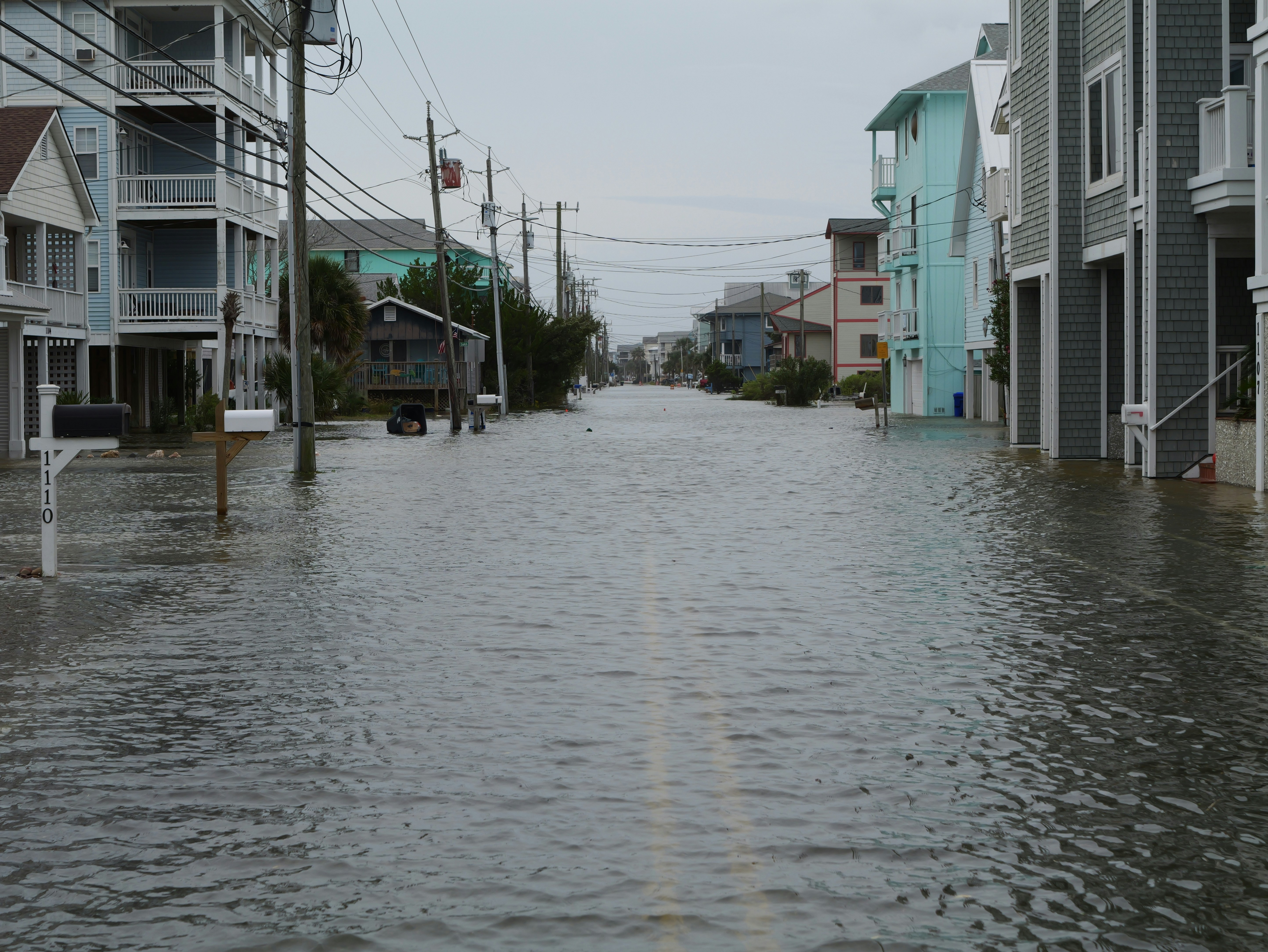
Officials have warned that exceptionally high tides could swamp parts of the Southern California coast, and Newport Beach has added sand as a protective measure against the sea. See reporting from KTLA and the Orange County Register.
For home-service businesses, a coastal flood warning is first a safety event—not a marketing opportunity. Follow directions from local officials, and do not use text automation as emergency dispatch, damage assessment, or public-safety guidance.
That said, businesses that serve affected coastal areas can prepare for the possibility of time-sensitive inquiries. Property owners may ask about inspections, cleanup, leaks, drainage, roof damage, water intrusion, plumbing concerns, restoration work, or future protection. A clear response workflow can help your team acknowledge non-emergency inquiries, set honest expectations, and make sure the right person reviews each request.
Table of contents
- What the coastal flood warning means for service businesses
- The coastal flood lead-response checklist
- How to separate emergency messages from estimate requests
- Copy-and-paste SMS templates
- Use automation for acknowledgment—not emergency triage
- FAQ
What the coastal flood warning means for service businesses
The available reporting supports the weather and preparedness event: Southern California officials warned of exceptionally high tides, and Newport Beach took protective action by adding sand.
It does not document a measured increase in calls, quote requests, bookings, or leads for roofers, plumbers, restoration companies, or other service providers.
Still, businesses in affected areas should prepare for the possibility that homeowners will seek help quickly if they notice water intrusion, damage, drainage problems, or other property concerns. The operational challenge is not simply “reply fast.” It is sorting requests safely and honestly:
- Which messages need immediate human review?
- Which requests are appropriate for a future inspection or estimate?
- Who owns the next response?
- What should customers hear when crews are fully booked?
- When should automated follow-up stop and a person take over?
A generic missed-call workflow is not enough during a weather event. The message, routing, availability, and safety boundaries all need to be clear.
The coastal flood lead-response checklist
Use this as a reusable checklist for coastal flooding, exceptionally high tides, heavy rain, and similar weather-related property concerns.
1. Define the types of inquiries you can actually handle
Before messages start arriving, make a short list of services your business is prepared to discuss.
For example:
| Business type | Possible non-emergency inquiries to prepare for |
|---|---|
| Roofing company | Roof inspection requests, visible leak reports, repair estimates |
| Restoration company | Cleanup inquiries, moisture or water-damage assessment requests |
| Plumbing company | Drainage concerns, backup reports, leak concerns, plumbing inspection requests |
| General contractor | Repair consultations, water-intrusion concerns, exterior repair estimates |
| Waterproofing or drainage specialist | Drainage evaluations, waterproofing consultations, prevention inquiries |
Do not advertise work your team cannot safely perform, cannot schedule, or is not licensed or equipped to handle. If a service is outside your scope, your response should say so plainly rather than creating false expectations.
2. Create a simple four-status inbox
A weather-event inbox can become confusing when every inquiry looks urgent. Give your team simple labels that determine the next action.
| Status | What it means | Next action |
|---|---|---|
| Safety concern | The message describes an immediate hazard or unsafe condition | Human review immediately; do not rely on automation |
| Same-day review | A customer needs a prompt human callback, but the message is not clearly an emergency | Assign an owner and contact the customer |
| Inspection or estimate | A request for an assessment, quote, or future appointment | Send acknowledgment and offer the next available step |
| Monitor or follow up | The customer is gathering information or is not ready to schedule | Send a consent-appropriate follow-up later |
The goal is not to diagnose the property by text. It is to make sure a real person sees messages that may require urgent attention while ordinary quote and inspection requests do not get lost.
3. Assign one human owner for each lead
A fast acknowledgment helps, but it does not answer the customer’s question if nobody owns the next step.
For each inquiry, assign:
- A primary person responsible for replying or calling
- A backup person for after-hours or high-volume periods
- A deadline for the next human review
- A clear status: contacted, awaiting customer reply, scheduled, unable to serve, or closed
This is especially important when technicians are on jobs, owners are driving, or multiple team members can see the same messages.
If your business already uses a lead workflow, review how to follow up with home-service leads automatically for a broader operating model.
4. Set honest capacity language before you need it
A flood warning can create uncertainty for customers and crews. Do not promise same-day inspections, immediate arrival, or exact availability unless you can deliver it.
Prepare two versions of your response:
- One for when you have appointments available
- One for when the schedule is full or uncertain
For example:
We’ve received your request. Our team is reviewing availability for inspections in your area. We’ll update you as soon as we can confirm the next available appointment.
That message is better than saying “We’ll be right there” when your crew is already committed elsewhere.
5. Ask only the information needed for routing
Customers may be stressed and may not know what details matter. Keep the first set of questions short.
For a non-emergency inspection or estimate request, you might ask:
- What is the property address or service area?
- What type of concern are you noticing?
- When did you first notice it?
- Is the property currently accessible for an inspection?
- What is the best phone number and time for a callback?
Avoid asking customers to make safety judgments your team is not qualified to delegate. A text workflow should collect basic scheduling and service information—not replace professional assessment.
6. Review all weather-related replies manually
Set a temporary process for a manager, owner, dispatcher, or designated team member to check weather-related messages at planned intervals.
Review replies for:
- Changes in urgency
- Questions your automated message did not answer
- Requests outside your service area
- Capacity conflicts
- Customers who need an honest “we cannot take this on” response
- Existing customers whose scheduled work may be affected by conditions
The point is not to keep every conversation automated. The point is to make sure no important message sits in an unattended queue.
7. Continue follow-up only for ordinary service requests
If someone asks for an estimate, inspection, or callback and then goes quiet, a short follow-up may be appropriate.
Keep the message focused on the request:
Hi [First Name], this is [Business Name] following up on your [inspection/estimate] request. If you’d still like to discuss availability, reply here or call us at [Phone Number].
Do not use disaster-related pressure or imply that immediate booking is required. The customer may be dealing with a changing situation, and your job is to offer a clear next step—not manufacture urgency.
For more general quote follow-up examples, see estimate follow-up text templates for contractors.
8. Document the outcome
At the end of the event period, review what happened operationally:
- How many weather-related inquiries came in?
- How many received a human response?
- Where did routing break down?
- Did the capacity message match reality?
- Which questions came up repeatedly?
- Which templates need revision for the next warning?
This review does not need to become a complex reporting project. A simple list of common issues can make the next response plan more reliable.
How to separate emergency messages from estimate requests
A coastal flood event can blur the line between an ordinary service request and a potential emergency. Your team should not try to resolve that uncertainty through automated text.
Treat possible hazards as a human-review issue
If a customer’s message suggests an immediate threat to people, property access, utilities, or critical equipment, do not continue an automated estimate sequence. Move the conversation to a trained human and direct the customer to follow guidance from local authorities when appropriate.
Your workflow should be designed around this principle:
Automation can acknowledge an inbound inquiry. It cannot determine whether a situation is safe, dispatch a crew, or replace emergency services and qualified professional judgment.
Keep ordinary service inquiries moving
Not every weather-related inquiry is an emergency. Many customers may simply want to know:
- Can someone inspect a possible leak?
- Do you serve my neighborhood?
- When is the next estimate appointment?
- Can you evaluate water damage after conditions improve?
- Can you look at drainage or waterproofing concerns?
These are appropriate requests for a structured acknowledgment, clear availability expectations, and a scheduled human follow-up.
Copy-and-paste SMS templates
Use these only for customers who have provided appropriate consent to receive texts. Include your business name, honor opt-out requests, and make sure a human can take over when needed.
1. Initial acknowledgment for a non-emergency request
Hi [First Name], this is [Business Name]. We received your request about [service concern]. We’re reviewing appointments in your area and will follow up with the next available step. Reply with your address and the best time to reach you.
2. Capacity-aware response
Hi [First Name], thanks for contacting [Business Name]. We’re currently working through a higher-than-normal number of requests and are reviewing availability. We’ll let you know our next available inspection or estimate time as soon as possible.
3. Clarifying question for an inspection request
Hi [First Name], this is [Business Name]. To help us route your request, can you share the property address and a brief description of what you’re noticing? A team member will review the details before confirming next steps.
4. Follow-up after no reply
Hi [First Name], following up on your request to [Business Name]. If you still need an inspection or estimate, reply here with a good time to talk and we’ll review availability.
5. Unable-to-serve response
Hi [First Name], thank you for contacting [Business Name]. We’re unable to take on this request at this time. We don’t want to promise availability we cannot confirm. Please continue following guidance from local officials for any immediate safety concerns.
For additional first-response options, see 15 auto reply messages contractors can use for new leads.
Use automation for acknowledgment—not emergency triage
An automated text can be useful when a customer submits a non-emergency web form after hours or when your team is busy. It can confirm that the request arrived, request basic scheduling details, and reduce the chance that a normal inquiry is forgotten.
SecureMyLead can send an automatic SMS first response when a new lead is captured and can support multi-step follow-up sequences for leads that still need a reply. That can help a home-service business maintain a consistent acknowledgment and follow-up process during a potentially busy period.
But the boundary matters:
- It does not replace emergency response.
- It does not determine whether a property is safe.
- It does not dispatch crews.
- It does not replace a person reviewing weather-related messages.
- Ordinary customer replies do not automatically pause scheduled sequence messages, so your team should monitor conversations and manage follow-up deliberately.
Use automation to keep routine inspection and estimate requests visible. Use people to make judgment calls.
Key takeaways
- Southern California coastal flooding and exceptionally high tides are a real preparedness concern, but the cited reporting does not prove a lead surge for service businesses.
- A weather-event workflow should separate possible safety concerns from ordinary inspection and estimate requests.
- Prepare honest capacity messages before your schedule becomes uncertain.
- Assign every inbound inquiry to a specific human owner.
- Use SMS acknowledgment and follow-up only for appropriate, consent-based non-emergency communication.
- Review the process afterward so your team is better prepared for future weather events.
FAQ
Should a roofing or restoration company run a flood-warning promotion?
This article is about response readiness, not promotional tactics. During a weather-related safety event, businesses should avoid creating pressure or making promises they cannot fulfill. Focus first on clear service availability, accurate communication, and safe handling of inquiries.
Can an automated text message handle emergency requests?
No. Automated texting can acknowledge a non-emergency inquiry, but it should not be presented as emergency dispatch, safety advice, or a substitute for human judgment.
What should we say if our crews are at capacity?
Be direct. Confirm that the request was received, explain that availability is being reviewed, and avoid promising a response or appointment time you cannot confirm.
Should we keep following up with customers after a coastal flood warning?
For ordinary inspection or estimate requests, a brief, consent-appropriate follow-up may be useful if the customer has not replied. Stop automated outreach and involve a person when the conversation suggests urgency, changing conditions, or a question that requires judgment.
Related reading
- How to follow up with home-service leads automatically
- After-hours lead response: how to win jobs while you sleep
- Best lead response templates for service businesses
- How electricians can respond to leads faster and book more jobs
If you want a more consistent way to acknowledge and follow up with non-emergency service inquiries, get started free with SecureMyLead.