Hurricane Polo Storm-Damage Lead Response Checklist for Roofers and Restoration Companies
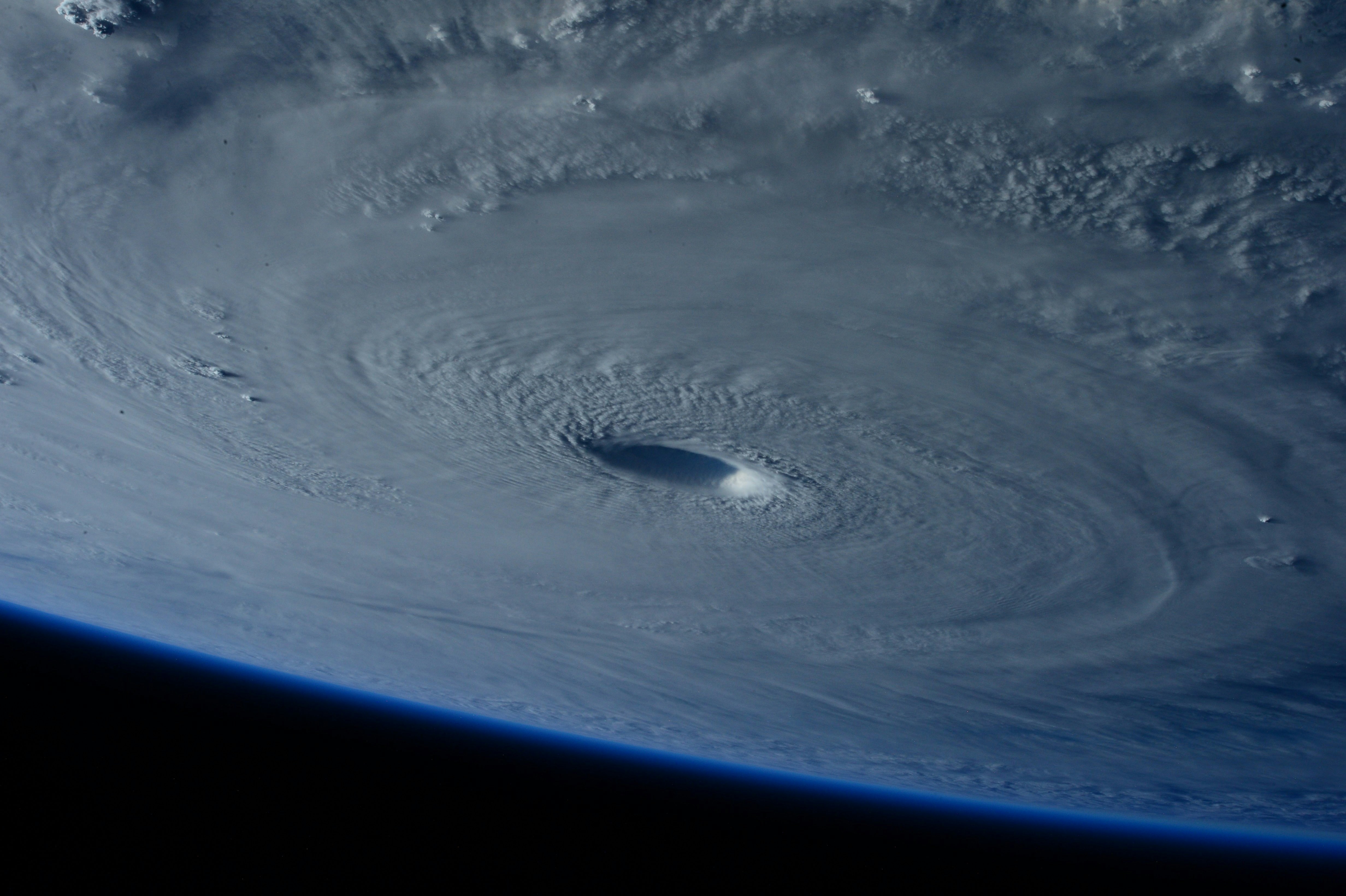
Hurricane Polo reached Category 5 intensity and has been described as one of the strongest storms ever observed. Reporting from NPR and KSL established Polo’s exceptional strength off the Mexican coast.
Those reports do not establish property damage, roofing demand, or an increase in contractor inquiries in any particular service area. But severe-weather events can create operational uncertainty for roofers and restoration companies. If inquiries rise in an area you serve, your business should be ready to acknowledge requests, qualify them carefully, and hand them to a human without promising availability, emergency service, or insurance results.
This checklist is built for that situation: a reusable pre-storm and post-storm workflow for potential roof-damage inspections, tarping requests, water-intrusion concerns, and restoration inquiries.
Table of contents
- First: keep emergency situations out of the standard lead workflow
- 1. Set your actual service area and capacity
- 2. Prepare one storm-specific intake path
- 3. Send an after-hours acknowledgment without overpromising
- 4. Qualify storm-damage inquiries consistently
- 5. Collect photos and documentation safely
- 6. Triage and assign a human owner
- 7. Offer inspection windows only after checking capacity
- 8. Follow up with unanswered inquiries
- 9. Track every storm lead through the handoff
- Storm-response SMS templates
- How SecureMyLead fits into this workflow
- FAQ
First: keep emergency situations out of the standard lead workflow
A storm-damage text workflow is not emergency triage.
Do not use automated messages to assess whether a property is safe, decide whether a customer needs emergency assistance, or promise that someone is on the way. If an inquiry mentions an immediate safety concern, do not treat it as a normal inspection or estimate lead. Escalate it to the appropriate human process your business has established.
Your automated acknowledgment should never imply that:
- A crew has been dispatched
- Emergency service is available
- The property is safe to enter or inspect
- A repair can happen on a particular timeline
- Insurance will cover the work
- Your company can determine the severity of damage by text alone
The goal of the first message is simple: confirm receipt, set realistic expectations, and collect only the information a human team member needs to review the request.
1. Set your actual service area and capacity
Before weather-related calls or forms begin arriving, decide what your team can realistically handle.
A storm workflow breaks down when a company accepts every request first and figures out staffing later. Instead, establish clear boundaries for the next several days.
Confirm these operational details
- Current service areas and ZIP codes
- Areas you will not serve
- Types of work you are reviewing, such as roof inspections, temporary protection requests, water mitigation, or restoration estimates
- Current inspection capacity by day
- Who can answer incoming calls and messages
- Who can approve a booking or move an appointment
- Whether subcontractors, estimators, or crews are available
- What your team should say when capacity is full
Create one internal answer for each situation. For example:
“We are reviewing new storm-related requests in our service area. A team member will confirm whether we can offer an inspection time.”
That is more honest than telling every homeowner that they are “on the schedule” before anyone checks the calendar.
2. Prepare one storm-specific intake path
Storm inquiries can arrive through calls, web forms, paid ads, referrals, social messages, and existing customers. If every channel asks different questions, your office will spend time chasing basics instead of reviewing jobs.
Use the same core intake fields across channels.
Minimum storm-damage intake fields
| Field | Why it matters |
|---|---|
| Full name | Identifies the homeowner or property contact |
| Mobile number | Allows a human team member to follow up |
| Property address | Confirms service area and routing |
| Best contact method | Helps avoid repeated calls or unwanted texts |
| Type of concern | Separates roof, water, restoration, and general inspection requests |
| When the issue was noticed | Gives context without assuming cause |
| Brief description | Helps the estimator prepare |
| Photos available? | Indicates whether documentation may be available for review |
| Existing customer or new inquiry | Helps prioritize account history and ownership |
| Consent status for text messages | Supports a consent-aware communication workflow |
Keep the form short. A homeowner dealing with a possible leak or visible damage may not complete a 20-question form. Ask for the details needed to determine service area, type of request, and the next human action.
For a broader contractor form workflow, see Contractor Web Form Auto Response: What to Send the Second a New Lead Hits Your Site.
3. Send an after-hours acknowledgment without overpromising
If inquiries rise outside business hours, a quick acknowledgment can prevent requests from sitting unnoticed until morning. But the wording matters.
Your message should:
- Identify your company.
- Confirm that the request was received.
- Avoid confirming availability.
- Ask for one useful next detail.
- Set the expectation that a person will review the request.
A safe after-hours acknowledgment
Hi [First Name], this is [Business Name]. We received your request about the property at [Address]. Our team will review it during business hours and follow up about next steps. If you can, reply with the type of concern and whether you have photos available. Reply STOP to opt out.
This message does not promise a crew, a booking, emergency response, or an insurance outcome. It simply moves the inquiry into a reviewable queue.
For more general after-hours workflow guidance, read After-Hours Lead Response: How to Win Jobs While You Sleep.
4. Qualify storm-damage inquiries consistently
Not every storm-related inquiry needs the same path. A homeowner asking for a future inspection, a customer reporting interior water damage, and a person outside your service area should not receive identical follow-up.
Use a simple qualification sequence.
Ask these questions in order
1. Is the property in your service area?
Confirm the address first. There is no value in collecting extensive details before you know whether the job is one your company can review.
2. What service is the person seeking?
Use clear categories:
- Roof inspection
- Roof repair estimate
- Temporary protection inquiry
- Water-intrusion concern
- Restoration or mitigation inquiry
- General “storm damage” question
- Existing customer follow-up
Avoid diagnosing the damage through a form or SMS exchange. Your goal is to sort the request, not replace an inspection.
3. Is the inquiry from an existing customer?
Existing customers may already have an account owner, prior inspection history, or an active warranty conversation. Route those inquiries to the right person rather than treating them as brand-new leads.
4. Are photos available?
Photos can help your team prepare for a conversation or inspection, but do not ask a homeowner to take risks to get them. Ask whether photos are available; do not instruct someone to climb onto a roof, approach a hazardous area, or inspect a dangerous condition.
5. What is the preferred next step?
Examples include:
- A call from an estimator
- Review of available inspection times
- A request for a text response
- A discussion of whether the property is within your service area
This keeps the next action clear and human-owned.
5. Collect photos and documentation safely
Photo collection can reduce back-and-forth, especially when an estimator is reviewing several new requests. But it should remain optional and conservative.
A simple request is enough:
If you already have photos you can safely share from the ground or inside the property, you may send them here for our team to review before following up.
Do not promise that photos are enough to assess damage. Do not tell prospects that a photo proves a claim, confirms coverage, or guarantees a repair recommendation.
For internal tracking, attach or note:
- The date the inquiry arrived
- The address provided
- The images received
- The customer’s written description
- The staff member assigned
- The next promised human action
That record helps prevent two estimators from contacting the same homeowner—or worse, no one contacting them at all.
6. Triage and assign a human owner
Every qualified inquiry needs an owner. “The office will get it” is not ownership.
Create a lightweight routing system with three statuses:
| Status | Meaning | Owner’s next action |
|---|---|---|
| New | Request received but not reviewed | Verify service area and request type |
| Qualified | Fits service area and service scope | Assign estimator or coordinator |
| Awaiting response | Customer has not answered a needed question | Send a measured follow-up |
| Scheduled | A human has confirmed an inspection window | Record appointment and send confirmation |
| Closed or declined | Outside area, out of scope, duplicate, or unavailable | Document outcome and stop the sequence |
A named owner should review each lead before scheduling, promising availability, or discussing work scope. Automation can support acknowledgment and follow-up, but an estimator or coordinator should own the actual decision.
7. Offer inspection windows only after checking capacity
Storm periods can make calendars change quickly. Avoid sending broad messages such as “We can inspect tomorrow” unless a person has verified that it is true.
Use this order instead:
- Confirm service area.
- Confirm the request fits your service scope.
- Check capacity.
- Offer available windows.
- Record the selected time.
- Send a confirmation from a human-approved process.
Capacity-safe scheduling message
Hi [First Name], this is [Business Name]. We’ve reviewed your request and are checking available inspection times for your area. We’ll follow up with options once availability is confirmed.
If you cannot take the job, say so plainly rather than letting the inquiry linger:
Thanks for contacting [Business Name]. We’re not able to take on this request at this time. We wanted to let you know promptly so you can continue exploring options.
A clear decline is more respectful than an unanswered lead.
8. Follow up with unanswered inquiries
Some leads will submit a form, receive an acknowledgment, and then stop responding. During a possible storm-related volume increase, it is easy to let those inquiries disappear under newer requests.
Follow up only when you need a specific missing detail or when a human owner has availability to review the request.
Example follow-up sequence
First follow-up:
Hi [First Name], this is [Business Name] following up on your storm-damage inquiry. To help our team review it, can you confirm the property address and the type of service you need? Reply STOP to opt out.
Second follow-up:
Hi [First Name], we’re checking back on your request for [Address]. If you still want to discuss an inspection or estimate, reply with the best time for a team member to contact you. Reply STOP to opt out.
Final close-the-loop message:
Hi [First Name], we haven’t heard back, so we’ll close this request for now. If you still need help and we serve your area, you’re welcome to contact [Business Name] again. Reply STOP to opt out.
Do not keep sending storm-related texts indefinitely. Stop when the customer opts out, asks not to be contacted, the request is resolved, or your team determines the job is not a fit.
For more no-response timing ideas, see How Long to Wait Before Following Up With a Lead? Exact Timing Guide.
9. Track every storm lead through the handoff
A spreadsheet, CRM, or lead-follow-up tool can work—as long as someone can answer these questions at any time:
- How many new storm-related requests arrived?
- Which ones are in your service area?
- Who owns each qualified request?
- Which customers still need a response?
- Which inspections were actually confirmed?
- Which leads were declined, duplicated, or closed?
- Which messages were automated, and which were sent by a human?
Tagging leads with a label such as storm-inquiry, roof-inspection, water-damage, or awaiting-address makes it easier to work the queue without mixing it with ordinary estimate requests.
The aim is not elaborate reporting. It is making sure a possible increase in inquiries does not turn into missed callbacks, double bookings, or vague promises.
Storm-response SMS templates
Use these only for contacts who have provided the appropriate permission to receive text messages. Your business remains responsible for consent and lawful messaging practices.
New web-form inquiry
Hi [First Name], this is [Business Name]. We received your request about possible storm damage at [Address]. A team member will review the details and follow up about next steps. If available, reply with the service you need and whether you have photos to share. Reply STOP to opt out.
Missed call from a new inquiry
Hi [First Name], this is [Business Name]. Sorry we missed your call. We received your request and a team member will review it. Please reply with the property address and a brief description of what you need help with. Reply STOP to opt out.
Service-area check
Thanks for contacting [Business Name]. Before we review scheduling, can you confirm the property address and ZIP code? We’ll verify whether the location is within our current service area. Reply STOP to opt out.
Photo request
Hi [First Name], if you already have photos you can safely share, you may send them here for our team to review. A team member will follow up after reviewing your request. Reply STOP to opt out.
Capacity waitlist message
Hi [First Name], this is [Business Name]. We received your request and are currently reviewing availability for storm-related inspections in your area. We’ll contact you if we can offer a next step. Reply STOP to opt out.
Human estimator handoff
Hi [First Name], [Estimator Name] from [Business Name] will be your point of contact for this request. They will follow up regarding the information you submitted and available next steps. Reply STOP to opt out.
How SecureMyLead fits into this workflow
When storm conditions create a possible influx of inquiries, the first operational challenge is often making sure each new request receives an acknowledgment and does not get buried while your team is on jobs or off the clock.
SecureMyLead can send an automated SMS response when a new lead arrives and can support follow-up sequences while your team reviews service area, capacity, and ownership. It is the follow-up layer—not a substitute for dispatch, emergency response, scheduling judgment, or a human estimator.
Build the workflow first. Then use automation to make the acknowledgment and follow-up steps more consistent.
Key takeaways
- Hurricane Polo’s exceptional Category 5 strength is documented, but a storm-related roofing or restoration lead surge is not.
- Prepare for a possible increase in inquiries without assuming it will happen in your market.
- Keep emergency or safety-sensitive situations out of standard automated lead handling.
- Acknowledge requests promptly, but do not promise emergency service, inspection times, repairs, or insurance outcomes.
- Verify service area and capacity before offering appointments.
- Give every qualified storm inquiry a named human owner.
- Use conservative, consent-aware SMS messages to collect basic details and prevent leads from being forgotten.
FAQ
Did Hurricane Polo cause a storm-damage lead surge for roofers?
The cited reports establish Hurricane Polo’s Category 5 intensity and exceptional strength, but they do not document a roofing, restoration, or contractor lead increase. Businesses can use this checklist to prepare in case inquiries rise in their own service areas.
Should a roofing company promise same-day inspections after a storm?
No. Only offer an inspection window after a human team member has confirmed service area, staffing, and calendar availability. An acknowledgment message should not be mistaken for a confirmed appointment.
What should a storm-damage auto-reply say?
It should identify your business, confirm receipt of the inquiry, avoid emergency or scheduling promises, request one or two useful details, and explain that a team member will review the request.
Can automated texts handle emergency roof-damage requests?
No. Automation can acknowledge a request and collect basic information, but it should not assess safety, dispatch a crew, determine urgency, or replace human judgment.
What information should roofers collect before scheduling an inspection?
At minimum, collect the property address, contact information, requested service, a short description of the concern, whether photos are available, and the customer’s preferred contact method. Confirm service area and capacity before booking.