Hurricane Polo Flooding: Checklist to Prepare for Possible Storm-Damage Inquiries
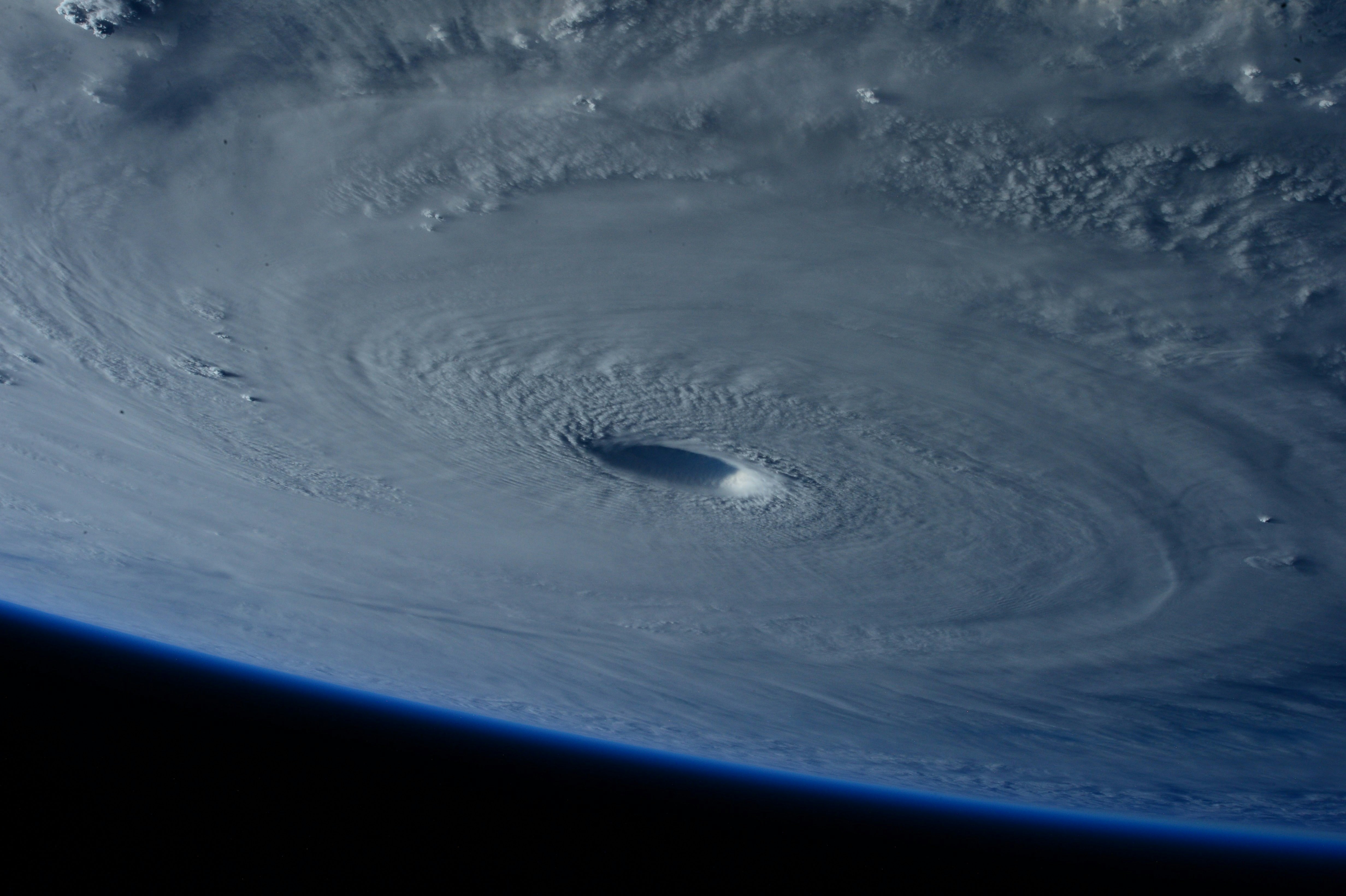
Hurricane Polo has made a second landfall on Mexico’s Pacific coast, according to CBC. Its moisture is forecast to contribute to flooding in parts of the Southwest, reports The Weather Channel.
That forecast does not prove that local roofing, restoration, plumbing, or other home-service businesses will receive more calls. But businesses in areas affected by the forecast should prepare for possible storm-damage inquiries, inspection requests, and after-hours estimate forms.
Safety comes first. If an inquiry involves immediate danger, downed power lines, gas leaks, fire, carbon monoxide, medical equipment losing power, or other urgent hazards, do not try to assess the situation by text or use an automated response as safety advice. Direct the customer to official local emergency-management and utility guidance. A trained team member—not automation—must own emergency triage and dispatch decisions.
For the non-emergency inquiries that may follow severe weather, this checklist helps your team acknowledge leads, gather the right details, protect capacity, and avoid making promises you cannot keep.
Table of contents
- What Hurricane Polo means for service businesses
- Storm-damage lead response checklist
- Intake questions for roofing and restoration leads
- SMS templates for storm-related inquiries
- After-hours and no-response workflow
- Where SecureMyLead fits
- Frequently asked questions
What Hurricane Polo means for service businesses
The immediate operational issue is not trying to predict how many leads will arrive. It is making sure your business has a clear process if inquiries do rise.
Storm-related leads are different from ordinary quote requests. A customer may be worried, unsure whether the issue is urgent, unable to provide complete information, or looking for the earliest available inspection. Meanwhile, your crew may be dealing with weather conditions, limited availability, or an existing schedule.
A useful response workflow should help you:
- Acknowledge new inquiries without promising availability.
- Route safety-sensitive reports to a human immediately.
- Capture the details needed to decide whether the job fits your service area and capacity.
- Separate inspection requests from requests that may need emergency attention.
- Schedule only after a team member confirms availability.
- Follow up on estimates and unanswered scheduling requests without badgering people during a stressful event.
For a broader system that keeps home-service leads from sitting unanswered, see how to follow up with home service leads automatically.
Storm-damage lead response checklist
Use this as a temporary operating checklist for areas where Hurricane Polo-related flooding or storm conditions may affect your service territory.
1. Confirm who is monitoring incoming leads
Before the next inquiry arrives, assign a person to review:
- Phone calls and voicemails
- Website forms
- Facebook or Google lead forms
- Text messages
- Email inquiries
- Messages from referral partners
Define who owns the first human review during business hours and who receives an alert after hours. If the owner is on a roof, at an active restoration job, or driving between sites, the team still needs a backup person.
An automated acknowledgment can reduce the chance that a customer hears nothing. It cannot decide whether a property is safe, determine the scope of damage, or dispatch a crew.
2. Create a human triage path for safety-sensitive reports
Do not treat every storm-related lead as a standard estimate request.
Set a clear internal rule: reports involving immediate hazards are escalated to a trained team member right away. That person should avoid diagnosing the danger remotely and direct the customer to official local emergency-management and utility guidance where appropriate.
Your intake form or receptionist script can flag terms such as:
- “Power line”
- “Gas smell”
- “Fire”
- “Carbon monoxide”
- “Medical equipment”
- “Unsafe”
- “Emergency”
The purpose is not to automate a safety decision. It is to make sure a human sees potentially urgent information quickly.
3. Send an immediate acknowledgment that does not overpromise
Your first message should confirm receipt, set expectations, and request only the next useful detail. Avoid statements such as “we’ll be there today” unless a person has confirmed that.
A good acknowledgment includes:
- Your business name
- Confirmation that the inquiry was received
- A realistic next step
- A reminder that a team member will confirm availability
- A simple question that helps triage the request
This is especially useful for leads that arrive outside normal hours. Read after-hours lead response: how to win jobs while you sleep for a broader after-hours framework.
4. Verify service area before scheduling
Storms can create requests from outside your typical radius. Confirm:
- Property address or ZIP code
- Whether the location is within your active service area
- Whether travel conditions or local restrictions affect your ability to serve that location
- Whether the request is residential, commercial, or another job type your team handles
Do not let an automatic message imply coverage. A fast “we received this” is helpful; confirming service is a human decision.
5. Check capacity before offering an inspection window
If inquiries rise, your normal scheduling habits may create avoidable problems. Before offering a date or arrival window, check:
- Available inspectors or estimators
- Crew commitments already on the calendar
- Material or equipment constraints
- Weather-related operating limitations
- The types of jobs your team can realistically take on
- Whether the request needs a partner referral instead
A full calendar is not a reason to ignore leads. It is a reason to communicate honestly. You may be able to offer the next available inspection, place the prospect on a callback list, or explain that a team member will confirm options after review.
6. Capture the information needed for a real decision
Avoid collecting a long questionnaire before acknowledging the lead. Start with the details your team needs to determine ownership, urgency, fit, and next action.
For most storm-related requests, capture:
- Name and best callback number
- Property address
- Type of service needed
- When the issue was first noticed
- Whether water is actively entering the property
- A short description of visible damage
- Photos, if the customer can safely provide them
- Insurance-related questions the customer wants addressed
- Preferred time for a call or inspection
Do not promise insurance approval, coverage verification, or repair scope through an automated sequence. Those questions need human review.
7. Label each lead by next action
A simple status system prevents leads from disappearing when the team gets busy. Use labels such as:
| Lead status | What it means | Human next step |
|---|---|---|
| Needs safety review | The customer mentioned a possible immediate hazard | Escalate to a trained team member |
| New storm inquiry | Acknowledged but not yet qualified | Call or text to collect key details |
| Outside service area | The property is not currently serviceable | Respond clearly or refer if appropriate |
| Capacity review | Fits the service area but availability is uncertain | Confirm schedule before offering a slot |
| Inspection requested | Details are sufficient to consider scheduling | Offer an available window after confirmation |
| Estimate sent | Quote or scope has been delivered | Send a respectful follow-up |
| No response | Customer has not replied after acknowledgment | Re-engage once with a clear next step |
The point is not to create a complex CRM process. It is to make the owner of the next action visible.
8. Confirm inspections in writing
After a team member has confirmed availability, send a short confirmation with:
- Date or arrival window
- Property address
- What the visit is for
- Any requested information the customer should have ready
- A reply option if the time no longer works
Do not imply that an inspection confirms a repair, insurance result, or final price. The visit is an opportunity to assess the situation and discuss next steps.
For more contractor-specific estimate follow-up, see estimate follow-up text templates for contractors.
Intake questions for roofing and restoration leads
Roofing inquiries
Roofing teams may receive reports of leaks, missing materials, visible exterior damage, or requests for an inspection. Keep the first conversation focused:
- What is the property address?
- Is water currently entering the building?
- When did you first notice the issue?
- Is the request for an inspection, a repair discussion, or another service?
- Can you share a brief description or photos if it is safe to do so?
- What is the best number and time for a team member to reach you?
Do not ask customers to climb onto a roof, inspect dangerous areas, or take photos in unsafe conditions.
Restoration inquiries
Restoration inquiries may involve water intrusion, flooding, moisture concerns, or damaged materials. Ask:
- What is the property address?
- When was the water or moisture issue first noticed?
- Is water still entering or present in the property?
- Which areas are affected?
- Has anyone already taken action or contacted another provider?
- What is the best time for a team member to call and discuss availability?
Your team should determine whether and how to take the job after human review. An intake text is not a substitute for an on-site assessment.
SMS templates for storm-related inquiries
Use these only for people who have appropriately consented to receive messages from your business. Customize the business name, service area, and actual availability before activating anything.
Roofing: new web-form acknowledgment
Hi [First Name], this is [Name] from [Roofing Company]. We received your storm-damage inquiry for [Property Address]. A team member will review the details and confirm whether we can schedule an inspection. Is water currently entering the property?
Roofing: availability is not yet confirmed
Thanks, [First Name]. We’re reviewing current inspection availability for your area. Please reply with the best phone number and a good time for our team to call. We’ll confirm next steps after review.
Restoration: new water-damage inquiry
Hi [First Name], this is [Name] with [Restoration Company]. We received your request about possible water damage at [Property Address]. A team member will review it and follow up about availability. Is water still entering or present in the property?
Inspection confirmation
Hi [First Name], [Roofing Company] has you scheduled for an inspection at [Property Address] on [Day] during [Time Window]. Please reply here if that time no longer works.
Estimate follow-up
Hi [First Name], this is [Name] from [Company]. I’m checking in on the estimate for [Property Address]. If you have questions or would like to discuss next steps, reply here or call us at [Phone Number].
No-response re-engagement
Hi [First Name], just checking whether you still need help with the storm-related request at [Property Address]. If you’d like a callback or want to discuss inspection availability, reply with the best time to reach you.
For more first-response options, use these contractor web form auto-response examples.
After-hours and no-response workflow
Storm-related leads may arrive when nobody is ready to answer live. A practical after-hours workflow has three parts:
- Immediate acknowledgment: Confirm receipt without promising a same-night response or dispatch.
- Human review queue: Make sure a designated person can review safety-sensitive or high-priority messages when your process requires it.
- Next-business-day follow-up: Contact standard inspection and estimate requests with a clear availability update.
For no-response leads, keep the follow-up limited and useful. One message asking whether they still need help is usually more appropriate than a long automated sequence during a disruptive weather event.
If the customer replies, a person should review the conversation before making scheduling, scope, insurance, or emergency-related commitments.
Where SecureMyLead fits
A storm-response process can fail at the simplest point: a new web form or text arrives while the team is occupied elsewhere.
SecureMyLead can send an automated SMS acknowledgment when a new lead is captured and continue a follow-up sequence for leads that do not respond. That can help roofing and restoration businesses keep routine inquiries from sitting unanswered while a human team member handles triage, service-area checks, capacity, inspections, and estimates.
It does not assess hazards, dispatch crews, determine availability, verify insurance coverage, or replace human judgment. If you use automated sequences, review the messages and escalation process carefully—especially because ordinary customer replies should be monitored in the dashboard rather than assumed to pause every scheduled message automatically.
Get started free to build a more consistent first-response and follow-up workflow for your incoming leads.
Key takeaways
- Hurricane Polo’s second landfall and the forecast flooding risk are real weather developments, but no supplied source documents a contractor lead surge.
- Businesses in forecast-affected areas can prepare for possible inquiry increases without promising service they cannot deliver.
- Safety-sensitive reports require human review and official local emergency or utility guidance—not automated assessment.
- Acknowledgment, service-area checks, capacity review, inspection confirmation, and estimate follow-up should be separate steps.
- SMS automation can help acknowledge and re-engage routine leads, but people must own emergency triage, scheduling, estimates, and availability.
Frequently asked questions
Has Hurricane Polo caused more roofing or restoration leads?
The supplied reporting confirms Hurricane Polo’s second landfall on Mexico’s Pacific coast and forecasts that its moisture may contribute to flooding in parts of the Southwest. It does not document a measured increase in contractor calls, leads, estimates, or bookings. Businesses in affected forecast areas should prepare for the possibility rather than assume a surge is happening.
Should an automated text offer same-day emergency service?
No. An automated first response should not promise dispatch, same-day arrival, availability, or a specific service outcome unless a person has confirmed it. Use automation to acknowledge the inquiry and gather basic details, then let a trained team member make the decision.
What should a roofer ask after a storm-damage inquiry?
Start with the property address, whether water is actively entering the building, when the issue was noticed, the type of help requested, and the best callback time. Do not ask customers to inspect unsafe areas or climb onto a roof.
How often should a contractor follow up after a storm-related estimate?
Follow up when you have a meaningful reason to do so, such as confirming the customer received the estimate or asking whether they have questions. Keep messages respectful and avoid aggressive, repetitive outreach during a disruptive weather event.