Hurricane Flood Inquiry Response Checklist for Roofing and Restoration Businesses
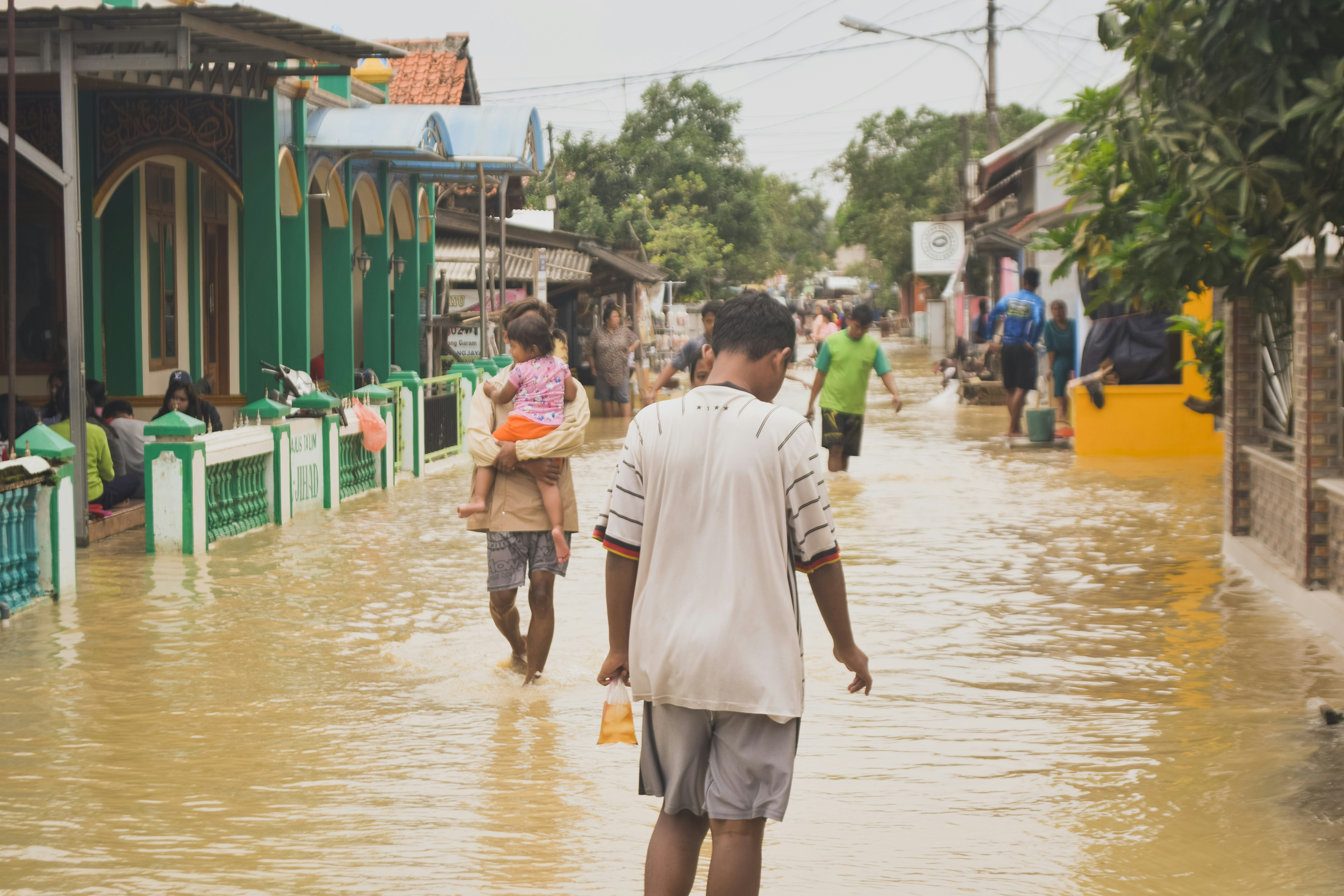
Hurricane Polo has intensified in the Pacific and may strengthen further, with Fox Weather reporting a potential flood threat for parts of the Southwest. That does not prove roofing or restoration businesses will receive more calls or form submissions. It is, however, a useful moment to review what happens if storm-related inquiries rise quickly.
A weather event can bring a mix of requests: roof inspections, suspected leaks, standing-water concerns, water-extraction questions, and requests for documentation. These inquiries may arrive in bursts, after hours, and while your team is already handling existing work.
The goal is not to promise immediate availability to everyone. It is to acknowledge each inquiry, collect the details your team needs, separate emergency situations from routine inspection requests, and make sure a real person owns the next step.
Safety first: If a customer reports immediate danger, a medical emergency, a fire, a gas leak, downed power lines, carbon monoxide concerns, or medical equipment losing power, direct them to emergency services. For property conditions that require assessment, encourage them to contact qualified professionals. Do not use an automated lead-response workflow as emergency triage.
Table of contents
- Why Hurricane Polo is a useful preparation trigger
- The storm-inquiry response checklist
- Separate emergencies from inspection requests
- Storm-response message templates
- How to manage capacity without overpromising
- A short automation bridge
- Key takeaways
- FAQ
Why Hurricane Polo is a useful preparation trigger
The current reason to prepare is straightforward: reporting indicates that Hurricane Polo has strengthened in the Pacific, and Fox Weather has identified a potential Southwest flood threat. Those reports establish the storm’s meteorological significance, but they do not document a lead increase for roofing companies, restoration firms, or any specific business.
- Fox Weather: Hurricane Polo and the potential Southwest flood threat
- The Boston Globe: Hurricane Polo coverage
For service businesses in an affected or threatened area, the practical question is: Would your team know what to do if several storm-related inquiries arrived today?
A workable answer needs more than a fast first text. It needs a clear intake process, capacity-aware language, routing rules, and a follow-up plan for people who do not reply.
The storm-inquiry response checklist
Use this as a pre-storm setup list and as a live operating checklist if inquiries begin arriving.
1. Assign one person to own the inquiry queue
Someone needs responsibility for reviewing incoming storm-related leads, assigning the next action, and checking that no request is left in limbo.
That person might be an owner, office manager, dispatcher, estimator, or rotating on-call team member. What matters is that the role is explicit.
For each new inquiry, record:
- Customer name and best callback number
- Property address
- Service requested
- Time the inquiry arrived
- Lead source, such as phone, web form, referral, or ad
- Assigned team member
- Next action and due time
- Current status: awaiting details, callback needed, inspection requested, not in service area, or closed
During a possible weather-driven spike, “someone will call them back” is not ownership. A named person and next step are.
2. Confirm the property is in your service area
Storm inquiries can come from outside your normal territory, especially when news coverage is broad or customers are seeking help for a relative’s property.
Ask for the full address early. Then determine whether the property is:
- Inside your normal service area
- Outside your area but potentially reachable
- Outside your area and not serviceable
If you cannot take the job, say so plainly rather than leaving the person waiting. Avoid promising a referral unless you actually have one you are comfortable sharing.
Simple response:
Thanks for contacting [Business Name]. Please send the property address so we can confirm whether we serve that area and review the right next step.
3. Identify the type of request without trying to diagnose it by text
Roofing and restoration inquiries can look similar at first but require different follow-up paths. Your initial intake should identify the customer’s stated need, not make a technical judgment remotely.
Useful categories include:
| Inquiry type | Information to collect | Likely internal next step |
|---|---|---|
| Roof inspection request | Address, visible concern, photos if safely available, preferred contact time | Assign estimator or inspection coordinator |
| Suspected roof leak | Address, where the customer noticed the issue, photos if safely available | Review for appropriate roofing follow-up |
| Water-damage or extraction inquiry | Address, affected area, customer’s description of the issue, callback number | Route to restoration contact or qualified provider |
| Documentation request | Address, photos if safely available, what documentation they need | Assign to the appropriate office or field contact |
| General availability question | Address, requested service, preferred timing | Give a capacity-aware response and owner |
Do not present your team as available for every condition before someone has reviewed the request. The first response should gather information and set expectations—not diagnose damage, estimate the scope, or promise a crew.
4. Use a capacity-aware acknowledgment
A fast acknowledgment can reassure a customer that their message arrived. But an acknowledgment should never imply that a crew is already on the way or that an appointment is confirmed.
Your first reply should do four things:
- Identify your business.
- Confirm receipt of the inquiry.
- Ask for the minimum details needed to review it.
- State that a team member will review availability and next steps.
For more general first-response language, see 15 auto-reply messages contractors can use for new leads.
5. Ask for photos and documentation carefully
Photos can help your team understand what the customer is reporting and prepare for a conversation. Ask for them as optional supporting information, not as a substitute for professional evaluation.
Use language such as:
If you can safely share photos of the area you’re concerned about, please send them with your property address. They can help our team review your request before contacting you.
Avoid telling customers to climb onto a roof, enter a hazardous area, handle damaged equipment, or take any action that could put them at risk.
6. Establish a human callback window internally
Your team should decide, before demand rises, who reviews messages during:
- Normal business hours
- Evenings
- Weekends
- Severe-weather periods
- High-volume periods when the usual contact is unavailable
You do not need to publish an exact callback time if you cannot reliably meet it. Internally, though, the owner should know when to escalate an unreviewed inquiry and who takes over if the assigned person is busy.
A storm-response workflow fails when the automated acknowledgment goes out but no person reviews the lead afterward.
7. Use a clear no-response follow-up
Some prospects will submit a form, receive an acknowledgment, and then never send the requested address or photos. Others may be busy dealing with property concerns and miss the first message.
A follow-up can be helpful when it is specific and low-pressure:
Hi [First Name], this is [Business Name] following up on your storm-related inquiry. If you still need help, reply with the property address and a brief description of what you’re seeing. Our team will review the request and available next steps.
Do not repeatedly message someone who has opted out or asked you to stop. For a broader approach to timing and persistence, read How long to wait before following up with a lead.
8. Close the loop on every lead
At the end of a busy period, review every storm-related inquiry and assign a final status:
- Spoke with customer
- Inspection or callback scheduled
- Outside service area
- Could not reach after follow-up
- Customer no longer needs help
- Referred internally to another qualified team member
- Closed for another documented reason
This is how you find the leads that received an initial reply but never received a real next step.
Separate emergencies from inspection requests
A storm-response workflow should not treat every inbound message the same way.
Immediate danger or emergency indicators
If a customer reports immediate danger, fire, gas concerns, downed power lines, carbon monoxide concerns, a medical emergency, or medical equipment losing power, direct them to emergency services. Do not attempt to resolve those conditions through text-based intake or a scheduling sequence.
A safe, simple acknowledgment is:
If anyone is in immediate danger or there is an emergency, please contact emergency services now. For your service request, our team can review the details once it is safe to do so.
Service requests that need human review
Many roofing and restoration inquiries are not emergency-service calls, but they may still need timely review. Examples include a request for a roof inspection, a reported leak, concern about visible damage, or a request for water-damage services.
These should go into your normal operational workflow:
- Confirm receipt.
- Collect the address and a short description.
- Request photos only if they can be provided safely.
- Check service area and current capacity.
- Assign a person to call or message the customer.
- Document the outcome.
The important distinction is not trying to decide the property’s safety or repair scope by automation. Automation can acknowledge and gather details; qualified people must handle evaluation and service decisions.
Storm-response message templates
Adapt these templates to your actual hours, service area, and availability. Do not use language that promises a response time, inspection, or crew dispatch your business cannot support.
Initial roofing inspection inquiry
Hi [First Name], this is [Business Name]. Thanks for reaching out about your roof. Please reply with the property address and a brief description of what you noticed. If you can safely share photos, you may send those too. Our team will review your request and available next steps.
Water-damage or restoration inquiry
Hi [First Name], this is [Business Name]. We received your request regarding possible water damage. Please send the property address, the area affected, and the best number to reach you. A team member will review the details and availability.
After-hours acknowledgment
Hi [First Name], thanks for contacting [Business Name]. We received your storm-related inquiry outside our normal office hours. Reply with the property address and a short description of the issue, and our team will review it when available. If there is immediate danger or an emergency, contact emergency services.
For more after-hours workflow guidance, see After-hours lead response: how to win jobs while you sleep.
Request for photos
Thanks, [First Name]. If you can safely take photos of the area you’re concerned about, please send them here. Photos may help our team understand your request before following up.
No-response follow-up
Hi [First Name], checking back on your request to [Business Name]. If you still need assistance, reply with the property address and a short description of the issue so we can review the next step.
Outside-service-area response
Thanks for contacting [Business Name]. Based on the property address, it appears to be outside our current service area. We don’t want to keep you waiting for an appointment we may not be able to provide.
How to manage capacity without overpromising
Storm-related inquiries can create pressure to say yes immediately. That is understandable, but overpromising creates a second problem: customers may believe they have a confirmed appointment when your team has only received a message.
Use these operating rules instead.
Keep “received” separate from “scheduled”
Your auto-response can confirm that the inquiry was received. A human should confirm an inspection, visit, estimate, or other commitment after checking availability.
Avoid:
We’ll be there soon.
Prefer:
We received your request. Our team will review the details and available next steps.
Limit intake questions to what changes the next decision
You do not need a long questionnaire while a customer is waiting. Collect the essentials first:
- Address
- Service requested
- Brief description
- Best callback number
- Safe-to-share photos, if available
More detailed information can come during the human follow-up.
Create a visible capacity status
Before a potentially busy period, decide who can update the team on capacity. A simple internal status might be:
- Accepting new inspections
- Limited availability; review before offering appointments
- Existing customers only
- Pausing new requests temporarily
Your acknowledgment copy should match reality. If capacity changes, update the message rather than continuing to invite requests you cannot responsibly handle.
Review aging leads twice daily
When inquiries may arrive after hours or in bursts, use a simple queue review:
- Which leads have not received a human review?
- Which leads are missing an address or phone number?
- Which leads were assigned but not contacted?
- Which leads need one final follow-up?
- Which messages indicate an emergency and need the emergency-services direction?
This is more useful than judging success by the number of auto-replies sent.
A short automation bridge
A storm-response process still needs people to evaluate capacity, make service decisions, and own callbacks. But automation can support the first stage: acknowledging a new inquiry, requesting the right details, and continuing a carefully written follow-up when a prospect does not respond.
SecureMyLead is designed as that follow-up layer. It can automatically text new leads and run SMS follow-up sequences, while your team remains responsible for reviewing replies, availability, and the appropriate next action. If you use any automated sequence, ensure your team monitors replies—ordinary replies do not automatically pause scheduled messages.
Key takeaways
- Hurricane Polo’s reported strengthening and potential Southwest flood threat are reasons to prepare, not proof that your business will receive more leads.
- Treat possible storm-related demand as an operational scenario: inquiries may come in bursts and outside normal hours.
- Lead with emergency-services guidance when someone reports immediate danger or another emergency.
- Keep acknowledgment, qualification, capacity review, and scheduling separate.
- Ask for only the details needed to route the request: address, service needed, brief description, callback number, and safely obtained photos if available.
- Never let automation replace human ownership of the next step.
- Use a clear no-response follow-up and close out every inquiry with a documented status.
FAQ
Did Hurricane Polo cause a surge in roofing or restoration leads?
The supplied reporting establishes that Hurricane Polo has intensified in the Pacific and may contribute to a Southwest flood threat. It does not document a measured increase in inquiries or jobs for roofing or restoration businesses.
What should a roofing company include in a storm-damage intake form?
Start with the property address, the customer’s contact information, the service requested, a brief description of the concern, and optional photos if they can be provided safely. Keep the first intake focused on routing and human follow-up rather than remote diagnosis.
Should an automated text promise a same-day inspection?
Only if your business has confirmed capacity and a process for honoring that promise. In most cases, it is safer to confirm receipt, collect key details, and say that a team member will review availability and next steps.
How should restoration businesses handle emergency messages?
If a message indicates immediate danger, a medical emergency, fire, gas concerns, downed power lines, carbon monoxide concerns, or medical equipment losing power, direct the person to emergency services. Do not attempt emergency triage through a marketing or lead-follow-up workflow.
Can SMS automation help with storm inquiries?
It can help acknowledge new inquiries and request basic details consistently, including after hours. It cannot determine emergency severity, verify job scope, check real-time crew capacity on its own, or replace a person responsible for responding.