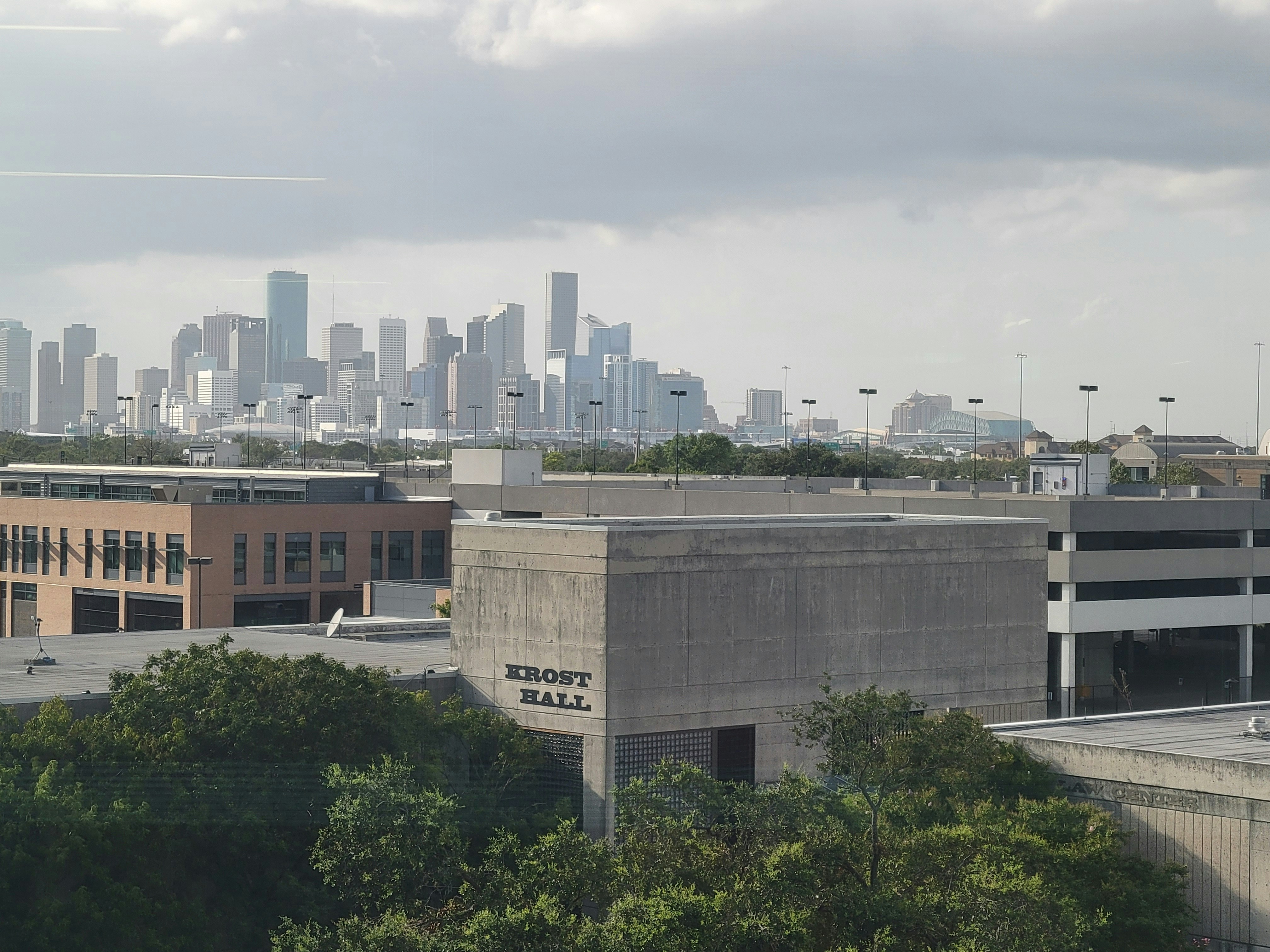
Houston Wind Advisory: A Lead-Response Checklist for Roofers and Home-Service Businesses
A fall cold front has brought a wind advisory to the Houston area, and local reporting notes that isolated power outages are possible. KHOU and FOX 26 Houston reported on the advisory and the potential for disruption.
That does not prove Houston home-service businesses are experiencing a surge in calls or form submissions. But roofers, tree-service operators, electricians, HVAC companies, restoration providers, and similar businesses should prepare for the possibility of weather-related inquiries while conditions are active and after they pass.
The immediate priority is safety. A lead-response workflow should never attempt to diagnose an emergency, direct a customer into danger, or substitute for local emergency guidance.
Table of contents
- Start with safety and human escalation
- The Houston wind advisory response checklist
- Use a simple triage system for incoming inquiries
- Set realistic service and appointment expectations
- Weather-related response templates
- How automation can support, not replace, your team
- Key takeaways
- FAQ
Start with safety and human escalation
A weather-related inquiry is not automatically a service lead that can be scheduled.
If a caller or form submission mentions a downed power line, a gas leak, carbon monoxide concern, fire, or medical equipment losing power, do not handle it as a standard estimate or booking request. Direct the person to the appropriate local emergency authorities and utility resources, and ensure a trained human on your team owns any further business communication.
For your staff, the rule should be simple:
Safety hazards go to emergency or utility channels first. Service scheduling comes later.
Do not use an automated text to assess whether a situation is safe. An acknowledgment can tell the customer that your team has received their request, but it should not provide emergency instructions beyond directing hazards to the appropriate authorities.
The Houston wind advisory response checklist
Use this checklist before, during, and shortly after advisory conditions. It is designed for small teams that may be on job sites, driving between appointments, or unavailable to answer every call immediately.
1. Confirm current conditions before changing public messaging
Check the latest local advisory information before updating your website, voicemail, social profiles, or automated messages. Weather conditions and advisory status can change.
Avoid broad claims such as:
- “We are available for every emergency.”
- “We can respond immediately anywhere in Houston.”
- “All storm damage will be handled today.”
Instead, use specific, conditional language based on your real availability:
- “We are reviewing weather-related requests in our Houston service area.”
- “Availability may be limited while wind conditions remain active.”
- “Submit your details, and our team will confirm next steps as soon as possible.”
This protects customers from false expectations and helps your team avoid accepting work it cannot safely perform.
2. Define your service area and temporary boundaries
Wind conditions can affect travel, crew safety, material access, and job timing. Before inquiries increase, decide:
- Which Houston-area ZIP codes or neighborhoods you can reasonably serve
- Whether crews are currently working, paused, or limited to inspections
- Whether certain job types must wait until conditions improve
- Who has authority to approve exceptions
- What your team should say when an address is outside the service area
A roofer may be able to collect inspection requests but postpone roof access. A tree-service company may need to review photos and locations before committing to a visit. An electrician may need a clear process for distinguishing routine electrical work from reports involving damaged utility lines.
The point is not to turn away every inquiry. It is to make the next step accurate.
3. Assign one person to own the weather-response queue
During a possible weather-related demand increase, vague ownership causes delays. Assign a named person or rotating role to review:
- Missed calls
- Web forms
- Text replies
- Social-media messages
- Referral inquiries
- Requests that arrive after hours
That owner does not need to personally solve every request. They need to make sure every inquiry reaches one of three outcomes:
- It is escalated to a human immediately because it may involve a safety hazard.
- It receives a realistic next step, such as a callback window or inspection review.
- It is logged for follow-up when capacity becomes available.
For broader missed-call coverage, see After-Hours Lead Response: How to Win Jobs While You Sleep.
4. Update voicemail and after-hours acknowledgment language
Customers contacting a home-service business during windy conditions may not know whether you are open, working in the field, or temporarily unavailable. A concise message reduces uncertainty.
Your voicemail and automatic first response should communicate:
- That the inquiry was received
- That safety-related hazards should go to the appropriate emergency or utility authority
- When the customer can expect a human update, if you can state a realistic timeframe
- What information will help your team review the request
Do not imply a crew is dispatched simply because a message was received.
5. Collect only the details needed for the next safe decision
Weather-event inquiries can be stressful, so keep intake short. Ask for information that helps a person on your team determine the appropriate next step:
- Customer name and best callback number
- Property address
- Service needed
- A brief description of the issue
- Whether access or onsite work may be affected by current conditions
- Photos, if the customer can safely provide them
Do not ask customers to climb on roofs, approach fallen limbs, inspect electrical equipment, or move near possible hazards to obtain photos.
6. Separate “received” from “scheduled”
One of the most useful operational distinctions during an advisory is this:
- Acknowledged means the business received the inquiry.
- Reviewed means a qualified person has looked at it.
- Scheduled means the business has confirmed an appointment or arrival window.
Those are not interchangeable. Train the team and configure messages accordingly.
A fast acknowledgment is helpful, but it should never be mistaken for a confirmed job or a promise that a crew can safely travel.
7. Prepare a capacity status that the whole team can use
Give everyone one current answer to these questions:
| Operational question | Example internal status |
|---|---|
| Are crews working now? | Limited work only; inspections may be reviewed after conditions improve |
| Are new estimates being booked? | Yes, subject to address and crew availability |
| Are after-hours inquiries monitored? | Acknowledged automatically; human review begins the next business window |
| What needs immediate human review? | Possible hazards, existing-customer emergencies, active water intrusion, damaged electrical equipment |
| What should not be promised? | Exact arrival times, onsite work during unsafe conditions, same-day availability without confirmation |
This small internal status sheet prevents different team members from giving customers different answers.
Use a simple triage system for incoming inquiries
A weather advisory can create a mix of routine quote requests and concerns that need faster human attention. Rather than treating every request as identical, use three lanes.
Lane 1: Potential safety hazard — immediate human escalation
Examples may include mentions of downed power lines, gas odors or leaks, fire, carbon monoxide, or medical equipment losing power.
Your response workflow should:
- Flag the request for immediate human attention.
- Direct the customer to appropriate local emergency or utility authorities.
- Avoid attempting remote diagnosis by text.
- Avoid promising a technician, electrician, or crew will resolve the danger.
Lane 2: Time-sensitive property concern — priority review
This may include reports of roof leaks, loose materials, fallen branches affecting a structure, or loss of heating or cooling after the front passes.
These requests may deserve faster review, but they are not automatically a promise of immediate service. Collect the details, confirm what your team can safely evaluate, and set expectations based on actual availability.
Lane 3: Routine estimate or future service request — normal follow-up
Examples include a homeowner asking for a roof inspection, tree trimming estimate, electrical repair quote, or HVAC maintenance appointment.
These leads still deserve a prompt acknowledgment. But they can enter the normal quote, consultation, or booking workflow rather than interrupting safety-related escalation.
For a contractor-focused form-response setup, read Contractor Web Form Auto Response: What to Send the Second a New Lead Hits Your Site.
Set realistic service and appointment expectations
Wind-related inquiries often arrive with urgency, but urgency does not expand your team’s capacity.
Be clear about:
- Whether you are collecting requests for later review
- Whether inspections depend on safe conditions
- Whether an appointment is confirmed or only requested
- What customers should send before a call back
- When they should expect another update
A useful operational phrase is:
“We’ve received your request. Our team is reviewing availability and safe next steps for your location. We’ll confirm the next step before scheduling.”
That language is more useful than silence and more responsible than an unverified promise.
If your schedule is full, do not let unbooked inquiries disappear. Tag them for a clear follow-up point: later that day, the next business morning, or after crews have confirmed capacity. For more on keeping home-service inquiries moving, see How to Follow Up With Home Service Leads Automatically: A Practical Playbook.
Weather-related response templates
These templates are starting points. Replace bracketed details, use only messages customers have consented to receive where required, and make sure the wording reflects your actual availability.
General acknowledgment
Hi [First Name], this is [Business Name]. We received your request for [service] at [address]. Our team is reviewing current availability and safe next steps. Please reply with a brief description of the issue and any photos you can safely share.
Safety escalation acknowledgment
Hi [First Name], we received your message. If there is a downed power line, gas leak, fire, carbon monoxide concern, or another immediate hazard, please contact the appropriate local emergency or utility authority first. A member of our team will review your service request separately.
Inspection request during limited availability
Hi [First Name], thanks for contacting [Business Name] about an inspection. Weather conditions may affect onsite availability. We’ve recorded your request and will contact you to confirm the next available safe appointment option.
After-hours response
Thanks for contacting [Business Name]. We received your request outside normal hours and will review it during our next response window. If you believe there is an immediate safety hazard, contact the appropriate local emergency or utility authority.
Capacity-delay follow-up
Hi [First Name], we’re following up on your [service] request. We’re still reviewing availability for your area. Would you like us to keep your request open for the next available appointment?
How automation can support, not replace, your team
A weather-response workflow needs a human decision-maker, especially for possible hazards and changing crew availability. Automation can still help with the part that often breaks first: making sure a new inquiry does not sit without acknowledgment while your team is working.
SecureMyLead can automatically send an initial SMS when a new lead is captured and continue with personalized follow-up sequences. For a Houston home-service business, that can support a practical workflow:
- A form or lead source creates a new inquiry.
- The customer receives an acknowledgment that the request was received.
- The message avoids confirming a job or dispatch.
- A staff member reviews priority and safety-related requests.
- Routine inquiries continue to receive appropriate follow-up until a human conversation or booking decision happens.
The business still owns triage, capacity decisions, emergency escalation, and every service promise. SecureMyLead is the follow-up layer—not dispatch software or an emergency-response system.
Get started free to build a more consistent acknowledgment and follow-up process for incoming leads.
Key takeaways
- Houston’s wind advisory and possible isolated outages create a reason for home-service businesses to review their inquiry workflow—not evidence of a verified lead surge.
- Safety concerns involving power lines, gas, fire, carbon monoxide, or medical equipment should be escalated to appropriate emergency or utility authorities, not handled as routine service leads.
- Separate acknowledgment, review, and scheduling. Receiving a message is not the same as confirming a crew or appointment.
- Set service-area limits, assign a weather-response owner, and give the team one current capacity status.
- Use automated acknowledgment carefully: it can confirm receipt and collect basic details, but it should not diagnose emergencies or promise service availability.
FAQ
Is Houston experiencing a verified increase in roofing or home-service leads because of the wind advisory?
The cited local reports establish that a fall cold front and wind advisory are affecting the Houston area, with isolated power outages possible. They do not document a measured increase in leads, bookings, property damage, or demand for specific home-service businesses.
Should a roofer schedule inspections during a wind advisory?
That depends on current conditions, crew safety, and the business’s own operating judgment. A roofer can acknowledge an inspection request and collect details without promising roof access or a specific appointment before it is safe and practical to do so.
What should an electrician do with a message about a downed power line?
Treat it as a potential safety issue, not a normal service request. Direct the person to the appropriate local emergency or utility authority and ensure a human reviews the message. Do not use automated messaging to diagnose the danger or promise electrical service.
Can an automated text confirm a storm-damage appointment?
Only if your business has actually confirmed the appointment and has the capacity to keep it. A better initial message confirms receipt, explains that availability is under review, and states that the team will confirm the next step.
What information should a Houston home-service business collect first?
Start with the customer’s contact information, property address, requested service, a short description, and photos only when they can be safely provided. Avoid asking customers to approach hazards or inspect unsafe areas.