Flood Watch Lead Response Playbook for Roofing, Restoration, and Plumbing Businesses
Flooding is first a safety issue—not a marketing opportunity. Do not use an automated text workflow to assess danger, dispatch crews, or replace human emergency judgment. If an inquiry involves a downed power line, gas leak, carbon monoxide concern, fire, medical equipment losing power, or another immediate danger, route it through your established emergency and human-response procedures.
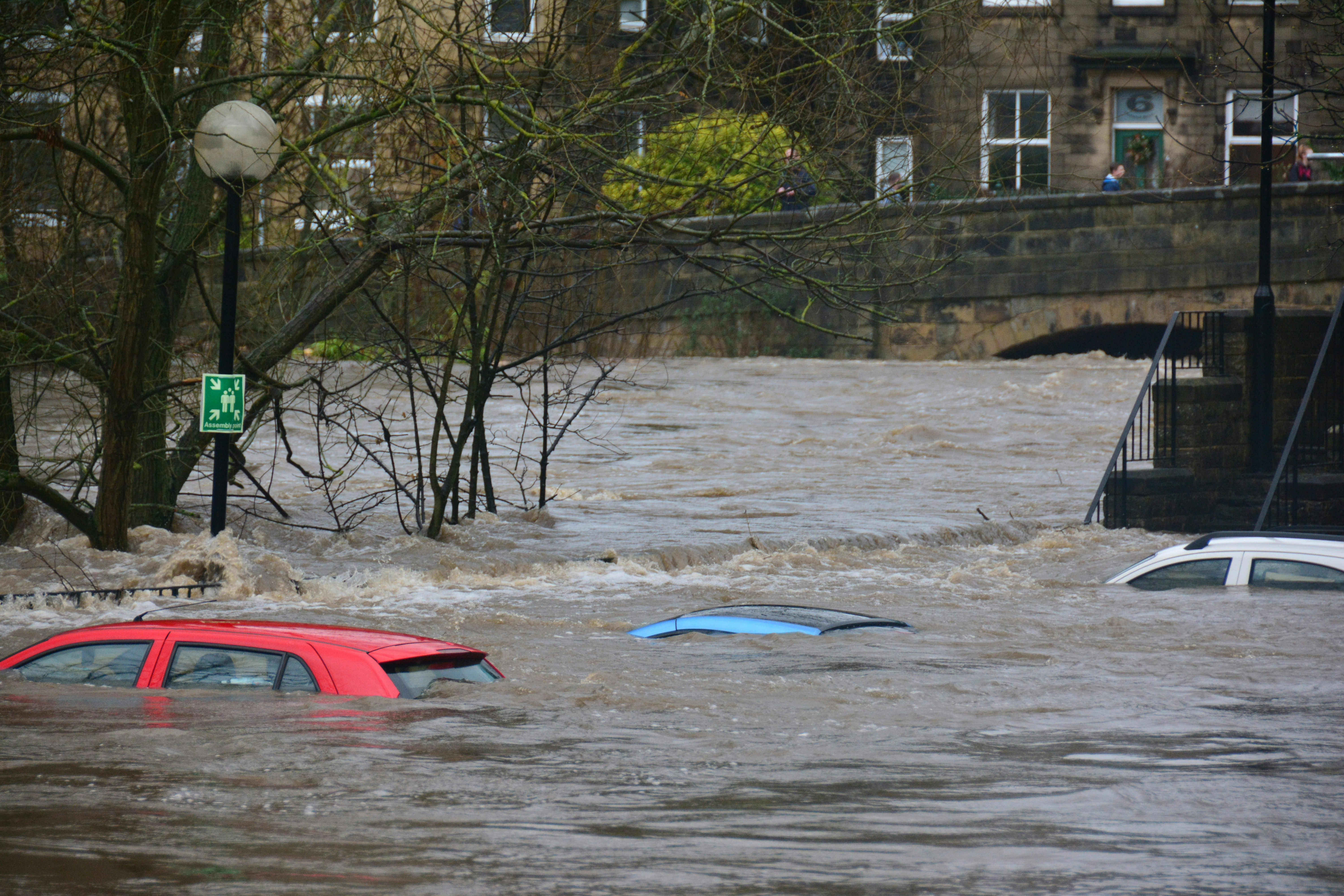
Recent Oklahoma severe weather has included flash flood warnings, flooded roads, road-condition issues, and vehicles stuck in water in Oklahoma City, according to local reporting from KOCO and KFOR. Those reports do not establish that local service businesses have experienced a documented lead surge. But roofing, restoration, plumbing, and related home-service companies should prepare for the possibility that weather-related inquiries may rise during and after flooding.
The operational challenge is not simply replying fast. It is responding promptly without promising an unavailable crew, sending a technician into unsafe travel conditions, or treating every message as the same kind of job.
Table of contents
- Build a flood-response workflow before inquiries pile up
- Separate emergency handoffs from ordinary service leads
- Monitor every source where weather inquiries may arrive
- Use an acknowledgment that sets expectations
- Qualify the job before offering an appointment
- Match requests to real capacity
- Follow up after an inspection, estimate, or missed connection
- Set an after-hours plan
- Where SecureMyLead fits
- Key takeaways
- FAQ
Build a flood-response workflow before inquiries pile up
A weather-response process should be simple enough to run while the owner is on-site, crews are already booked, or roads are difficult to travel.
Use this sequence:
- Acknowledge the inquiry. Confirm the business received it without diagnosing the issue by text.
- Check for a human or emergency handoff. Escalate messages that require immediate human judgment under your existing procedures.
- Confirm service area. Do not assume every request is reachable or inside your normal coverage area.
- Identify the job type. A roof inspection, active interior water issue, drain backup, and restoration request should not all enter the same queue.
- Set a realistic next step. Offer an inspection window, callback, photo-review request, waitlist position, or honest capacity update.
- Assign ownership. One person should own the next action, even if a team shares the inbox.
- Continue appropriate follow-up. If the lead does not respond, use a short, relevant sequence rather than repeated generic messages.
This protects both the customer experience and your crew schedule. It also reduces the chance that a legitimate inquiry sits unnoticed because everyone assumes someone else replied.
Separate emergency handoffs from ordinary service leads
Do not let a flood-response sequence blur the line between a service request and a potentially dangerous situation.
Your first-response workflow should include a clear internal rule: certain words, descriptions, or customer requests require a person to review the inquiry—not an automated booking path.
Examples that should move to your established human or emergency procedures include reports involving:
- Downed power lines
- A suspected gas leak
- Carbon monoxide concerns
- Fire
- Medical equipment that has lost power
- A customer who says they are in immediate danger
For non-emergency service inquiries, the goal is different: acknowledge receipt, gather only the information needed to determine fit, and avoid making promises before someone reviews availability.
A roofing company may receive requests for inspections, temporary protection, or visible leak concerns. A restoration company may receive messages about water intrusion, wet materials, or cleanup needs. A plumbing company may receive questions about backups, leaks, or water-related damage. Each requires a different human follow-up path.
Monitor every source where weather inquiries may arrive
When weather conditions may create more inbound interest, leads can arrive from places your normal office routine does not consistently cover.
Create a short monitoring list for the event period:
| Lead source | What to check | Suggested owner |
|---|---|---|
| Phone calls and voicemail | Missed calls, voicemail descriptions, callback number | Office staff or rotating on-call owner |
| Website forms | New requests, service area, issue description | Sales or intake owner |
| Text messages | Replies, photos, scheduling questions | Designated inbox owner |
| Google Business Profile and social messages | Public questions and direct messages | Marketing or office team |
| Paid lead platforms | New notifications and response requirements | Person responsible for that platform |
| Referral partners | Calls or messages from agents, property managers, or prior customers | Owner or account manager |
The key is not to open more channels. It is to decide who watches each one and what happens when that person is unavailable.
For a broader system covering forms, calls, and follow-up ownership, see how to follow up with home service leads automatically.
Use an acknowledgment that sets expectations
An immediate acknowledgment can reassure a customer that their inquiry was received. It should not imply that a crew is already dispatched, that travel is safe, or that you can meet a particular arrival time.
Keep the message short, identify your company, and make the next action clear.
General flood-related inquiry acknowledgment
Hi [First Name], this is [Business Name]. We received your request and a team member will review it as soon as possible. Please reply with your address, the type of issue you’re seeing, and whether water is still entering the property. We’ll confirm the next available step after reviewing our service area and schedule.
Roofing inspection request
Hi [First Name], thanks for contacting [Business Name]. We received your roofing concern. Please reply with the property address and a brief description of what you noticed. If it is safe to do so, you can also send photos. We’ll review availability and follow up with the next step.
Restoration inquiry
Hi [First Name], this is [Business Name]. We received your water-damage inquiry. Please reply with the property address, the affected area, and whether the water source is still active. A team member will review your request and confirm what we can do next.
Plumbing inquiry
Hi [First Name], thanks for reaching out to [Business Name]. We received your plumbing request. Please send the property address and a short description of the issue, such as a leak, backup, or drainage concern. We’ll review the details and available service options.
Only text people who have provided the appropriate consent to receive messages from your business. Keep records and use your normal consent and opt-out practices. An automated message is a follow-up tool—not a substitute for legal or compliance decisions.
For additional first-response examples, see 15 auto reply messages contractors can use for new leads.
Qualify the job before offering an appointment
During a possible weather-driven increase in inquiries, qualification prevents a limited schedule from filling with requests your team cannot safely or effectively serve.
Keep questions focused. You are not trying to perform remote diagnosis by text.
Ask for the information that changes the next step
For most inquiries, collect:
- Property address or ZIP code
- Best callback number
- Job type
- Whether the issue is active or no longer occurring
- Whether the customer is an owner, tenant, property manager, or other contact
- Photos, if the customer can safely provide them
- Preferred callback or inspection timeframe
Route by job type
A practical routing structure may look like this:
| Job type | Suggested next action |
|---|---|
| Roofing concern or suspected storm damage | Review service area, collect basic details, schedule an inspection only when capacity and travel conditions allow |
| Active interior water issue | Human review to determine whether your business can respond and what communication is appropriate |
| Water-damage restoration inquiry | Confirm location, affected area, and availability before offering a site visit |
| Plumbing leak, backup, or drain concern | Confirm location and basic issue type, then send to the plumbing intake queue |
| Out-of-area request | Reply promptly, explain your coverage limitation, and do not imply service availability |
| General quote request | Collect scope details and schedule a callback or inspection review |
Avoid asking customers to climb on roofs, enter flooded areas, or take photos in unsafe conditions. If they can safely share a photo from where they are, it may help your team prepare; it should never be a requirement for getting a response.
Match requests to real capacity
A fast “yes” is not helpful if your team cannot actually provide the promised appointment. Weather conditions can affect staffing, travel, material availability, and the order in which your company can safely handle jobs.
Before turning on any automated sequence, decide:
- Which ZIP codes or service areas are currently open
- Whether your team is accepting inspections, emergency-related inquiries, estimates, or only callbacks
- Who can approve an exception outside the normal area
- Which services are temporarily paused
- How long the current callback or inspection window is
- What language the team should use when the schedule is full
Capacity-update template
Hi [First Name], thank you for the details. Our team is reviewing current availability and travel conditions. We do not want to promise a time we cannot keep, so we’ll update you with the next available option as soon as we confirm the schedule.
Full-schedule template
Hi [First Name], we received your request. Our current schedule is limited, and we are not able to confirm an appointment at this time. If you would like, we can keep your details on file and contact you if availability opens up.
Honesty is better than a vague promise. It gives your team room to manage the work safely and reduces frustration when conditions change.
Follow up after an inspection, estimate, or missed connection
Not every flood-related lead will be ready to schedule immediately. Some people may be comparing providers, waiting for a callback, gathering information, or simply overwhelmed by the situation.
Use follow-up based on what has actually happened.
After an inspection request goes unanswered
Hi [First Name], this is [Business Name] following up on your request for a [roofing/restoration/plumbing] visit. If you still need help, reply with the property address and a good time for us to contact you.
After an inspection or site visit
Hi [First Name], thank you for meeting with [Business Name]. We’re following up to see whether you have questions about the recommended next steps. Reply here or call us at [Phone Number] when you’re ready.
After sending an estimate
Hi [First Name], this is [Business Name] checking in on the estimate we sent for [service]. If you have questions or would like to discuss timing, reply here and our team will help.
When a lead stops responding
Hi [First Name], we wanted to make one more attempt to reach you about your [service] request. If you still need help, reply “YES” and we’ll follow up. If your situation has changed, no action is needed.
A no-response sequence should be shorter and more cautious during weather disruptions. Repeated messages can feel tone-deaf when customers are dealing with property concerns, access issues, or changing conditions.
For estimate-specific follow-up, see estimate follow-up text templates for contractors.
Set an after-hours plan
Flood-related inquiries do not always arrive during office hours. An after-hours workflow should acknowledge the message while making it clear that a person will review it based on your actual coverage and availability.
After-hours acknowledgment template
Hi [First Name], this is [Business Name]. We received your message outside normal business hours. Our team will review your request when coverage resumes and follow up with the next available step. Please reply with the property address and a brief description of the issue.
Before using an after-hours message, define:
- Who reviews messages first thing the next business day
- Which requests trigger a human on-call notification under your existing procedures
- Which messages receive only an acknowledgment until business hours
- How the team updates customers if weather or travel conditions delay service
- Who removes or adjusts automated messages once a real conversation begins
For more after-hours workflow guidance, read after-hours lead response: how to win jobs while you sleep.
Where SecureMyLead fits
SecureMyLead can support the acknowledgment and follow-up portion of this workflow: sending an initial SMS when a new lead arrives, continuing a configured follow-up sequence, and giving your team a dashboard for two-way messaging.
It should not be used as emergency triage, dispatch, capacity management, or a replacement for human judgment. Before activating a weather-response sequence, make sure your team knows who owns replies and how to update or stop messages when a lead responds. In SecureMyLead, ordinary replies are visible in the dashboard but do not currently auto-pause scheduled sequence messages, so human review remains important.
If you want a more consistent way to acknowledge new inquiries and keep appropriate follow-up from being forgotten, Get started free.
Key takeaways
- Oklahoma reporting has documented severe storms, flash flood warnings, flooded roads, and stranded vehicles; it has not documented a verified lead increase for home-service businesses.
- Prepare for a possible rise in inquiries without describing it as a proven surge.
- Keep emergency and potentially dangerous situations in established human or emergency-response procedures.
- Acknowledge new leads quickly, but do not promise dispatch, travel, or appointment times before confirming capacity.
- Qualify by service area, job type, active conditions, and next-step fit.
- Use separate workflows for roofing inspections, restoration requests, plumbing concerns, estimates, and after-hours messages.
- Get appropriate consent before texting leads, and ensure a person owns replies and sequence changes.
FAQ
Should a roofing, restoration, or plumbing business use automated texts during a flood watch?
Automation can help acknowledge a new inquiry and collect basic information, provided the customer has given appropriate consent to receive texts. It should not assess danger, dispatch crews, promise availability, or replace human review.
What should a flood-related first-response text say?
Confirm that you received the inquiry, identify the business, request the minimum information needed to review the job, and avoid promising an appointment before checking service area and capacity.
Should we offer same-day service in the first message?
Only if your team can genuinely support that promise. During weather disruptions, it is safer to say that a team member will review the request and confirm the next available step.
How should we handle inquiries outside our service area?
Reply promptly and clearly state that you cannot confirm service for that location. Do not leave the lead without an answer or imply that a crew is on the way.
What happens when a lead replies to an automated sequence?
A team member should review the reply and take ownership of the conversation. In SecureMyLead, ordinary replies are visible in the dashboard but do not currently auto-pause scheduled sequence messages, so someone should adjust the sequence when needed.
Related reading
- How to follow up with home service leads automatically
- Automated lead follow-up for plumbers: how to turn more quotes into jobs
- Best lead response templates for service businesses
- How to follow up on quotes without losing the customer