Flash-Flood Lead Response Checklist for Texas Restoration Businesses
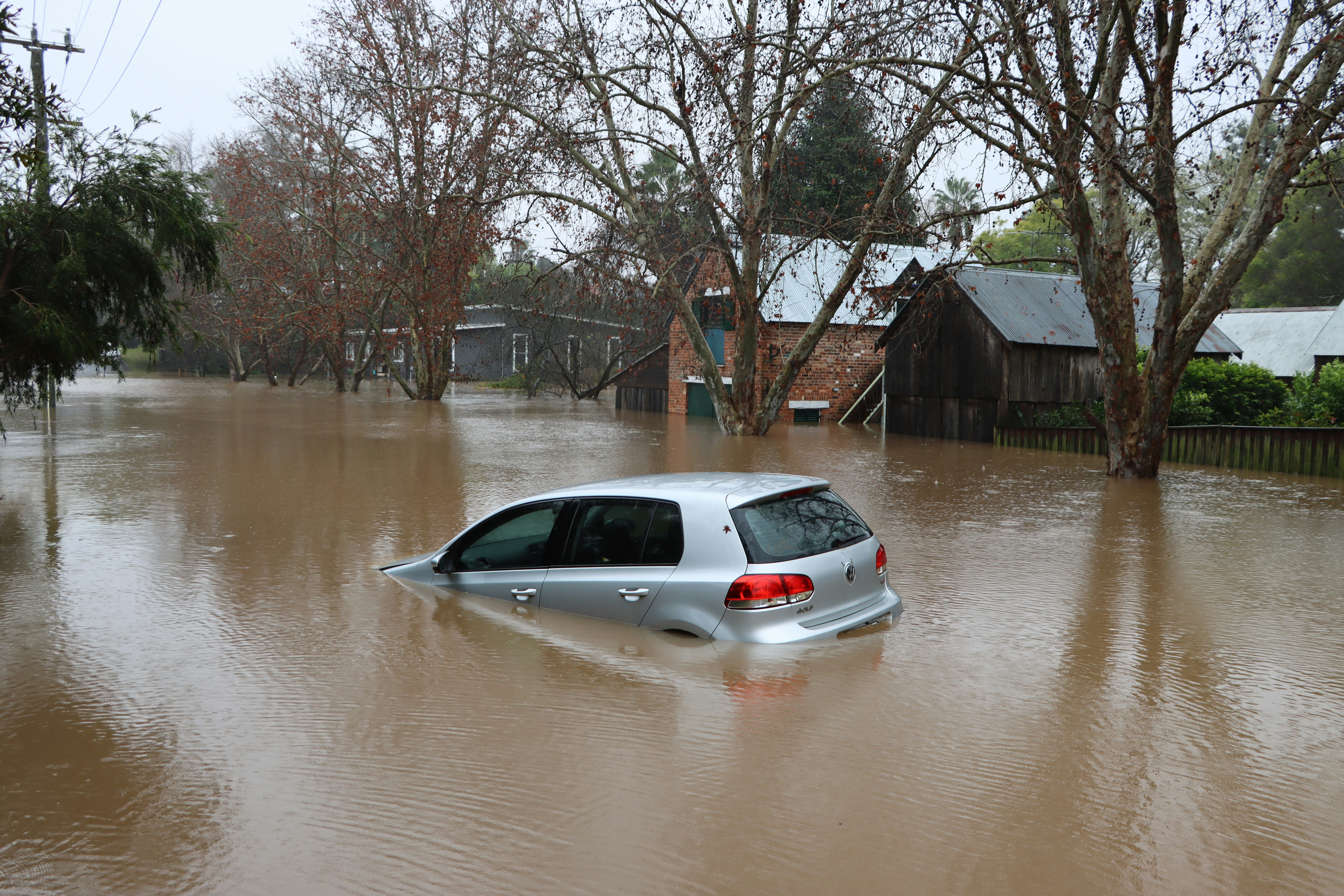
Heavy rain, strong storms, and a flash-flood threat in Central Texas make this a useful moment for restoration and home-service businesses to review how they handle urgent inquiries. KXAN reported the flash-flood risk, while CBS Austin documented heavy rain affecting Central Texas.
Those reports do not prove that local restoration, roofing, plumbing, or other service businesses are receiving more leads. But severe weather can create conditions where businesses should prepare for a possible increase in property-damage questions, missed calls, inspection requests, and after-hours messages.
The goal is not to promise immediate service you cannot provide. It is to make sure every inquiry receives an appropriate first response, life-safety concerns are routed away from ordinary service workflows, and your team has a realistic process for the work it can accept.
Table of contents
- Start with life safety, not lead qualification
- The flash-flood response checklist
- What to collect from a property-service inquiry
- SMS templates for storm-related inquiries
- Capacity control: avoid promises your team cannot keep
- A simple routing board for a small team
- How SecureMyLead can support the acknowledgment step
- FAQ
Start with life safety, not lead qualification
A storm-related message is not automatically a service lead. Before asking about square footage, insurance, or appointment availability, keep a clear boundary between an emergency and a property-service request.
If someone reports an immediate danger, such as a downed power line, gas leak, fire, carbon monoxide concern, medical equipment losing power, or another life-threatening situation, direct them to emergency services. Do not attempt to diagnose the situation by text, and do not treat an automated reply as emergency triage.
Your team can handle property-service details only after the customer’s immediate safety needs are addressed.
A practical internal rule:
If the message suggests an immediate threat to life or safety, stop the normal intake workflow and direct the person to emergency services.
This protects the customer and prevents your team from accidentally making a service promise in a situation that requires emergency responders.
The flash-flood response checklist
Use this checklist when heavy rain, flooding, or storm activity may create a higher volume of property-related inquiries.
1. Confirm who owns incoming messages
Before calls and forms begin stacking up, assign ownership.
Decide:
- Who watches new web-form submissions?
- Who receives missed-call notifications?
- Who responds to SMS replies?
- Who handles after-hours acknowledgments?
- Who decides whether an inquiry is inside your service area?
- Who can approve a callback window or inspection slot?
A small business may have one person wearing several of these hats. That is fine. The important part is that the responsibility is explicit.
If no one owns the next response, an inquiry can sit unanswered while everyone assumes someone else has it covered.
2. Capture every inquiry in one working list
During a possible weather-related spike, leads can come from calls, voicemail, web forms, Google Business Profile messages, social media, referrals, and existing customers.
Create one active list with at least these fields:
| Field | Why it matters |
|---|---|
| Name | Identifies the contact |
| Mobile number | Supports a callback or text reply |
| Property address or ZIP code | Confirms service-area fit and helps with routing |
| Service needed | Separates restoration, roofing, plumbing, cleanup, and inspection requests |
| Reported issue | Gives the team context before calling |
| Safety flag | Identifies messages that need emergency-service guidance rather than ordinary intake |
| Time received | Helps prioritize unanswered inquiries |
| Owner | Shows who is responsible for the next action |
| Status | Prevents duplicate calls or forgotten follow-up |
| Next action time | Creates a clear handoff |
Do not wait for a perfectly detailed intake form. A name, phone number, location, and short description may be enough for an initial acknowledgment and human callback.
For a broader framework, see how to follow up with home-service leads automatically.
3. Send an immediate acknowledgment without making a service promise
A fast acknowledgment can reassure a person that their message arrived. It should not imply that a technician is already en route, that an inspection is guaranteed, or that you can solve the issue immediately.
Good first responses do four things:
- Identify the business.
- Confirm receipt of the message.
- Set a realistic expectation for a callback or review.
- Ask for the one or two details needed to route the inquiry.
Avoid wording such as:
- “We’ll be there right away.”
- “A crew is on the way.”
- “We can definitely take your job.”
- “Your insurance will cover this.”
- “We can dry everything out today.”
Unless a human has confirmed those details, these statements can create avoidable problems.
4. Separate safety concerns from service requests
Build a simple two-lane process.
Lane A: Immediate safety concern
If the person describes an urgent safety hazard, direct them to emergency services when appropriate. Do not use a long automated questionnaire.
Lane B: Property-service inquiry
For a non-emergency service request, collect the location, type of damage, current conditions, and preferred callback number. Then route the inquiry to the appropriate person.
This distinction matters because “water in my home” can describe anything from a small cleanup request to a dangerous situation. Your business should not assume severity from a short text.
5. Verify location before discussing availability
Flash-flood conditions can make travel and service-area coverage less predictable. Ask for the property address or ZIP code early.
This lets your team determine:
- Whether the property is within your normal service area
- Which crew or estimator should own the request
- Whether weather or road conditions may affect scheduling
- Whether a referral or alternate next step is more appropriate
Do not tell someone you can arrive at a certain time before the team has checked its actual capacity and travel conditions.
6. Ask only the details that change the next step
A long intake form can slow down a stressed customer. Start with the details your dispatcher, owner, or technician actually needs to decide what happens next.
Use questions such as:
- What is the property address or ZIP code?
- Is this a home or business?
- What issue are you seeing right now?
- Is water still entering the property?
- Which area is affected?
- Is the property currently accessible?
- What is the best number for a callback?
- Are there any immediate safety concerns?
You can collect photos, insurance details, room counts, and other job-specific information later if your team needs them. The initial goal is to establish a safe, clear next action.
7. Set a callback expectation your team can meet
A realistic response expectation is more helpful than an aggressive one you miss.
For example:
- “Our team is reviewing new requests and will call you as soon as we can.”
- “We’ve received your request. A team member will review the details and contact you during our current callback window.”
- “We cannot confirm an arrival time by text, but we will follow up after reviewing your location and the reported issue.”
If you have available callback windows, state them only when they are real. If you do not know when someone can call, do not invent a time.
8. Route by service type and current capacity
Not every inquiry should go to the same person.
Possible routing labels include:
- Water-related property damage
- Roof or exterior damage
- Plumbing-related water issue
- Cleanup request
- Inspection request
- Existing customer
- Outside service area
- Needs human safety review
- Callback pending
- No answer after callback
A basic routing method is better than forwarding every message to the owner’s phone and hoping they remember it later.
9. Attempt contact, then follow up with no-answer leads
If a customer does not answer your first call, send a concise text confirming who called and what they should do next.
Do not assume silence means the lead is unqualified. During severe weather, people may be speaking with family, dealing with the property, traveling, or contacting insurers and emergency services.
A reasonable no-answer workflow might be:
- Call once.
- Send a short text identifying your business.
- Leave the inquiry in a “callback pending” status.
- Make a later follow-up attempt if the request remains relevant and your team has capacity.
- Stop or adjust the workflow when the person replies, opts out, or the request is resolved.
For general no-response timing and message examples, see how long to wait before following up with a lead.
10. Review the queue at set intervals
During an active weather period, a queue can change quickly. Set a recurring review time rather than checking only when someone remembers.
At each review, ask:
- Which inquiries have not received an acknowledgment?
- Which contacts need a human callback?
- Which jobs are outside the service area?
- Which requests have a safety flag?
- Which leads have received a promise that needs confirmation?
- Which staff members are overloaded?
- Which inquiries need a no-answer follow-up?
The goal is not to accept every job. It is to keep the queue accurate and avoid leaving people in limbo.
What to collect from a property-service inquiry
Here is a compact intake script a team member can use after confirming there is no immediate life-safety emergency:
Thanks for contacting [Business Name]. To have the right person review your request, please send the property address or ZIP code, a brief description of what you’re seeing, and the best number for a callback. We’ll review the details and follow up based on current availability.
For restoration-oriented inquiries, add only what is relevant:
- Whether water is still entering the property
- Whether the issue is from an appliance, plumbing, roof, or outdoor flooding
- Whether the property is occupied
- Whether the customer can safely access the affected area
- Whether they are requesting an inspection, cleanup, or information about next steps
For roofers, the first details may focus on visible exterior damage and whether the request is for an inspection. For plumbers, the key distinction may be an active plumbing issue versus water that entered from outside. For restoration businesses, the immediate question may be whether the customer needs a callback to discuss property conditions.
Different service types need different questions. Avoid forcing every storm-related inquiry into the same generic form.
SMS templates for storm-related inquiries
These templates are acknowledgments and intake prompts—not emergency-triage scripts. Use them only where you have appropriate permission to text the contact.
New inquiry acknowledgment
Hi [First Name], this is [Name] with [Business Name]. We received your request about the property issue. Please reply with the property address or ZIP code and a brief description of what you’re seeing. Our team will review it and follow up based on current availability.
Missed-call text
Hi [First Name], this is [Name] from [Business Name]. Sorry we missed your call. Please reply with the property address or ZIP code and a short description of the issue, and we’ll review your request for a callback.
When you cannot promise an arrival time
Hi [First Name], thanks for reaching out to [Business Name]. We’ve received your request. We can’t confirm an arrival time by text, but a team member will review the location and reported issue before following up with next steps.
Callback request after no answer
Hi [First Name], this is [Name] with [Business Name] following up on your property-service request. We tried to reach you by phone. Reply here with a good time to call and the property address or ZIP code if you have not already sent it.
Outside your service area
Hi [First Name], thank you for contacting [Business Name]. Based on the location provided, the property appears to be outside our current service area. We’re sorry we may not be able to assist directly.
Keep messages calm and specific. In a stressful situation, the customer should not have to guess whether the text came from a real local business or what information you need next.
More general scripts are available in best lead response templates for service businesses.
Capacity control: avoid promises your team cannot keep
A potential storm-driven increase in calls can create pressure to say yes to everything. That can turn into missed appointments, frustrated customers, and employees working from an inaccurate schedule.
Use capacity controls before your queue becomes unmanageable.
Define your current service state
Give your team one of these simple statuses:
| Status | What it means |
|---|---|
| Open | New requests can be reviewed normally |
| Limited | New requests are accepted only after capacity review |
| Callback queue | Acknowledging requests, but no arrival or inspection times are being offered yet |
| Service-area limited | Only certain ZIP codes or areas are currently being reviewed |
| Paused | New work is not being accepted at this time |
The status should change your message wording. If you are in callback-queue mode, do not use templates that imply scheduling is open.
Keep “acknowledged” separate from “booked”
This is one of the most important operational distinctions during a busy period.
- Acknowledged means the customer knows the inquiry was received.
- Qualified means you have enough information to assess the request.
- Assigned means a specific person owns the next action.
- Booked means an actual appointment or service commitment has been confirmed.
Do not let an automatic acknowledgment be mistaken for a booking confirmation.
Give staff approved language
When a team is busy, people may improvise. Provide approved wording for:
- New inquiries
- Missed calls
- No availability yet
- Outside service area
- Callback pending
- Appointment confirmed
- Existing customers needing an update
This prevents one employee from promising “today” while another employee is trying to manage a full queue.
A simple routing board for a small team
You do not need enterprise dispatch software to bring order to a possible inquiry spike. A shared board, spreadsheet, or lead system can work if everyone uses the same statuses.
Suggested columns:
- New
- Safety review needed
- Needs location details
- Ready for callback
- Callback attempted
- Waiting on customer reply
- Capacity review
- Scheduled or accepted
- Outside service area
- Closed or resolved
Every lead should have:
- One owner
- One current status
- One next action
- One next-action time
That is the minimum structure needed to avoid duplicate outreach and forgotten follow-up.
How SecureMyLead can support the acknowledgment step
SecureMyLead can help businesses automatically send a first SMS response when a new lead is captured, then continue with personalized follow-up sequences when appropriate. That can be useful if a web form or inbound lead arrives while the owner is on a job, after hours, or handling another customer.
For storm-related workflows, keep the automation narrow and responsible:
- Confirm the inquiry was received.
- Request location and a short description.
- Avoid emergency triage.
- Avoid arrival-time promises.
- Route replies to a person who can assess the request.
- Review scheduled messages carefully when a customer replies, since ordinary replies do not automatically pause scheduled sequence messages.
Automation can help make acknowledgment more consistent, but a person still needs to decide whether the business can take the job, when to call, and what service commitment is realistic.
Get started free to build a follow-up layer for new leads without relying on someone to remember every first text.
Key takeaways
- Central Texas is facing heavy rain, strong storms, and flash-flood risk, according to local reporting; this may be a useful time to prepare your inquiry workflow.
- Do not treat every storm-related message as a qualified lead or a guaranteed job opportunity.
- Put life safety first. Direct people to emergency services when an immediate safety threat is involved.
- Acknowledge new inquiries promptly, but do not promise an arrival time, job availability, insurance outcome, or repair result before a human confirms it.
- Collect location and issue details early so your team can route requests correctly.
- Use clear capacity statuses to prevent overbooking.
- Keep “acknowledged,” “qualified,” “assigned,” and “booked” as separate stages.
FAQ
Are Texas restoration businesses definitely seeing more leads because of the storms?
Not based on the cited reports. KXAN and CBS Austin establish heavy rain, storms, and flash-flood relevance in Central Texas, but they do not measure restoration or home-service lead volume. Businesses can still prepare for the possibility of more urgent inquiries.
Should an automated text ask customers whether they are in danger?
No. Automated SMS should not perform emergency triage. If a message indicates an immediate safety issue, direct the person to emergency services when appropriate and use human judgment for any further communication.
What should a storm-related auto-reply include?
Identify your business, confirm receipt, request the property address or ZIP code and a short description, and state that someone will review the request. Do not promise a technician, inspection, or arrival time unless it has been confirmed.
How can a small team avoid overbooking during severe weather?
Use a simple capacity status, assign every inquiry to one person, require location verification before discussing availability, and separate acknowledgment from an actual booking or service commitment.
Should we keep following up if someone does not answer?
A concise follow-up can be appropriate if the customer has not responded and your business still has capacity to review the request. Keep the message helpful, identify your business, and make the next action clear.
Related reading
- After-hours lead response: how to win jobs while you sleep
- Auto reply messages for contractors
- How to build a lead follow-up system that runs automatically