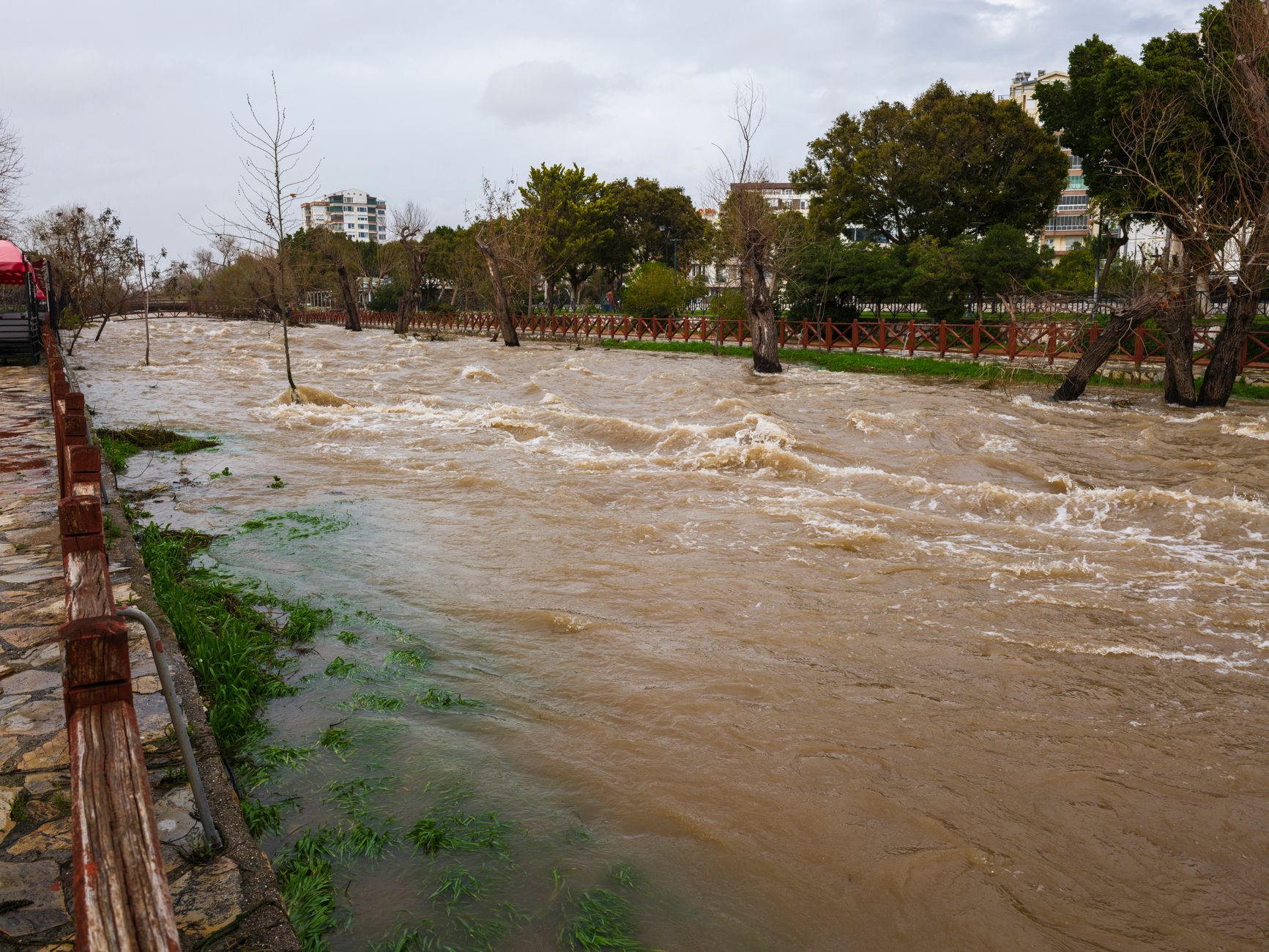
Bay Area El Niño Flood Risk: A Lead-Response Plan for Home-Service Businesses
If a customer is facing an immediate threat to life or safety, they should contact emergency services or follow local emergency-authority guidance—not rely on a web form, business voicemail, or automated text.
For Bay Area restoration companies, roofers, plumbers, drainage contractors, and other home-service businesses, the goal is not to predict which properties will flood. It is to prepare for a possible rise in weather-related inquiries without making unsafe promises about dispatch, availability, or diagnosis.
Climate experts have mapped potential Bay Area flood risks associated with El Niño, and local reporting has highlighted possible winter flooding concerns near San Francisco’s Ocean Beach and the Great Highway. ABC7 News and the San Francisco Chronicle describe potential risk—not a guaranteed event or documented increase in service-business leads.
Still, a preparation window is useful. If weather-related inquiries do increase, a simple response workflow can help your team acknowledge every request, identify the right owner, and keep estimate leads from disappearing while crews are busy.
Table of contents
- What to prepare for
- Build a two-lane inquiry workflow
- Set up your pre-storm lead-response system
- SMS templates for possible flood-related inquiries
- How to manage leads while crews are busy
- Use automation as acknowledgment—not emergency triage
- Frequently asked questions
What to prepare for
The reported risk context is local: potential El Niño-related flooding concerns in the Bay Area, including around Ocean Beach and the Great Highway during winter. That does not mean every Bay Area business will see more calls, nor does it mean any particular home will flood.
But if inquiries rise, they may not all mean the same thing. A single “water issue” request could be:
- A request for a future roof or drainage inspection
- A plumbing leak inquiry
- A customer looking for water-damage restoration
- A request for an estimate after visible damage
- A customer reporting an immediate, potentially hazardous situation
- A general question your company does not handle
Treating all of these as identical “new leads” creates confusion. The better approach is to sort each inquiry into an appropriate lane before promising anything.
Build a two-lane inquiry workflow
Your lead workflow should separate potentially urgent safety-related messages from service and estimate requests.
Lane 1: Immediate safety concerns
A business should not diagnose hazards by text or present itself as a substitute for emergency responders. Train whoever monitors messages to escalate these inquiries to a human immediately.
Your acknowledgment should direct the customer to emergency services or local authorities first if they describe an immediate threat to life or safety. Do not promise a crew is on the way unless a team member has confirmed it.
Examples of messages that need human review right away may include:
- Someone reporting an immediate danger
- A customer who says they cannot safely remain at the property
- A message involving utility hazards, fire, gas, carbon monoxide, or medical equipment affected by a power loss
The automation’s job is simply to acknowledge the message and make clear that a person will review the request. It should never attempt to assess the severity of the situation.
Lane 2: Service, inspection, and estimate requests
Most weather-related inquiries may be operational rather than emergency dispatch requests. These can be routed by service type and location, such as:
| Inquiry type | Possible owner | Information to collect |
|---|---|---|
| Water-damage restoration request | Restoration coordinator or owner | Neighborhood, contact details, visible issue, preferred callback time |
| Roof leak or inspection request | Roofing estimator | Property address, leak timing, roof type if known, photos if your process accepts them |
| Plumbing leak request | Plumbing dispatcher or service manager | Address, callback number, brief description, availability |
| Drainage or standing-water concern | Drainage or excavation estimator | Property location, issue description, photos if requested, preferred appointment window |
| General storm-preparation question | Office team or designated reviewer | Service needed, location, best contact information |
Keep the intake fields short. A customer who is worried about water intrusion may not complete a long form. Collect only the information needed to assign a human owner and determine the next action.
Set up your pre-storm lead-response system
Preparation is easier before messages start arriving. Use the potential-risk period to make these decisions while your team is not under pressure.
1. Decide which services you can actually accept
List the work your business is willing and able to review. Be precise.
For example, a roofing company may accept inspection and repair inquiries but not restoration work. A restoration company may handle water-damage assessment but not plumbing repairs. A drainage contractor may take site-evaluation requests rather than same-day service calls.
This list becomes the basis for your forms, call scripts, tags, and acknowledgment messages.
2. Assign one person to own each inquiry type
A lead should never sit because everyone assumes someone else is handling it.
For each service category, identify:
- The primary owner
- A backup owner
- The best contact method
- The hours when that person is available
- What happens when capacity is full
If your office is small, the same person may own multiple categories. The important part is having a documented decision—not a vague plan to “check messages.”
3. Define statuses your team can use quickly
Use simple, operational statuses instead of a complicated pipeline. For example:
- New — needs review
- Safety-related — human review needed
- Service request — awaiting callback
- Estimate requested
- Appointment proposed
- Appointment confirmed
- Not a fit
- Follow-up due
- Closed
A status system gives your team a way to see what still needs attention after a busy day.
4. Write honest availability language
During bad weather, the fastest way to create a poor customer experience is to promise a response window you cannot keep.
Avoid messages such as:
We’ll have a crew there immediately.
Unless that has been confirmed by a person with real scheduling authority, use language such as:
We’ve received your request. A member of our team will review it and follow up about next steps and availability.
This is less dramatic, but it is accurate—and accuracy matters when customers are stressed.
5. Create a capacity update process
Decide who can change your messaging if crews become fully booked, phone coverage is limited, or certain service areas are temporarily unavailable.
Your update might say:
We’re currently reviewing a high volume of requests. We’ve received your message, and a team member will follow up as availability allows.
Do not leave old messages running if they imply same-day appointments or immediate callbacks that your team cannot support.
SMS templates for possible flood-related inquiries
These templates are acknowledgments, not emergency assessments. Adapt them to your company’s service area, actual capabilities, consent practices, and staffing.
General weather-related inquiry acknowledgment
Hi [First Name], this is [Business Name]. We received your request regarding [service]. A team member will review it and follow up about next steps and availability. If there is an immediate threat to life or safety, please contact emergency services or follow local emergency guidance.
Restoration or water-damage inquiry
Hi [First Name], thanks for contacting [Business Name]. We received your water-damage inquiry for [Address/Area]. A member of our team will review the details and follow up about available next steps. If this is an immediate safety emergency, please contact emergency services first.
Roof inspection request
Hi [First Name], this is [Business Name]. We received your roof inspection request. Please reply with the property address and the best time for a callback, and our team will review availability.
Plumbing inquiry
Hi [First Name], thanks for reaching out to [Business Name]. We received your plumbing request. Please reply with the service address and a brief description of the issue so a team member can review it and follow up.
Drainage or standing-water estimate request
Hi [First Name], this is [Business Name]. We received your drainage inquiry. Please reply with the property address and a brief description of where water is collecting. Our team will review your request and follow up about next steps.
Capacity-delay update
Hi [First Name], we’ve received your request and are currently reviewing a high volume of inquiries. We have not forgotten your message. A member of our team will follow up as availability allows.
Follow-up when the customer has not replied
Hi [First Name], this is [Business Name] following up on your [service] request. If you still need help, reply with the property address and the best time to reach you, and we’ll review the next available step.
For more general first-response language, see these lead-response templates for service businesses.
How to manage leads while crews are busy
A potential weather event can expose weak points in a normally workable process. The office may be handling calls while field teams are on jobs. The owner may be trying to estimate work, answer messages, and coordinate existing customers simultaneously.
Use these practices to protect follow-through.
Keep one source of truth
Every inquiry should land in one place where the team can see:
- Customer name and contact information
- Service category
- Location
- Assigned owner
- Current status
- Last customer contact
- Next action due
A spreadsheet can work temporarily for a very small team. The important thing is that inquiries do not remain trapped in personal text threads, voicemail inboxes, or unassigned form notifications.
Batch non-urgent callbacks without ignoring them
When demand is high, you may not be able to call every estimate request the moment it arrives. You can still acknowledge it quickly, set a realistic expectation, and schedule a callback block.
For instance:
- Review new requests at set intervals
- Reserve two daily callback blocks for estimate inquiries
- Assign a backup person to clear unowned messages
- Review all “follow-up due” leads before closing for the day
This approach is more reliable than trying to answer every message ad hoc between jobs.
Do not let estimate leads vanish after the first contact
A customer who asks for an inspection may still be comparing options, waiting for weather to clear, or too busy to reply immediately. That does not justify endless messages, but it does justify a documented follow-up step.
A simple sequence could be:
- Acknowledge the inquiry.
- Have a person review and respond with available next steps.
- Send one concise follow-up if the customer has not replied.
- Mark the lead for later review rather than letting it disappear.
For a broader home-service workflow, read how to follow up with home-service leads automatically.
Use automation as acknowledgment—not emergency triage
Automation can help a business acknowledge a newly captured inquiry and maintain a consistent follow-up process while people are occupied. It cannot determine whether a customer is safe, diagnose a property problem, decide which crew should be dispatched, or promise availability.
That distinction is especially important for possible weather-related demand.
SecureMyLead can serve as the follow-up layer between a new lead and your human team: send an initial SMS acknowledgment, organize follow-up messages, and keep non-emergency inquiries from being forgotten. Your team should still monitor replies, own the decision about next steps, and update messaging when capacity changes.
Because ordinary replies do not automatically pause scheduled sequence messages, review your workflow carefully and make sure someone is responsible for managing active conversations.
Key takeaways
- Bay Area reporting describes potential El Niño-related flood risks; it does not prove a flood event or a lead surge.
- Prepare for the possibility of weather-related inquiries by separating safety-related messages from service and estimate requests.
- Do not use automated messages to diagnose hazards, guarantee response times, or promise crew dispatch.
- Assign clear human ownership for each inquiry type before demand becomes difficult to manage.
- Use honest capacity language, concise intake questions, and documented follow-up steps.
- Automation can acknowledge and organize leads, but human judgment must remain central.
Frequently asked questions
Will El Niño definitely create more flood-related leads for Bay Area contractors?
No. The cited reporting identifies potential flood risks associated with El Niño, including concerns around Ocean Beach and the Great Highway. It does not document a measured increase in calls, quote requests, or service leads for local businesses.
What should an automated weather-related text message say?
Keep it brief: confirm that the request was received, state that a team member will review it, and avoid promising dispatch or a specific response time. If an inquiry describes an immediate threat to life or safety, direct the customer to emergency services or local emergency guidance first.
Should a restoration or home-service business promise same-day availability?
Only if a person with real scheduling authority has confirmed it. Availability can change quickly when crews are busy. A more reliable default is to say the team will review the request and follow up about next steps and availability.
How can a small team avoid losing estimate requests during a busy weather period?
Use one shared lead list or dashboard, assign an owner to every inquiry, use simple statuses, acknowledge new requests promptly, and schedule specific callback blocks for non-urgent estimate leads.
Related reading
- Auto-reply messages contractors can use for new leads
- After-hours lead response: how to win jobs while you sleep
- How to build a lead follow-up system that runs automatically
- 7 lead follow-up mistakes that quietly kill conversion
If your team wants a more consistent way to acknowledge new inquiries and continue follow-up when work gets busy, get started free with SecureMyLead.