DC Area Isolated Thunderstorms: How Local Service Businesses Can Handle Weather-Related Demand Spikes
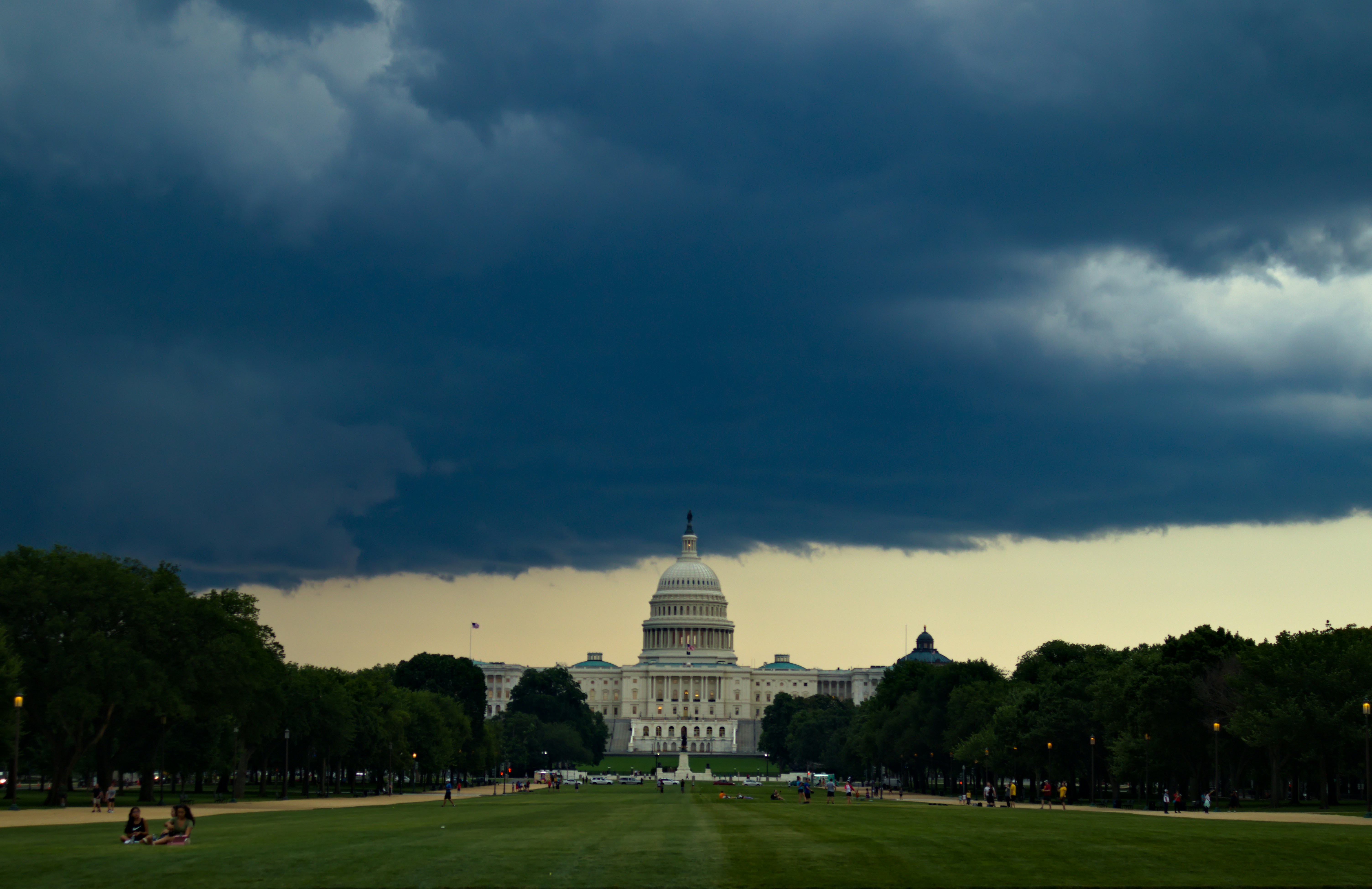
The DC area is hot, humid, and facing isolated thunderstorm chances. For roofing, tree service, water mitigation, and HVAC businesses, that kind of forecast can create a familiar operational problem: a sudden cluster of weather-related calls, texts, and quote requests arriving while your team is already stretched thin.
This article is a practical weather-readiness checklist for DC-area contractors and home service businesses. It covers how to prepare your response workflow before the storm, handle after-hours inquiries, and follow up with storm-related leads without letting them go cold.
What the DC Forecast Actually Shows
According to local forecasts from Fox 5 DC and NBC Washington, the DC area is experiencing hot, humid conditions with isolated thunderstorm chances (Fox 5 DC, NBC Washington).
The key word is isolated. This is not a widespread severe-weather event. Some neighborhoods may see heavy rain, lightning, or gusty winds while others stay dry. That matters for your response planning because demand may be uneven and unpredictable.
What the forecast does not prove is that DC-area businesses are already seeing a measurable surge in weather-related leads. No lead-volume data is documented in the sources. So the right framing is preparation: if isolated storms produce localized damage or urgent repair needs, your business should be ready to respond quickly.
Why Isolated Storms Create a Different Response Problem
A widespread storm event often produces a clear, sustained surge. Isolated storms are trickier because:
- Demand may spike in one ZIP code and not another.
- Calls may arrive in short bursts rather than a steady flow.
- After-hours inquiries are common when storms roll through in the evening.
- Homeowners may contact multiple businesses at once, especially for urgent issues like roof leaks or downed trees.
That means your response system needs to handle uneven, time-sensitive demand without requiring you to sit by the phone all day.
Weather-Readiness Checklist for DC-Area Service Businesses
Here is a practical checklist you can use before, during, and after isolated thunderstorm activity.
Before the Storm
- Review your lead sources. Make sure your website form, Google Business Profile, and any paid ads are all routing inquiries to one place your team can monitor.
- Set up an automated first response. When a storm-related lead arrives, an immediate text acknowledgment can buy you time to assess the job while the homeowner knows they have been heard.
- Prepare a short storm-specific message. Something like: "Thanks for reaching out. We're seeing higher storm-related demand today. Can you share your address and whether the issue is urgent?" This helps you triage without playing phone tag.
- Identify your triage criteria. Decide in advance what counts as urgent: active water intrusion, downed tree on a structure, no cooling during extreme heat, or exposed electrical hazards. Have a clear path for those calls.
- Check your after-hours coverage. If a storm hits at 7 p.m., who responds? If the answer is nobody, you may lose the job to a competitor who does respond.
During the Storm
- Acknowledge every inbound lead quickly. Even a short text — "We got your message and will call you back shortly" — reduces the chance the homeowner moves on to the next business.
- Use a simple triage script. For roofing: "Is water coming into the house right now?" For tree service: "Is the tree on a structure or blocking a driveway?" For HVAC: "Is the system completely down or just struggling?"
- Log every inquiry. Storm-related leads can arrive from multiple sources. A simple spreadsheet or lead-tracking tool prevents anyone from falling through the cracks.
- Set expectations honestly. If you cannot get to a non-urgent job for two days, say so. Homeowners often prefer honesty over silence.
After the Storm
- Follow up with every lead you did not book. Many storm-related inquiries are not emergencies. A homeowner with a small leak or a tree limb down may wait a few days before deciding. A follow-up text or call can keep you in the running.
- Prioritize by urgency and proximity. Jobs in the same neighborhood can be grouped for efficiency. Urgent safety issues should move to the front of the line.
- Document what worked. After the storm passes, note which lead sources produced the most inquiries, which messages got the best response, and where your workflow broke down. Use that for the next weather event.
Handling After-Hours Storm Inquiries
Isolated thunderstorms often arrive in the late afternoon or evening. That means many of your weather-related leads will come in after normal business hours.
The problem is familiar: a homeowner discovers a leak at 8 p.m., submits a form or leaves a voicemail, and then waits. If you do not respond until the next morning, they may have already called two other companies.
A simple automated text acknowledgment can solve part of this problem. It does not need to promise immediate service. It just needs to confirm receipt and set a clear expectation:
"Hi, this is [Business Name]. We received your message about [storm issue]. We'll follow up first thing in the morning. If this is an active emergency, please call [emergency line]."
That single message can keep a lead warm overnight and reduce the chance they move on.
For more on this, see our guide to after-hours lead response for service businesses.
Following Up With Storm-Related Leads
Storm-related leads often behave differently from normal leads. A homeowner with a roof leak may be anxious, comparison-shopping, or waiting to hear from their insurance company. That means your follow-up needs to be consistent without being pushy.
A simple sequence might look like this:
- Immediate: Acknowledge the inquiry and ask one qualifying question.
- Same day or next morning: Provide a rough timeline for an estimate or inspection.
- Two to three days later: Check in if you have not heard back.
- One week later: Offer a final follow-up and leave the door open.
The goal is not to pressure anyone. It is to make sure your business is the one that stays in front of them when they are ready to decide.
If you want copy-paste templates for this kind of follow-up, start with our best lead response templates for service businesses.
What Not to Do During a Weather-Related Demand Spike
- Do not ignore non-urgent leads. A small leak today can become a bigger problem later. The homeowner may also remember that you were the only business that responded.
- Do not promise a timeline you cannot keep. Overpromising during a busy period creates frustration and bad reviews.
- Do not let leads sit in voicemail. If you are on a job site, you need a system that acknowledges new inquiries without requiring you to stop working.
- Do not treat every storm lead as an emergency. Triage matters. A downed tree on a house is different from a tree limb in a yard.
- Do not wait until the storm hits to build your response workflow. The time to set up your system is before the clouds roll in.
How Automation Fits Into the Workflow
The operational challenge here is not generating leads. It is responding to them consistently when demand is uneven and your team is busy.
SecureMyLead is designed for exactly that problem. It sits between your lead source and your human follow-up. When a new lead arrives, it can send an automated text within seconds. From there, you can run a simple follow-up sequence that keeps the conversation moving without manual effort.
For a storm-related workflow, that might look like:
- A homeowner submits a form about a roof leak.
- SecureMyLead sends an immediate acknowledgment text.
- A follow-up message goes out the next morning asking if the issue is still active.
- Your team replies from the dashboard when they are available.
This does not replace your judgment or your dispatch process. It just makes sure no lead sits unanswered while you are on a ladder or driving between jobs.
If you want to see how it works, you can get started free — no credit card required.
Key Takeaways
- The DC area is experiencing hot, humid conditions with isolated thunderstorm chances, according to local forecasts.
- Isolated storms can create uneven, time-sensitive demand for roofing, tree service, water mitigation, and HVAC businesses.
- Preparation matters more than prediction: set up your response workflow before the storm arrives.
- After-hours acknowledgment can keep storm-related leads warm overnight.
- Consistent follow-up helps you stay in front of homeowners who are comparison-shopping or waiting on insurance.
- Automation can handle the repetitive acknowledgment and follow-up work, but human triage and judgment still matter.
FAQ
Is there a confirmed surge in DC-area weather-related service requests right now?
No. The forecast shows isolated thunderstorm chances, but no lead-volume data is documented in the sources. The right approach is to prepare for a possible localized spike, not to assume one is already happening.
What types of businesses are most likely to see weather-related demand?
Roofing, tree service, water mitigation, and HVAC businesses are the most common. But any home service business that handles storm damage, leaks, or cooling issues could see inquiries.
How fast should I respond to a storm-related lead?
As fast as you reasonably can. An immediate automated acknowledgment is often enough to keep the lead warm while you assess the situation. The goal is to prevent the homeowner from moving on to the next business.
Do I need a full CRM to handle storm-related leads?
No. A simple system that acknowledges new leads and tracks follow-up is often enough for a small service business. The key is consistency, not software complexity.
What should my first message say?
Keep it short and useful. Acknowledge the inquiry, ask one qualifying question, and set a clear expectation for next steps. Avoid promising a specific arrival time unless you can keep it.