Tornado Warning Lead Response Checklist for Roofers and Restoration Companies
If a caller reports an immediate danger—such as a downed power line, gas leak, carbon monoxide concern, fire, serious injury, or medical equipment losing power—tell them to contact emergency services immediately. Do not keep them in a text conversation, attempt to diagnose the hazard remotely, or promise that your team can respond.
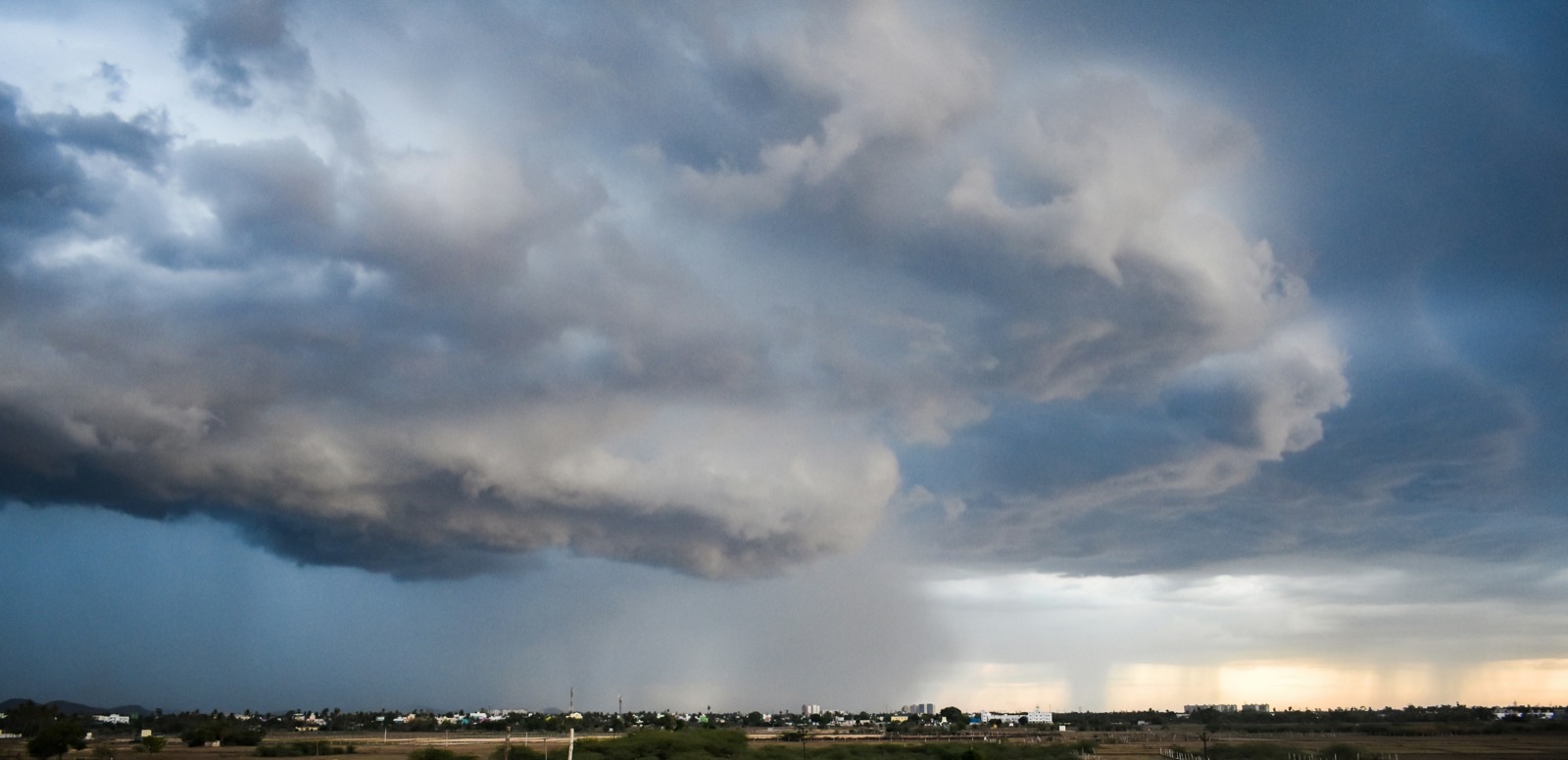
Severe weather reports in New Jersey have recently included a reported funnel cloud, tornado watch or warning context, and widespread outages. Those conditions can lead property owners to look for help with roof damage, water intrusion, electrical concerns, or urgent plumbing issues. The reporting does not establish that roofing or restoration businesses experienced a measurable increase in leads, but it is a useful reminder to prepare a response process before inquiries rise.
A good storm-response workflow does two things at once:
- It acknowledges people quickly without making unsafe promises.
- It gives a human team enough information to decide what to do next.
Use this checklist for tornado warnings, severe thunderstorms, high-wind events, and other weather situations that may generate damage-related calls and form submissions.
Table of contents
- Start with safety, not scheduling
- Storm-damage lead response checklist
- Questions to ask without conducting a remote inspection
- How to tag and route storm inquiries
- SMS templates for storm-related leads
- Follow-up for no-reply storm inquiries
- Use automation for acknowledgment—not emergency decisions
- FAQ
Start with safety, not scheduling
A storm-damage inquiry may sound like a normal estimate request, but the customer could be near an active hazard. Your first-response process should make the boundary clear:
- Your team cannot assess structural safety by text.
- Your team should not direct a homeowner to climb onto a roof, enter a damaged area, or approach a hazard.
- A text acknowledgment is not a dispatch confirmation.
- Immediate dangers require emergency services, not a place in a lead queue.
This matters especially for electrical and restoration inquiries. A message such as “There’s a wire down in my yard” or “The basement smells like gas after the storm” is not a qualification opportunity. It is a safety escalation.
Keep the opening message calm, short, and factual. Then move routine damage inquiries to a human team member for review.
Storm-damage lead response checklist
Use this as an operational checklist when severe-weather conditions may create more incoming inquiries than usual.
1. Confirm who owns incoming storm leads
Before a storm—or as soon as conditions develop—assign a real person to monitor:
- New website forms
- Missed calls and voicemails
- Facebook or Google Ads leads
- Google Business Profile messages
- Text replies
- Email inquiries
Do not assume an automated acknowledgment means the lead is handled. Someone must own the next human decision: safety escalation, service-area confirmation, inspection discussion, or a polite decline.
If one person is on a job site, route monitoring responsibility to another available team member where possible. A simple owner column or tag such as Storm Lead — Needs Review can prevent inquiries from being silently buried.
2. Send a safe acknowledgment
The initial reply should confirm receipt without promising a technician, emergency service, same-day inspection, insurance outcome, or repair result.
A safe acknowledgment can:
- Identify your business.
- Confirm that the inquiry was received.
- State that a team member will review the request.
- Include a clear emergency boundary.
- Ask for a simple, safe next step.
It should not:
- Say “we’re on the way” unless a human has actually confirmed that.
- Ask the homeowner to inspect a roof or damaged structure.
- Tell someone that a building is safe.
- Give insurance or coverage advice.
- Make a repair estimate by text.
For broader first-response examples, see 15 auto reply messages contractors can use for new leads.
3. Separate immediate hazards from service requests
Create a simple triage split.
| Lead type | Examples | Appropriate next action |
|---|---|---|
| Immediate safety concern | Downed line, gas smell, carbon monoxide concern, fire, injury, medical equipment without power | Direct the person to emergency services; do not continue with standard qualification. |
| Possible active property damage | Water entering the home, visible roof damage from a safe location, fallen tree affecting a structure | Escalate to a trained human reviewer. Confirm only that the request is being reviewed. |
| Standard post-storm request | Inspection request, estimate request, debris cleanup question, non-urgent repair inquiry | Confirm service area, gather basic details, and place in the appropriate review or scheduling queue. |
| Outside your scope or territory | Location outside service area, work type you do not perform | Respond clearly and avoid leaving the person waiting for availability you cannot provide. |
Your team should define its own escalation path before using the checklist. SecureMyLead can support acknowledgment and follow-up, but it does not replace dispatch, safety triage, estimating, or a human judgment call.
4. Verify service area before collecting too much detail
During a storm, it is easy for leads to arrive from nearby towns or counties outside your normal territory. Ask for the property ZIP code, city, or address early.
This protects the customer from waiting on a business that cannot serve them and protects your team from spending time on unworkable requests.
A concise question is enough:
What is the property ZIP code and best callback number? We’ll have our team review the request.
Do not represent that you cover an area until someone has confirmed it.
5. Check actual capacity before offering an appointment
Storm conditions can disrupt staffing, travel, supplier availability, and normal schedules. Before offering a time window, a human should confirm:
- Which crews are available.
- Which services can be performed safely.
- Whether the requested work falls within current capacity.
- Whether travel conditions affect the area.
- Whether a licensed or trained specialist is required.
This is the point where many businesses accidentally overpromise. “We can get there today” may feel reassuring, but it can create a worse customer experience if no team can safely or realistically make that commitment.
Use language such as “We’re reviewing availability” until a staff member has confirmed the next step.
6. Request photos only when they can be taken safely
Photos can help a human team understand the request, but they are optional and must never encourage risky behavior.
Safe framing:
- Ask for photos only if the customer can take them safely from the ground or another safe location.
- Make it clear that photos are not required to receive a response.
- Do not request roof photos, attic-entry photos, photos near standing water, or photos near electrical hazards.
- Do not ask a homeowner to move debris, climb, enter a damaged room, or approach a damaged structure.
A safer request:
If you can safely take a photo from the ground without approaching damage or hazards, you may send it here. Please do not climb on the roof or enter damaged areas for photos.
Photos can help with context; they do not replace an in-person assessment by a qualified professional.
7. Record the source, issue, and next action
Storm inquiries are easier to manage when every lead has a few consistent fields. At minimum, record:
- Name and preferred contact method
- Property city or ZIP code
- Service type needed
- Safety escalation required: yes or no
- Damage type reported
- Whether photos were received safely
- Assigned human owner
- Current status
- Next follow-up date
This is more useful than a vague “storm lead” label because it tells the next person what happened and what still needs to happen.
For a broader contractor workflow, read how to follow up with home service leads automatically.
Questions to ask without conducting a remote inspection
Once there is no immediate safety concern and the inquiry is assigned for review, ask only the questions needed to route the lead responsibly.
Basic qualification questions
- What is the property ZIP code or city?
- What type of help are you looking for? Examples: roof inspection, water mitigation, electrical repair, plumbing issue, cleanup, or estimate.
- Is water currently entering the property? This is a routing question, not a diagnosis.
- Is the property occupied right now?
- What is the best number for a team member to call?
- Can you briefly describe what you noticed from a safe location?
- If safe and optional, can you share a ground-level photo?
Questions to avoid
Avoid questions that pressure a customer into unsafe inspection work, including:
- “Can you climb up and check the shingles?”
- “Can you go into the attic and see where it’s leaking?”
- “Can you get closer to the wire?”
- “Can you check whether the wall is structurally sound?”
- “Can you test the electrical panel?”
- “Can you send a photo from inside the flooded room?”
Your team can gather context. It should not turn a homeowner into an untrained inspector.
How to tag and route storm inquiries
Storm inquiries are not all equally urgent, and they should not all receive the same message sequence.
A practical tagging system might include:
Storm — NewStorm — Human ReviewStorm — Safety EscalationStorm — In Service AreaStorm — Outside Service AreaStorm — Photos ReceivedStorm — Awaiting Customer ReplyStorm — Appointment DiscussedStorm — Closed / Not a Fit
The labels do not need to be complicated. Their job is to prevent a dangerous or time-sensitive inquiry from receiving generic marketing follow-ups.
Set a human escalation rule
Decide in advance which messages trigger immediate staff review. Examples include:
- Any reference to fire, gas, carbon monoxide, injury, downed lines, or medical equipment losing power.
- Reports of water actively entering the property.
- Customers asking whether a structure is safe.
- Requests for emergency service or immediate dispatch.
- Insurance questions that require expertise or documentation review.
- Any reply that changes the customer’s situation after an automated message was sent.
Automation can sort, acknowledge, and remind. People should handle the safety decision, service commitment, estimate, dispatch, and insurance conversation.
SMS templates for storm-related leads
Use these templates only for people who have provided appropriate consent to receive messages from your business. Include an opt-out path where applicable. This article is operational guidance, not legal advice.
Replace bracketed text before use.
General roofing or restoration acknowledgment
Hi [First Name], this is [Business Name]. We received your storm-damage request and a team member will review it. If there is immediate danger, fire, a gas leak, a downed power line, injury, or a medical power concern, please contact emergency services rather than waiting for a text reply. What is the property ZIP code and the best number to reach you? Reply STOP to opt out.
Safe photo request
Thanks, [First Name]. If you can safely take a photo from the ground without approaching damage or hazards, you may send it here. Please do not climb on the roof or enter damaged areas for photos. A team member will review the details you shared. Reply STOP to opt out.
Roofer: inspection-request acknowledgment
Hi [First Name], [Business Name] received your roof inspection request. We’re reviewing the property location and current availability before confirming next steps. Please reply with the property ZIP code and a brief description of what you noticed from a safe location. If there is an immediate emergency, contact emergency services. Reply STOP to opt out.
Restoration company: water-damage inquiry
Hi [First Name], this is [Business Name]. We received your water-damage inquiry. Please reply with the property ZIP code, whether water is currently entering the property, and the best callback number. Do not enter damaged or flooded areas to check conditions. If anyone is in immediate danger, contact emergency services. Reply STOP to opt out.
Electrician: storm-related electrical concern
Hi [First Name], [Business Name] received your electrical service request. For downed lines, fire, injury, carbon monoxide concerns, or other immediate danger, please contact emergency services and do not wait for a reply. For non-emergency service, send the property ZIP code and a brief description of the issue from a safe location. Reply STOP to opt out.
Emergency plumbing: non-diagnostic acknowledgment
Hi [First Name], this is [Business Name]. We received your storm-related plumbing request. Please share the property ZIP code, a brief description of the issue, and the best callback number. We’ll have a team member review the request; this message does not confirm dispatch or availability. If there is immediate danger, contact emergency services. Reply STOP to opt out.
Capacity-aware reply
Thanks for the details, [First Name]. We’re reviewing the request and current availability for your area. A team member will contact you about next steps if we can assist. Reply STOP to opt out.
This wording is deliberately conservative. It acknowledges the customer without claiming a response time, inspection slot, emergency availability, or job outcome.
Follow-up for no-reply storm inquiries
A customer may submit a form during bad weather, get distracted, lose power, or decide to contact several businesses. If the inquiry was not a safety escalation and the customer does not respond, a short, respectful follow-up can keep the conversation open.
Do not keep sending generic sequences to a lead that mentions an immediate hazard. Those leads require human review.
Follow-up message: missing location or callback details
Hi [First Name], this is [Business Name] following up on your storm-damage request. If you still need help, reply with the property ZIP code and best callback number so our team can review the request. If there is immediate danger, please contact emergency services. Reply STOP to opt out.
Follow-up message: photos were optional
Hi [First Name], checking in on your request. Photos are optional and should only be sent if they can be taken safely from the ground. If you still need help, reply with your ZIP code and a brief description of the issue. Reply STOP to opt out.
Follow-up message: close the loop
Hi [First Name], we have not heard back on your storm-related request. If you still need assistance, reply here with the property ZIP code and best callback number. If not, no action is needed. Reply STOP to opt out.
Keep the purpose of each message clear. A storm lead does not need a long promotional sequence; it needs a safe path to a real next step.
For more general no-response timing and message ideas, see how long to wait before following up with a lead.
Use automation for acknowledgment—not emergency decisions
An automated first message can help ensure a new inquiry is acknowledged while your team is on a roof, with another customer, or outside normal hours. But storm workflows need guardrails.
A safe automation setup should:
- Use neutral acknowledgment language.
- Include the emergency-services boundary.
- Avoid confirming appointments, availability, pricing, or dispatch.
- Request only safe, minimal details.
- Route storm-related replies to a human reviewer.
- Keep a visible record of who owns the next action.
- Avoid treating every customer reply as resolved.
SecureMyLead can automatically text new leads shortly after capture and support multi-step SMS follow-up sequences. For storm workflows, use that capability to acknowledge and collect basic information—not to decide whether a structure is safe or whether your team should be dispatched.
One important operational detail: ordinary replies remain visible in the SecureMyLead dashboard but do not currently auto-pause scheduled sequence messages. If a customer responds, your team should review the conversation and make sure the workflow still fits the situation before additional messages go out.
If you want a follow-up layer that can acknowledge new inquiries and reduce forgotten callbacks while your team handles the human decisions, get started free.
Key takeaways
- Severe weather can create conditions where property owners may seek urgent service help, even though a specific lead increase has not been documented.
- Put emergency guidance before sales, scheduling, or qualification.
- Never assess structural safety, electrical safety, or emergency severity by text.
- Ask for property location and basic context before discussing availability.
- Make photos optional and request them only when they can be taken safely from the ground.
- Use tags and human ownership so urgent messages do not disappear into a generic lead queue.
- Let automation acknowledge and organize; let trained people handle safety, capacity, estimates, dispatch, and insurance questions.
FAQ
What should a roofer text after a tornado warning or severe storm?
Send a short acknowledgment that identifies your business, confirms the request was received, asks for the property ZIP code and callback number, and states that immediate hazards require emergency services. Do not promise inspection timing or ask the customer to climb onto the roof.
Should restoration companies ask customers to send storm-damage photos?
Only as an optional request, and only when photos can be taken safely from the ground or another safe location. Do not ask customers to enter flooded areas, damaged rooms, attics, or unsafe structures to get photos.
Can an auto-reply confirm emergency storm service?
No. An auto-reply should not promise emergency availability, dispatch, same-day service, or a response time. It can confirm that the request was received and tell the customer that a team member will review it.
How should electricians handle storm-related text leads?
Treat any reference to downed lines, fire, injury, carbon monoxide, or medical equipment losing power as an emergency-services issue, not a normal lead. For non-emergency requests, gather only basic location and contact details, then send the conversation to a qualified human reviewer.
Should I automate follow-up for storm-damage leads?
Automation can be useful for immediate acknowledgment and a limited no-reply follow-up process. It should not replace human review, safety triage, dispatch decisions, estimates, or insurance conversations. Review replies carefully so a standard sequence does not continue when the customer’s situation has changed.
Related reading
- Best lead response templates for service businesses
- After-hours lead response: how to win jobs while you sleep
- Automated lead follow-up systems for contractors
- How electricians can respond to leads faster and book more jobs