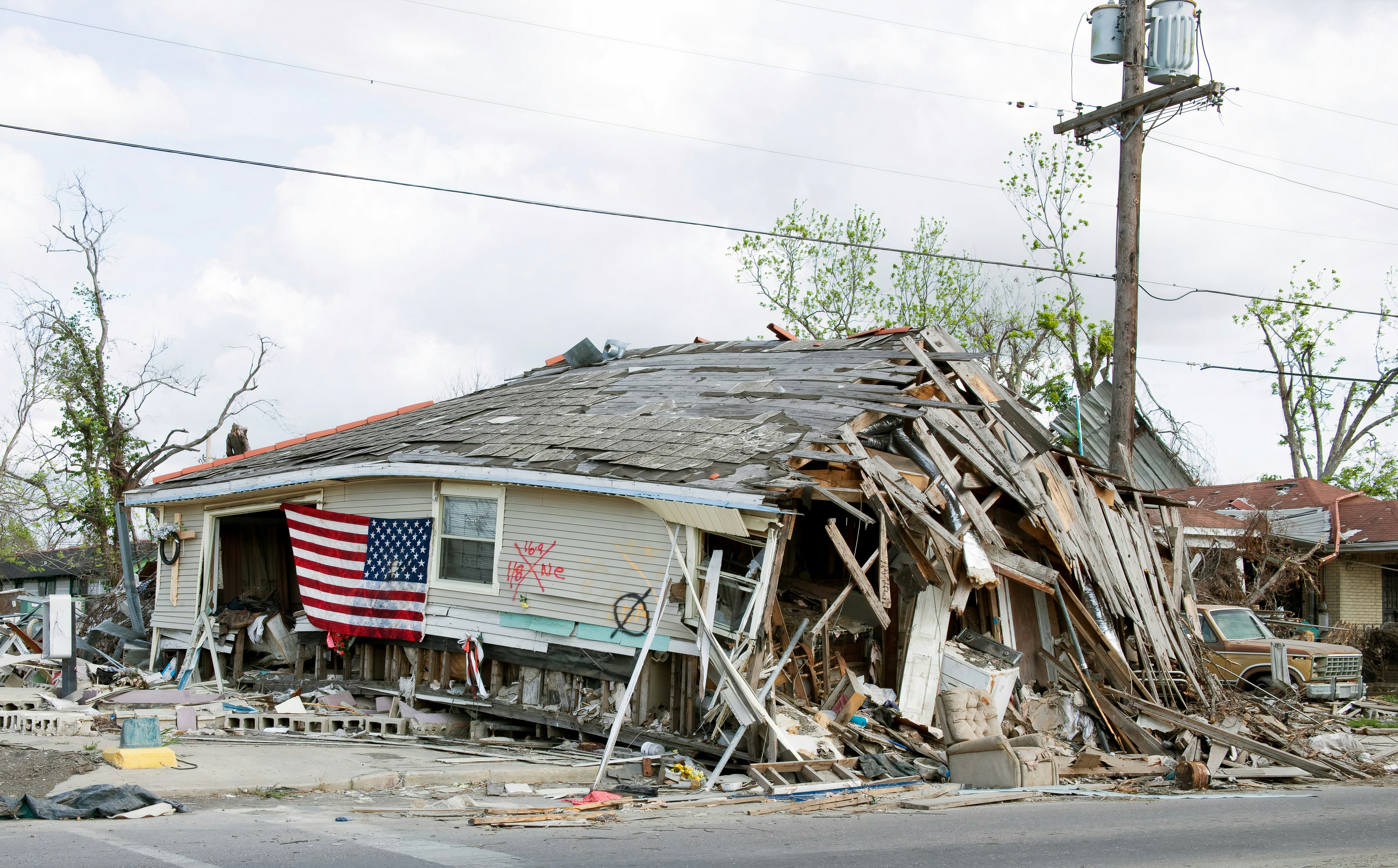
Storm Damage Leads: A Response Playbook for Roofers and Restoration Companies
Storm activity can create a period of uncertainty for homeowners—and a possible increase in inquiries for roofers, restoration companies, and tree-service businesses.
Recent reports illustrate the kind of conditions that can prompt those calls: the Rochester region received a severe thunderstorm warning, while a storm in Kansas City’s Northland brought down trees. These are separate local events, not evidence of a nationwide lead surge or documented increases in service-business calls. But they are useful reminders that businesses should prepare for a possible influx of damage, inspection, cleanup, and estimate requests after severe weather.
Before discussing lead response: automated messages are not emergency dispatch, damage diagnosis, or safety assessment. If an inquiry reports immediate danger, stop treating it as a standard sales lead and route it to a human team member. Your team should follow its established emergency procedures and direct customers to appropriate local emergency services when needed.
For every other inquiry, the goal is simpler: acknowledge the person, gather enough information for human review, avoid promises you cannot keep, and keep the next step clear.
Table of contents
- Why storm-related inquiries need a different workflow
- The storm lead-response workflow
- Questions to ask before scheduling
- SMS templates for storm damage inquiries
- Capacity and crew handoff rules
- Following up when you cannot serve the lead immediately
- Using automation without treating it like dispatch
- Storm-response checklist
- FAQ
Why storm-related inquiries need a different workflow
A routine roofing lead might ask for an estimate weeks from now. A storm-related inquiry may involve a homeowner who has just noticed missing shingles, a fallen tree, water intrusion, or visible exterior damage.
That difference changes the workflow.
A good storm-response process must account for:
- Unknown urgency: A web form cannot reliably determine whether a situation needs immediate human attention.
- Incomplete information: The initial message may only say “storm damage” or “need roof help.”
- Service-area limits: Storm conditions may produce inquiries outside your normal coverage area.
- Capacity constraints: Crews may already be committed, roads may be affected, or inspections may need to be prioritized.
- Multiple job types: Roofing, water mitigation, tree removal, tarp work, cleanup, and reconstruction may require different team members or partners.
- Communication expectations: Customers need a realistic next step—not an automatic promise that someone is on the way.
The right response is not “book every job immediately.” It is to create a clear path from new inquiry to human review, qualification, and an honest appointment or follow-up expectation.
For the broader fundamentals of creating a reliable response process, see how to follow up with home service leads automatically.
The storm lead-response workflow
Use this seven-step workflow when severe weather may create a rise in local inquiries.
1. Monitor every lead source in one place
Storm-related leads may arrive through more channels than usual:
- Website quote forms
- Missed calls and voicemail
- Google Business Profile messages
- Social media messages
- Referral calls
- Paid lead platforms
- Existing customers replying to past messages
Assign one person—or a rotating on-call owner—to review new storm-related inquiries. If no one owns the first review, a lead can receive an acknowledgment but still sit without a real next step.
Create a simple internal label set so the team can scan the queue:
| Lead label | Use it for |
|---|---|
| New storm inquiry | A new report needing review |
| Human review needed | Possible urgency or unclear situation |
| Inspection request | Customer wants an assessment or estimate |
| Outside service area | Address is not covered |
| Capacity waitlist | You may be able to help later |
| Referred out | Customer was directed elsewhere under your process |
| Appointment confirmed | A real inspection window has been accepted |
Keep labels operational. “Hot lead” is vague; “human review needed” tells the team what to do next.
2. Send a fast acknowledgment without making promises
A fast first text can confirm receipt and reduce uncertainty while your team reviews the request. It should not say a crew has been dispatched, guarantee arrival time, or imply that the business has assessed the damage.
Acknowledge three things:
- You received the request.
- A team member will review it.
- The customer can send the specific details needed for that review.
For more general first-response examples, use these contractor auto-reply messages.
3. Separate safety-critical reports from standard inspection requests
Not every storm-related lead belongs in the same automated sequence.
Set clear escalation triggers for a human review. For example, a message that describes immediate danger, an active hazard, or an unsafe condition should not continue through a normal estimate workflow. Flag it for a person immediately under your internal process.
For routine leads, continue with qualification: location, type of visible issue, photos if the customer can safely provide them, and preferred contact time.
The important distinction is this:
- Acknowledgment confirms that a message was received.
- Qualification gathers information.
- Human triage decides what your company can do next.
- Dispatch or emergency response is a separate operational decision that automation should not make.
4. Request the minimum useful information
Do not send a long questionnaire to someone who is already stressed. Ask for the details that help you determine service area, job type, and appropriate next step.
A practical first set of questions:
- What is the property address or ZIP code?
- What type of help are you looking for: roof inspection, water-related damage, tree cleanup, tarp request, or another service?
- Is the issue currently getting worse, or are you requesting an inspection after the storm?
- If it is safe to do so, can you reply with a few photos of the visible exterior damage?
- What is the best time for a team member to call or text?
Avoid asking customers to inspect dangerous areas, climb onto roofs, move debris, or diagnose the source of damage. Photos are optional and should only be requested when the customer can provide them safely.
5. Check coverage and capacity before offering a time
Before suggesting an appointment window, verify:
- The property is in your active service area.
- The requested service is something your team handles.
- A crew or estimator can realistically take the job.
- The proposed time window is available.
- The lead needs a partner referral, a waitlist option, or a later follow-up instead.
A storm-response workflow fails when the first message creates an expectation that operations cannot meet.
Use conditional language until a human confirms the slot:
- “We’re reviewing availability for your area.”
- “A team member will confirm the next available inspection window.”
- “We’ll let you know what we can offer after reviewing the details.”
6. Hand the lead to the right person
Storm-related opportunities often need routing by job type, not simply by who is next in the inbox.
For example:
| Inquiry type | Possible owner |
|---|---|
| Inspection or estimate request | Roofing estimator |
| Water-related restoration request | Restoration coordinator |
| Fallen-tree cleanup request | Tree-service team or approved referral partner |
| Existing-customer question | Account owner or service manager |
| Unclear or safety-sensitive report | Designated human triage owner |
The assignment does not need to be complicated. A small business can use a shared inbox, a tagged lead list, and one on-call decision maker. What matters is that someone owns the next human response.
7. Confirm the next step in writing
Once a person confirms availability, send a plain-language confirmation that includes:
- The date or appointment window
- What the customer should expect next
- The best way to update you if conditions change
- A reminder that the time is an inspection or review window, if that is what it is
Do not turn an inspection confirmation into an implied commitment to perform repairs on the spot.
Questions to ask before scheduling
The best qualification questions help you route work without asking the homeowner to become an expert.
For roofing inquiries
Ask about:
- Property location
- Whether the customer wants an inspection, estimate, temporary protection request, or repair discussion
- Visible exterior damage the customer can describe from a safe location
- Whether the property is residential or commercial
- Preferred contact time
Do not ask someone to climb onto the roof, enter an unsafe attic, or make a technical diagnosis.
For restoration inquiries
Ask about:
- Property location
- The general area affected
- Whether the request is for an inspection, cleanup, mitigation, or reconstruction conversation
- Whether the customer is an existing client
- The best contact method and time
A human team member should determine whether the request fits your actual service scope and operational capacity.
For tree-service inquiries
Ask about:
- Property address
- Whether the request concerns fallen limbs, a tree on a structure, debris cleanup, or an inspection
- Whether access to the property is currently limited
- Photos only if they can be taken safely from a secure location
- Preferred callback time
The Kansas City Northland report of trees coming down is an example of how storm effects may lead homeowners to seek help from different local service categories—not proof that every affected business received more leads. Read the local report from FOX4.
SMS templates for storm damage inquiries
Use these only for contacts who have provided the appropriate consent to receive messages. Honor opt-out requests and make sure your messaging practices meet applicable requirements.
1. Initial acknowledgment
Hi [First Name], this is [Business Name]. We received your storm-related request and a team member is reviewing it. Please reply with the property ZIP code and the type of help you need, such as an inspection, roof repair, cleanup, or restoration support. Reply STOP to opt out.
2. Photo request with safe framing
Thanks, [First Name]. If you can safely share photos of visible exterior damage from the ground, you can send them here. Please don’t climb on the roof or enter an unsafe area to take pictures. A team member will review the details and follow up.
3. Service-area check
Thanks for sending the address. We’re checking coverage and availability for your area now. We’ll follow up with the next available option we can offer.
4. Human review needed
Hi [First Name], we’ve flagged your message for a team member to review directly. We’ll contact you as soon as we can with the appropriate next step.
This is better than pretending that a text workflow can judge severity or send a crew.
5. Inspection-window offer
Hi [First Name], we may have an inspection window available on [Day] between [Time Range]. Would that work for you? Once confirmed, we’ll send the details.
Only send this after a real availability check.
6. Capacity waitlist message
Hi [First Name], we’ve received your request. Our current schedule is limited, but we can keep your information on our storm-response list and contact you if an appointment window becomes available. Would you like us to do that?
7. Outside-service-area response
Hi [First Name], thanks for reaching out. At this time, your address is outside our active service area, so we can’t promise service. We wanted to let you know promptly rather than leave your request unanswered.
8. No-response follow-up
Hi [First Name], this is [Business Name] following up on your storm-related request. If you still need an inspection or want us to review availability, reply with your ZIP code and the best time to reach you. Reply STOP to opt out.
For more messaging examples that can support your general workflow, see best lead response templates for service businesses.
Capacity and crew handoff rules
Storm periods can make bad promises especially expensive. Build simple rules before the inbox becomes busy.
Use an appointment buffer
Do not fill every possible inspection slot with no room for travel changes, job overruns, weather interruptions, or urgent human-reviewed requests.
A buffer protects the customers already on your calendar and helps your team avoid making commitments it cannot keep.
Define what “available” means
Your office staff or automated workflow should know the difference between:
- A slot that is confirmed
- A slot that is tentatively available
- A waitlist position
- A request awaiting crew review
- An inquiry you cannot serve
If the answer is uncertain, say so. “We are reviewing availability” is more useful than an inaccurate promise.
Establish a cutoff for new requests
Decide in advance when your team will stop offering same-day inspection windows. After that point, new inquiries can be acknowledged, qualified, and offered the next available review window instead.
Keep a referral plan separate from marketing
If you maintain relationships with other qualified local providers, establish a human-reviewed referral process. Do not automatically send customers to an unverified business just to clear the lead queue.
Following up when you cannot serve the lead immediately
Not every storm-related inquiry can receive a same-day appointment. A lead still deserves a clear answer.
When capacity is limited, use one of these paths:
- Waitlist: Tell the customer you can contact them if availability opens.
- Later inspection window: Offer the earliest realistic option.
- Human callback: Commit only to a review or callback, not a repair timeline.
- Service-area decline: Let the customer know promptly if you do not cover the location.
- No-fit decline: Be direct if the requested work is outside your service scope.
A structured follow-up plan is useful here because customers may be dealing with multiple contractors, changing conditions, and missed calls. Your goal is not to chase people aggressively. It is to make it easy for a qualified customer to reply when they are ready.
If your team struggles to keep track of second and third touches, review how long to wait before following up with a lead.
Using automation without treating it like dispatch
Automation can support storm-response operations when it is used for the right jobs:
- Sending an immediate acknowledgment after a form submission
- Asking for ZIP code, contact preference, and service type
- Applying a storm-inquiry tag
- Notifying the appropriate team member
- Sending a waitlist or no-response follow-up
- Keeping routine inquiries from being forgotten outside business hours
It should not be used to:
- Diagnose structural, electrical, fire, medical, or other hazards
- Decide whether a situation is an emergency
- Dispatch a crew without human review
- Guarantee arrival, repair, or inspection times
- Assume your crews have capacity
- Continue sending routine sequence messages after a human conversation makes them inappropriate
With SecureMyLead, businesses can automate a first SMS acknowledgment and build follow-up sequences for leads that need a later response. It can help organize the communication layer between lead capture and a human conversation. Your team still needs to review urgent messages, verify availability, and manage actual scheduling.
Get started free to set up a follow-up process that helps new inquiries receive a timely acknowledgment without treating automation as emergency dispatch.
Storm-response checklist
Use this checklist before and during a possible weather-driven inquiry increase.
Before storms or during active warnings
- [ ] Identify the person responsible for reviewing new storm-related leads.
- [ ] Confirm active service areas and temporarily unavailable areas.
- [ ] Review current crew and estimator availability.
- [ ] Prepare a non-promissory first-response message.
- [ ] Define tags for inspection, restoration, cleanup, human review, waitlist, and out-of-area requests.
- [ ] Ensure your team knows when to move a lead out of automation and into human review.
- [ ] Confirm your opt-out process and consent practices for SMS.
When inquiries arrive
- [ ] Acknowledge receipt quickly.
- [ ] Check for a report that needs immediate human attention.
- [ ] Gather address or ZIP code and requested service type.
- [ ] Request photos only when they can be provided safely.
- [ ] Check coverage, job fit, and realistic capacity.
- [ ] Assign a named human owner.
- [ ] Offer only appointment windows that have been verified.
- [ ] Record the next action and follow-up date.
After the first response period
- [ ] Review waitlisted and unanswered leads.
- [ ] Remove leads from automated messages when a human conversation requires a different approach.
- [ ] Check whether appointment promises matched actual availability.
- [ ] Save the messages and routing rules that worked for the next storm event.
- [ ] Update your service-area and capacity language based on what created confusion.
What recent storm reports do—and do not—show
The current context for this playbook comes from reported severe-weather activity in different locations:
- The Rochester region received a severe thunderstorm warning, according to the Democrat and Chronicle. Read the report.
- A storm moved through Kansas City’s Northland and trees came down, according to FOX4. Read the report.
These reports establish local severe-weather and property-impacting conditions. They do not establish that roofers, restoration companies, or tree services experienced a measured increase in leads, calls, or revenue.
The practical takeaway is preparation: severe weather can create circumstances in which affected homeowners may seek help, so local service businesses should have a clear acknowledgment, triage, routing, and capacity process ready.
FAQ
Should roofers automate responses to storm damage leads?
They can automate the initial acknowledgment and basic information gathering for appropriately consented contacts. A human should review requests that may involve immediate danger, unclear conditions, capacity decisions, or actual scheduling.
Can an auto-reply promise same-day service?
No. Only promise what your team has verified. A safer message is that the business received the request and is reviewing availability.
What information should a roofing company collect first?
Start with the property ZIP code or address, the type of help requested, a safe description of visible damage, and the customer’s preferred contact time. Keep questions short enough that the customer can respond easily.
Should I ask for storm damage photos by text?
You can request photos of visible exterior damage only when the customer can provide them safely. Do not ask a homeowner to climb onto a roof, enter an unsafe area, or take risks to document a problem.
How should restoration companies handle more inquiries than they can schedule?
Acknowledge each inquiry, qualify the request, check capacity before offering any window, and use an honest waitlist or later-appointment process where appropriate. Do not let automation imply that crews are available when that has not been confirmed.
Does SecureMyLead dispatch crews or assess emergency severity?
No. SecureMyLead supports lead acknowledgment and follow-up messaging. It is not an emergency-triage, damage-assessment, dispatch, or scheduling system.