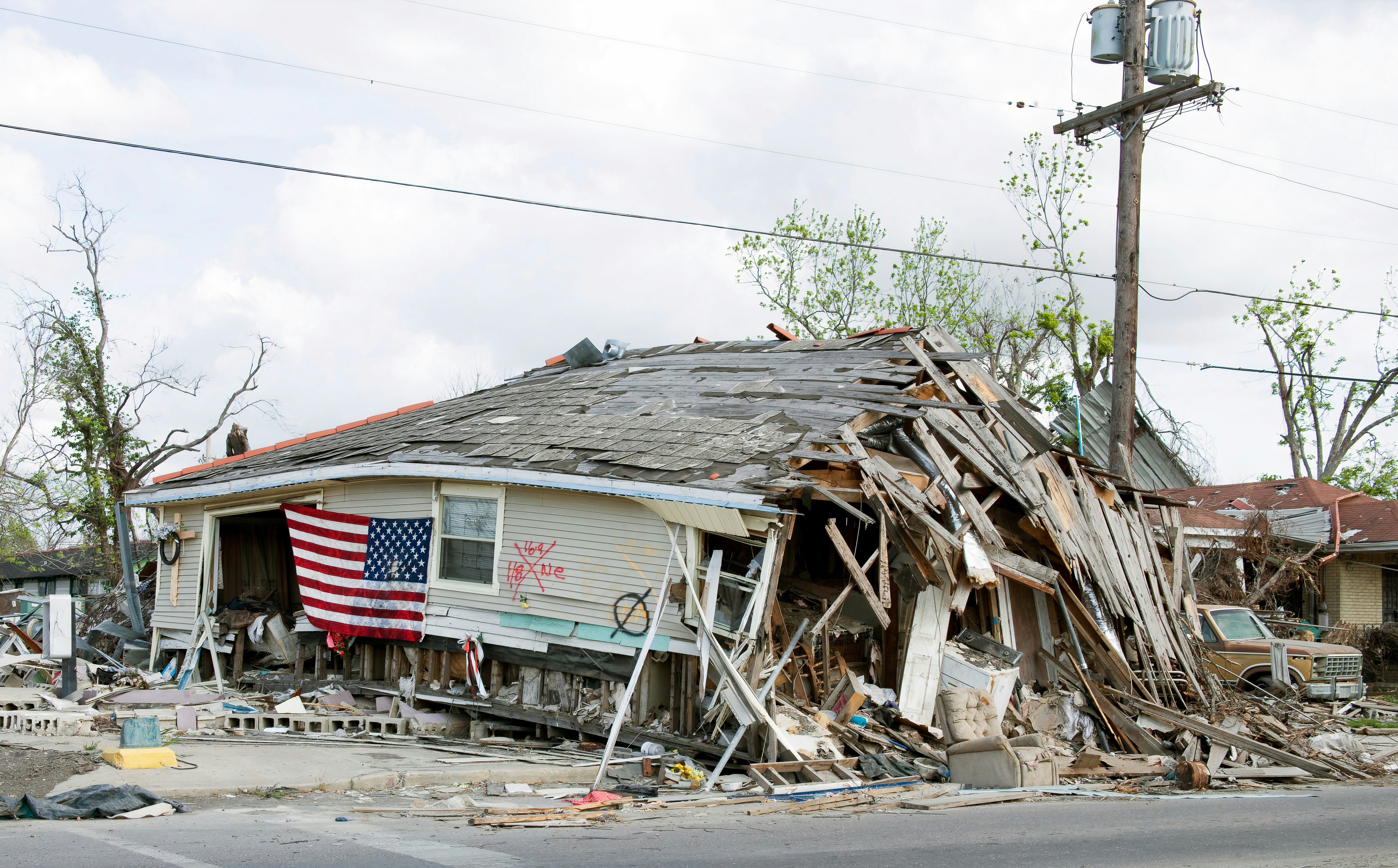
Storm Damage Lead Response: A Home-Service Workflow for Weather Inquiries
A new storm is moving into Southern California, while heavy rain and flood alerts have affected the Central Coast, according to the Los Angeles Times and KSBY.
Those conditions can create concern about leaks, flooding, roof damage, drainage problems, and other property issues. They may also lead homeowners to contact roofers, restoration companies, plumbers, HVAC businesses, and other local service providers.
That does not prove that any individual business is receiving more leads. But it is a good time to prepare a clear workflow in case weather-related inquiries rise.
Safety comes before lead handling
A storm inquiry is not automatically a routine estimate request. If a caller or texter reports an immediate danger—such as a downed power line, a gas smell or suspected gas leak, fire, carbon monoxide concern, serious flooding, or medical equipment losing power—do not try to diagnose the issue by text.
Your team should direct the person to contact emergency services, the appropriate utility, or another qualified emergency resource as appropriate. Follow local emergency alerts and instructions.
An automated acknowledgment can confirm that the business received an inquiry, but it is not emergency dispatch, damage assessment, or a substitute for emergency responders, utility providers, insurers, or qualified professionals. A human team member should take ownership of urgent cases.
Table of contents
- Why storm-response workflows matter
- The five-part storm inquiry workflow
- Storm inquiry questions to collect
- Message templates for weather-related leads
- How to manage capacity without overpromising
- Use automation for acknowledgment—not emergency triage
- Storm-response checklist
- FAQ
Why storm-response workflows matter
During wet or windy conditions, a homeowner may not know whether they need immediate help, an inspection, temporary mitigation, an estimate, or simply advice about the next step. They may contact several businesses while trying to get answers.
For a small home-service team, the operational challenge is rarely just generating attention. It is keeping inquiries organized while technicians are on jobs, phones are busy, weather affects travel, and available appointment slots change.
A useful storm-response process does five things:
- Acknowledges the inquiry quickly.
- Flags potential safety issues for human review.
- Collects enough information to classify the request.
- Sets realistic timing expectations.
- Keeps routine leads from being forgotten if immediate service is unavailable.
This is different from promising same-day service to everyone. A good workflow makes the next step clear without claiming capacity you have not confirmed.
The five-part storm inquiry workflow
1. Acknowledge every new inquiry
The first message should be short, calm, and specific. Confirm that the customer reached the right business and explain what happens next.
For example:
Thanks for contacting [Business Name]. We received your storm-related service request. If there is an immediate safety risk, please contact emergency services or the appropriate utility. Otherwise, reply with your address and a brief description of the issue, and a team member will review it.
This message does not diagnose the damage or promise a dispatch time. It simply gives the customer a next step and reduces the chance that their inquiry sits unanswered.
For more general first-response examples, see auto reply messages for contractors.
2. Separate immediate hazards from service requests
Your team—not automation—should determine whether a request needs urgent human attention.
Create a simple internal label structure such as:
| Inquiry type | Example | Owner | Next action |
|---|---|---|---|
| Potential immediate hazard | Downed line, gas smell, fire, medical-power concern | Human reviewer | Provide emergency-resource direction; do not treat as a standard booking |
| Active property damage | Water entering the home, active roof leak, flooding in a room | Human reviewer | Confirm service area and current response options |
| Time-sensitive but non-emergency | Missing shingles, clogged drain, suspected leak, storm inspection request | Office or estimator | Collect details and offer the earliest appropriate next step |
| Routine follow-up | Estimate request, inspection request after weather clears | Office or estimator | Schedule callback, inspection, or estimate process |
Do not rely on keyword rules alone to determine severity. A message saying “water everywhere” may require a different response than “I noticed a stain after last night’s rain,” but the context still needs human judgment.
3. Gather details that affect the next step
Once the lead appears suitable for your normal service workflow, collect the information your team actually needs to route it.
Avoid asking every question at once. Start with the details that determine service area, service type, and urgency.
Useful first questions include:
- What is the property address or ZIP code?
- What type of issue are you seeing?
- Is the problem active right now, such as water entering the property?
- When did you first notice it?
- Is this a residential or commercial property?
- Is there safe access for an inspection when conditions allow?
- What is the best phone number and time for a team member to call?
For roofers, you may need the roof type, general location of the leak, or whether there are visible missing materials. For plumbers, the distinction may be between an overflowing fixture, drain backup, exterior drainage concern, or suspected pipe leak. Restoration businesses may need to know which area is affected and whether water is still entering.
Do not ask customers to take unsafe actions, climb onto roofs, approach standing water, or inspect electrical hazards to answer your questions.
4. Route by service area and real capacity
A weather-response workflow should include a decision point for service area and availability before you promise an appointment.
A basic internal routing process might look like this:
- Confirm the address is inside your service area.
- Identify the service category: roofing, water mitigation, plumbing, HVAC, drainage, or inspection.
- Check whether the request needs a human call now, a same-day review, or the next available appointment.
- Assign one person to own the next response.
- Record the promised next step and timing.
The key is ownership. “Someone will call you” is weaker than assigning the lead to a named person or queue.
If your team is full, say so clearly and offer the next realistic action. That may be a callback window, a future inspection opening, or an update after conditions improve. Do not imply that a text confirmation means a technician is en route.
5. Continue follow-up when on-site service must wait
Storm conditions can make immediate site visits impractical or unsafe. That does not mean the inquiry should disappear from the queue.
Use a follow-up sequence for leads that are safe to contact but cannot yet be scheduled. The goal is to maintain communication, not pressure homeowners.
A simple sequence could be:
- Immediately: Confirm receipt and collect basic details.
- After human review: Share the next available step or ask for missing information.
- The next day or after conditions change: Confirm whether the issue is still active and whether the customer wants to proceed.
- After an estimate or inspection: Follow up with a clear question and a single next action.
For more ideas on building a repeatable workflow, read how to follow up with home service leads automatically.
Storm inquiry questions to collect
The fastest way to lose track of weather-related inquiries is to keep them only in voicemail, scattered texts, or an employee’s memory. Use a consistent intake record.
Minimum intake fields
| Field | Why it matters |
|---|---|
| Customer name and callback number | Lets a human follow up without searching message history |
| Property address | Confirms service area and helps route the request |
| Service requested | Separates roofing, plumbing, restoration, and inspection needs |
| Active issue description | Helps a human understand what the customer is reporting |
| When the issue started | Adds context without acting as a diagnosis |
| Preferred contact time | Helps when the customer cannot answer immediately |
| Lead source | Shows whether the inquiry came from a form, call, ad, referral, or other channel |
| Owner and next action | Prevents the lead from becoming “everyone’s job” and no one’s responsibility |
Optional details to request later
Once a team member confirms the request is appropriate for your service process, they can ask for photos, insurance-related context, access information, or other details relevant to the work.
Keep the order practical: first establish safety, location, service type, and ownership. Then collect the details needed for inspection, estimating, or scheduling.
Message templates for weather-related leads
Use these as starting points. Update them to match your actual services, hours, and capacity.
New storm-related inquiry acknowledgment
Hi [First Name], this is [Business Name]. We received your request about the weather-related issue at your property. If there is an immediate safety danger, please contact emergency services or the appropriate utility. Otherwise, reply with the property address and a brief description of what you’re seeing, and a team member will review the request.
Active leak or water-entry inquiry
Hi [First Name], thanks for contacting [Business Name]. We received your message about water entering the property. A team member will review the details and confirm the next available step. Please reply with the address, where the water is appearing, and the best number for a callback. If you believe there is an immediate safety risk, contact emergency services or the appropriate utility.
Inspection request after a storm
Hi [First Name], thanks for reaching out to [Business Name] about a storm inspection. Please send the property address, a short description of your concern, and the best time to reach you. We’ll review availability and follow up with the next step.
Capacity-delay update
Hi [First Name], we have your request for [service]. Our team is currently working through weather-related inquiries, and we do not want to promise a time we cannot confirm. We will update you by [day/time] with the next available option. If conditions at the property become unsafe, please contact the appropriate emergency resource.
No-response follow-up
Hi [First Name], this is [Business Name] following up on your [roofing/plumbing/restoration] request. Do you still need help with the issue at [property address or area]? Reply YES and we’ll confirm the next available step.
Before sending automated texts, make sure you have appropriate consent and honor opt-out requests and applicable messaging requirements. Text automation can support communication, but the business remains responsible for using it lawfully.
For additional copy-and-paste follow-up examples, visit best lead response templates for service businesses.
How to manage capacity without overpromising
Storm-related demand can be unpredictable. The answer is not to stop responding when the schedule fills. It is to replace vague promises with a clear capacity policy.
Define three service statuses
Available now: You have confirmed capacity for a call, inspection, or service window.
Review required: The customer has submitted an inquiry, but a person must confirm location, service fit, or urgency before offering a time.
Waitlist or next available: You cannot offer immediate service, but you can give a realistic update time or future option.
This prevents an automatic reply from sounding like a booking confirmation.
Give customers a concrete next communication point
Avoid:
We’ll get back to you as soon as possible.
Prefer:
A team member will review your request and update you by 4 p.m. today.
Only use a time you can reasonably support. If you cannot give a specific window, explain the process instead:
We’re reviewing requests by service area and active issue type. We’ll contact you after a team member reviews your details.
Keep service categories separate
A storm-related roof inspection, a possible indoor water issue, and a routine estimate should not necessarily enter the same queue. Even if one person receives all inbound messages, separate the work internally so the team can see what needs a faster human review.
Use automation for acknowledgment—not emergency triage
SecureMyLead can support the lead-response portion of this workflow by sending an initial SMS when a new inquiry arrives and continuing appropriate follow-up for leads that need a later response.
That is useful when an owner is on a roof, at another job, driving between appointments, or receiving inquiries outside normal hours. But the system should be configured with clear boundaries:
- Use automation to acknowledge new inquiries and request basic information.
- Include safety language in weather-related first responses.
- Route potential urgent situations to a human reviewer.
- Do not present an automated text as dispatch confirmation.
- Do not assume a reply means a scheduled sequence should stop; review active conversations and manage them intentionally.
- Keep service-area, staffing, and appointment decisions with your team.
SecureMyLead is a follow-up layer, not an emergency-response system or a replacement for dispatch judgment.
Storm-response checklist
Before weather-related inquiries potentially increase, review this list:
- [ ] Confirm who monitors new leads during and after business hours.
- [ ] Write an acknowledgment message that identifies your business and includes a safety boundary.
- [ ] Define which messages require immediate human review.
- [ ] Create separate labels for active issues, inspections, estimates, and routine follow-up.
- [ ] Confirm service areas and current availability with the team.
- [ ] Prepare a capacity-delay message that does not overpromise.
- [ ] Decide who owns each new inquiry after it is received.
- [ ] Record the customer’s address, issue type, contact details, and next action.
- [ ] Set follow-up reminders for leads that cannot be scheduled immediately.
- [ ] Check that your texting process respects consent, opt-outs, and applicable requirements.
Key takeaway
Southern California’s current storm conditions and Central Coast flood alerts may prompt more homeowners to seek information about property issues. A business should prepare for that possibility with a workflow that acknowledges inquiries, puts safety first, assigns human ownership, collects useful details, and gives customers realistic next steps.
Fast acknowledgment matters, but it is only the first step. The real goal is an organized response process that does not confuse lead follow-up with emergency dispatch.
FAQ
Should a roofer use automated texts during a storm?
Automated texts can acknowledge a new inquiry and collect basic details when used responsibly. They should not diagnose damage, determine emergency severity, promise a dispatch time, or replace a human response for potentially urgent situations.
What should a storm-damage auto-reply say?
It should identify the business, confirm receipt, direct immediate safety concerns to emergency services or the appropriate utility, request basic property and issue details, and explain that a team member will review the request.
How should a home-service business handle more inquiries than it can schedule?
Continue acknowledging leads, classify them by service type and urgency, assign ownership, and give only realistic next steps. If immediate service is unavailable, provide a specific update point or next-available process rather than implying that a visit is confirmed.
Should businesses ask customers for storm-damage photos by text?
Photos can be useful for a later review when safe to provide, but businesses should not ask customers to climb onto roofs, approach electrical hazards, enter unsafe areas, or take other risks to document damage.
Can SecureMyLead dispatch emergency repair crews?
No. SecureMyLead supports lead acknowledgment and SMS follow-up. It is not an emergency-dispatch, damage-assessment, scheduling, or safety-triage system.
Related reading
- After-hours lead response: how to win jobs while you sleep
- Automated lead follow-up for plumbers: how to turn more quotes into jobs
- Estimate follow-up text templates for contractors
- How to build a lead follow-up system that runs automatically
If your team needs a consistent way to acknowledge new service inquiries and keep appropriate follow-up from being forgotten, get started free with SecureMyLead.