Hurricane Nolo Lead Response Playbook for Roofing and Restoration Businesses
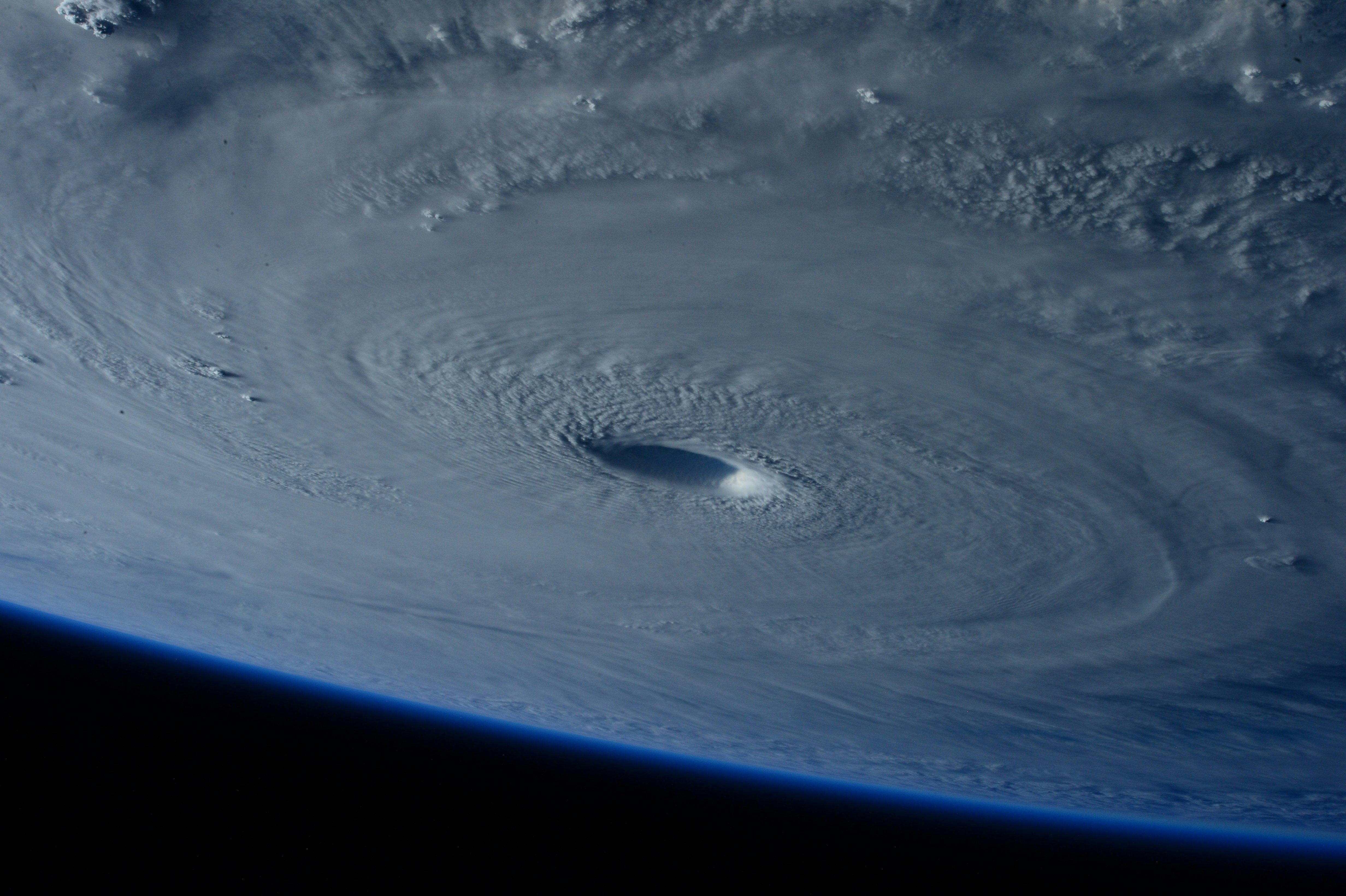
Hurricane Nolo is approaching Hawaii, with the Big Island under a hurricane watch, according to ABC News. In Hilo, families were stocking up on essentials as the storm strengthened, Hawaii News Now reported.
Those reports establish an active weather event and heightened preparation. They do not establish that roofing, restoration, plumbing, electrical, or other home-service businesses are already receiving more leads.
Still, a hurricane watch is a sensible time for local service operators to prepare. If storm-related inquiries rise, the businesses that have clear safety boundaries, accurate capacity messages, and a simple follow-up process may be better equipped to respond without making promises they cannot keep.
This playbook is designed for roofing and restoration businesses, but the workflow can also help plumbing, electrical, cleaning, and general contracting teams prepare for future hurricanes and severe-weather events.
Table of contents
- Start with safety, not lead qualification
- Build a storm lead workflow before conditions worsen
- Use intake questions that support safe scheduling
- Create honest capacity and service-area updates
- Storm lead response text templates
- Collect photos and details without turning text into a safety assessment
- Schedule estimates in a controlled order
- Follow up when a storm lead goes quiet
- Reactivate deferred leads after the storm
- Use automation carefully during a possible demand spike
- FAQ
Start with safety, not lead qualification
A storm-related inquiry can involve more than a routine estimate request. Your first workflow decision should be clear: an automated message must not assess danger, diagnose a structure, or promise emergency response.
If a customer reports an immediate hazard, direct them to the appropriate emergency services. This can include situations involving:
- Downed power lines
- A suspected gas leak
- Fire
- Carbon monoxide concerns
- Medical equipment that has lost power
- Any situation where someone may be in immediate danger
Do not ask a customer to send photos first when they say there is an immediate hazard. Do not promise a crew is on the way unless a person on your team has confirmed that. And do not describe your business as an emergency responder unless that is genuinely how your operation is staffed and authorized to operate.
For all other inquiries, your goal is simpler: acknowledge the request, gather the minimum details your team needs, set accurate expectations, and create a clear human handoff.
Build a storm lead workflow before conditions worsen
A workable storm-response process does not need a complicated dispatch system. It needs defined decisions your team can apply consistently.
Before the storm, assign answers to these seven questions:
| Workflow decision | What your team should define |
|---|---|
| Who monitors new leads? | Name the owner, office staff member, or rotating on-call person responsible for reviewing replies. |
| What work can you discuss? | Define the services you may offer after conditions are safe, such as inspection requests, roof repairs, water-damage assessments, or temporary protection services. |
| What is outside your scope? | Identify requests your business will not handle, including immediate public-safety hazards. |
| Where can you work? | List active service areas and areas you may pause because of weather, road access, crew availability, or travel constraints. |
| What can you promise? | Use only response and scheduling language your team can meet. Avoid “today,” “within an hour,” or “we’re on our way” unless confirmed. |
| What information is needed? | Decide which details a lead should provide before a human follows up. |
| When do you pause or edit messages? | Set a person responsible for updating automated text copy if conditions, capacity, or service areas change. |
The key is separating acknowledgment from commitment.
An acknowledgment says, “We received your request and will review it.” A commitment says, “A technician will arrive at 2 p.m.” During uncertain weather conditions, the first is usually safe to automate; the second requires a real capacity decision.
For a broader foundation on building a repeatable process, see how to follow up with home service leads automatically.
Use intake questions that support safe scheduling
Storm leads often arrive with incomplete details: “My roof is leaking,” “Water came in,” or “Need help ASAP.” Your team cannot make every decision from that first message, but a short intake structure can reduce back-and-forth.
Keep questions limited to information that affects whether and how your business can follow up.
Recommended storm lead intake fields
For roofing and restoration businesses, consider collecting:
- Name and best callback number
- Property address or neighborhood
- Property type Residential, commercial, rental, condominium, or another category your business handles.
- Requested service Roof inspection, roof repair, water-damage assessment, drying/restoration inquiry, temporary protection request, or general estimate.
- What the customer is observing For example: visible leak, missing material, ceiling staining, water intrusion, or a request for a post-storm inspection.
- When the issue was first noticed
- Whether it is safe to communicate by text
- Whether photos are available, if safe to take and share
Do not turn this into an interrogation. The purpose is to help the right person review the lead, not to make the customer complete a long form while they are managing a stressful situation.
Keep emergency screening simple
A lead form or initial text can include a short safety boundary:
If there is an immediate threat to people or property, please contact the appropriate emergency services. We cannot assess dangerous conditions by text.
This is better than trying to create an automated decision tree for dangerous circumstances. A roofing or restoration lead-response system should support communication after the business defines its boundaries; it should not attempt to replace emergency judgment.
Create honest capacity and service-area updates
The fastest way to create avoidable frustration is sending a normal “We can get you scheduled today” response when your crews are unavailable, roads are affected, or your business has paused field work.
Prepare three versions of your lead response before you need them:
1. Normal operations message
Use this only when you are actively reviewing and scheduling new requests.
Thanks for contacting [Business Name]. We received your request for [service]. Our team will review the details and follow up about next steps and availability.
2. Limited-capacity message
Use this when you are receiving inquiries but cannot yet provide a firm appointment window.
Thanks for reaching out to [Business Name]. We’re reviewing storm-related requests and current availability. Please reply with your property address and a brief description of the issue, and a team member will follow up when we can confirm next steps.
3. Temporary service pause message
Use this when weather conditions, access, or staffing mean your team cannot safely schedule new field visits.
Thanks for contacting [Business Name]. We’ve received your request. Our field scheduling is temporarily limited due to current conditions, but we can review your details and contact you when we’re able to confirm availability. If there is an immediate hazard, please contact the appropriate emergency services.
Avoid vague language such as “We’ll be there soon” or “We’re handling all emergencies.” If your capacity changes, update the message promptly rather than leaving an outdated auto-reply running.
Storm lead response text templates
These templates are intentionally cautious. Edit them to match your actual service area, staffing, consent practices, and operating status.
New roofing inquiry acknowledgment
Hi [First Name], this is [Business Name]. We received your roofing request for [Property Address]. Please reply with a brief description of what you’re seeing and, if safe, any photos you’d like our team to review. We’ll follow up after reviewing availability.
Water-damage or restoration inquiry acknowledgment
Hi [First Name], thanks for contacting [Business Name]. We received your restoration inquiry for [Property Address]. Please reply with the best callback time and a short description of the issue. If there is an immediate danger, contact the appropriate emergency services rather than waiting for a text response.
Service-area confirmation
Thanks, [First Name]. Before we confirm next steps, please send the property address or ZIP code so we can verify whether the location is within our current service area.
Limited availability update
Hi [First Name], we’re currently reviewing storm-related requests and cannot confirm an appointment time yet. We have your details and will contact you when a team member can confirm availability. Thank you for your patience.
Photo request after initial acknowledgment
If it is safe to do so, you can reply with photos of the affected area from a safe location. Please do not climb onto a roof, enter an unsafe area, or take risks to get images for us.
Estimate scheduling invitation
Hi [First Name], we have reviewed your request and can discuss an inspection or estimate. Would [Option 1] or [Option 2] work better for a callback to confirm the appointment details?
No-response follow-up
Hi [First Name], this is [Business Name] following up on your request for [service] at [Property Address]. If you still need help, reply with the best time to reach you and we’ll review next steps based on current availability.
For more general copy options, use these lead response templates for service businesses and contractor auto-reply messages.
Collect photos and details without turning text into a safety assessment
Photos can help a roofing or restoration team understand the type of request before a conversation or inspection. They should not become a substitute for a professional assessment, and they should never encourage unsafe behavior.
Your request should always include a safety qualifier:
- Ask customers to share photos only if it is safe to do so.
- Tell them not to climb onto a roof or enter an unsafe area.
- Do not give structural conclusions from images alone.
- Do not imply an image review creates an estimate, a diagnosis, an insurance determination, or a guaranteed service window.
A simple workflow is usually enough:
- Acknowledge the inquiry.
- Confirm the property location and requested service.
- Ask for a brief description.
- Invite safe, optional photo sharing.
- Assign a human owner to review and contact the lead.
- Record the next action: callback, waitlist, service-area decline, inspection scheduling, or follow-up date.
This keeps the message thread useful for your staff without asking an automated system to make safety or operations decisions it cannot make.
Schedule estimates in a controlled order
When inquiries may be higher than usual, “first message received” is not always the same as “first job scheduled.” You need a process that helps the team make consistent decisions without promising what it cannot deliver.
Use a simple status board
Each new lead should have one clear status:
- New — needs review
- Waiting for location/details
- Needs human callback
- Within service area
- Outside service area
- Estimate or inspection requested
- Appointment pending confirmation
- Scheduled
- Deferred for later follow-up
- Closed or declined
This is particularly useful when leads come in after hours or while team members are on active jobs. Without statuses, two people can contact the same customer—or no one can realize a customer is still waiting.
Offer appointment options only after availability is confirmed
Once a human has reviewed the request and current capacity, send specific options. If your calendar is uncertain, schedule a callback first rather than an inspection.
For example:
We can call you between [time window] to confirm the details and discuss available inspection times. Does that work for you?
This approach is often more honest than offering a visit you may later need to reschedule.
For contractor-specific estimate follow-up guidance, read estimate follow-up text templates for contractors.
Follow up when a storm lead goes quiet
A storm-related lead may stop replying for many reasons. The customer could be focused on family, travel, cleanup, work, or changing conditions. Silence does not automatically mean the opportunity is gone, but it does mean your follow-up should be respectful and relevant.
Use a measured sequence rather than repeated urgency.
Suggested follow-up cadence
This is an operational example, not a promise that every lead should receive the same timing:
| Stage | Purpose | Example |
|---|---|---|
| Initial acknowledgment | Confirm receipt and request key details | “We received your request. Please reply with the property address and a brief description.” |
| Follow-up after no reply | Make it easy to restart the conversation | “Checking in on your request. If you still need help, reply with the best time to reach you.” |
| Availability update | Give an accurate current-status message | “We’re reviewing availability for your area. Reply if you would still like us to contact you about next steps.” |
| Final check-in | Close the loop without pressure | “We haven’t heard back, so we’ll close this request for now. If you still need help, reply here and we’ll review current availability.” |
Before automating any sequence, make sure a person owns reply monitoring. SecureMyLead supports two-way messaging, but ordinary replies do not currently auto-pause scheduled sequence messages. Your team should therefore review active conversations and manage sequences carefully to avoid sending an inappropriate follow-up after a customer has responded.
For timing principles outside a storm scenario, see how long to wait before following up with a lead.
Reactivate deferred leads after the storm
Some requests may need to be deferred because your team could not confirm access, service area, staffing, or safe field conditions at the time. Those leads should not disappear into a spreadsheet or inbox.
After conditions stabilize and your business has confirmed its operating capacity, review deferred leads by:
- Service area
- Requested service
- Date received
- Whether the customer shared complete contact details
- Whether the lead replied to prior messages
- Whether your team has already contacted them by phone
- Current capacity to offer an inspection, estimate, or callback
Then send a straightforward reactivation message.
Hi [First Name], this is [Business Name] following up on your earlier request for [service] at [Property Address]. We’re reviewing current availability and wanted to see whether you still need assistance. Reply YES if you’d like us to contact you about next steps.
Do not imply that the customer’s damage has worsened, that insurance coverage is available, or that your business can guarantee a response time. The objective is to reopen a conversation, not create pressure.
Use automation carefully during a possible demand spike
If Hurricane Nolo or a future weather event leads to more inquiries, automation can help your business acknowledge each new lead consistently while your staff manages real-world conditions.
SecureMyLead can send an automated first SMS when a lead arrives and run follow-up sequences after you define the wording, lead source, timing, and business limits. It can be useful as the follow-up layer between your forms, ad leads, CRM, or intake process and the human team that handles actual scheduling.
But automation should not:
- Determine whether a customer is in danger
- Diagnose roof, water, electrical, or structural conditions
- Dispatch crews
- Make availability decisions
- Promise an arrival time
- Replace a human review of replies
- Guarantee a booking or business outcome
A good storm setup is intentionally modest:
- Use an acknowledgment text that reflects your current operating status.
- Ask for the minimum safe details needed for review.
- Route replies to a person who can make real decisions.
- Update or pause messages when service areas or capacity change.
- Follow up on incomplete or deferred inquiries once your team can safely do so.
That gives every legitimate inquiry a response path without pretending a text workflow can solve field operations.
Key takeaways
- Hurricane Nolo’s approach and the hurricane watch affecting the Big Island are documented, but a storm-related lead surge for home-service businesses is not.
- Roofing and restoration teams should prepare for a possible increase in inquiries by defining service boundaries, capacity messages, and human ownership before conditions worsen.
- Immediate hazards should be directed to appropriate emergency services; automated texts should not assess danger or promise emergency response.
- Separate acknowledgment from commitment. You can confirm receipt without guaranteeing scheduling or arrival.
- Collect only the details needed to review the request, and request photos only when it is safe for the customer to provide them.
- Keep service-area, availability, and follow-up messages current as operating conditions change.
- Use automation for acknowledgment and consistent follow-up—not dispatch, safety triage, or capacity management.
FAQ
Has Hurricane Nolo caused a lead surge for roofing or restoration companies?
The provided reporting does not document an increase in leads, repair requests, or service demand for roofing, restoration, plumbing, or electrical businesses. A rise in storm-related inquiries is a possibility businesses can prepare for, not a documented outcome.
What should a roofer text a storm-damage lead first?
Start with a calm acknowledgment, request the property address and a brief description, and state that your team will review availability. Do not promise an inspection time before a person has confirmed the schedule.
Should a restoration company ask customers to text photos of storm damage?
You can invite customers to share photos only if it is safe to do so. Do not ask someone to enter an unsafe area, climb onto a roof, or take risks to document the problem.
Can automated SMS handle emergency triage?
No. Automation should not assess danger, diagnose conditions, or determine an emergency response. If a customer identifies an immediate hazard, direct them to the appropriate emergency services.
How should a business handle more inquiries than it can schedule?
Use an honest limited-capacity response, collect basic details, maintain a waitlist or deferred status, and follow up when your team can confirm availability. Avoid sending appointment promises that your staff cannot meet.
Related reading
- How to follow up with home service leads automatically
- After-hours lead response: how to win jobs while you sleep
- Automated lead follow-up systems for contractors
- How to follow up on quotes without losing the customer
If you want a more consistent way to acknowledge new inquiries and follow up after your team defines its storm-response workflow, Get started free.