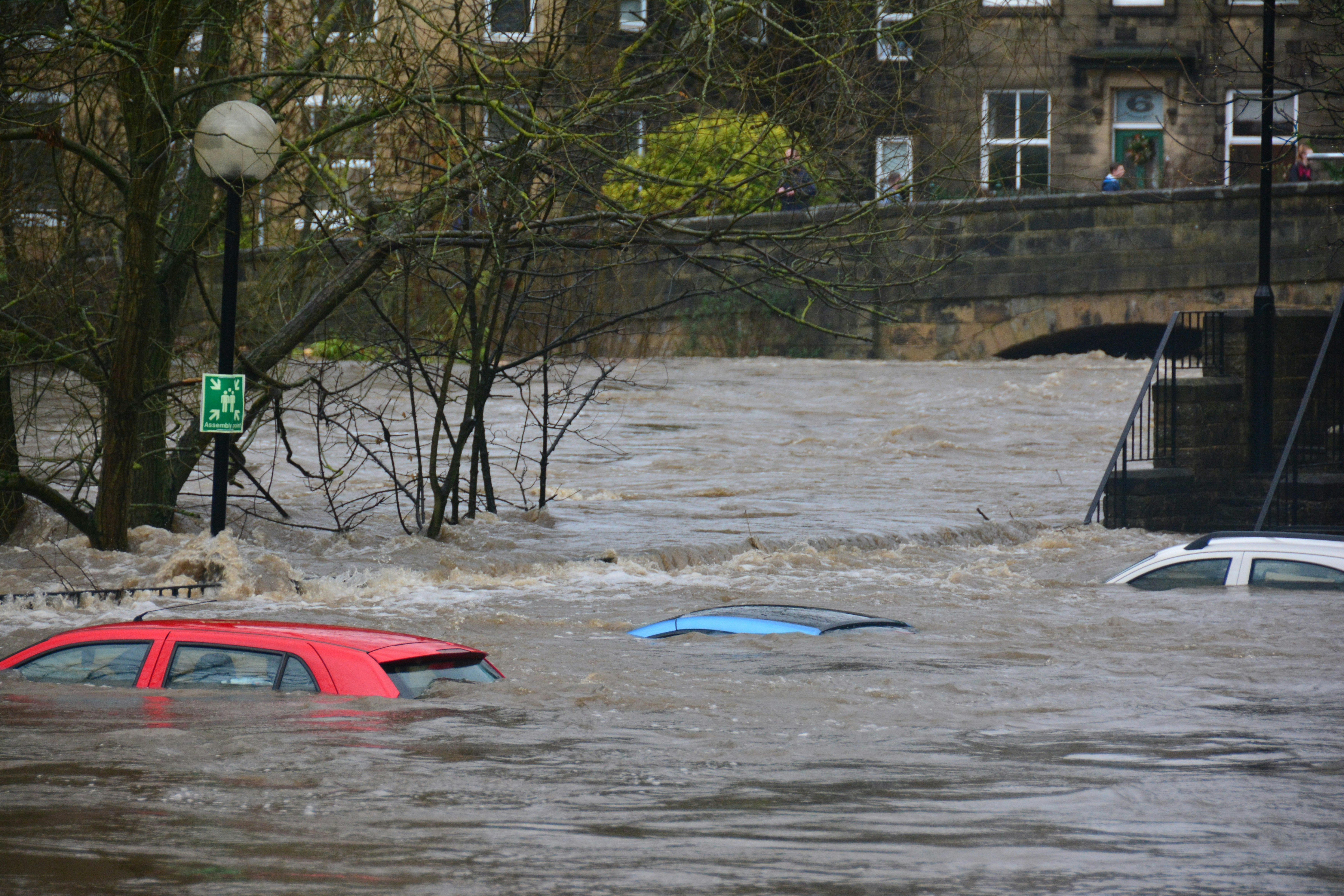
Flood Damage Lead Response Checklist for Restoration and Home-Service Businesses
Flooding concerns and evacuation orders reported near rivers in southwest Colorado and San Juan County, New Mexico are a reminder that restoration and home-service businesses should be ready for urgent flood-related inquiries—even when normal operations are disrupted.
9News reported mandatory evacuations and flooding concerns along four rivers near Pagosa Springs, Colorado. KOAT also reported evacuations near the Animas and San Juan Rivers in San Juan County, New Mexico.
Those reports do not prove that local businesses are seeing more calls, quote requests, or bookings. But flooding events can create conditions where homeowners need answers quickly, and businesses should prepare for a possible increase in inquiries outside normal hours.
This checklist helps restoration companies, plumbers, roofers, mitigation teams, electricians, and other home-service businesses acknowledge new leads, set safe boundaries, collect usable information, and route each conversation to a qualified person.
Life safety comes first. If a person reports an immediate danger, an evacuation concern, a fire, a gas leak, a downed power line, carbon monoxide, or medical equipment affected by a power outage, direct them to emergency services and current official local guidance. Do not use an automated text, intake form, or service-business conversation as a substitute for emergency response.
Table of contents
- What this flood response workflow is for
- The flood damage lead response checklist
- Flood-specific intake questions
- SMS templates for flood-related inquiries
- How to manage capacity without overpromising
- Follow-up when a flood lead goes quiet
- Where automation fits—and where people must take over
- FAQ
What this flood response workflow is for
A flood-related inquiry is not the same as a routine estimate request.
The customer may be displaced, unable to access the property, uncertain whether it is safe to enter, or trying to contact several providers at once. Your team may also be dealing with impassable roads, changing service areas, limited staff, and a backlog of inspections.
A useful workflow separates four jobs:
- Acknowledge the inquiry quickly.
- Identify situations that require emergency or official guidance—not a service quote.
- Collect enough information for a human to review the request.
- Set the next step without promising arrival times, coverage, or remediation outcomes you cannot confirm.
That distinction matters. A fast acknowledgment can reassure a homeowner that their message was received. It cannot assess damage, determine safety, dispatch a crew, or replace a qualified on-site inspection.
The flood damage lead response checklist
Use this as a live operating checklist when flooding conditions may create urgent requests.
1. Confirm your safety and operating status first
Before turning on additional ads, broadcasts, or automated sequences, confirm what your business can actually support.
- [ ] Review current official conditions for the areas you serve.
- [ ] Confirm whether staff can travel safely.
- [ ] Identify any service-area restrictions, road closures, or neighborhoods your team cannot reach.
- [ ] Confirm who is responsible for reviewing urgent inquiries.
- [ ] Set realistic hours for call-backs and inspections.
- [ ] Pause any message that implies immediate availability if capacity is uncertain.
- [ ] Create an escalation contact for messages involving hazards or urgent property concerns.
A flood response workflow breaks down when the first message says “We can be there right away” but no one has confirmed crew availability or travel conditions.
2. Send a prompt acknowledgment with clear safety boundaries
The first reply should do three things:
- confirm receipt;
- tell the customer what happens next;
- redirect immediate safety concerns to emergency services and official authorities.
Keep it short. A homeowner dealing with water intrusion does not need a long sales message.
Checklist:
- [ ] Identify your business.
- [ ] Confirm that the request was received.
- [ ] Avoid diagnosing damage by text.
- [ ] Avoid promising an arrival time before human review.
- [ ] Include an emergency boundary when appropriate.
- [ ] Ask for the minimum information needed to route the lead.
For broader first-response examples, see 15 auto reply messages contractors can use for new leads.
3. Flag emergency and high-risk messages for immediate human review
Not every urgent-sounding request is an emergency, and your business should not attempt to make that determination through automation alone.
Route these messages to a trained human quickly:
- [ ] The customer mentions evacuation orders or asks where to evacuate.
- [ ] The customer reports a downed power line, gas smell, fire, carbon monoxide, or another immediate hazard.
- [ ] The customer says someone is trapped, injured, or dependent on medical equipment that has lost power.
- [ ] The customer cannot safely access or leave the property.
- [ ] The customer asks whether it is safe to enter a flooded building.
- [ ] The customer reports active water entering the property and requests immediate help.
Your response should remain within your role: encourage emergency services or official local guidance for life-safety issues, then have a qualified team member determine whether and when your business can discuss service.
4. Capture the details a reviewer needs
Once safety boundaries are clear, collect information that helps a human decide whether the request fits your service area, capabilities, and current capacity.
- [ ] Customer name
- [ ] Best callback number
- [ ] Property address
- [ ] Whether the property is accessible
- [ ] Type of property: home, rental, commercial building, or other
- [ ] What the customer observed: standing water, roof leak, plumbing issue, sewage backup, wet flooring, damaged drywall, or another concern
- [ ] Whether water is still entering the property
- [ ] When the issue was first noticed
- [ ] Photos or videos, if the customer can share them safely
- [ ] Preferred callback window
- [ ] Insurance-related questions to review with the appropriate person—without promising coverage
Do not make the intake form unnecessarily long. In a stressful moment, the goal is to get enough information for the next decision, not complete a full estimate remotely.
5. Assign a clear human owner
A lead should never sit in a shared inbox because everyone assumes someone else will respond.
For each new flood-related inquiry, assign one of these statuses:
| Status | Meaning | Next action |
|---|---|---|
| Safety escalation | The message includes a potential life-safety issue | Direct the customer to emergency services or official guidance; alert the designated human reviewer |
| Needs call-back | The request appears serviceable but needs details | Assign an owner and call or text during your stated review window |
| Service-area review | The property may be outside your active coverage | Confirm location and current travel limits before offering an appointment |
| Capacity hold | You may be able to help but cannot yet confirm timing | Send an honest update and schedule the next review point |
| Inspection candidate | A qualified human has confirmed a viable next step | Offer available inspection or assessment options |
| Closed or referred | You cannot take the job | Communicate clearly; do not leave the customer waiting |
The important part is not the label. It is knowing who owns the next response and when they will make it.
6. Verify service area and capacity before offering an appointment
Flood conditions can change your normal service area and scheduling assumptions. Before offering an inspection window, verify:
- [ ] Can the crew safely reach the location?
- [ ] Is the address inside your current service area?
- [ ] Is the property accessible?
- [ ] Do you have the right type of crew or service for the reported issue?
- [ ] Is there actual capacity for an inspection or visit?
- [ ] Has a qualified person approved the timing you are about to offer?
If you cannot confirm availability yet, say so plainly. A transparent “We’re reviewing our current route capacity and will update you by [time]” is better than an unverified promise.
7. Confirm the next step in writing
After a human review, send a brief confirmation that records the agreed action.
- [ ] Confirm the date or review window, if one has been approved.
- [ ] Repeat the property address.
- [ ] State what the next interaction is: call-back, inspection request, estimate discussion, or waitlist update.
- [ ] Avoid guaranteeing a damage assessment, insurance outcome, or remediation result.
- [ ] Give the customer one direct way to reply if circumstances change.
Flood-specific intake questions
Use these questions in a text conversation, web form, or call script. Ask only what you need based on the service you provide.
For restoration and mitigation businesses
- Is there visible water inside the property?
- Is water still entering?
- Which areas appear affected?
- When did you first notice the water?
- Is the property currently accessible?
- Can you share photos only if doing so is safe?
For plumbers
- Does the issue appear connected to a burst pipe, drain backup, sewer backup, or another plumbing concern?
- Is the water source still active?
- Has water been shut off, if that is safe and appropriate for the customer to do?
- Is the issue at a residence or commercial property?
Do not diagnose the cause by text. The purpose is to route the inquiry to the right person and determine whether your business can review it.
For roofers and exterior contractors
- Is water entering through the roof or another exterior opening?
- Is there visible exterior damage from a safe viewing location?
- Is the property accessible for a future inspection?
- Is the request for a temporary protection conversation, a damage inspection, or a later estimate?
Avoid asking customers to climb on roofs, enter unsafe areas, or inspect damage in hazardous weather.
SMS templates for flood-related inquiries
These templates are starting points. Adjust the wording to match your real service area, staffing, and review process.
1. Initial flood inquiry acknowledgment
Hi [First Name], this is [Business Name]. We received your request about the water or flood damage at [Property Address]. A team member will review the details and follow up as soon as we can. If anyone is in immediate danger or you have an evacuation or life-safety concern, contact emergency services and follow current official local guidance.
2. Information request after acknowledgment
Thanks, [First Name]. To help our team review this, can you reply with: 1) the property address, 2) where you’re seeing water or damage, 3) whether water is still entering, and 4) the best time for a call-back? Please only send photos if you can do so safely.
3. Capacity-pending update
Hi [First Name], [Business Name] is reviewing current crew availability and access conditions for your area. We have your request and will update you by [time/date]. We do not want to promise a visit until we can confirm the next step.
4. Human review and inspection request
Hi [First Name], this is [Team Member] with [Business Name]. We reviewed your request for [Property Address]. We can discuss available inspection options. Would [option 1] or [option 2] work for a call to confirm the details?
5. Outside service area or unavailable capacity
Hi [First Name], thanks for contacting [Business Name]. Based on our current service area or availability, we can’t confirm service for this request. We wanted to let you know promptly rather than leave you waiting. For immediate safety concerns, please contact emergency services and follow official local guidance.
6. No-response follow-up
Hi [First Name], checking back on your request for [Property Address]. If you still need to speak with our team, reply here with the best callback time and any updated details. If the situation involves an immediate safety concern, please contact emergency services.
For more general scripts that can support your regular workflow after the urgent intake stage, read best lead response templates for service businesses.
How to manage capacity without overpromising
During a possible weather-driven demand spike, capacity is part of lead handling. A business can lose trust by accepting every request without knowing whether it can safely serve the area.
Use three practical rules.
Publish only the availability you can verify
Do not advertise same-day inspections, emergency response, or a specific response window unless you can actually deliver it under current conditions.
If your availability changes, update your forms, auto-replies, voicemail, and team scripts together. Conflicting messages create confusion fast.
Separate acknowledgment from appointment confirmation
An acknowledgment means, “We got your message.”
An appointment confirmation means, “A qualified person has reviewed availability and approved this next step.”
Those are different commitments. Treat them differently in your messaging.
Use a waitlist or callback queue honestly
If you are at capacity, you may still be able to collect inquiries for later review. But say what that means:
- the request has been received;
- timing is not yet confirmed;
- someone will update the customer by a specific time or date;
- the customer should seek emergency help for immediate safety issues.
That process is more useful than silently collecting leads your team cannot yet work.
Follow-up when a flood lead goes quiet
A customer may stop responding because the situation changed, they lost service, they found another provider, or they are dealing with more urgent priorities. Do not assume disinterest after one missed reply.
A reasonable short sequence might look like this:
- Initial acknowledgment: Confirm receipt, safety boundary, and next step.
- Follow-up after the stated review window: Ask whether the customer still needs a call-back or inspection discussion.
- Final check-in: Offer one simple way to reconnect and close the loop if you do not hear back.
Keep the messages practical and limited. Flood-related situations are not the time for aggressive sales pressure or repeated “last chance” language.
For a broader framework, see how often to follow up with a lead and how to follow up with home service leads automatically.
Where automation fits—and where people must take over
Automation can help make sure a new inquiry receives a prompt acknowledgment and that a follow-up does not get forgotten after hours. SecureMyLead can automatically send an SMS first response when a new lead arrives and continue with configured follow-up sequences.
For flood-related inquiries, keep automation narrow and responsible:
Automation can help with:
- confirming receipt of a web form or inbound lead;
- sending a safety-aware acknowledgment;
- requesting basic intake details;
- sending a capacity-update message approved by your team;
- reminding an assigned person to review a conversation;
- following up when a customer does not respond.
A human must handle:
- emergency and life-safety judgment;
- interpreting property hazards;
- determining whether a location is serviceable;
- confirming crew availability;
- dispatching or scheduling decisions;
- on-site assessment;
- damage estimates, insurance questions, and remediation recommendations.
If you use automated texting, make sure your business has the appropriate permission to message the lead and that the workflow reflects your actual operating capacity. Automation should support the handoff—not create promises your team cannot keep.
Key takeaways
- Flooding reports and evacuation orders can make urgent home-service inquiries more likely, but they do not prove a measured increase in leads.
- Lead with emergency services and official guidance whenever a message involves immediate danger, evacuation, or life-safety concerns.
- Acknowledge inquiries quickly, but do not promise arrival times, availability, insurance coverage, or outcomes before human review.
- Collect only the details needed to determine safety boundaries, service area, fit, and the next action.
- Assign every inquiry to a named human owner.
- Treat automated messages as an acknowledgment and follow-up tool—not emergency triage, dispatch, or damage assessment.
FAQ
Should a restoration company automate flood damage replies?
It can automate a brief acknowledgment and basic intake request, provided the message clearly directs immediate safety concerns to emergency services and official authorities. A human should review requests involving hazards, access issues, availability, inspections, or service commitments.
What should a flood damage auto-reply say?
It should identify your business, confirm receipt, state that someone will review the request, ask for essential details, and include an emergency boundary. Do not diagnose damage or promise a crew arrival time in the first automated message.
Should we promise same-day flood inspections?
Only if a qualified person has verified that your team can safely reach the property and has actual capacity. During changing flood conditions, it is safer to acknowledge the request and give a clear review or update window first.
What information should we collect from flood-related leads?
Start with the customer’s name, callback number, address, accessibility, what they observed, whether water is still entering, when the issue began, and a safe way to share photos if relevant. Then gather service-specific details during human review.
Can SecureMyLead dispatch flood restoration crews?
No. SecureMyLead is a lead-follow-up automation layer. It can help your business acknowledge new inquiries and continue configured SMS follow-up, but it does not replace human judgment, emergency services, dispatch, scheduling, or on-site assessment.
Related reading
- After-hours lead response: how to win jobs while you sleep
- Automated lead follow-up systems for contractors
- Estimate follow-up text templates for contractors
- 7 lead follow-up mistakes that quietly kill conversion
When urgent inquiries arrive while your team is on-site, driving, or off the clock, a consistent acknowledgment workflow can keep legitimate service requests from sitting unanswered. Get started free with SecureMyLead to build SMS follow-up around your team’s real review process.