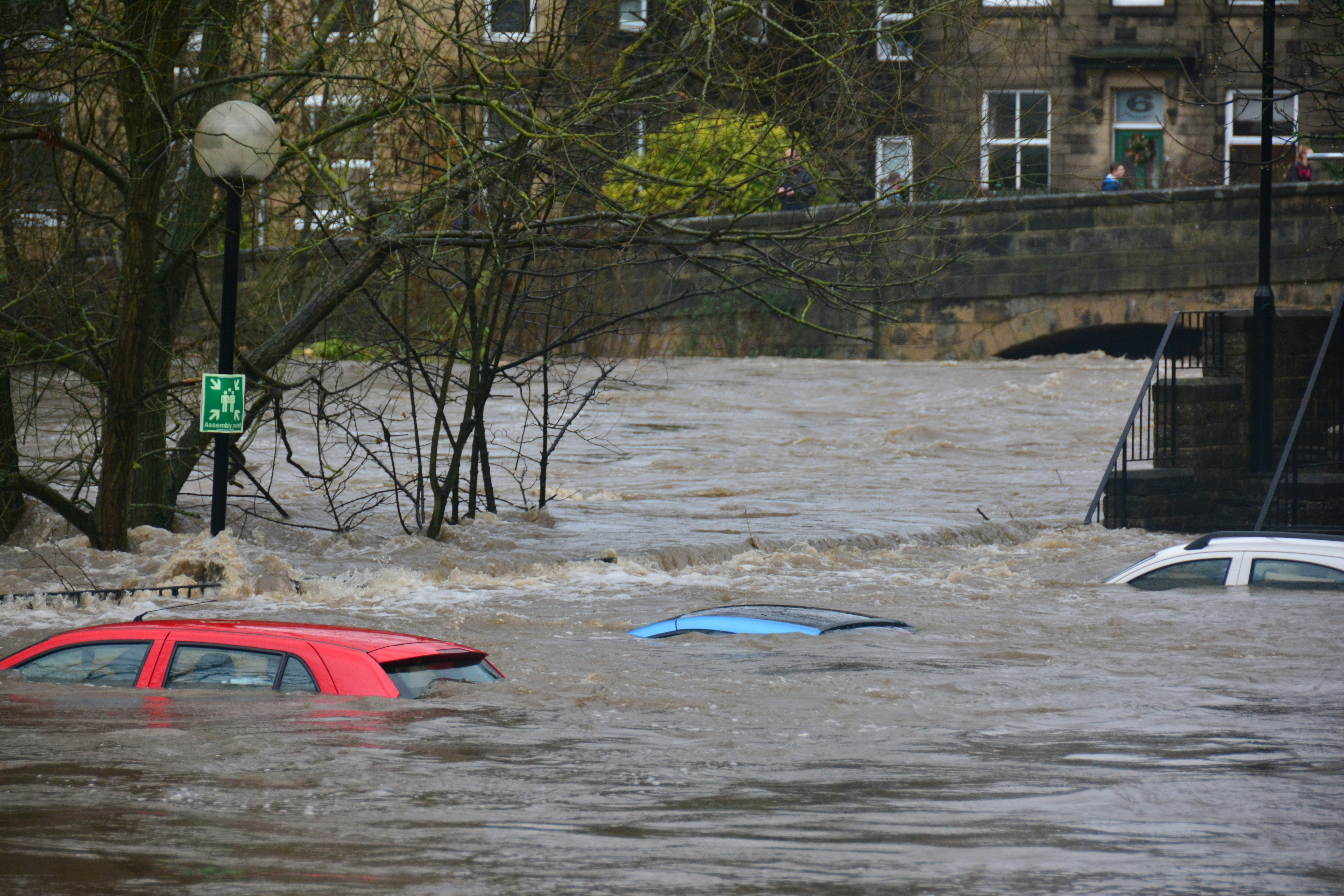
Flash Flood Lead Response Playbook for Restoration Contractors
Heavy rain and flash-flood conditions can create urgent customer questions for restoration contractors, water-remediation companies, roofers, plumbers, and related home-service teams.
Recent local reporting offers a reminder to prepare: Columbia crews were clearing storm drains ahead of expected weekend rain and flood risk, while reporting from western North Carolina covered heavy rain, strong winds, and flood-related precautions. These are separate local examples, not proof that restoration inquiries have increased. But they show why a severe-weather response workflow is worth having before your phones, forms, and inboxes get busy. WLTX · 828 News NOW
If inquiries rise, the goal is not to treat every form submission as a normal estimate request. Your team needs a simple way to:
- Put genuine safety concerns ahead of sales conversations.
- Acknowledge every inquiry without pretending you can assess an emergency by text.
- Identify location, water source, access, and service needs.
- Assign a real person to urgent conversations.
- Set honest expectations when crews are at capacity.
- Continue appropriate follow-up so non-urgent requests do not disappear.
Table of contents
- Start with safety, not lead handling
- Build a flood-specific intake process
- Use a simple urgency and ownership workflow
- Set capacity rules before demand gets busy
- Text templates for flood-related inquiries
- How automation fits into the workflow
- Flash flood response checklist
- FAQ
Start with safety, not lead handling
A restoration business should never use an automated text, web form, or chatbot as emergency triage.
If an inquiry indicates immediate danger, the customer should follow local emergency guidance first. Your team should not diagnose electrical hazards, structural safety, contaminated water, gas issues, medical-equipment needs, or rescue situations through SMS.
Build this boundary into your intake scripts and staff training:
If you believe there is an immediate threat to life or safety, please follow local emergency guidance and contact emergency services. We cannot assess emergency conditions by text.
That message does two things well:
- It avoids giving unverified safety advice.
- It makes clear that your company’s next role is restoration support, not emergency response.
Once immediate safety concerns are addressed, a human team member can determine whether the property is within your service area, whether the work fits your scope, and whether a crew can be scheduled.
Build a flood-specific intake process
A normal “Name, phone, and address” lead form may not give a restoration team enough context during severe weather. Add fields that help a human quickly understand the request without asking customers to write a long explanation while they are dealing with a stressful situation.
Capture the minimum details needed for a callback
Use these fields on web forms, call notes, lead-source integrations, or a shared intake sheet:
| Intake field | Why it matters |
|---|---|
| Full name and callback number | Gives your team a direct way to reach the person. |
| Property address or ZIP code | Confirms service-area fit and helps route the request. |
| Property type | Helps distinguish a home, rental, commercial building, or other property. |
| Water location | Identifies the affected area, such as basement, crawl space, first floor, roof, or garage. |
| Water source, if known | Helps the customer describe whether the issue appears related to rain, a roof leak, plumbing, or another cause. Do not treat this as a diagnosis. |
| When it started | Helps the team understand whether the issue is ongoing or reported after the fact. |
| Current access | Lets the team learn whether the property can be accessed safely when a visit is appropriate. |
| Photos or video, if safe to provide | Can help a human prepare for the conversation. Never ask customers to enter unsafe areas to collect media. |
| Insurance contact status, if relevant | Useful context for the customer conversation, not a substitute for insurance adjusting. |
| Consent to receive text updates | Supports appropriate SMS communication. |
Keep the form focused. During a possible weather-driven rush, a 20-question form can create abandonment and delays. You can gather deeper documentation after a human has reviewed the request.
Ask for photos carefully
Photos can be useful for planning, but the request must include a safety boundary.
Use language such as:
If it is safe to do so, you may reply with photos of the affected area. Please do not enter standing water, damaged areas, or any location that feels unsafe to document the damage.
Avoid asking prospects to inspect outlets, move damaged materials, enter crawl spaces, or test equipment. Those decisions should not be prompted by a lead-follow-up message.
Use a simple urgency and ownership workflow
The right workflow is not “respond faster at all costs.” It is “acknowledge promptly, then put the right human on the right conversation.”
A practical three-lane system can keep the team organized.
Lane 1: Immediate human review
Route these inquiries to a designated on-call owner for a prompt call or direct review:
- A customer reports active water intrusion or rapidly changing conditions.
- The request involves a property currently affected by flooding.
- The person is unsure whether the property is safe to enter.
- The message suggests a possible immediate safety concern.
- A commercial customer reports business interruption or a large affected area.
The automated response should acknowledge receipt, state that a team member is reviewing the request, and avoid making dispatch promises before capacity and location are confirmed.
Lane 2: Same-day restoration qualification
Use this lane for requests where damage is reported but the immediate situation is less clear or conditions are stable enough for normal qualification.
The owner should confirm:
- Address and service area.
- Type and location of water damage.
- Whether the source is still active, if the customer knows.
- Safe access and availability for a conversation or inspection.
- Whether your company has the right crew and capacity.
This is where a call is usually more useful than a long text exchange. Text can collect basics, but restoration work often requires context that cannot be responsibly handled through automated messaging alone.
Lane 3: Follow-up and waitlist requests
Not every flood-related inquiry can receive immediate onsite service. A customer may be outside your area, need a future inspection, have a lower-priority request, or contact you when crews are already committed.
Do not leave these leads unanswered. Give them a clear status and next step:
- Offer the next available assessment window only when you can support it.
- State that availability is limited if that is true.
- Ask permission to keep them updated if your schedule changes.
- Make it clear that the message is not a confirmation of service.
This protects customer expectations and makes it easier for your team to work through inquiries in a consistent order.
Set capacity rules before demand gets busy
Severe weather can make capacity change hour by hour. A response workflow should tell staff what they can promise—and what they cannot.
Decide who can authorize each outcome
Before a weather event affects your area, assign one person per shift who can make decisions about:
- Whether a lead is inside the current service area.
- Whether a crew can be offered.
- Which requests need a call first.
- Whether the business is accepting same-day work.
- What language to use when the schedule is full.
- When to pause lead-generation spend or update website messaging.
Without this ownership, multiple employees may offer the same time slot or promise a callback that nobody owns.
Use clear statuses
Your lead list should make the next action visible. Simple statuses work well:
- New — needs review
- Safety message sent — needs human review
- Called — awaiting customer response
- Qualified — scheduling review
- Scheduled — confirmed by team
- Waitlist — capacity limited
- Outside service area
- Not a fit
- Follow-up due
The important part is not the labels. It is that every inquiry has one owner and one next action.
For broader workflow ideas, see how to build a lead follow-up system that runs automatically and how busy business owners can follow up with every lead.
Do not overpromise availability
An immediate acknowledgment is helpful. An automatic “We’ll be there today” message is risky unless you have confirmed capacity and coverage.
A better approach:
We received your request and are reviewing current availability. A team member will contact you to confirm whether we can assist and discuss next steps.
That language is useful without treating automation as dispatch.
Text templates for flood-related inquiries
Use these as starting points. Add your business name, service-area rules, and on-call process before activating any message.
1. New inquiry acknowledgment
Hi [First Name], this is [Business Name]. We received your water-damage request for [Property Address/ZIP]. A team member is reviewing it and will contact you about next steps. If you believe anyone is in immediate danger, please follow local emergency guidance and contact emergency services. Reply STOP to opt out.
2. Request for basic details
Hi [First Name], [Business Name] here. To help our team review your request, can you reply with the property address and the area affected (for example: basement, roof, first floor, or crawl space)? If it is safe to do so, you can also send photos. Please do not enter unsafe or flooded areas to take them.
3. Service-area qualification
Thanks, [First Name]. We’re confirming coverage for [ZIP/City]. Can you share the full property address and the best time for a team member to call you?
4. Capacity-limited response
Hi [First Name], we received your request. Our crews are currently handling existing weather-related appointments, and we cannot yet confirm an onsite time. We can keep your request in our review queue and update you if availability opens. Would you like us to do that?
5. Outside-service-area response
Hi [First Name], thank you for contacting [Business Name]. Based on the address provided, the property appears to be outside our current service area. We’re sorry we can’t confirm service for this request.
Do not add a referral unless you have a real, current partner relationship and can make that recommendation responsibly.
6. No-response follow-up
Hi [First Name], this is [Business Name] following up on your water-damage inquiry. If you still need help, reply with the property address and the best number/time for a team member to reach you. Reply STOP to opt out.
Keep follow-up measured. A person dealing with flooding may be busy with family, insurance, cleanup, or local conditions. Multiple aggressive texts in a few hours can create pressure without improving the customer experience.
For additional adaptable wording, see best lead response templates for service businesses and contractor web form auto response messages.
How automation fits into the workflow
Automation can help when your team is in the field and cannot manually acknowledge every new form submission or missed inquiry. It can send the first acknowledgment, collect basic details, and schedule a reasonable follow-up so requests are less likely to be forgotten.
It should not:
- Determine whether a customer is safe.
- Diagnose water damage or contamination.
- Promise a crew, an arrival time, or insurance coverage.
- Replace a human owner for urgent conversations.
- Keep sending routine sequence messages after a conversation changes direction without staff review.
SecureMyLead can act as the SMS follow-up layer: automatically acknowledge a newly captured lead and continue a configured follow-up sequence. Because ordinary customer replies do not automatically pause scheduled messages, your team should review active conversations and adjust or stop follow-up when the situation requires it.
Also, only text people with appropriate consent, use accurate sender identification, and honor opt-out requests. Messaging tools can support your process, but your business remains responsible for using them lawfully.
Flash flood response checklist
Use this checklist before and during a heavy-rain or flood-risk period:
- [ ] Assign an on-call person to review urgent inbound requests.
- [ ] Confirm current service areas and crew coverage.
- [ ] Define what staff may and may not promise by text.
- [ ] Add property location, affected area, and callback details to intake forms.
- [ ] Add safety language to automated acknowledgments.
- [ ] Create a human-review lane for potentially urgent conversations.
- [ ] Prepare an honest capacity-limited reply.
- [ ] Ensure every inquiry has an owner and a next action.
- [ ] Review active automated sequences when a customer replies.
- [ ] Verify that text recipients have provided appropriate messaging consent.
- [ ] Update website and call-answering language if availability changes.
- [ ] Review unanswered and waitlisted requests after the immediate weather period passes.
Key takeaway
Heavy rain and flash-flood risk do not automatically mean your restoration company will receive more leads. The referenced reports document weather preparation and flood-related risk, not a measured increase in restoration demand.
Still, businesses in affected or at-risk areas should prepare for the possibility of urgent inquiries. The strongest response system is safety-first, human-owned, and honest about capacity: acknowledge the request, collect useful information, route urgent conversations to a person, and follow up appropriately when the team is busy.
FAQ
Should restoration contractors use automated texts during flood conditions?
They can use automated texts for acknowledgment, basic intake, and follow-up when recipients have provided appropriate consent. Automated messages should not be used to assess emergencies, diagnose property conditions, or promise dispatch.
What should a flood-damage intake form ask?
At minimum, collect the customer’s name, callback number, property address or ZIP code, property type, affected area, a brief description of the issue, and a safe way to request photos if useful. Keep the form short enough for a stressed customer to complete.
How should we respond if no crew is immediately available?
Be direct. Acknowledge the request, explain that availability is being reviewed or that crews are currently committed, and avoid offering a time you cannot support. If appropriate, ask permission to keep the customer updated about future availability.
Can an automated message tell a homeowner what to do after flooding?
Avoid providing unverified emergency or property-safety instructions through automated lead messages. If there may be immediate danger, direct the person to follow local emergency guidance and contact emergency services.
How often should we follow up on a flood-related inquiry?
Follow-up timing depends on the customer’s situation, consent, and your real capacity. Use a measured cadence, stop or adjust messages when a human conversation begins, and do not use repeated texts to create artificial urgency.
Related reading
- After-hours lead response: how to win jobs while you sleep
- Automated lead follow-up systems for contractors
- 7 lead follow-up mistakes that quietly kill conversion
If you want a more consistent acknowledgment and follow-up layer for new restoration inquiries, get started free with SecureMyLead.